

WordPress Booking Calendar Plugin for Easy Scheduling
Bring your booking calendar online with BookingPress. Show real-time availability on your WordPress site and let customers schedule appointments anytime.
- 60+ premium add-ons. No extra costs.
- Trusted by 100,000+ businesses worldwide.

Everything you need to manage your booking calendar
Manage bookings, availability, events and schedules with a top-rated booking calendar plugin, all from your WordPress dashboard.
See Your Entire Schedule at a Glance
The admin calendar shows all your pending and approved appointments in one place. Best for getting a quick overview and planning your day ahead.
Get started →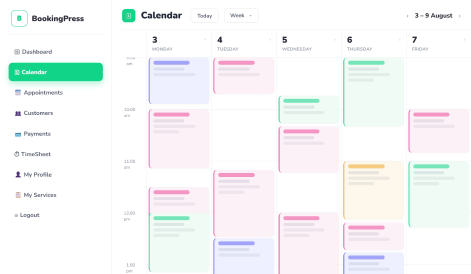
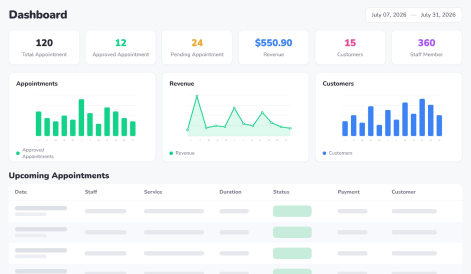
Find and Manage Appointments With Smart Filters
Pinpoint appointments by specific service, staff member, location and status.
Customize Appointment Cards
Choose which details appear on appointment cards. Book, move, or cancel appointments directly from the calendar.
See the admin →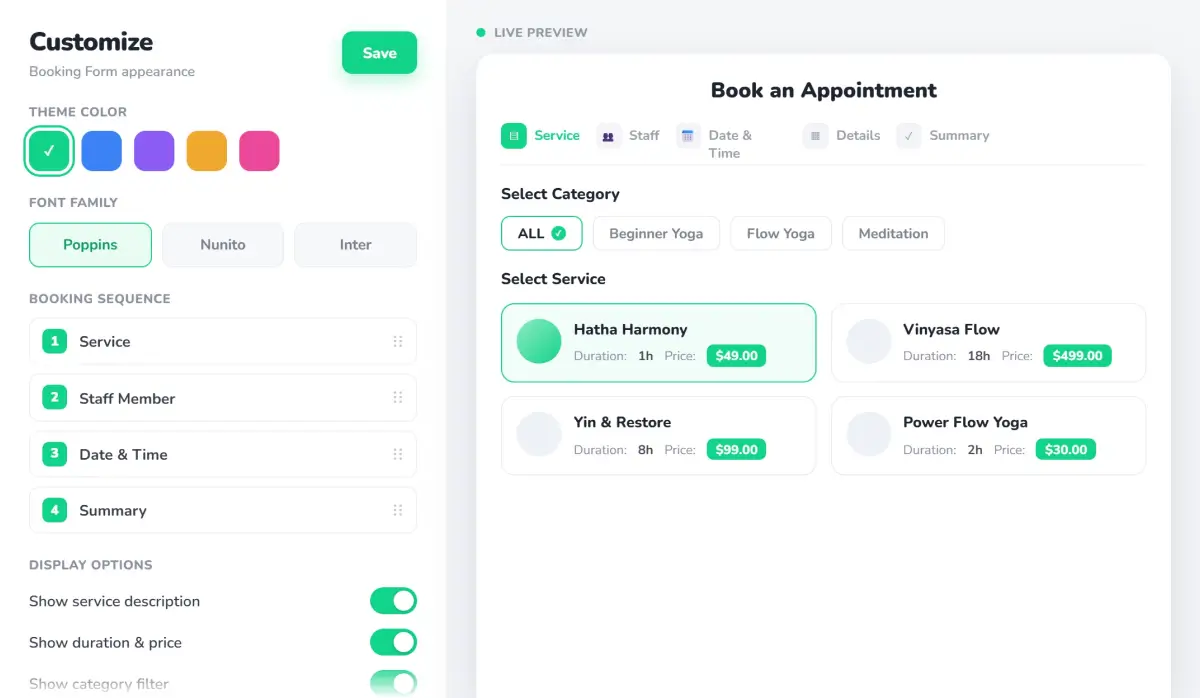
Try the Best WordPress Booking Calendar Plugin First-Hand
Book as a customer and explore how admins, staff and customers manage bookings. No signup.
Show Customers Only Available Time Slots
Real-time availability in your front end booking calendar form.
Calendar features →Customize Calendar Views
Switch between Month, Week, and Day views to match your workflow.
The Extras That Make Scheduling Better
Custom Booking Calendar
Design your own calendar booking form’s fonts, colors, labels, and more.
Group Bookings
Let customer book for themselves and their guests in one appointment
Service extras
Add-ons with their own price and duration.
22+ payment gateways
Take full or part of the price up front via a wide range of gateways.
Tips at Checkout
Customers tip their staff when paying online.
Color-Coded Appointments
Spot pending, approved, completed, and rejected services at a glance.
One-Click Status Updates
Manage appointment statuses without leaving the calendar.
Drag-and-Drop Rescheduling
Move appointments to different times slots with a simple drag and drop.
Customizable appointment cards
See the details that matter most.
Automated reminders
Cut no-shows with email, SMS, WhatsApp and Telegram reminders.
Two-Way Calendar Sync
Connect your WordPress booking calendar with Google, Outlook and Apple calendars
Buffer Time and Waitlist
Auto-insert pre time between timeslots and let customers try their luck for the next opening.
See why customers love BookingPress
Rated 4.5/5 on Capterra, G2 and Trustpilot by 100,000+ businesses.
“very easy to configure and it has a good look and high usability for our customers”
“I’m really happy with the plugin. It’s very user friendly, has loads of options, gets regular updates and support is fast and reliable.”
“Very complete plugin. Nice relation price-quality. Support is always there, kind and efective. Love it!”
WordPress appointment booking calendar with no hidden costs
Skip per-booking fees and extra costs for essential features. Get 60+ BookingPress add-ons in one license, with endless bookings and no booking commissions.
- Unlimited appointments, one license
- 22+ payment gateways included
- Flexible calendar views for every schedule
- Your booking data stays on your server
One site · unlimited staff, services & appointments.
- Month, Week, and Day calendar views
- 21+ payment gateways & deposits
- Real-time availability on your booking calendar
- Email, SMS, Telegram & WhatsApp reminders
- Separate calendars for admin and staff members
Lifetime from $229 · See full pricing →

Try Booking Press risk-free for 14 days
Isn’t the right fit for your business? We’ll refund every cent. No questions asked. Built by Repute Infosystems since 2005
What is the best WordPress booking calendar plugin?+
Is there a free WordPress booking calendar?+
Do customers see availability in real time?+
Does the booking calendar sync with Google Calendar?+
Can each staff member have their own calendar?+
How do I add the booking calendar to a webpage?+
Your Booking Calendar Can Do More Than You Think
Start with the free BookingPress lite plugin, or unlock all 60+ premium add-ons with a premium license. No monthly fees. No booking commissions. Ever.