Top Shift Management Best Practices for Modern Businesses


Shift management, especially for larger organizations, is more than just creating a schedule.
It’s a resource-consuming, structured process that impacts productivity, employee satisfaction, labor costs, and compliance. To name just a few aspects! Optimizing them becomes crucial to create a transparent and productive workflow. We know this from our experience of crafting the booking plugin for WordPress that fundamentally deals with availability, shifts, and employee cooperation.
So, whether you run a hotel, restaurant, clinic, retail store, manufacturing facility, or fitness studio, shift management simply MUST adapt to your business model!
In this guide, we cover the best shift management tips, try to cover process stages, responsibility levels, and more essentials.
How to Organize the Shift Management Process

Can you just find a good app that solves your shift management? Not really. To organize shift management, you need to know where to start and how to plan the schedule, as well as which app you actually need.
We’ve created a core to-do list based on the practices of many modern businesses that should help you get started with shift management correctly:
Phase 1. Forecast demand
- Analyze historical data
- Identify peak hours, days, and seasons
- Align staffing levels with expected demand
Phase 2. Define staffing requirements
- Determine minimum coverage levels
- Identify critical roles per shift
- Plan for backup staff
Phase 3. Collect availability
- Maintain updated employee availability
- Set clear deadlines for availability submissions
- Create availability calendars
Phase 4. Build the schedule in advance
- Publish schedules early (and let staff request or make corrections)
- Follow labor law requirements
Phase 5. Plan contingencies
- Prepare backup lists
- Define procedures for call-outs and no-shows
Phase 6. Monitor and adjust
- Track attendance
- Review productivity
- Optimize future schedules based on insights
Time and Attendance: Best Tips for the Modern Workplace

Even some of the best planners still use very basic technology – but at scale, modern businesses rarely rely on paper timesheets anymore.
Today, it’s done with digital clock-in and clock-out systems, mobile time tracking apps and even biometric or PIN-based attendance. Some teams rely on GPS-based clock-ins for field teams or real-time dashboards for managers (the future is now).
Best shift management practices that rely on handy time and attendance tracking here include:
- Automate overtime calculations
- Integrate time tracking with payroll
- Track breaks and rest periods automatically
- Set alerts for attendance anomalies
- Maintain transparent reporting
Of course, your industry plays a crucial role. For example, healthcare and hospitality companies require stricter time tracking due to compliance risks, but retail and fitness studios may just prioritize flexibility with simpler apps and tools.
Improve Productivity with Workforce and Roles

A clear role definition is essential to efficient shift management. But how to optimize those roles? We have a small cheat sheet for this process.
1. Define responsibilities per shift
Who handles operations? Who handles customer service? Who is accountable for closing procedures? Get the names on the paper.
2. Create a skill matrix
Identify multi-skilled employees, cross-train staff, and reduce dependency on one person. Also, consider the context of the seasonal changes in shifts.
3. Assign shift leaders
Appoint supervisors for each shift and give them tools to make minor scheduling adjustments.
Again, there will be a lot of industry differences, needless to say. Healthcare providers may prioritize certified staff availability and legal staffing ratios, while manufacturing focuses on production continuity and safety compliance. For retail, it’s smart to balance customer service and inventory handling.
Shift Changes & Flexibility for Modern Employees

Even in shifts, your staff expects flexibility (structured flexibility increases retention and overall work satisfaction).
How to organize shift swaps? Some of the best practices include:
- Require manager approval
- Ensure skill compatibility
- Set deadlines for swap requests
- Keep a digital record
You may also consider introducing shift bidding, when you allow employees to bid on preferred shifts. Prioritize based on seniority or performance (if applicable) and maintain fairness and transparency in this process.
What else is widely used for shift pickup and open shifts? Publish open shifts digitally, enable first-come-first-served or qualification-based assignment, and send real-time notifications. This is transparent and convenient (and this is exactly what you want to achieve).
For emergency and last-minute coverage, maintain a standby list, offer incentives for urgent coverage, and use automated alerts.
So, your staff wants flexibility – give it to them, but always let it remain controlled, documented, and compliant. Moreover, you may also take into account day and night shift tips:
| Day shift tips | Night shift tips |
| Higher staffing levelsStrong focus on customer interactionMore management presenceTraining sessions are typically scheduled during this time | Fewer but highly reliable employeesIncreased safety measuresClear emergency protocolsShift differentials to compensate employees |
All in all, smart shift allocation includes your ability to rotate night shifts fairly, avoid burnout by limiting consecutive night shifts, and, surely, match high-skill staff with complex periods. Can you balance experience levels across shifts?
Tools & Systems: Get the Right Scheduling App
Shift management today requires multiple tools for different jobs. Let’s take a look at a few working solutions.
- Clock-in / Clock-out & Time Tracking Tools: These help you automatically monitor attendance, track hours worked, and reduce payroll errors (e.g. Wages, Clockify).
- Workforce Management Systems (WFM): They are often used by enterprise organizations to automate scheduling, forecast labor needs, and manage compliance (e.g. Workday, UGK).
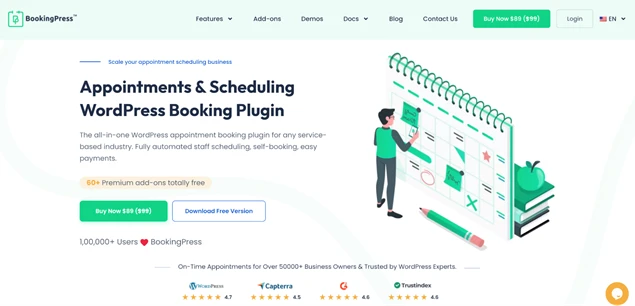
- Availability Calendars & Scheduling Software: Such tools are used by smaller service booking or rental shop businesses. They allow employees to submit availability (or add it as a business owner), get booked (e.g. a haircut), and communicate with clients directly. In solutions like BookingPress, shifts can be edited by staff and location. A great way to forget about scheduling conflicts.
In many cases, you will need to enable manager edits as well as allow controlled staff-initiated changes.
Workforce Optimization and Labor Law Compliance Tips

Optimization must never compromise compliance. Automation helps prevent violations by sending compliance alerts, blocking illegal schedules, and generating audit-ready reports. For some businesses, it’s even more important than the others. Here is what you need to monitor:
- Overtime limits
- Rest period requirements
- Maximum weekly working hours
- Fair scheduling laws
- Shift differentials
- Industry-specific staffing ratios
Final Takeaways
Shift management is based on a plan and a plan should be based on demand. You should also define roles clearly, use technology that suits your routines, allow structured flexibility, and always stay compliant.
Needless to say, shift management best practices vary by industry; however, the goal of effective shift management is almost the same in every scenario:
- Be more productive without repetitive tasks
- Increase transparency and reduce human error
- Make staff happier and reduce burnouts
- Improve team communication
- Automate payrolls.
Choosing the best shift management software and workflow, along with analyzing the economic value of your choices, is a time-consuming but essential process – one that determines how efficiently your team operates, how well you control labor costs, and how sustainably your business grows.
You May Also Like:



Brian is a WordPress expert with a decade of developing experience & technical-writing. He enjoys blogging, movies & hiking.

Get BookingPress Premium
60+ Premium Addons
20+ Payment Gateways
Plan starts at just $89
Get Premium NowLike our insights? Click the badge to add BookingPress as your preferred source on Google.

Add as a Preferred
Source on Google