
8 Best WordPress Contact Form Plugins in 2026


Ever clicked a “Contact Us” button and been greeted with a form that looks like it came from 2012? I know what you feel.
Your contact form is basically your website’s handshake. If it’s clunky or confusing, your visitors won’t even bother filling it out. If you’re Googling “best WordPress contact form plugin,” you’re probably looking for a quick, no nonsense answer.
The good news? This list is exactly that. Instead of trying 20+ WordPress contact form plugins yourself, I’ve done the work for you.
In this blog, I’ve tested dozens of plugins and rounded up the top 7 best WordPress contact form plugins that are simple, powerful and beginner friendly. Ready to find the one that actually feels right for your site?
Let’s jump right in.
Quick Overview: Best WordPress Contact Form Plugins (2026)
To SAVE your time, we prepared a quick overview list of the Best contact form plugins for WordPress. Even so, I suggest making it to the end so as not to miss out on an important feature.
| Plugin | Best For | Starting Price |
| 🥇 ARForms | Best all in one form builder for simple + advanced contact forms, built-in popup builder | $39 lifetime |
| 🥈Bit Form | Lightweight, fast, and modern contact forms with automation | $39/year or $132 lifetime |
| 🥉BuddyForms | Community websites needing front-end content submissions | $99.99/year |
| Sigma Form | Fast, AI-powered form creation for beginners & small businesses | $19.50/year |
| Formidable Forms | Advanced logic, calculators & data driven forms | $79/year |
| Forminator | Stylish, modern forms with quizzes, polls & payments | $30/year |
| WS Form | Developer level control, custom workflows & deep integrations | $59/year |
| CubeWP Forms | Free, flexible forms for the CubeWP framework | Free |
Best WordPress Contact Form Plugins Reviewed
1. ARForms
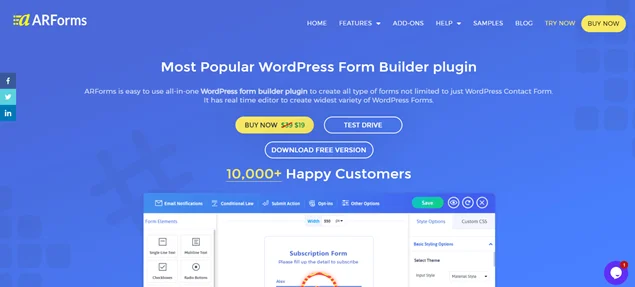
ARForms is the most powerful all-in-one WordPress contact form plugin around here. We used this tool on one of our website contact us page, for showing popups and creating surveys till now.
So far, this has been the best WordPress contact form plugin because it lets you create WordPress forms beyond just contact forms. Using its super simple drag and drop live interface, you can create and design multi-step registration forms, email subscription forms, order forms with payment gateways and so much more.
If you want to create your own contact us form for your service based site. ARForms gives you a set of extensive styling options to match your form perfectly with your brand’s style.
Why ARForms Stands Out:
- Full responsive forms.
- Built-in modal and popup form builder.
- Advanced conditional and math logic to make interactive forms.
- Integrates smoothly with 24+ popular third party tools such as payment gateways, email marketing tools and more.
- Powerful form analytics.
- Send automated emails, SMS and WhatsApp notifications.
- In-built spam protection along with free Google reCAPTCHA.
- Add a file upload section with multiple options.
- 50+ well designed professional templates and sample forms.
Pros of ARForms:
- Easy to use drag and drop interface.
- Rich feature set and powerful Addons like User Signup, PDF Creator and more.
- Powerful third party integrations.
- Easy data management with simple import, export and duplicate entries prevention.
- Budget and beginner friendly.
- 33+ advanced form fields.
- Simply copy and paste the shortcode to view your form.
Cons of ARForms:
- Needs Pro version to get all premium addons.
Pricing:
- Free version available.
- ARForms Pro is available at $39 (lifetime updates) with 6 months of technical support.
Why I Recommend It: ARForms is a perfect pick to create contact forms easily. Also allows for advanced form fields with build-in popup builder. It’s flexible, powerful and super cost effective, so it’s perfect for WordPress beginners and service based businesses alike.
2. Bit Form

Bit Forms is the most advanced WordPress form builder for creating dynamic forms with ease.
It is designed with speed in mind, so it’s super lightweight yet comes with powerful features such as conditional logic, multi-step forms, repeater fields and over 50+ popular third party integrations.
Why Bit Form Stands Out:
- Super fast drag and drop form builder.
- Advanced conditional and calculation logic for smarter forms.
- Advanced security with Google reCAPTCHA, Cloudflare Turnstile, hCaptcha and honeypot spam protection.
- REST API & Webhooks for advanced automation.
- Role based permission controls.
- Support 45+ advanced form fields.
Pros of Bit Form:
- Super lightweight.
- Modern design and advanced form fields (e.g., signature field).
- Easy to use drag and drop builder.
- Advanced features like anti-spam protection.
Cons of Bit Form:
- Limited advanced multi-step form features.
- Some powerful features require premium.
- Fewer pre designed templates compared to larger plugins.
Pricing:
- Free version available.
- The paid plan starts from $39/year or $132 lifetime.
Why I Recommend It: Bit Form is best if you want a fast, modern, lightweight contact form plugin. It’s efficient, flexible and perfect for small businesses, startups and anyone who wants a simple form builder plugin with strong automation options.
3. Buddy Forms

Buddy Forms is another one of the best WordPress contact form plugins. You create a custom contact form for your service based business in minutes with a simple drag and drop interface.
Best of all, it prevents users from submitting false data by setting custom validation rules on your contact forms.
Why Buddy Forms Stands Out:
- Front end content submission and management.
- Smooth integrations with BuddyPress and BuddyBoss.
- Easy to create contact forms, profile and registration forms.
- File upload and media forms.
- Frontend revision management.
- Fully GDPR compliant.
- Role-based permissions.
- Custom post type form builder.
- Email notifications for admins & users.
Pros of Buddy Forms:
- Easy to create all types of forms with zero code.
- Direct user generated content via forms.
- Let’s users submit posts/pages from the front end.
- Flexible workflow approval system.
- Strong integration with BuddyPress and social community tools.
Cons of Buddy Forms:
- High pricing compared to other contact forms plugins.
- Advanced features still needs the premium version.
Pricing:
- Free version available.
- The paid plan starts from $99.99/year.
Why I Recommend It: BuddyForms is a good pick if your website allows or depends on user content submissions. It’s built for communities, creators and membership platforms that need front end forms, workflows, and BuddyPress integrations.
4. Sigma Form

Sigma Forms is a next-generation WordPress form builder that puts powerful AI at the heart of your workflow. It’s completely changing the way you create and manage forms on your site.
This plugin is one of the newest solutions that has emerged as a popular choice for users who care about speed, smart automation, and deep customization in a single package. With AI-powered form generation, AI Sigma Forms can create a complete, ready to use form from a simple text prompt.
It can free you from manual field-by-field setup. Just describe what you need. Whether it’s a contact form, survey, event registration, or lead capture form, its AI will instantly assemble the right fields and structure and create it. This allows you to fine-tune and publish forms in minutes instead of hours.
Why Sigma Form Stands Out:
- 80+ pre-built forms templates
- 80+ AI prompt templates
- 10 versatile form fields
- Abandoned forms tracking
- Analytics dashboard
- Webhook Integrations
- SMTP support
- CAPTCHA protection
- White label option
- Shortcode support
Pros of Sigma Form:
- Easy to use drag and drop interface with AI prompt templates.
- Rich feature set, including abandoned cart recovery and analytics.
- Seamless webhook and SMTP integrations.
- Easy data management with shortcode embedding and white label options.
- Budget and beginner-friendly.
- Professional templates for quick setup.
- Boosts conversions with lead recovery tools.
Cons of Sigma Form:
- Relatively new plugin.
- No free version available.
Pricing:
- Starting at just $19.50/year.
Why I Recommend It: AI Sigma Form is a perfect pick to create forms easily. It combines AI intelligence with pro features like abandoned form tracking and analytics at an unbeatable price. It’s flexible, powerful and super cost-effective, so it’s perfect for WordPress beginners and service-based businesses alike.
5. Formidable Forms

If you want contact forms that do more than just collect messages, Formidable Forms has got your back. While it works great for simple contact forms, its real power lies in building complex, data driven forms like calculators, reports, directories, application forms, and more.
If you’re running a business website, course platform, real estate site, or anything that needs form logic, Formidable Forms gives you the tools to build it with zero code. And yes, it’s fast, polished, and loved by power users.
Why Formidable Forms Stands Out:
- Advanced calculations and conditional logic.
- Tons of form templates.
- Easy drag and drop form builder.
- Collect multiple sets of data with Repeater Fields.
- Easy to customize with 125+ hooks and customizable HTML.
- Built in captcha (reCAPTCHA v2 + honeypot).
- Send unlimited email notifications.
- 300+ customizable templates.
Pros of Formidable Forms:
- Advanced and powerful features.
- Highly customizable forms.
- Excellent customer support.
- User friendly interface.
Cons of Formidable Forms:
- High pricing compared to other contact forms plugins.
- Limited free version.
- Overkill for people who only need basic contact forms.
Pricing:
- Free version available.
- The paid plan starts from $79/year.
Why I Recommend It: I’ve picked Formidable Forms as the best contact form plugin for WordPress for users who want a contact form plugin that can grow into something much bigger such as calculators, directories, user dashboards, data listings, and other high level features.
6. Forminator

Forminator is one of the most popular WordPress contact form plugins, offering a robust set of features even in the free version, such as payment integrations, conditional logi,c and interactive content.
No matter whether you want to create a contact form, order form, or payment form, Forminator lets you create forms with ease. It comes with a bunch of drag and drop blocks, along with 1000+ integrations already added.
Why Forminator Stands Out:
- Advanced fields such as repeatable fields, calculation, and conditional logic.
- Built-in security with reCAPTCHA, hCaptcha or Turnstile protection.
- Save and resume feature.
- Custom styling options.
- Powerful Pro features like Geolocation, PDF Generator and signature field.
- Multi-file upload field.
- User registration & post submissions.
Pros of Forminator:
- One of the most feature rich free form plugin.
- User friendly and modern UI.
- Simple drag and drop interface.
- Built-in payment support in the free version.
- Create a poll form and also show the result in a graph.
Cons of Forminator:
- Limited form templates.
- It can feel heavy if your site already uses many plugins.
Pricing:
- Free version available.
- The paid plan starts from $30/year.
Why I Recommend It: Forminator is the best choice if you want a free WordPress contact form plugin that’s modern, stylish and packed with extra features like quizzes, polls, and payments. It’s perfect for blogs, business websites, agencies, and anyone who wants creativity and simplicity in one tool.
7. WS Form
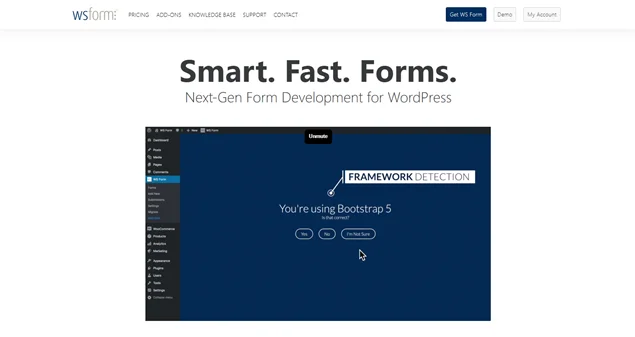
WS Form is a developer friendly contact form plugin in WordPress with drag and drop interface. While it’s great for simple contact forms, WS Form truly shines when you need highly advanced, dynamic and performance optimized contact forms.
Whether you’re building multi step forms, conditional field groups, product configurators, calculators, or forms tied to complex data structures, WS Form gives you the flexibility to do it all with precision.
Why WS Forms Stands Out:
- 100+ third party integrations.
- Advanced build-in anti-spam protection with Google reCAPTCHA, Akismet. integrations, hCaptcha, Cloudflare Turnstile and more.
- Create WordPress forms with just a prompt using its OpenAI Addon.
- Most powerful calculated fields and conditional logic.
- Support 65+ form field types.
- Fully responsive and customizable styling options.
Pros of WS Forms:
- Developer friendly with hooks and API options.
- Drag and drop grid based form builder.
- Over 100+ ready to use templates.
- Massive conditional logic system.
- Multi-step forms with full design control.
Cons of WS Forms:
- Might feel overwhelming for beginners.
- Most advanced features are available only in the Pro plans.
Pricing:
- Free version available.
- The paid plan starts from $59/year.
Why I Recommend It: WS Form is perfect if you want a high end and super flexible contact form plugin with complex workflows, custom logic and deep integrations.
8. CubeWP Forms
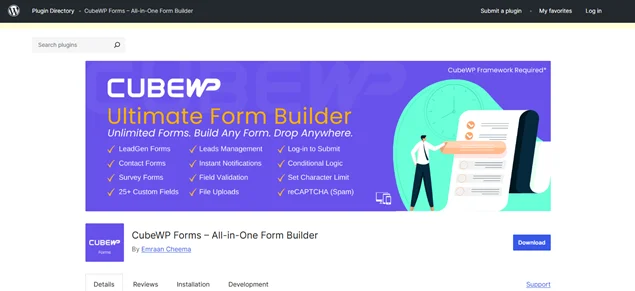
CubeWP Forms by Emraan Cheema is the best free WordPress contact form builder for the CubeWP Framework. You get 10+ amazing contact form templates such as simple contact form, extended contact forms, cooperate contact form, contact form with accepted terms, and a lot more to start collecting leads right away.
Why CubeWP Forms Stands Out:
- Powerful lead management.
- 25+ form fields & 10+ pre build templates.
- Smart conditional logic.
- Advanced spam protection with Google reCAPTCHA.
- Easy to restrict form submission for logged-in users only.
- Send automatic email notifications.
Pros of CubeWP Forms:
- Smoothly integrates with CubeWP framework.
- Easy backend lead management.
- Powerful features like conditional logic and file uploads.
- 100% mobile friendly.
Cons of CubeWP Forms:
- Limited to the CubeWP framework.
- Needs better tutorials, documentation and support.
Pricing:
- CubeWP Forms is available for free in the WordPress plugin directory.
Why I Recommend It: CubeWP Forms is perfect for a WordPress site that already uses the CubeWP framework. For anything involving custom data, listings, directories, or structured user submissions, this form plugin gives you the flexibility and power you need.
Further, it’s one of the most advanced form builders on the market, making it the best pick for agencies, developers and businesses who want forms that go far beyond simple contact pages.
How to Choose the Right Contact Form Plugin?
Choosing the right WordPress contact form plugin doesn’t have to feel like a guessing game. Here are the key factors to keep in mind that help you narrow down the best option for your website:
Factor 1 – Ease of use
If you want a WordPress form plugin that is super easy to use, even for your marketing team or non-coder team, make sure to look form builder with a simple drag and drop interface and professional looking templates.
Factor 2 – Features You Actually Need
Think about the type of contact forms you want to create right now or may plan to make in the future. Ask yourself:
- Need conditional logic?
- Want payment forms or booking inquiries?
- Planning to add surveys, quizzes, or user registration?
- Do you need front end content submission and management features?
These features are usually available in premium versions or through paid addons, so choose a plugin that offers the right upgrade path.
Factor 3 – Budget & Pricing Model
Next, the budget and pricing model of a WordPress form plugin matters the most after features for small businesses and startups.
Some contact form plugins for WordPress offer powerful free versions that work perfectly for basic contact forms. On the other hand, some form builders offer only premium versions or just the basic free version.
That’s why, if cost matters, check what’s included in the free and paid tiers before committing.
Factor 4 – Integrations With Your Tools
Now we have gone through each of the plugins and seen some offers with barely a few integrations, while others offer over 100 powerful third party tools.
However, it’s not about how many integrations a WordPress form builder comes with. It’s about making sure it integrates with the plugins or tools you need or use. So make sure it connects smoothly with email marketing tools and payment gateways you already use regularly.
Factor 5 – Spam Protection
All the plugins I have listed here come with robust and advanced spam protection features, so you don’t have to worry about your contact form getting spammed.
Quick Takeaway
If you want:
- Best all-in-one form builder: ARForms
- Simple contact forms: Forminator / Bit Form
- Advanced logic + calculators: Formidable Forms
- Developer level control: WS Form
- UGC + community forms: BuddyForms
- CubeWP framwork based sites: CubeWP Forms
Final Verdict: What is the Best Contact Form Plugin For WordPress
The “Best” WordPress contact form plugin depends fully on your business goals, budget, and overall requirements. Still, if you want a final single answer to this question, It’s none other than ARForms!
Yes, with over 10,000+ happy customers, ARForms is the best contact form plugin overall. You can create your contact form with extensive styling options and over 33+ advanced form fields using its drag and drop builder.
Plus, it comes with a quick live preview to see how your contact form will appear across multiple devices before publishing it.
Still, here’s a quick summary of all the best WordPress contact form plugins:
| Your Needs | Best Plugin |
| Simple yet smart contact forms, lead capture, and easy to use. | ARForms |
| Complex forms with calculators, data handling & conditional logic. | Formidable Forms |
| Full customization, developer control and tailored workflows. | WS Form |
| Interactive polls, quizzes, feedback, and payments. | Forminator |
At the end of the day, the “best” WordPress contact form plugin is the one that fits your current needs and grows alongside your business.
You May Also Like:



Brian is a WordPress expert with a decade of developing experience & technical-writing. He enjoys blogging, movies & hiking.

Get BookingPress Premium
60+ Premium Addons
20+ Payment Gateways
Plan starts at just $89
Get Premium Now