Time-Blocking Techniques for Smarter Scheduling


You start the day with a plan, but by afternoon, everything has been turned upside down.
Meetings run over, new tasks appear, and suddenly your priorities don’t look like priorities anymore.
We stay busy all day, but real progress feels delayed.
That’s why the time blocking method works so well. It helps us assign real time to real priorities so we stop guessing what to do next and start executing with clarity.
Discover what time blocking is and the most effective time blocking techniques to apply it in your routine.
TL;DR. Time blocking helps you plan tasks with clarity and focus. Use techniques like task-based blocking, time boxing, themed days, and buffer time to reduce distractions, stay organized, and improve productivity throughout your day.
What is Time Blocking (And Why Everyone’s Talking About It)?
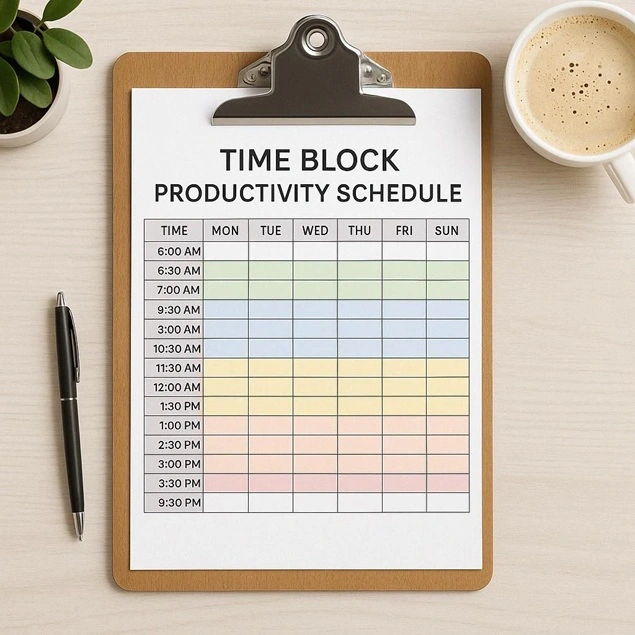
Time blocking is a time management technique where you plan out your complete day by giving each task a fixed time slot. This lets you decide in advance:
- What you will do.
- And exactly when you will do it.
Many business owners and people compare it with “to-do lists”. However, in them, you don’t have to assign a particular start and end time to your work.
For example,
- 9:00 to 10:00 → Write content
- 10:00 to 10:30 → Check emails
- 10:30 to 12:00 → Keyword research
- And so on….
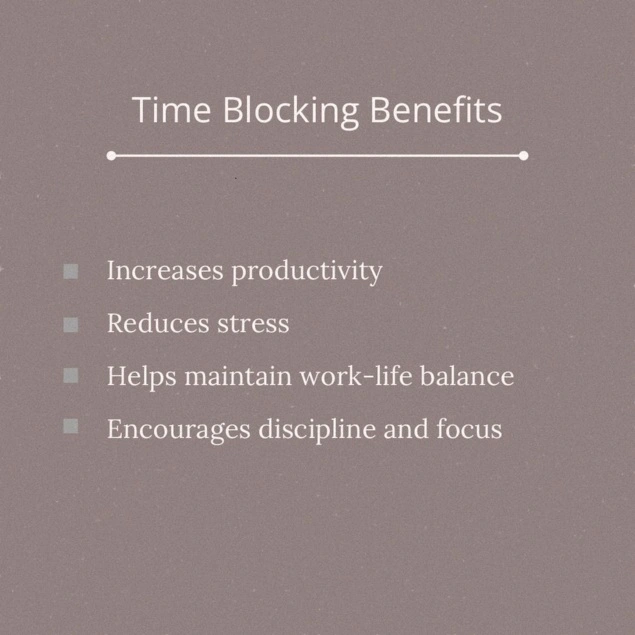
Think of the time blocking method as treating your tasks like appointments.
The time blocking method takes all your tasks and gives them a home on your calendar. You are saying, “I will work on this specific thing from 9 AM to 11 AM,” rather than hoping to get to it eventually
It helps you stay focused on one thing at a time. Plus, it lowers distraction and makes you finish work faster.
Why Most People Feel Busy But Get Nothing Done

Ever feel like you’ve been running on a treadmill all day – sweating, moving, totally exhausted, but when you step off, you’re in the same spot? That’s the modern “Busy trap”.
Most business owners, freelancers, and entrepreneurs, even experienced ones, make the same mistake. They fill their day with notifications, emails, small tasks…but at 5pm, they wonder why the big, important projects aren’t making progress.
Here are common reasons why most people feel busy but get nothing done (Over 70% of our readers will be able to relate it; as for others, it’s only a matter of time before you catch yourself in the same loop):
- You confuse activity with progress: Checking things off feels productive, but it’s mostly just motion with no direction.
- Your day is reactive, not intentional: You respond to what comes at you rather than deciding what truly matters.
- You underestimate deep work: The kind of focused effort that actually moves big projects forward keeps getting postponed.
- You over commit and under prioritize: Everything feels urgent so nothing gets the attention it deserves.
- You chase quick wins: Small, easy tasks give instant satisfaction, while meaningful work feels heavy and gets delayed.
- You lack clear outcomes: If you don’t know what “done” looks like, you end up doing a bit of everything and finishing nothing.
- You don’t protect your time: Constant interruptions break your momentum before it even builds.
- You rely on motivation: Motivation is good yet…not better than systems. Plus, motivation is unreliable on busy chaotic days.
The truth is, being busy is easy. Being effective is intentional.
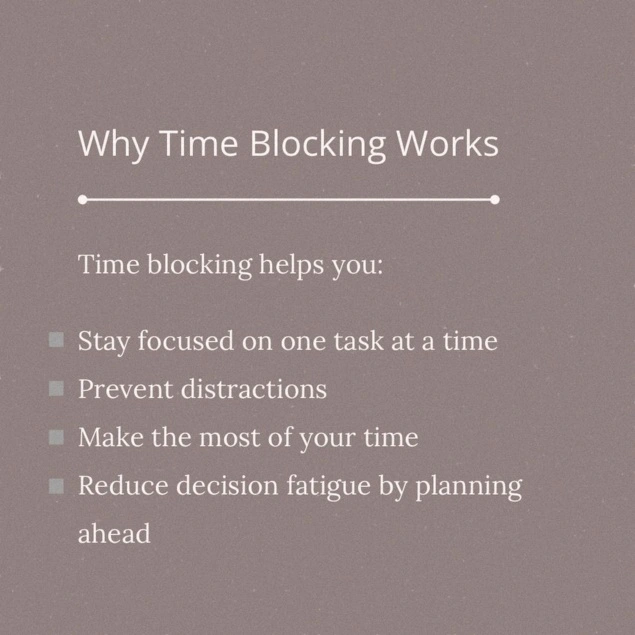
That’s why time blocking strategies are the easiest yet most effective way to fix it. Read on to find out the best time blocking techniques you can actually work with even we do.
5 Time Blocking Techniques That Actually Work
1. Task-Based Time Blocking – Best For Beginners
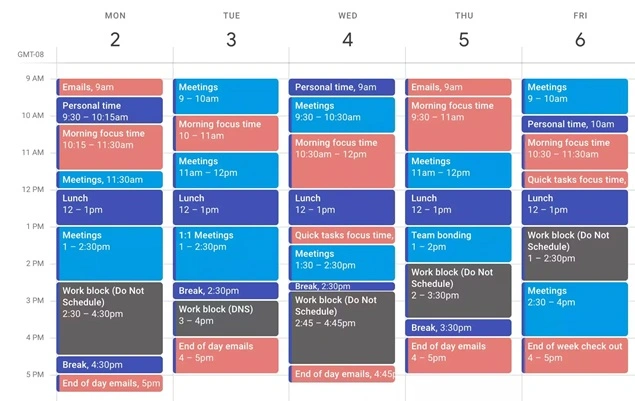
We all know how easy it is for a “quick task list” to turn into an all-day guessing game. This method removes that uncertainty by turning priorities into scheduled actions.
Task-Based time blocking method is one of the most effective productive techniques where you simply assign one task per time block. Now this time block can be of either 5 minutes or 5 hours, depending on your workflow and tasks.
For example, a task-based work day looks like this:
- 09:00 AM – 10:30 AM: Draft Project Proposal.
- 10:30 AM – 12:00 PM: Answer Priority Emails.
- 12:00 PM – 02:00 PM: Team Sync Meeting.
- 02:00 PM – 04:30 PM: Design New Website Mockup.
- 04:30 PM – 05:00 PM: Reviewed.
As you can see, the task-based time blocking is the simplest way to start structuring your day. No need to keep any loose to-do list. Here, you can assign each task a fixed time slot so you know exactly what you’ll work on and when.
2. Time Boxing – Kill Perfectionism
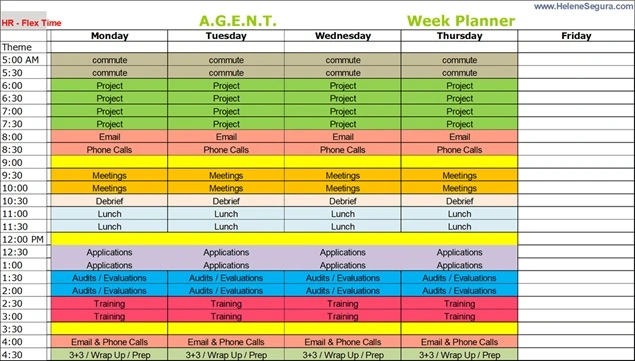
Time Boxing is another productive time blocking technique. It’s basically giving every task a home on your calendar, treating your tasks like appointments yet with a hard limit.
What makes it different from task-based technique is, time boxing puts a strict time limit on how long you spend on a task to avoid “over-fixing” or “perfectionism”.
In simple words, you set a fixed time limit for a task before you start it. Once the time is up, you stop – whether it’s finished or not. The goal is progress, not perfection.
Let’s say you decided a task will take 30 minutes. Now when the timer hits 30, you MUST stop, even if it’s not “perfect“.
For some, it may sound too overwhelming, but it stops you from doing the same task ten times. And we’ve seen a lot of people who want everything perfect, even though it is.
Another example of time boxing is:
- 09:00 AM – 09:45 AM: Write blog introduction (strict 45 minutes).
- 09:45 AM – 10:00 AM: Quick review + edits.
- 10:00 AM – 11:00 AM: Design landing page section.
- 11:00 AM – 11:30 AM: Internal review notes.
This works best when you tend to overthink tasks, delay completion or spend too much time refining rather than shipping work.
3. Themed Time Blocking – Minimize Task Switching
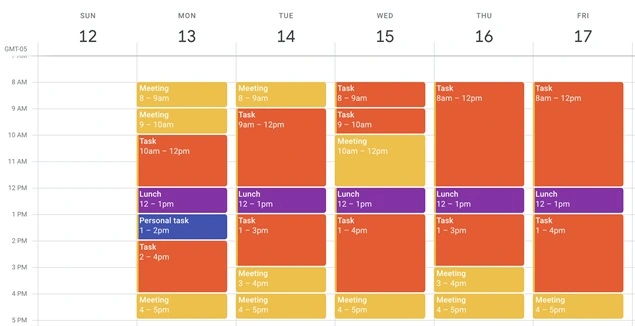
This time blocking technique is completely different compared to the ones we just saw.
Themed time blocking is a time management technique that dedicates a complete set of specific days or blocks to a particular role, project or type of work.
The reason behind this type of scheduling technique is simple.
We’ve all had days where we jump from one type of work to another – writing, then meetings, then strategy, then admin, and by the end of it, you feel mentally drained without real focus achieved.
Themed time blocking method fixes this by grouping similar tasks into dedicated “themes” so our brain stays in one mode for longer periods.
What makes it stand out is we are assigned a specific theme to each day or half day. And during that block, we only work on tasks that belong to that category.
No more assigning random tasks across a day.
The main idea is: You can have multiple themes in a single day, but each block has only one focus. This helps lower mental fatigue caused by constant switching between different types of work.
For example, here’s how our themed time block looks like:
Monday:
- 9 AM – 12 PM → Content Creation. (blogs and scripts)
- 1 PM – 3 PM → Client Work.(calls and feedback)
- 4 PM – 6 PM → Admin Tasks.
Tuesday:
- 9 AM – 12 PM → Strategy & Planning.
- 1 PM – 4 PM → Marketing & Outreach.
Here, the day is structured in chunks, not dedicated to a single theme.
This works best when you handle multiple roles or task types, and want to lower context switching. Best of all, it improves deep focus and consistency in work.
4. Day Theming – Advanced Strategy
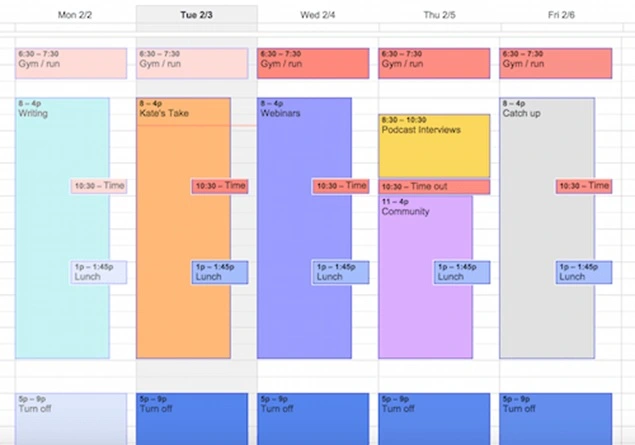
Day Theming is a weekly planning method where each full day is assigned to one specific focus.
Not to be confused by Themed Time blocking, this method organizes your schedule so that one day is dedicated to a single type of work, allowing you to fully immerse yourself without interruptions from other priorities.
We’ve all experienced this: you plan a productive day, but it gets fragmented by different priorities like meetings, urgent tasks, deep work and admin, all competing for attention at the same time.
Day theming takes structure a step further by dedicating a complete set of days to a single focus area. So, it eliminates constant switching and protects deep work capacity.
Here, you assign one main theme per day and set each small task around it only. Each day becomes a focused execution zone for a specific objective such as:
- Monday → Product Development (coding, prototyping and testing).
- Tuesday → Client Meetings & Calls.
- Wednesday → Content & Marketing (blogs, campaigns and social media).
- Thursday → Strategic Planning & Research.
- Friday → Administrative Tasks & Weekly Review.
This time blocking technique is best for professionals who manage multiple projects, roles or departments, and want to maintain full focus on a particular sector, plus lower cognitive overload across the week.
5. Buffer Blocking – Most Ignored Trick

Buffer Blocking, sometimes known as blocking buffers, is the most effective yet overlooked time blocking technique. In this, we intentionally schedule empty spaces (10 to 15 minutes gaps) in-between our focused blocks.
At first glance, it might sound like a waste of those extra 5-10 minutes. But in reality, those buffers act as a cushion that keeps your day running smoothly.
We’ve all seen it happen. You plan the day perfectly, but just one delayed meeting or an unexpected task throws everything off. Suddenly, now the complete schedule shifts, and you’re playing catch-up for the rest of the day.
Buffer blocking solves this by intentionally adding “empty” time between tasks. Thus the schedule stays flexible and realistic.
All you have to do is insert buffer blocks between high-focus work, meetings or task transitions. These blocks act as breathing space for delays, overruns or quick adjustments.
Here’s an example of how buffer blocking looks:
- 09:00 AM – 10:00 AM: Client Meeting.
- 10:00 AM – 10:20 AM: Buffer Block. (notes or follow ups)
- 10:20 AM – 12:00 PM: Important Work (project work – Development Phase)
- 12:00 PM – 12:15 PM: Buffer Block. (reset, minor tasks, or snack break)
- 02:00 PM – 03:00 PM: Content Review.
- 03:00 PM – 03:30 PM: Buffer Block. (handling extra tasks).
This works best when you gotta deal with meetings, unpredictable tasks or workflows every time, and at places where interruptions are common and schedule flexibility is a must.
Time Blocking vs Traditional Time Management: Quick Comparison
Most people use traditional time management without realizing it, and that’s usually why they stay “busy” but don’t get real work done.
Below is a quick comparison of time management, time blocking vs. traditional time management.
| Aspect | Traditional Time Management | Time Blocking |
| Planning style | Task list (no fixed time). | Tasks assigned to specific time slots. |
| Daily execution | Reactive (decide what to do next). | Proactive (pre-decided schedule). |
| Focus level | Low to medium (frequent switching). | High (single-task focus per block). |
| Productivity outcome | Work often spills over. | Clear completion within time limits. |
| Handling priorities | Based on urgency only. | Based on priority + scheduled time. |
| Multitasking | Common and encouraged. | Avoided (one task per block). |
| Meeting control | Random interruptions. | Fixed meeting windows. |
| Stress level | Higher (uncertain flow). | Lower (structured day). |
| Best suited for | General task tracking. | Deep work, content creation, SEO, focused work. |
| Flexibility | High but unstructured. | Structured but adjustable. |
Simple takeaway:
- Traditional time management tells you what to do.
- Time blocking tells you what to do and when to do it.
Time Blocking + Online Booking System = Perfect Schedule Control

The time blocking method helps you plan your day. An online booking system helps you protect that plan.
When you combine both, your schedule stops getting randomly interrupted, and starts working like a controlled system.
Wondering how it works? Let us show you:
Most people fail at time blocking because:
- Others still book their time randomly.
- Meetings come without structure.
- Focus blocks keep getting broken.
But with an online booking system, there’s no chance of these happening. An online booking system controls access to your time so instead of:
- “Call me anytime” chaos.
- Random meetings in between work.
- Broken focus all day.
You create:
- Fixed deep working hours.
- Fixed meeting hours.
- Clear boundaries for your time.
Below is how a practical daily structure looks like when you combine time blocking method with online booking system:
- 9:00 – 1:00 → Deep work. (SEO, development or strategy)
- 1:00 – 2:00 → Break.
- 2:00 – 5:00 → Bookable slot. (calls, clients or meetings)
So your focus time stays untouched, and meetings only happen when you allow them.
An online booking system lets you:
- Set booking availability windows.
- Prevent random bookings.
- Add buffer time between meetings.
- Sync everything with your calendar.
If you are looking for an online booking system like that, go with BookingPress.
BookingPress is the leading business solution for all service businesses that want to manage their schedule and accept online bookings. The best part is, it two-way sync bookings across popular calendars such as Google, Outlook and Apple calendars.
In simple words, time blocking organizes your work, while an online booking system like BookingPress protects it
Final Thoughts: Stop Reacting, Start Controlling Your Time
There are numerous time blocking techniques you can apply in your daily routine. This helps you stay in control of your time, your day and your schedule. Plus, when everything works smoothly, you can finally focus on what matters the most.
To make this quick, here’s a quick recap of all the best time-blocking techniques:
- Task-based time blocking
- Time boxing
- Themed Time blocking
- Day Theming
- Buffer Blocking
However, we’re forgetting to add one more thing: If you run a salon. Spa, wellness studio, gym, clinic, consultancy firm, or any other service-based business, BookingPress is worth considering.
If your business depends on appointments, the right scheduling system like BookingPress is essential. Start optimizing your bookings today.
Loved this guide? Here are some more reads:



Brian is a WordPress expert with a decade of developing experience & technical-writing. He enjoys blogging, movies & hiking.

Get BookingPress Premium
60+ Premium Addons
20+ Payment Gateways
Plan starts at just $89
Get Premium NowLike our insights? Click the badge to add BookingPress as your preferred source on Google.

Add as a Preferred
Source on Google