

Looking for a Setmore alternative? BookingPress is a reliable Setmore alternative for WordPress businesses; Calendly, Zoho Bookings, Cal.com, and Acuity Scheduling, SimplyBook.me are better suited to different scheduling needs.
As we all know, Setmore is still popular because of its simple set up and generous free plan. But, businesses start looking elsewhere when they need more advanced workflows, greater customization, stronger integrations or more control over their booking experience.
Here’s how the top 6 Setmore alternatives compare in 2026.
TL;DR: After testing tons of popular Setmore alternatives, BookingPress stands out as the most reliable option for WordPress-based businesses. Calendly is also worth considering for meeting scheduling, while Zoho Bookings is best for zoho users.
Best Setmore Alternatives At a Glance
In a rush? Take a quick look at the top alternatives to Setmore appointment scheduling software solutions compared.
| Setmore Alternative | Best For | Free Plan | Starting Price | Standout Features | Platform |
| BookingPress | WordPress businesses | Yes | $89/year | Unlimited staff, 22+ payment gateways, 60+ add-ons, lifetime plan | WordPress |
| Calendly | Meetings and team scheduling | Yes | $120/user/year | Round-robin scheduling, routing forms, 100+ integrations | SaaS |
| Zoho Bookings | Zoho users and growing businesses | Yes | $72/user/year | Zoho CRM integration, automation, reporting, online payments | SaaS |
| Cal.com | Flexible and developer-friendly scheduling | Yes | $144/user/year | Unlimited event types, routing, APIs, 100+ integrations | SaaS / Open source |
| Acuity Scheduling | Client-focused appointment businesses | 7-day trial | $192/year | Packages, memberships, gift certificates, intake forms | SaaS |
| SimplyBook.me | Highly customizable service businesses | Yes | $142.80/year | 60+ custom features, resource scheduling, POS, gift cards | SaaS |
Why Are People Looking For Setmore Alternatives?
Setmore is still popular because it is easy to set up and offers a generous free plan. But as a business grows, some users find that its scheduling, customization, reporting and support limitations start getting in the way.
Recent user reviews point to several recurring pain points. Calendar syncing and booking reliability are among the biggest concerns. With users reporting issues such as Outlook or calendar connections failing, appointments not appearing as expected or notifications not reaching customers, Setmore’s reputation just started trembling.
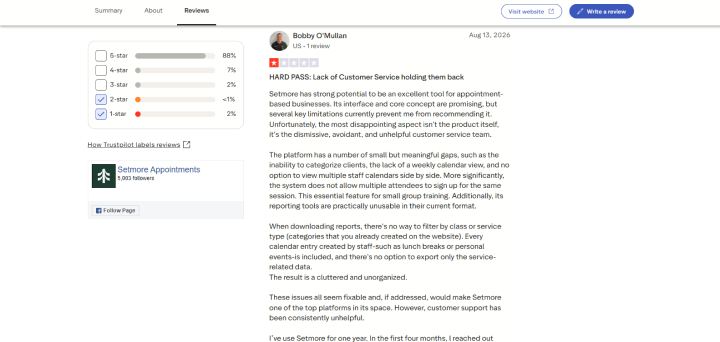
And these problems are not small. They are costly for appointment based businesses because a missed booking or reminder can turn into lost revenue.
Limited customization is another reason businesses explore alternatives. If you need branded booking pages, more flexible confirmation messages, custom intake questions or a booking experience designed to your services, Setmore feels restrictive to many.
Businesses also outgrow Setmore when they need more advanced scheduling workflows. Multiple staff calendars side by side, handling group sessions, creating more detailed reports, categorizing clients or sending different notifications based on the type of appointment are all examples of scenarios.
Customer support is another recurring theme in negative reviews. Many recent reviewers describe long resolution times or repeated back and forth when dealing with technical issues. That does not mean every Setmore user has a poor support experience, but the pattern is worth considering if scheduling is important to your business.
For this comparison, our team of experts only focused on the problems that can actually affect day to day booking operations:
- Calendar reliability: Does the appointment scheduling tool properly syncs with calendars?
- Booking flexibility: Can you handle recurring appointments, group bookings, multiple staff and different service types?
- Customization: Can you create a booking experience that matches your brand and workflow..?
- Reporting: Can you get useful business data or not?
- Notifications: Can you control confirmations, reminders and customer communications?
- Support and reliability: What happens when something goes wrong? Is there any customer support, documentation or video tutorial to help?
The right Setmore alternative ultimately depends on which limitation you are trying to solve. For instance,
A freelancer simply needs a better appointment scheduling tool while a salon, clinic or service business needs a complete online booking system with payments, staff management and client workflows.
What Should You Look For In An Alternative To Setmore?
Not every Setmore alternative solves the same problem.
Thus before switching, always identify which parts of your current booking workflow are holding your business back.
Booking And Appointment Management
Let’s start with the basics: Can the booking software handle the way your business actually takes appointments?
Whenever we recommend any online booking system, we’d always look for features such as:
- One on one and group appointments
- Recurring bookings
- Multiple services and service durations
- Buffers between appointments
- Cancellation and rescheduling rules
- Availability and blackout dates
- Automated confirmations and reminders
- Multiple staff or service providers
A tool can sure look impressive on paper but still be a poor fit if its booking workflow does not match your services.
Team And Staff Scheduling
If more than one person takes appointments, check how the online booking system handles staff availability and assignment.
Useful features such as individual working hours, shared calendars, staff specific services, round-robin assignment, multiple calendar views and controls for managing time off.
Plus, check whether team features are included in the plan you actually need. Some booking software reserve advanced team management for higher priced tiers.
Client Experience
Your booking page is part of the customer journey. So make sure to look got an online booking system that makes it easy for clients to:
- Find the right service
- Choose a staff member when relevant
- See available times
- Submit required information
- Pay online
- Reschedule or cancel
- Receive clear confirmation and reminders
Customization matters here, too. A branded booking page can feel much more professional than sending customers to a generic third party scheduling page.
Payments
Next comes the second most important part of your booking software. What good is a booking software that can’t accept online payments for appointments?
Thus If you charge customers when they book, compare the payment options carefully.
- Online payments
- Deposits
- Full or partial prepayment
- Refunds
- Coupons or discounts
- Recurring payments
- Your preferred payment gateway, be it Stripe, PayPal, WooCommerce, or Square
Most importantly, don’t compare payment support by name alone. Check whether the gateway is actually available in your country and whether the feature is included in your chosen plan.
Integrations
Your scheduling software rarely works alone. At least, cross verify compatibility with the tools your business already uses such as:
- Google Calendar
- Outlook
- Apple Calendar
- Zoom
- Google Meet
- Microsoft Teams
- Payment gateways
- CRM platforms
- Email marketing tools
- Automation platforms
One more thing is you must pay particular attention to two way calendar syncing. If external calendar events do not reliably block availability, even the best appointment scheduling software can create booking conflicts.
Ownership And Flexibility
This is way more important than it looks when comparing a hosted platform like Setmore with a WordPress solution.
Ask yourself:
Who controls the booking system, customer data, website experience, and long term costs?
A hosted scheduling platform can be convenient because there is little technical maintenance. A WordPress plugin can provide more control over your website, branding, data, integrations and booking pages, but you are also responsible for your WordPress environment.
Neither approach is automatically better. The right choice depends on how much control you want.
Pricing
Never compare alternatives based only on their advertised starting price.
Be smart and always calculate the actual cost of the features and number of users you need. Moreover, check:
- Free plan limitations
- Number of staff members
- Number of calendars
- Booking limits
- SMS costs
- Payment fees
- Premium integrations
- Advanced automation
- Recurring appointments
- Team features
A cheaper plan can become more expensive once you add the features your business actually needs.
How We Tested And Compared These Setmore Alternatives
We wanted this comparison to go beyond copying feature lists from vendor websites. Thus we evaluated each Setmore alternative against the workflows a small appointment based business would realistically use when replacing Setmore.
For the WordPress based testing, we used a staging WordPress site and configured every appointment scheduling software on a real booking environment rather than judging it only from its feature page.
Our test setup included:
- 6 scheduling platforms in the comparison
- 1 WordPress staging environment for each booking software
- 3 staff members with different availability
- 8 sample services with different durations and prices
- 2 calendar connections where supported
- 5 common booking scenarios including booking, cancellation, rescheduling, recurring appointments and staff assignment
- 3 device types to check the booking experience across desktop, tablet and mobile
- Test bookings with different time zones and availability rules
- Payment and notification workflows where supported
Besides, we even reviewed official documentation, pricing pages, feature documentation and current user feedback to verify claims that could not be tested via a standard trial.
What We Paid Attention To
For each Setmore alternative tool, we asked:
- How quickly can a business get its first booking page live?
- How flexible is the appointment scheduling workflow?
- How well does it handle multiple staff and calendars?
- How much control does the business have over the client-facing booking experience?
- How are payments, reminders, and integrations handled?
- Which useful features are restricted by the pricing plan?
- What happens when something goes wrong?
Just to stay on the safe-side, our team of experts even cross checked user feedback to recognize recurring issues rather than treating individual reviews as proof that a platform is universally unreliable.
Overall, our goal is to find out which Setmore alternatives actually make sense for different types of service businesses, not simply declare one platform the winner for everyone.
Best Setmore Alternatives Reviewed (2026 Edition)
1. BookingPress : Best Setmore Alternative For WordPress
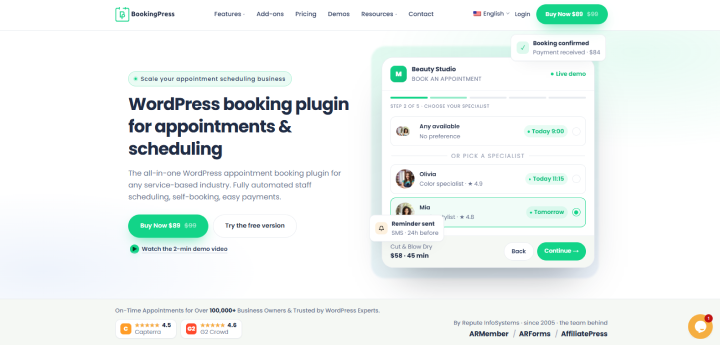
After testing several appointment scheduling software tools, BookingPress turns out to be a solid online booking system for WordPress site owners. It’s a self-hosted appointment booking plugin with yearly or one-time licenses, 22+ payment gateways for local and international transaction, and 60+ premium addons that comes at zero extra cost.
Trusted by 100,000+ service businesses, BookingPress offers a generous free version with all core appointment features alongside a solid rating of 4.3 on Trustpilot and 4.5 on Capterra.
We tested BookingPress on a WordPress staging site and found that the biggest advantage is how much of the appointment workflow you can manage from one place. You can create endless services, assign staff members, set working hours, add booking rules, accept payments and customize the info customers offer during booking. Plus, it supports a large collection of add-ons so you can expand the system as your scheduling requirements become more complex.
If you are moving away from Setmore because you want more control over your website and booking workflow, BookingPress is worth considering.
Why BookingPress stands out
- Native, self-hosted WordPress booking plugin
- One-time lifetime pricing
- Accept on-site and online payment, be it deposit or full, via 22+ payment gateways
- Automatic notifications via Email, SMS, Telegram and WhatsApp
- Service packages, gift cards and waiting lists
- Unlimited staff members on all free and premium plans
- Two-way syncs with Google Calendar, Outlook Calendar and iCal
BookingPress vs Setmore
| Feature | BookingPress | Setmore |
| Platform | WordPress plugin | Hosted scheduling platform |
| Website ownership | Uses your existing WordPress website | Separate hosted booking platform |
| Free version | Yes | Yes |
| Staff members | Unlimited | Limited by plan |
| Payment gateways | 22+ | Stripe, Square and others depending on region/setup |
| Booking form customization | Extensive | More limited |
| Service packages | Yes | Limited |
| Gift cards | Yes | Limited |
| Waiting lists | Yes | Limited |
| Calendar synchronization | Google, Outlook, iCal | Google and Outlook |
| SMS notifications | Yes | Available depending on plan/usage |
| WhatsApp notifications | Yes | Not a core native notification channel |
| Per-booking commission | No | No |
| Lifetime license | Yes | No |
| WordPress integration | Native | Via integrations/embed |
What BookingPress does better
- Deep WordPress integration
- All-inclusive feature bundling
- Wide range of payment gateways
- Zero per-booking commissions
- Fully customizable booking form
Where Setmore may be better
- Standalone cloud app
- Round-clock phone customer support; although BookingPress also offers clear documentation, support tickets and video tutorial
Pricing: Freemium
- Standard: $89/Year
- Professional: $139/Year
- Enterprise: $249/year
The lifetime plan starts from $229 with a 14 day money back guarantee.
Who It’s For: WordPress-based service businesses of any size, be it salon, clinic, house cleaning, consultancy firm, rental store, coaching classes, or yoga studio, that want total ownership of their booking data with unlimited staff members, and a wide range of features bundled into a single plugin license.
2. Calendly : Best For Simple Meeting And Team Scheduling
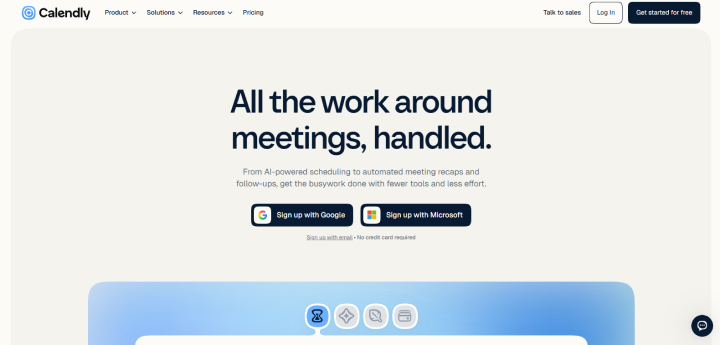
Calendly is one of the most famous appointment scheduling tools and a solid Setmore alternative for businesses that mainly need to schedule one on one meetings, consultations, interviews or team calls.
While Setmore has more of a traditional appointment-booking feel, Calendly focuses heavily on eliminating the back-and-forth involved in finding a meeting time. You create an event type, connect your calendar, share your booking link, and let clients choose an available slot.
It also works well for teams. Depending on the plan, you can use features such as round-robin scheduling, routing forms, shared availability, and team scheduling to direct meetings to the right person.
If you are moving away from Setmore because you want a cleaner meeting-focused scheduling experience rather than a full service-business booking system, Calendly is worth considering.
Why Calendly Stands Out
- Frictionless scheduling
- Automated time zone detection
- Multi-calendar sync with Google, Outlook,. iCloud and Office 365
- Automatic reminders via Email and SMS
- Intelligent routing forms
- Buffer times and minimum notice
- Online payment via Stripe and PayPal
Calendly vs. Setmore
| Feature | Calendly | Setmore |
| Primary use | Meetings, consultations, team scheduling | Appointments and service businesses |
| Free plan | Yes | Yes |
| One-on-one scheduling | Yes | Yes |
| Team scheduling | Yes | Yes |
| Round-robin scheduling | Yes, on supported plans | Available on supported plans |
| Routing forms | Yes, on supported plans | More limited |
| Calendar integrations | Google, Microsoft and others | Google, Outlook and others |
| Video meeting integrations | Zoom, Google Meet, Microsoft Teams | Zoom, Google Meet and others depending on setup |
| Payment collection | Stripe, PayPal | Stripe, Square and others depending on setup |
| Automated reminders | Yes | Yes |
| Booking page customization | Good | Good |
| Service-business features | More limited | Stronger fit |
| WordPress integration | Embed/integration | Embed/integration |
| Lifetime license | No | No |
What Calendly Does Better
- Workflow automations with instant email notification, text reminder and CRM updates
- Advanced team routing
- Connects natively with over 100 enterprise apps
- Modern user interface
- Good free version for small businesses
Limitations of Calendly compared to Setmore
- Strict free plan limits with only one event type and one calendar
- High per seat costs
Price:
- Free version available
- Standard: $120/seat/per year
- Teams: $192/seat/per year
- Enterprise: $15k/year
Who It’s For: B2B professionals, sales rep, recruiter or large enterprise teams wanting a smart lead routing.
3. Zoho Bookings : Best For Businesses Already Using Zoho
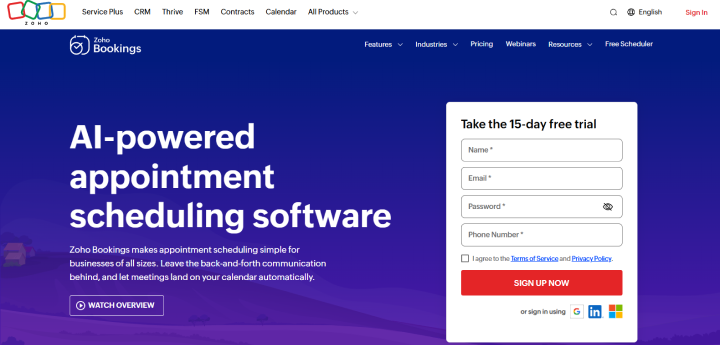
Want your appointment scheduling software to be connected to a broader business ecosystem? Zoho Bookings is another best Setmore alternative for businesses that already use other Zoho products.
When we were testing it, Zoho Bookings fitted perfectly into the wider Zoho ecosystem and connected scheduling with tools for CRM, meetings, email, automation and customer management. Thus this makes it useful for businesses that want their booking workflow to feed directly into their existing business processes.
If you are moving away from Setmore because you want deeper CRM integration and a more connected business workflow, Zoho Bookings can be taken into consideration.
Why Zoho Bookings Stands Out
- Deep Zoho integration.
- Two way calendar synchronization.
- Automated email and SMS notifications.
- Customizable booking pages.
- Online payments via Paypal, Stripe, Razorpay, Authorize.net and more.
- Integration with Zoho CRM and other Zoho applications.
- Appointment analytics and reporting.
Zoho Bookings vs. Setmore
| Feature | Zoho Bookings | Setmore |
| Primary use | Appointments, meetings and service scheduling | Appointments and service businesses |
| Free plan | Yes | Yes |
| One-on-one scheduling | Yes | Yes |
| Team scheduling | Yes | Yes |
| Staff management | Yes | Yes |
| Calendar synchronization | Google, Microsoft 365 and others | Google, Outlook and others |
| Video meetings | Zoho Meeting and supported integrations | Zoom, Google Meet and others depending on setup |
| Online payments | Yes | Yes |
| Automated reminders | Yes | Yes |
| Booking page customization | Yes | Yes |
| CRM integration | Strong Zoho CRM integration | More limited |
| Reporting | Yes | Basic |
| Time zone management | Yes | Yes |
| WordPress integration | Embed/integration | Embed/integration |
| Lifetime license | No | No |
What Zoho Bookings Does Better
- Deep Zoho ecosystem integration
- CRM connected scheduling
- Automate tasks after appointments are booked, changed or completed
- Easy to set individual availability and appointment types
- Advanced reporting and management
Limitations of Zoho Bookings Compared to Setmore
- Can feel more complex for simple scheduling
- Best value comes when you already use the Zoho ecosystem
- Some advanced features require higher-tier plans
- Setup can take longer than a basic Setmore booking page
- Less attractive if you only need a simple appointment calendar
Price:
- Free version available
- BASIC: $72/per user/per year
- PREMIUM: $108/per user/per year
Who It’s For: Small and growing businesses, sales teams, consultants, agencies and service businesses already using Zoho CRM or other Zoho applications.
4. Cal.com : Best For Flexible And Developer-Friendly Scheduling
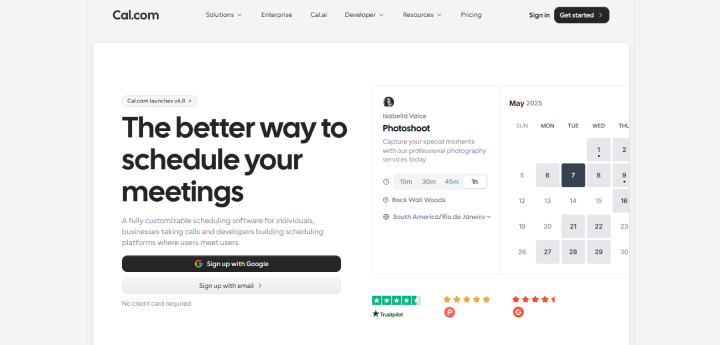
To test Cal.com, we set up a few different booking scenarios, and it quickly became clear that this is a scheduling platform built for flexibility.
The integrations were another strong point especially for teams already working with tools like Slack, HubSpot, Salesforce, Zoom, or Google Meet. For developers, the APIs, webhooks, and open-source foundation give Cal.com another layer of flexibility that you simply don’t get from a typical plug-and-play scheduler.
If Setmore feels too restrictive for the way your team schedules meetings or appointments, Cal.com gives you considerably more room to build the workflow around your business.
Why Cal.com Stands Out
- Highly customizable scheduling workflows
- Unlimited event types and calendar connections on the free plan
- Custom booking questions and routing forms
- Round-robin and shared team scheduling
- Stripe and PayPal payment collection
- 100+ integrations and developer APIs
- Open source foundation with an extensible app ecosystem
Cal.com vs. Setmore
| Feature | Cal.com | Setmore |
| Primary use | Flexible meeting and appointment scheduling | Appointments and service businesses |
| Free plan | Yes | Yes |
| Unlimited event types | Yes | More limited |
| Calendar integrations | Google, Outlook, Apple Calendar, Zoho and others | Google, Outlook and others |
| Team scheduling | Yes | Yes |
| Round-robin scheduling | Yes, on supported plans | More limited |
| Routing forms | Yes, on supported plans | More limited |
| Recurring bookings | Yes, on supported plans | More limited |
| Payment collection | Stripe, PayPal | Stripe, Square and others depending on setup |
| Developer APIs | Yes | More limited |
| Integrations | 100+ apps | Multiple integrations |
| Booking page embedding | Yes | Yes |
| Lifetime license | No | No |
What Cal.com Does Better
- Flexible scheduling rules and event types
- Developer friendly APIs and integrations
- Advanced team routing and round-robin scheduling
- Generous free plan with unlimited event types and calendars
- Greater control over customization and automation
Limitations of Cal.com Compared to Setmore
- Can feel more technical for businesses looking for a simple service booking setup
- Some advanced team and organization features require a paid plan
- More focused on meetings and flexible scheduling than industry-specific service management
Price:
- Free version available
- Teams: $144/user/per year
- Organizations: $336/user/per year
- Enterprise: Custom pricing
Who It’s For: Individuals, startups, technical teams, agencies and businesses that need flexible scheduling workflows, advanced routing, developer APIs, or greater control over how their booking system connects with the rest of their technology stack.
5. Acuity Scheduling : Best For Client-Focused Appointment Businesses
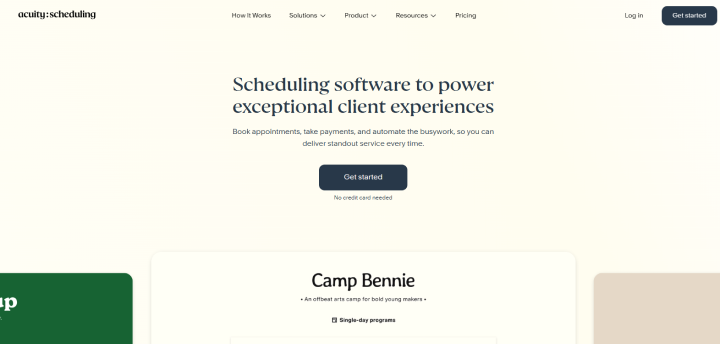
Acuity Scheduling is a client focused appointment scheduling software for businesses that need more than a simple booking link.
During testing, we found it works well for service providers that need client intake forms, appointment payments, packages, memberships, gift certificates and automated reminders as part of the booking experience. Compared with Setmore, Acuity puts more emphasis on managing the complete client appointment journey rather than simply finding an available time.
Best of all, you’ll be surprised by how naturally client facing features fit into the appointment workflow. You can even collect details via custom intake forms, accept payments and deposits via Stripe, Square, PayPal or Venmo, automatically adjust appointments for different time zones, and send customized email reminders.
Moreover, higher plans also add text reminders, memberships, packages, and gift certificates, making it a leading appointment scheduling software for service businesses that sell recurring or bundled services.
Why Acuity Scheduling Stands Out
- Automatic timezone conversion.
- Automated email and SMS reminders.
- Appointment packages and memberships
- Gift certificates
- Google Meet, Zoom, and GoToMeeting integrations
- Unlimited services and appointments.
- Online payments and deposits.
Acuity Scheduling vs. Setmore
| Feature | Acuity Scheduling | Setmore |
| Primary use | Client-focused appointment businesses | Appointments and service businesses |
| Free plan | 7 day free trial | Yes |
| Client intake forms | Yes | More limited |
| Online payments | Stripe, Square, PayPal, Venmo | Stripe, Square and others depending on setup |
| Deposits | Yes | Yes, depending on setup |
| SMS reminders | Yes, on supported plans | Available depending on plan/usage |
| Email reminders | Yes | Yes |
| Packages | Yes | Limited |
| Memberships | Yes | Limited |
| Gift certificates | Yes | Limited |
| Timezone conversion | Automatic | Yes |
| Video meeting integrations | Zoom, Google Meet, GoToMeeting | Zoom, Google Meet and others |
| Booking page | Yes | Yes |
| WordPress integration | Embed/integration | Embed/integration |
| Lifetime license | No | No |
What Acuity Scheduling Does Better
- Packages and memberships for recurring revenue
- Gift certificates and client facing selling tools
- Flexible payment and deposit options
- Stronger appointment-focused client experience
Limitations of Acuity Scheduling Compared to Setmore
- No permanent free plan
- Higher plans are required for features such as SMS reminders, packages, memberships, and gift certificates.
Price: Paid with a 7-day free trial
- Starter: $192/year
- Standard: $324/year
- Premium: $588/year
Who It’s For: Salons, wellness businesses, consultants, coaches, therapists, personal service providers and other appointment based businesses that want to combine scheduling, client intake, payments, packages and reminders in one platform.
6. SimplyBook.me : Best For Highly Customizable Booking Workflows
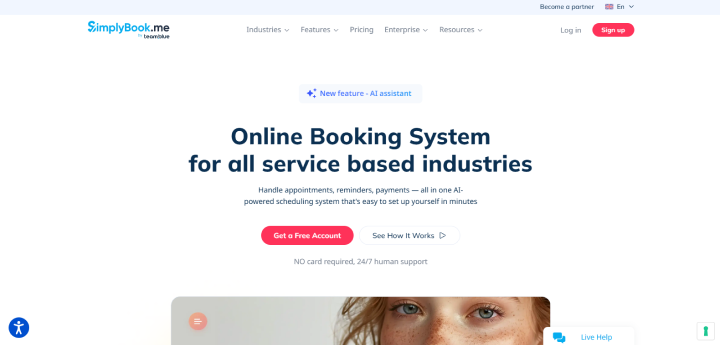
SimplyBook.me is a highly customizable booking software that works your way your scheduling system does.
Rather than offering a fixed set of appointment features, it lets businesses pick and set up more features for services, staff, resources, locations, payments, and customer management.
During our testing, we found that SimplyBook.me stands out for the number of ways you can design the booking experience to different business models. Best of all, you can set up individual service schedules, manage staff and resources, handle recurring appointments and events, accept online payments, and add a booking widget to your existing website. Beyond the core scheduling features, options such as coupons, gift cards, POS, client apps, and HIPAA support make it possible to build a more specialized booking workflow as your business grows.
Why SimplyBook.me Stands Out
- 60+ customizable features.
- Advanced employee and resource scheduling.
- Recurring appointments and event bookings.
- Online booking website and embeddable booking widget.
- Online and in-person payment via PayPal, Stripe and Square.
- Coupons and gift cards.
- Client mobile app.
SimplyBook.me vs. Setmore
| Feature | SimplyBook.me | Setmore |
| Primary use | Customizable booking for service businesses | Appointments and service businesses |
| Free plan | Yes | Yes |
| Custom features | 1 on Free, up to unlimited on Premium | More limited |
| Staff/providers | 1 on Free, up to 30 on Premium | Limited by plan |
| Recurring appointments | Yes | More limited |
| Resource scheduling | Yes | More limited |
| Booking website | Yes | Yes |
| Booking widget | Yes | Yes |
| Online payments | Yes | Yes |
| POS | Yes | More limited |
| Gift cards | Yes | Limited |
| Coupons | Yes | Yes |
| Client app | Available on paid plans | Mobile app |
| HIPAA | Available on Standard+ | More limited |
| Multi-location | Enterprise | More limited |
| WordPress integration | Widget/embed | Embed/integration |
What SimplyBook.me Does Better
- Extensive customization through custom features
- Resource and employee scheduling
- POS, gift cards, coupons, and client app options
- Strong support for businesses with complex service requirements
Limitations of SimplyBook.me Compared to Setmore
- Feature limits can make pricing more difficult to understand at first
- Free and lower tier plans restrict the number of bookings, providers, and custom features
- Businesses with simple scheduling needs may find the platform more feature-heavy than necessary
Price:
- Free version available
- Basic: $142.8/Year
- Standard: $298.8/Year
- Premium: $598.8/Year
- Enterprise: Custom pricing
Who It’s For: Salons, clinics, wellness centers, fitness businesses, education providers and other service based businesses that need a highly customizable booking workflow with multiple services, staff members, resources, payments and business specific features.
Ready To Upgrade From Setmore?
If your service business has outgrown the strict monthly appointment caps, recurring booking limitations, and user license fees of a traditional SaaS scheduler, transitions to leading Setmore alternatives sounds like the right choice.
Among all the appointment scheduling software solutions we tested, BookingPress turns out to be the industry-leading option that overcomes all Setmore cons, if only you can set up a WordPress site that is. Using BookingPress, you get :
- Complete data ownership
- Zero per booking commission
- 60+ premium features bundled
- Complete website integration
- 22+ payment gateways
- SaaS-like modern user interface
Ready to take complete control of your calendar, stop paying per-user SaaS fees and keep 100% of your booking revenue? BookingPress is all you need.
Related Articles:
- Top 5 Bookly Alternatives: Better & Cheaper Options in 2025
- BookingPress vs Booknetic: Which One To Choose?
- Amelia Alternatives: 5 Great Appointment Booking Plugins in 2025
FAQs
Is Setmore a good booking system?
Yes, indeed, Setmore is a popular and user-friendly online booking system, but whether it’s good for your business completely depends on your business needs. It got a good free tier, easy to use and automation, but cost per seat and limited free sync makes people look for Setmore alternatives.
Is Calendly or Setmore better?
Setmore is best for small service based businesses that want staff management and online payment. Calendly, on the other hand, is best for individuals, sales teams and corporate users who need fast frictionless meeting scheduling.
Can I use Setmore for free?
Yes, Of Course! Setmore comes with a free version that lets you accept unlimited appointments with a 4 users limit.
What is the best appointment scheduling software?
BookingPress is the best appointment scheduling software for WordPress, and Calendly and Setmore are the best booking software in general.
What is the best free booking system?
BookingPress Lite is the best free booking system that gives you all the core booking features.
Which is the best competitor of Setmore?
Here are the best competitors of Setmore:
- BookingPress
- Calendly
- Cal.com
 14-day money-back guarantee