A cheap booking system can become expensive. A flexible booking system can become complicated. And the easiest one to set up may not be the easiest one to live with.
That’s the problem with choosing a booking system based only on price or features.
Cloud-based booking software and WordPress booking plugins can both handle online bookings, but they put very different responsibilities on your plate. One takes more of the technical work away from you. The other gives you more control over what happens behind the booking form.
The interesting part is figuring out which trade-off your business can actually live with.
TL;DR: In this debate of cloud based booking software vs WordPress booking plugin, SaaS booking software is best for beginners who don’t want any learning curve and are ready to spend a fortune. WordPress Booking plugin is best for those growing or enterprise-level business owners who want full control over their customer data and booking form style within budget.
Cloud-Based Booking Software vs WordPress Booking Plugin: What’s The Difference?
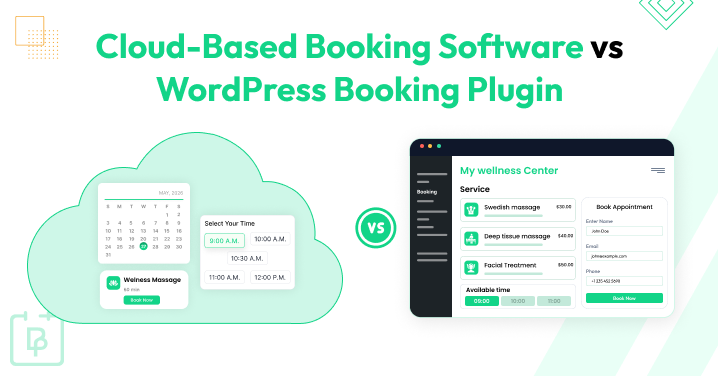
Cloud-based booking software is a fully hosted AND standalone scheduling platform that you can use via your web browser, whereas a WordPress booking plugin is an add-on installed inside a self-hosted WordPress site to manage appointments directly.
What Is Cloud-Based Booking Software?
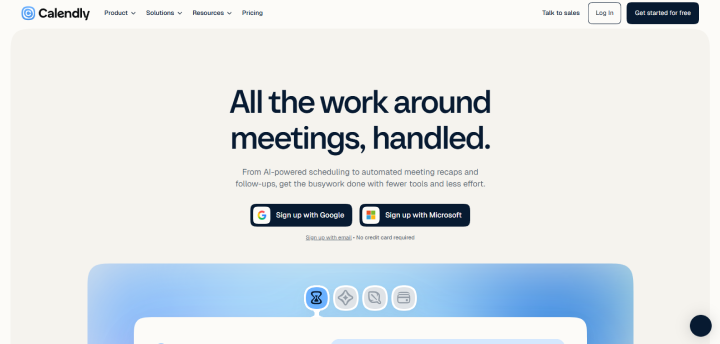
Cloud-based booking software (also known as SaaS or Software-as-a-Service) lives completely on remote servers managed by the service provider. Thus, you don’t need to install anything on your own server or worry yourself over database maintenance, updates, or security patches.
It’s a plug-and-play setup. You sign up online, add your services and staff, and embed the booking link or widget directly into your website. The provider will take care of all hassle, from heavy traffic and mobile apps connections to load distribution automatically.
Pros of Cloud-based Booking Software:
- Easy setups
- Zero maintenance
- Reliable support
- Built-in mobile apps
Cons of Cloud-based Booking Software:
- Less customization
- Ongoing expensive subscription costs
- Data ownership limits
Examples include Calendly, Acuity Scheduling, or industry-specific booking platforms
What Is a WordPress Booking Plugin?
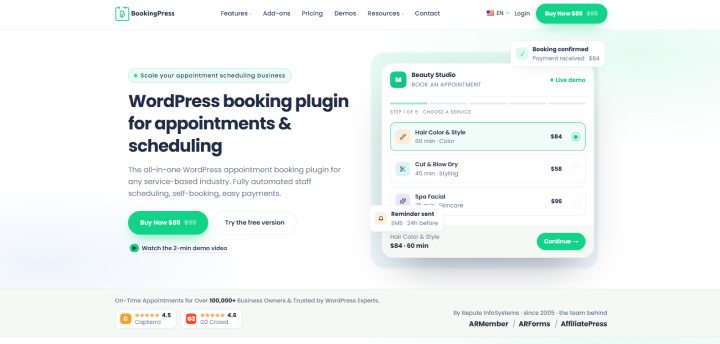
A WordPress booking plugin is a specific tool you add to your self-hosted WordPress site to turn it into a 24/7 reservation hub. Although both do the same job, the booking plugin lets you own your data completely and host the database on your web hosting environment.
Best of all, it works hand-in-hand with your existing WordPress themes, page builders and eCommerce setups like WooCommerce. Using it, you can set working hours, send automated email/SMS reminders, sync bookings across popular calendars, and receive online payments via gateways like Stripe or PayPal automatically. No booking fees. No transaction fees.
Pros of WordPress Booking Plugin:
- Full control and ownership.
- Budget friendly.
- Deep customization.
- Benefits SEO.
Cons of WordPress Booking Plugin:
- Technical maintenance.
- Slight learning curve for non technical people.
- Risk of conflicts.
Examples include BookingPress, WooCommerce Bookings or industry specific booking plugins.
WordPress Booking Plugin vs Cloud-Based Software: Quick Comparison
No time to read? No worries! Here’s a comparison table of Cloud-based software vs WordPress booking plugin at a glance.
| Factor | Cloud-Based Booking Software | WordPress Booking Plugin |
| Setup | Create an account, configure your booking options, and publish a booking link, widget or embedded form. | Install the plugin on your WordPress website, configure services and availability, and add the booking form to a page. |
| Hosting | Hosted and managed by the software provider. | Hosted on your own WordPress hosting environment. |
| Maintenance. | The provider manages software updates, infrastructure, backups, and server maintenance | You are responsible for WordPress, the plugin, themes, hosting, backups, and related maintenance |
| Customization. | Customization is generally limited to the platform’s available templates, branding options and settings | Provides more flexibility to customize the booking experience especially when combined with WordPress themes, page builders and other plugins.. |
| Website Integration | Usually works through booking links, widgets, embeds or third party integrations | Works directly inside your WordPress website using blocks, shortcodes, widgets, or page builder elements.. |
| WordPress Integration | Not dependent on WordPress | Built specifically to work with WordPress and can connect with other WordPress tools. |
| Pricing | Free plans are available. Paid plans for small and growing businesses commonly range from around $10-$60/month. | Free plugins are available. Premium booking plugins commonly range from around $80-$250/year. |
| Data Control. | Booking data is stored and managed within the provider’s infrastructure and is subject to its policies and terms | Booking data is generally stored in your WordPress database and hosting environment. |
| Scalability. | Infrastructure scaling is largely handled by the provider, although plan limits or usage based charges apply. | Growing is easy if you have the right hosting resources, better database performance and powerful plugin capabilities. |
| Updates & Security | Software updates, server maintenance, and much of the infrastructure security are managed by the provider | You need to keep WordPress, plugins, themes, PHP, and your hosting environment updated and secured |
| Integrations | Depends on the integrations supported by the platform and the selected plan | Can connect with WordPress plugins, WooCommerce, page builders, forms, payment gateways, calendars, video-meeting tools, and automation services |
| Technical Knowledge | Generally needs less technical knowledge to set up and maintain | Some WordPress knowledge may be needed for installation, configuration, troubleshooting, backups, and maintenance |
| Booking Experience | Often follows the platform’s booking interface and customization options | Can be designed more closely around your existing website, branding, layout, and customer journey |
| Best For | Businesses that want quick setup, managed infrastructure, and less technical maintenance | Businesses that want more control, customization, and deeper integration with their WordPress website |
When a Cloud-Based Booking Software Fits Your Needs

Sometimes, you just want something that works without spending hours setting everything up. And that’s where cloud-based booking software can make a lot of sense.
You Need To Get Started Quickly
Need a booking system today and don’t want to spend your afternoon figuring out WordPress settings?
A cloud-based booking system can get you moving pretty quickly. You sign up, add your services, set your availability, connect your payment options if needed, and share your booking page.
That’s it. literally!
No WordPress plugin to install, no theme compatibility to check, and no need to worry about whether your hosting environment can handle another plugin.
This makes SaaS booking systems useful for small businesses, freelancers, consultants and service providers who simply want customers to start booking without dealing with the technical side.
Your Booking Process Is Simple
Let’s say your business offers one or two services, has a few team members and follows a fairly standard appointment schedule.
In that scenario, you probably don’t need a booking system with endless customization options.
A simple cloud-based booking platform already give you everything you need: a booking page, calendar, availability settings, reminders, payments and basic integrations.
So why make things more complicated than they need to be?
For a simple booking process, having fewer things to set up can actually be a good thing.
You Don’t Want To Manage Updates
This is one of the biggest reasons businesses go with SaaS.
With cloud-based booking software, the provider handles the software infrastructure for you. You generally don’t have to log in and wonder whether the latest update is going to break something else on your website.
Security updates, server maintenance, infrastructure changes and software updates are largely handled behind the scenes.
That means one less thing on your maintenance checklist. And for a business owner who would rather spend that time managing customers than managing plugins, that can be a pretty big advantage.
You Don’t Need Heavy Customization
There’s a point where customization becomes useful. There’s also a point where it becomes overkill.
Thus, if all you need is a clean booking page where customers can pick a service, select a time, and confirm an appointment, a SaaS booking system may have more than enough options already built in.
Your Business Doesn’t Depend Heavily On Your WordPress Website
Not every business uses WordPress as the heart of its operations. Maybe you are using Shopify or Wix, or planning to move on from WordPress to another platform. Or perhaps you don’t care whether the booking system looks and behaves exactly like the rest of your website.
Whatever the reason be, a standalone SaaS booking system can be a practical option.
You can share a booking link from your website, social media profiles, emails, or even your Google Business presence, without making your WordPress site responsible for the complete booking process.
When a WordPress Booking Plugin Fits Your Needs

Other times, you don’t look for a booking system that just exists. Even if your business is small today but you do believe it’ll grow one day (Afterall, hard work pays off), for that day, an appointment booking plugin makes more sense.
In simple words, a WordPress booking plugin is for when your website isn’t just a digital business card. It’s part of how your customers discover you, interact with you and ultimately book with you.
Your Website Is The Center Of Your Business
For some businesses, the website is where everything happens.
Customers land on a service page, read about the offering, check pricing, look at reviews, choose an available time slot and make a payment, all without leaving the website.
That’s exactly where a WordPress booking plugin can be useful.
Your booking form can sit directly on the pages where customers are already making decisions. There’s no need to send them somewhere else just to complete a booking.
The booking process becomes part of your website rather than an extra layer sitting beside it.
You Need More Control Over The Booking Experience
Want your booking form to match your website? Need to change the layout, styling, fields, or booking flow?
This is where WordPress starts to become interesting.
Because the booking system sits inside your WordPress environment, you have more freedom to shape the customer experience around your website.
You can work with your existing theme, page builder, forms, WooCommerce setup and other WordPress tools instead of being limited to whatever customization options a SaaS platform gives you. And sometimes, those little details matter.
A booking page that actually feels like part of your website can make the whole customer journey feel more connected.
Your Booking Process Is More Complex
This is where things can change quickly.
Maybe you start with a simple appointment calendar. Then you add multiple staff members. Then different services need different durations. Then you need deposits, buffer times, resources, locations, packages or different pricing rules.
Now your booking system isn’t just scheduling appointments; it’s handling business logic.
Thus a WordPress booking plugin can be a better fit when you need that extra flexibility and want to create your booking process around the way your business actually works.
Of course, not every plugin can handle every complex workflow. That’s why the specific capabilities of the plugin matter just as much as the fact that it runs on WordPress.
You Need Your Booking System To Work With Your WordPress Stack
This is another big one.
Most WordPress websites already have a collection of tools working together: WooCommerce for payments or products, Elementor page builders for layouts, AffiliatePress for affiliate marketing, membership plugin like ARMember, form plugins, email tools, analytics, calendars, marketing plugins and more.
Adding a booking plugin means your scheduling system can become part of that existing stack.
Let’s say, you want bookings connected to WooCommerce, customer details passed into another tool or booking forms placed directly inside custom landing pages.
That kind of setup is much harder to think about as a standalone booking tool. But with WordPress, the question isn’t just “Can customers book?”
It becomes “Can the booking system work with everything else we already use?” And for businesses that rely on their WordPress setup, that can be an important difference.
What Happens When Your Booking Business Gets More Complicated?

Here’s where the cloud based booking software vs WordPress booking plugin comparison gets a little more interesting.
When you’re starting out, almost any booking system can feel like it does the job. You have a service, you have some available time slots and customers need a way to book them.
But businesses rarely stay that simple.
As you grow, your booking system starts handling more people, more rules, and more moving parts. And that’s when the difference between a basic booking tool and a system you can actually build around becomes much clearer.
Stage 1 – One Service, One Calendar
This is the easy part.
You offer one service, have one calendar and customers simply pick an available time slot.
Think of a freelancer, consultant, tutor, or solo professional who just needs to let people book a standard appointment.
A cloud-based booking system can work perfectly well here. So can a WordPress booking plugin.
At this stage, you probably don’t need to overthink the decision. But wait. Have we talked about the pricing before? Yes, as we said before, SaaS booking systems are expensive. So if you’re a small business with a big budget, then the SaaS online booking system is good to go.
Stage 2 – Multiple Staff And Services
Now things start getting a little busier.
You have different services with different durations. You also have multiple staff members, and not everyone is available at the same time.
A customer need to choose:
Service → Staff member → Date → Time
Now your booking system needs to manage staff availability, service schedules, appointment durations, and avoid conflicting bookings.
This is usually the point where the flexibility of your appointment booking plugin starts to matter more. But wait, some powerful (yet expensive) cloud based booking software can still handle it.
Stage 3 – Multiple Locations And Resources
Add another location and things get even more interesting.
Now you have different working hours for each location, staff who work at specific branches, and resources that can only be used for one booking at a time.
A salon might need specific rooms. A clinic may need treatment rooms or equipment. A training business might need classrooms.
So now the question becomes: Who is available, where are they available, and which resource is available at that time?
Your booking system has to keep all of that in sync. And this is the stage where we’ve seen most of our clients switching from a SaaS solution system to a booking plugin for WordPress.
Stage 4 – Custom Pricing, Deposits, Packages, And Rules
This is where your booking process can stop looking like a simple appointment calendar.
Maybe one service has different prices depending on the staff member. Perhaps customers need to pay a deposit when booking. You may offer packages, memberships, discounts, buffer times or cancellation rules.
And then there are the little things.
One service may need 30 minutes between appointments. Another may only be bookable on certain days. A package may include several appointments instead of one.
Suddenly, you’re not just scheduling time; You’re managing booking rules.
This is where you need to look carefully at what a booking platform actually lets you configure rather than simply counting how many features it has.
Stage 5 – Your Booking System Becomes Part Of Your Business Operations
Eventually, bookings can become connected to almost everything else your business does.
A booking creates a customer record. A payment is processed. A reminder is sent. Staff receive notifications. Calendar events are created. Customer information moves into another system. Reports are generated.
At this point, your booking system is no longer just a tool for putting appointments on a calendar.
It has become part of your day-to-day business operations. And that changes the question from: “Which booking system can help me accept appointments?” to:
“Which booking system can keep up with the way my business actually works?”
That’s an important distinction to keep in mind when comparing a SaaS booking system with a WordPress booking plugin.
The Real Cost Of a Booking System Isn’t Just The Subscription

Here’s where the pricing comparison gets a little more interesting.
A booking system might cost $10 a month on paper. Another might cost $100 a year. But that’s only the starting point.
You also need to think about hosting, maintenance, paid add-ons, extra staff accounts, booking limits, payment fees, and eventually the cost of moving to another booking system.
Because the cheapest price today isn’t always the cheapest option for the next three years.
Cloud-Based Booking Software Costs
With cloud-based booking software, the pricing is usually pretty easy to understand at first.
You pay a recurring subscription, and the provider takes care of the underlying infrastructure.
Free plans do exist, but paid plans for small and growing businesses often fall somewhere around $10- $60 per month, depending on the number of users, bookings, features and other limits.
For example, SimplyBook.me currently ranges from free to $29.9/month ($298.8/Year), while Calendly starts at $12 per seat/month ($120/year) on its standard plans.
Sounds straightforward, right? Well, look a little closer.
You do have to pay more when you need more users, more bookings, advanced integrations, SMS credits, or higher tier features. Plus, some platforms also use per-seat pricing (like your popular Calendly and Setmore), so adding five more team members can increase your monthly bill.
That means your SaaS booking system can become more expensive as your business grows.
WordPress Booking Plugin Costs
WordPress booking plugins work a little differently.
You may find a free version, but premium plugins can cost anywhere from roughly $50 to $250+ per year, depending on the plugin and license. Some also offer lifetime plans that can run into several hundred dollars.
For example, BookingPress currently lists yearly plans starting at $89, with lifetime licenses starting from $229, while WooCommerce Bookings is $249/year and simple plugins like WP Booking Calendar costs starts at $41.87 for lifetime deal.
But there’s one thing you shouldn’t forget: The plugin isn’t your entire WordPress cost. You still need WordPress hosting, your domain and potentially other premium plugins or services.
On the other hand, those costs may already be part of your website budget. So if you already run a WordPress website, adding a booking plugin is a smart move.
Don’t Forget The Cost Of Switching

This is the cost nobody puts on the pricing page.
Imagine you’ve been using a SaaS booking system for two years. Your customers are already familiar with it. Your staff know how it works. You have hundreds or thousands of booking records sitting inside it.
Then you realize your business needs something the SaaS platform doesn’t support.
Now you have to move. And moving on means exporting data, importing customers, recreating services, rebuilding booking rules, reconnecting integrations, updating booking links, training your team and making sure existing customers know where to book.
The same thing can happen in the other direction.
So when comparing a $20/month SaaS booking system with a $89/year WordPress plugin, don’t only compare the first month’s bill.
Think about how difficult it would be to change your mind later.
Related articles:
- WordPress Scheduling Plugin vs Scheduling Software
- The Hidden Costs of Not Using an Online Booking System
- Advantages of Online Appointment Scheduling for Small Business
Our Take: Don’t Choose Based On Features Alone
In this AffiliatePress blog, we’ve looked at pricing, customization, maintenance, integrations, data and scope of growth in both WordPress booking plugin and Cloud-based booking software.
Now here’s our take: don’t pick a booking system only because it has 100 features or it’s famous. Just because one thing is working for others doesn’t mean it will work for you as well.
Want to find the right booking solution for your business? Then ask yourself these 4 questions:
“How much control do I need?”
“How much technical work am I willing to manage?”
“How complicated is my booking process?”
“And where do I want this system to sit in my business?”
That’s a much better way to decide between cloud-based booking software and a WordPress booking plugin.
 14-day money-back guarantee