Hey there, future online-school owners! If you’re thinking about creating and selling courses on WordPress, choosing the right LMS plugin is one of the biggest decisions on your list.
And honestly, it’s not an easy one.
There are a lot of WordPress learning management system plugins promising powerful course builders, easy student management, flexible payment options, and loads of fancy features. But once you start comparing all those features, it’s easy to end up with more questions than answers.
Thus, I decided to do some digging.
I tested some of the most famous LMS plugins for WordPress to see what they actually offer and where each one shines. In this guide, I’ve pulled together 5 WordPress LMS plugins that are worth checking out in 2026.
Enough talk – let’s see what each of these LMS plugins can actually do.
TL;DR: I’ve evaluated 10+ popular WordPress LMS plugins on a fresh WordPress setup. Out of which, ARMember is the most complete option for creating membership-based online courses. As for large online academies and course creators, Tutor LMS and LearnPress are worth considering.
Quick Look: Top LMS Plugins For WordPress (Compared)
No time to scroll to the end? No worries! Here are some of the best LMS plugins for WordPress.
| Rank | LMS Plugin | Best For | Free Version | Starting Price |
| 🥇 1 | ARMember | Courses + memberships | Yes | $89/year → $89 renewal |
| 🥈 2 | Tutor LMS | Online academies | Yes | $199/year → $199 renewal* |
| 🥉 3 | LearnPress | Flexible LMS websites | Yes | $299 lifetime → $209.30 renewal |
| 4 | LifterLMS | Learning businesses | Yes | $199/year → $398 renewal |
| 5 | MasterStudy LMS | Course marketplaces | Yes | $99/year → $149 renewal |
What Is a WordPress LMS Plugin?
A WordPress LMS plugin is an LMS software tool that turns your WordPress site into a fully functional online school or teaching platform.
WordPress learning management system (LMS) allows you to manage, organize and deliver educational content. What makes WordPress LMS plugin stand out and better compared to external third-party LMS software like Teachable or Thinkific, is that it lets you host, control, and sell your online courses directly from your website.
Overall, WordPress LMS (Learning Management System) plugin is a software that allows you to create, manage, and sell digital courses.
How We Tested These WordPress Online Course Plugins
I wanted a hands-on look at each plugin, so I installed and tested over 10 LMS plugins on a WordPress staging site. Out of which, I handpicked the top 5 that actually convinced me. I kept the setup as consistent as possible and followed the same course-building workflow with each LMS plugin.
For every WordPress LMS plugin, I went through the basics you’d expect when setting up an online learning website: installing the plugin, configuring the initial settings, creating a course, adding lessons and quizzes and checking how students move through the course.
Apart from this, I also looked at the features that can make a real difference once your course is up and running including:
- Course creation: Creating courses, lessons, quizzes, assignments, and other learning content
- Student management: Enrolling students, managing access and tracking their progress
- Monetization: Selling courses, memberships, subscriptions and other paid learning content
- Quizzes and assessments: I evaluated plugins and created different types of quizzes and checking assessment options
- Reports: Reviewing student activity, course progress, enrollments and other available data.
- Integrations: Checking the available connections with payment gateways, page builders, eCommerce tools and other WordPress services
- Ease of use: Testing at how simple the setup and day-to-day course management feel also matters because not everyone is tech-savvy developer
- Pricing: I compared free and premium features and tested paid versions where possible. The money-back guarantees made it possible to try the premium stuff without emptying my wallet!
- Documentation: Checking the available guides, video tutorials and resources when help is needed is a must.
Besides testing and comparing these all features, I even cross checked important feature and pricing details against the official plugin websites and documentation. This helped me separate features included in the core LMS plugin from those available through premium plans or add-ons.
After going through all 5 plugins, I used these findings to compare what each LMS does well, where its limitations show up and what type of course creator it makes the most sense for.
At AffiliatePress, the idea behind creating this guide is simple: give you a practical look at what it’s actually like to build an online course with each LMS plugin, not just repeat what you see on a feature page or on every second blog on Google.
The 5 Best WordPress LMS plugins
Below are the top LMS plugins for WordPress I’ve handpicked as the BEST for creating a professional online course platform.
1. ARMember
If you’re looking for a WordPress LMS plugin that can handle both online courses and memberships, ARMember is worth a closer look. It lets you create and manage online courses, and also gives you tools to restrict content, manage memberships and monetize your website.

| Feature | Details |
| Best for | Membership-based online courses |
| Free version | Yes |
| Course builder | Yes |
| Quizzes | Yes |
| Certificates | Yes |
| Memberships | Yes |
| Payment options | 22+ payment gateways |
| Integrations | 15+ email marketing tools, 9+ page builder integrations and 20+ third-party add-ons, along with 62+ in-built addons |
ARMember is an all-in-one WordPress membership plugin that gives you more than just a way to lock content behind a membership plan. Its LMS capabilities are truly impressive.
With ARMember’s Online Courses addon, you can easily create online courses, organize lessons, add quizzes, manage students and control access to your learning content, even if you’re a total beginner. Plus, you can use it to create an endless number of membership plans, and decide which of your online courses or learning content members can access.
I installed ARMember on my WordPress staging site and went through the setup and course-building process to see how everything works from the admin side.
The setup was real quick, and I got into the course building process right. Creating the course structure, adding lessons, and working with the available LMS options gave me a good idea of how the plugin fits into an automated workflow; it fits just the way I wanted.
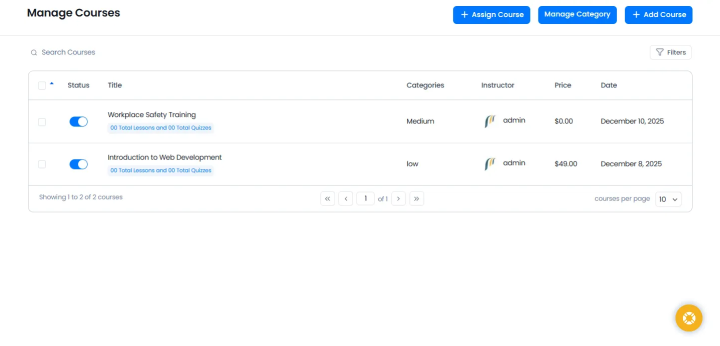
Besides, I even checked the available options for quizzes, certificates, student management, content restriction, monetization, and integrations to see how much flexibility the plugin gives course creators. And it turned out to be super easy, even for non-technical people on my team.
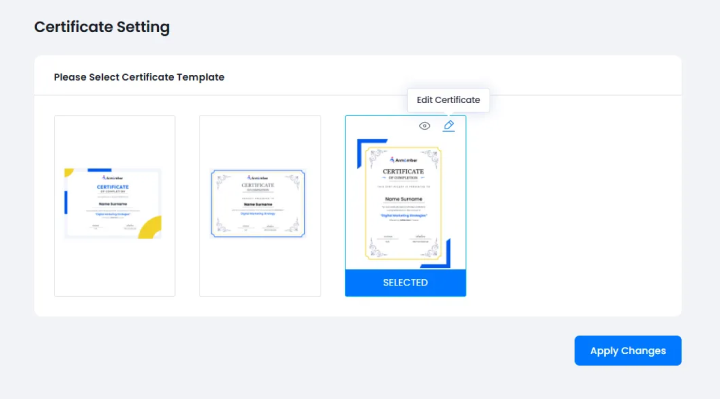
Overall, with ARMember, you get a powerful WordPress LMS plugin that’s super easy to set up and works the way you want. But that’s just the tip of the iceberg.
Key LMS Features in ARMember
- Course and lesson management
- Lock-tight access control with drip content scheduling
- Student progress tracking
- Automatically redirect students to next lesson or issue custom certificates
- Sell digital downloads like eBook, PDFs, worksheets and more.
- Online social community for students to engage
- 22+ payment gateways options
What I Like About ARMember
- Courses and memberships work together; this is probably the biggest advantage if your business model includes both.
- You can decide who gets access to specific courses or content.
- Good scope for monetization
- You get membership and content-restriction tools alongside the LMS features
What Could Be Better
- It can feel like a lot at first because ARMember covers memberships, content restriction, payments, and LMS features, all at once.
- LMS functionality needs premium plan or addon
- Not everyone needs the membership features
Pricing:
- Free version available
- The Standard plan costs $89/year for 1 site.
- The Professional plan costs $139/year for 2 sites.
- The Enterprise plan costs $299/year for 10 sites.
Lifetime plans are also available. I personally compared the free and premium versions and tested paid features where possible. Their 14-day money-back guarantees helped me get hands-on with the premium versions without breaking the bank. Also, you can always test the demo available.
My Verdict: ARMember makes the most sense if you want your LMS and membership system working together. Packed with 62+ in-built addons along with premium features such as Online Courses, Social Community, Digital Downloads and more, you can create a successful course platform with zero coding. However, if your goal is simply to create standalone online courses without membership, let’s check out the next option.
Planning to offer recurring memberships with your courses? Check out this guide to the best WordPress subscription plugins for more options.
2. Tutor LMS
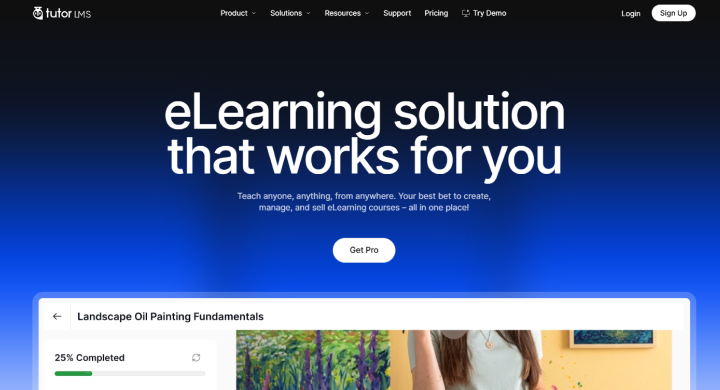
If you want a WordPress LMS plugin that feels like a complete online learning platform, Tutor LMS is one of the options I’d definitely put on your list. It comes with a course builder, quizzes, student and instructor dashboards, content drip, course bundles, subscriptions, certificates, analytics and plenty of other tools for running an online academy.
| Feature | Details |
| Best for | Online academies, course creators and multi-instructor platforms |
| Free version | Yes |
| Course builder | Yes |
| Quizzes | Yes |
| Certificates | Yes |
| Student management | Yes |
| Subscriptions | Yes |
| Analytics | Yes |
| Integrations | Multiple payment, page builder, marketing, membership, community, and third-party integrations like including WooCommerce, PayPal, Stripe, Zoom, Google Meet, Elementor, Gutenberg, Mailchimp, BuddyPress, bbPress, Paid Memberships Pro, myCRED, and WPML |
Tutor LMS is built specifically around online learning so you get pretty much everything you need to create, sell and manage courses from your WordPress dashboard.
You can create courses and lessons, add quizzes, manage students and instructors, set up course prerequisites, drip content over time, create bundles and even build a multi-instructor learning platform. It also has built-in monetization features for selling courses and subscriptions.
The course builder was pretty good to work with. I could set up the course structure, add lessons, create quizzes and set up the different course options without having to jump through too many hoops.
I also checked out the student and instructor management options, content drip, course progress, certificates, monetization and analytics. There’s a lot packed into the dashboard, but the main course-building workflow is easy enough to get the hang of.
The quiz builder is another area that stood out. Tutor LMS supports different question types, quiz attempts, timers and more advanced quiz functionality, giving you plenty of room to create different types of assessments.
Key LMS Features in Tutor LMS
- Course and lesson builder
- Multiple quiz types with quiz timers and attempts
- Student and instructor dashboards
- Course prerequisites and content drip
- AI course creator
- Centralized note-taking for students
- Gradebooks and certificates
What I Like About Tutor LMS
- The course builder gives you plenty of control without making the basic workflow complicated.
- You get both learning and monetization tools in the same LMS.
- Student and instructor dashboards make it suitable for multi-instructor platforms.
- The analytics are useful if you want to track more than just course enrollments.
What Could Be Better
- There are so many features that the dashboard can feel a little overwhelming when you first start.
- Some of the more advanced courses, quiz, monetization and analytics features are part of Tutor LMS Pro.
- If you’re creating a very simple course website, you will end up with more features than you actually need.
Pricing
- Free version available.
- The Pro plan starts at $199/year for 1 site.
- The Business plan is $399/year for up to 10 sites
- The Agency plan is $799/year for unlimited sites.
Lifetime plans are also available. I personally compared the free and premium versions and tested paid features where possible. Their 30 days money-back guarantees came in handy when I wanted to get hands-on with premium features without breaking the bank.
My Verdict: Tutor LMS is a powerful option if you want to create a full fledged online learning platform with courses, quizzes, students, instructors, subscriptions and analytics all working together. Yet if you’re looking for something a little more modular and want to start with a free LMS and add features as your needs grow, LearnPress is worth checking out next.
3. LearnPress
If you’re looking for a WordPress LMS plugin that gives you plenty of flexibility without forcing you into a huge all-in-one system, LearnPress is worth checking out. It lets you create courses, lessons and quizzes, manage students, sell courses and extend the LMS with add-ons when you need more functionality.

| Feature | Details |
| Best for | Course creators, bloggers, and small-to-medium online learning websites |
| Free version | Yes |
| Course builder | Yes |
| Quizzes | Yes |
| Certificates | Available through add-on |
| Student management | Yes |
| Memberships | Available through add-on |
| Payment options | Built-in payment options + premium payment add-ons |
| Add-ons | 30+ add-ons |
LearnPress is a WordPress LMS plugin that gives you the basic tools to create, manage and sell online courses.
Plus, you can also monetize your courses with payment options and extend the plugin with add-ons for things like certificates, assignments, memberships, subscriptions, content drip and more.
And that’s where LearnPress gets interesting. Instead of packing every possible feature into the core plugin, you can pick the addons you actually need and build your LMS around them.
When I first installed LearnPress on my WordPress staging site and went through the course creation process to see how it feels from the admin side, it caught my eyes.
The course builder was pretty easy to get into. I could create the course structure, add lessons and quizzes, attach learning materials and work through the basic course settings without much trouble.
I also checked the options for student management, course monetization, quizzes, certificates, memberships and other add-ons. The core plugin gives you a decent starting point, and the add-on system gives you plenty of room to expand the website later.
One thing I liked here is that you can keep things fairly simple at the beginning and add features as your course platform grows. If you need certificates, assignments, content drip, subscriptions or more payment options later, there are dedicated add-ons for those jobs.
Key LMS Features in LearnPress
- Drag and drop curriculum builder
- More than 30 add-ons to extend the LMS
- Content drip
- Flexible lesion and course settings
- Offline Course support
- Anti-cheating and question banks
- Accept payments via PayPal, Stripe, WooCommerce and more.
What I Like About LearnPress
- The core plugin gives you a good starting point for creating courses.
- You can add extra functionality as your LMS grows.
- The course builder is fairly simple to work with.
- You don’t have to use every feature from day one.
What Could Be Better
- Some useful LMS features are available through paid add-ons.
- The number of add-ons can make it a little confusing to figure out exactly what you need.
- If you want everything ready to go from the beginning, the add-on approach feels like extra work.
Pricing
- Free version available.
- The pro bundle costs $299 for a lifetime license for 1 site with 12 months updates.
- LearnPress also lets you buy individual add-ons with plans starting from $19.
I personally compared the free and premium versions and tested paid features where possible. And, their refund policy is nothing that gives me good trouble. Although it officially says you’re eligible for a refund within 2 months, the reason must be genuine. Like you can’t get a refund if the product didn’t meet your expectations or YOU don’t have the sufficient expertise to use it.
My Verdict: LearnPress makes a lot of sense if you want a flexible WordPress LMS that you can build up as your course website grows. The free version covers the basics, and its collection of add-ons gives you plenty of ways to add things such as certificates, assignments, subscriptions, content drip and extra payment options.
If you want a more feature heavy LMS with built-in memberships, advanced reporting and a bigger focus on running a complete online learning business, LifterLMS is the next one worth checking out.
4. LifterLMS
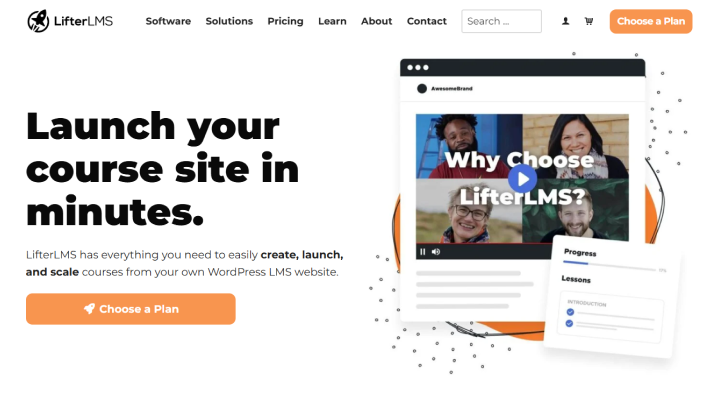
If you want to turn your WordPress website into a complete online learning platform, LifterLMS definitely deserves a look. It gives you the tools to create courses, manage students, sell memberships, accept payments, track progress and keep students engaged, all from your own WordPress website.
| Feature | Details |
| Best for | Online course businesses, training platforms, and membership websites |
| Free version | Yes |
| Course builder | Yes |
| Quizzes | Yes |
| Certificates | Yes |
| Memberships | Yes |
| Student management | Yes |
| Payments | Stripe, PayPal and WooCommerce |
| Reporting | Yes |
| Multi-instructor | Yes |
This WordPress LMS plugin also lets you create courses and memberships, sell different pricing plans, restrict content, track student progress and build a complete learning website around your content.
The core plugin is free and comes with unlimited courses, memberships, students and teachers. You can then extend it with add-ons for things like advanced quizzes, assignments, social learning, email marketing, forms, payment options and other business needs.
When I tested and installed LifterLMS on my WordPress staging site, the course builder gave a lot of control over how I structure my courses. You can organize sections, lessons, quizzes and other learning materials from the course building interface.
I also went through the options for student progress, quizzes, certificates, memberships, payments and content protection. There’s a lot going on here, especially once you start looking beyond the basic course-building workflow.
Overall, LifterLMS feels more like a complete learning business toolkit than a simple WordPress course plugin.
Key LMS Features in LifterLMS
- Drag-and-drop course builder
- Student progress tracking
- Certificates and achievement badges
- One-time and recurring payments
- Stripe and PayPal payments
- Content restriction
- Multi-instructor courses
What I Like About LifterLMS
- The free core plugin is surprisingly capable.
- Courses, memberships and monetization work together really well.
- You get plenty of options for student engagement.
- It works with popular WordPress themes, page builders and the block editor.
What Could Be Better
- Steep learning curve; there’s a lot to learn when you first start exploring all the available options.
- The pricing can add up if you need several premium addons; higher total cost
- No built-in native email marketing automation like ARMember
- The interface is complicated for beginners.
Pricing
- Free version Available
- The Earth Bundle starts at $199/Year yet renews at $398/year.
- The Universe Bundle starts at $299/Year yet renews at $598/year.
- The Infinity Bundle starts at $799/Year yet renews at $1598/year.
To be honest, all these plans are way off my budget. Although it offers almost the same feature set as ARMember (membership + online courses), its pricing plans are way expensive; not worth the money for me. And here’s another reason I could actually test the premium side without going broke: LifterLMS offers a 30-day demo site for $1 with the core plugin and all premium add-ons. So yes, I definitely took advantage of that while testing!
My Verdict: LifterLMS is a solid option if you’re planning to create a serious online learning business rather than just upload a few courses and call it a day. But to be realistic, there are sure better alternatives like ARMember and LearnPress available. And if you’re looking for a simpler setup with a more lightweight approach to course creation, there are still a couple more plugins on this list worth exploring.
5. MasterStudy LMS
If you want a WordPress LMS plugin that gives you a lot of course-building tools without making you start from scratch, MasterStudy LMS is worth a look. It comes with a course builder, different lesson types, quizzes, certificates, student management, payments and even marketplace features for websites with multiple instructors.

| Feature | Details |
| Best for | Course creators, tutors, schools, and online course marketplaces |
| Free version | Yes |
| Course builder | Yes |
| Quizzes | Yes |
| Certificates | Yes |
| Student management | Yes |
| Multi-instructor | Yes |
| Payments | Yes |
| Analytics | Yes |
| Live lessons | Yes |
MasterStudy LMS is another one of the most popular WordPress LMS plugins on this list.
One thing that caught my attention is the number of tools packed into the plugin. Sure, you can create a simple course website, but MasterStudy also has features for online course marketplaces, subscriptions, memberships, live classes and instructor payouts.
I installed MasterStudy LMS on my WordPress staging site, everything was simple. I could create the curriculum, add sections and lessons, add quizzes and set up the basic course details without spending too much time figuring things out.
I also checked the different lesson types and video options. MasterStudy supports text, audio, video, live meetings, online streams and PDF lessons, so there’s plenty of flexibility when you’re building different types of courses.
The quiz builder also gives you a lot to work with. There are 8 question types, along with options for quiz duration, attempts, passing grades and randomized questions.
I also went through the student management, certificates, monetization, instructor and analytics options. There’s definitely a lot here, especially if you’re planning to build something bigger than a basic course website.
Overall, MasterStudy LMS feels like a good fit for course creators who want plenty of tools available as their online learning platform grows.
Key LMS Features in MasterStudy LMS
- Drag and drop course builder
- Video, audio, PDF and live lessons
- 8 quiz question types
- Quiz timers and attempt limits
- Student and instructor dashboards
- Assignments and gradesSCORM support
- AI-powered course creation in the premium version
What I Like About MasterStudy LMS
- The course builder gives you plenty of control.
- There are lots of lesson formats to choose from.
- The free version already comes with a good set of LMS features.
- You get students, instructors and course management tools in one place.
What Could Be Better
- Slight learning curve
- Some of the more advanced features are locked behind the Pro version.
- If you’re creating a very simple course website, you may not need everything that MasterStudy offers.
- The number of options can make the setup feel a little overwhelming for complete beginners.
Pricing
- Free version available.
- The Single Site license starts at $99/year but renews at $149/year
- The 10 Sites license starts at $199/year but renews at $299/year
- The Unlimited Sites license starts at $399/year but renews at $599/year
Just like ARMember, MasterStudy also offers a 14 day money-back guarantee. I personally compared the free and premium versions and tested paid features where possible, and again, their money-back guarantees came in handy when I wanted to get hands-on with premium features.
My Verdict: MasterStudy LMS gives you a lot of room to build and grow. You can start with regular online courses and later move into things like memberships, subscriptions, live classes, multiple instructors and even a course marketplace. But if you want a true all-in-one WordPress LMS plugin, ARMember is again my top recommendation.
Final Verdict: Which WordPress LMS Plugin Should You Choose?
Finally, we’ve come to an end. These are all the top 5 WordPress LMS plugins for your creating a professional online course platform.
Still confused which one is the best LMS plugin for WordPress? Well, the answer is simple. If you actually went through the whole article, you might have seen it coming. The BEST WordPress LMS plugin is ARMember.
Thanks to ARMember’s SaaS-like user interface and 62+ in-built addons including 22+ payment gateways, you can create and sell your online course in no time. Plus, it comes with in-built gamification elements, sends automatic messages and protects your exclusive course content.
Apart from this, if you truly want a dedicated WordPress LMS tool, Tutor LMS and LearnPress are worth considering.
Here’s a quick decision-making summary for you to make the right choice:
- ARMember → membership-based online courses.
- Tutor LMS → online academies.
- LearnPress → course creators, bloggers and small-medium sites.
- LifterLMS → online course businesses and training platforms.
- MasterStudy → course creators, tutors, schools and course marketplaces.
The best part? No matter which LMS plugin you pick for your WordPress site, AffiliatePress WordPress affiliate plugin integrates with all of the above.
Related articles:

 14-day money-back guarantee