

Booknetic is a popular WordPress booking plugin that sets itself apart from standard WordPress plugins and SaaS alternatives like Calendly. Its smooth front-end wizard, built-in multi-vendor SaaS capabilities, and dedicated app-like admin panel help businesses, like clinics, salons, and legal firms, let customers self-schedule 24/7, accept payments, and monitor performance without juggling multiple add-ons.
But don’t let the impressive feature list fool you. Booknetic has its own set of problems that can make running a booking business harder than it needs to be.
Many reviews from Capterra and Trustpilot noted double-booking and sync glitches. Upgrading to unlock Google Calendar sync, Reports, SMS alerts, and basic online payments means signing up for high-tier recurring fees which goes up to $599/yearly.
That’s why many start hunting for Booknetic alternatives that fit their budget or offer a simpler workflow. To make your hunting easier, I’ve installed more than 15+ popular booking solutions on a clean WordPress staging site and ran the same service-business workflow for 2 weeks.
I did in-depth testing on the top contenders to narrow it down to these 7 booking plugins for WordPress (which are far better than Booknetic).
TL;DR: BookingPress is the best Booknetic alternative for businesses looking for an all-in-one WordPress booking plugin with built-in features, flexible customization, and better value for money.
Quick Comparison: 7 Best Booknetic Alternatives At a Glance
No time to scroll till the end? No problem! Below are the best Booknetic alternatives compared at a glance.
| Rank | Plugin | Best for | Free version | Starting price | Skip it if… |
| 1 | BookingPress | All-in-one WordPress booking | Yes | $89/year | You need a dedicated staff mobile app |
| 2 | FluentBooking | Consultants and FluentCRM users | Yes | $79/year | You need complex service-booking workflows |
| 3 | Acuity Scheduling | Hosted appointment scheduling | No (7-day trial) | $20/month | You prefer managing everything inside WordPress |
| 4 | LatePoint | All-features-included pricing | Yes | $99/year | You need a simpler setup with minimal configuration |
| 5 | Bookly | Established booking plugin ecosystem | Yes | $99/year | You want advanced features without extra add-on costs |
| 6 | Easy Appointments | Budget-friendly scheduling | Yes | Free | You don’t want separate booking engine installation |
| 7 | Calendly | Simple meeting scheduling | Yes | $120/year per seat | You need a complete service-business booking system |
Why Look For a Booknetic Alternative
Booknetic has plenty going for it, and I can see why it’s popular with service-based businesses. But as I compared its pricing, features and booking workflows with other solutions,a few, real limitations stood out (that impacts live business).
The biggest issue is that getting the most out of Booknetic can cost more than you might expect at first. Some features are sold separately, others are locked behind higher-tier plans and its appointment-focused setup might not work for every type of business.
Thus, here are some of the main reasons you should want to look for a Booknetic alternative.
Add-on Costs Can Add Up Quickly
One of the first things I’d look at before picking any appointment booking plugin is what you actually get with the base license. And with Booknetic, the starting price doesn’t tell you the whole story.
Booknetic uses a Boostore model where you can buy extra features separately. Sure, it gives you some flexibility to build the booking system you need, but it also makes things MORE EXPENSIVE when you start adding just “basic” functionality.
For instance, you might need payment integrations, Google Calendar synchronization, SMS notifications or WhatsApp alerts to run your day-to-day booking operations. Yet, sadly, these features aren’t included in your basic plan.
The worst part is even basic SMS, WhatsApp and Telegram notifications are included in Elite plan only which costs $599 per year.
Essential Features Are Locked Behind Higher-Tier Plans
Another thing I noticed when comparing booking plugins is how differently they handle their pricing tiers. Some give you most of the essential booking features upfront. Others reserve certain functionality for more expensive plans.
Booknetic follows the latter approach for several features. Depending on the functionality you need, you may have to move to a higher-tier plan to access calendar synchronization, video meetings or native SMS notifications.
Booknetic plan starts at $45 (Sounds cheap at first but that’s the trap) and renews at $89/year. However, even for $89/year, you aren’t getting even the basic features included. No mobile app. No Google Calendar. No report. No SMS/WhatsApp/Telegram notifications. No Zoom integration. No customer panel.
This can become frustrating when you’re running a small business and only want to automate a few basic tasks without upgrading your entire subscription.
It May Not Fit Every Type Of Booking Business
Booknetic is designed around appointment scheduling. It sure works well for businesses like salons, clinics and consulting services where customers book a service for a particular date and time.
But what if your business offers hotel stays, campsite reservations, rental services, or restaurant table bookings?
That’s where you need something more specialized.
Its Event Management Features Falls Short
Not every booking business runs on individual appointments. Some even organize workshops, group classes, conferences and other ticketed events.
If that’s your business model, you’ll want a booking solution that can handle both individual appointments and event registrations, and unfortunately, Booknetic is not one of them.
Overall, I whittled the list down to the seven best Booknetic alternatives for WordPress.
How I Tested These Booknetic Alternatives For WordPress
There are plenty of lists of the “best WordPress booking plugins“, so what makes this one different?
Here, I installed more than 15 popular booking solutions on a clean WordPress staging site and spent two weeks testing how they handled everyday appointment booking, just to find you a best alternative to Booknetic plugin.
I installed and activated each plugin in turn, followed its setup instructions and ran the same service-booking workflow wherever possible. I even checked how easily I could add services and employees, customize booking forms, accept payments, manage appointments and handle cancellations and rescheduling.
Apart from that, I’ve worked on both free and premium WordPress booking plugins, along with hosted alternatives like Acuity Scheduling and Calendly. And, since these hosted platforms don’t run inside WordPress, I evaluated their booking workflows separately – never treating them as direct plugin replacements.
Here’s the environment I used for testing:
| Test environment | Details |
| WordPress version | 7.1.4 |
| PHP version | 8.3+ |
| Database | MySQL 8.0+ / MariaDB 10.11+ |
| Website | Clean WordPress staging site |
| Testing period | 2 weeks |
| Plugins evaluated | 15+ |
| Final shortlist | 7 |
To sum everything up, most booking solutions cover the same essentials to varying degrees. And, as I was testing them, here’s what I was looking for:
Setup. Getting a booking system up and running shouldn’t feel like a project of its own. I looked at installation, setup wizards, and how much configuration was needed before a customer could make their first booking.
- Ease of use. I checked how simple it was to navigate the dashboard, manage appointments and make changes without digging through endless settings. Afterall, no one wants to jump from a Booknetic app-like interface to a boring 2019 UI.
- Booking experience. The booking form is where customers interact with your business. Thus, I personally tested the booking steps, service selection, employee selection, available time slots and customization options.
- Payments and notifications. Also, I checked which payment gateways were supported, how payments were handled and whether customers get useful booking confirmations and reminders automatically from their desired channel.
- Extra features. A best Booknetic alternative is the one that gives all its locked features such as calendar sync, integrations, reporting, recurring appointments and more at a better price and makes managing a booking business easier.
- Pricing. Finally, I compared free and paid plans to see which features were included and what you had to pay extra for.
1. BookingPress – Best Overall WordPress-Native Booking Plugin
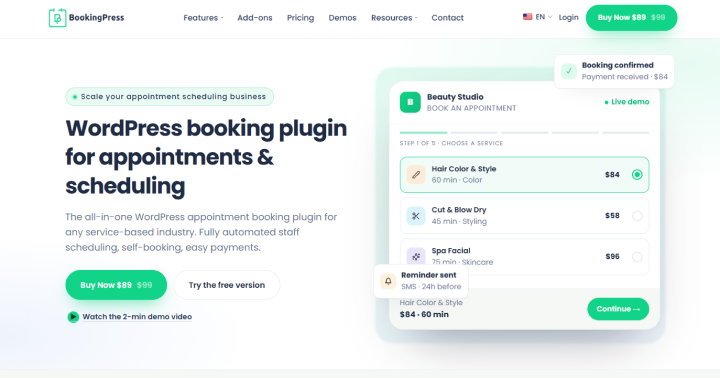
| Rating | 4.4/5 Stars (96+ Reviews) on Trustpilot |
| Best for | All service-based businesses want an all-in-one WordPress booking system. |
| Standout Features | SaaS-style App interface.60+ premium addons at no extra cost – all included.Conditional form hide/show logic.Independent staff and customer dashboards.Built-in email, SMS, WhatsApp and Telegram notifications. One-click Booknetic migration. |
| Free Version: | Yes, with all core booking features and PayPal payments. |
BookingPress is a WordPress appointment booking plugin that covers everything from appointment scheduling to payments and staff management.
When I tested it, I personally found it very easy to set up and use. The setup wizard was quick, walking me through all the core settings. The dashboard was centralized and intuitive. If I found myself curious about any data, its in-built detailed reports and analytics are always there with real-time graphs.
Apart from that, clients and staff member experience was intuitive and smooth, too.
Why Choose BookingPress Over Booknetic? If you want built-in features like waiting lists, buffer time, Zoom/Google Meet integrations right out of the box, BookingPress is the best overall option I’d personally recommend.
Strength:
- 22+ payment gateways including PayPal, Stripe, Mollie, and POS system
- Generous Free (Lite) Version
- Two-way syncs with Google, Outlook and Apple Calendar
- Smart built-in setup wizard for easy setup
- Highly customizable booking form with extensive styling options
- Advanced multi-location and multi-staff management
- Exceptional value for money
Limitations
- No dedicated staff mobile app
- Some advanced third-party integration may take some time
Cost: Starting at $89/year, including 45+ premium addons and 21+ payment gateways
2. FluentBooking: Best For Consultants And FluentCRM Users
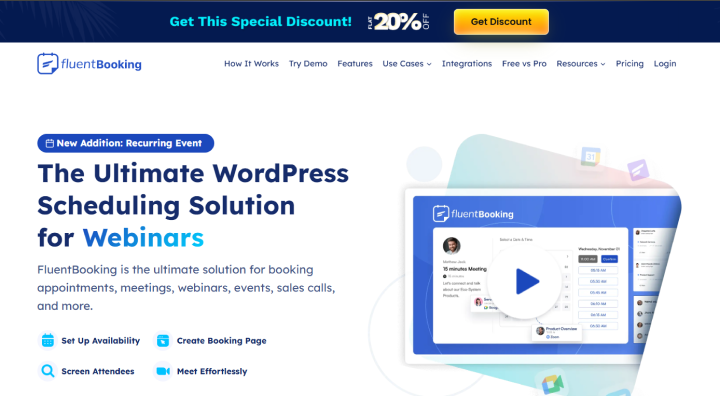
| Rating | 4.7/5 on WordPress.org |
| Best for | Consultants, coaches, and businesses using FluentCRM |
| Standout Features | Unlimited calendars and hostsRound-robin meetingsTwo-way calendar syncVideo conferencing FluentCRM integration |
| Free Version | Yes with basic appointment scheduling features |
FluentBooking takes a slightly different approach to appointment scheduling. Rather than focusing on complex service-business workflows, it makes it easier to let clients book meetings, consultations and one-on-one sessions from your WordPress website.
When I tested it, I looked at its calendar setup, availability controls, meeting types, and integrations, and really liked its connection with FluentCRM, which is very useful if you want to follow up with leads or organize contacts after someone books a meeting.
Why Choose FluentBooking Over Booknetic? It’s a simpler fit for consultants and businesses that want meeting scheduling connected to their CRM.
Strengths
- Unlimited calendars and hosts.
- Two-way calendar synchronization.
- FluentCRM and FluentForm integration.
- Google Meet Integration.
- Stripe Payments.
- Multiple Meeting Types.
- Google Calendar Integration.
Limitations
- Less suited to complex service bookings.
- Limited payment gateways.
Cost: The Pro starts at $79/year for all features .
3. Acuity Scheduling: Best For Hosted Appointment Scheduling
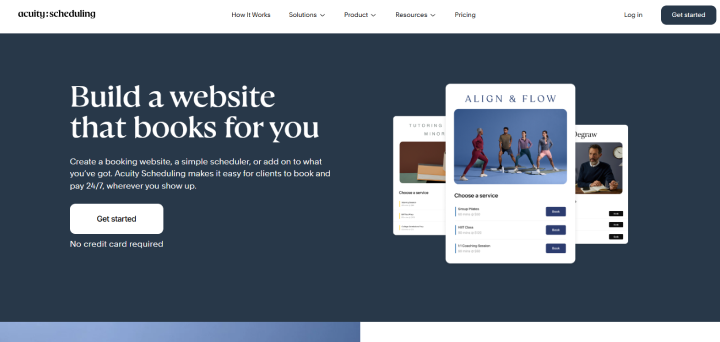
| Rating | 3.6/5 Stars (694+ reviews) on Trustpilot |
| Best for | Businesses that want scheduling without managing a WordPress plugin |
| Standout Features | Client intake formsAutomated remindersDepositsRecurring payments Calendar management |
| Free Version | No (7-day free trial only) |
Acuity Scheduling is another best SaaS booking system for your WordPress site. Although it is not a dedicated WordPress plugin, you can still embed its booking form to your WordPress site with no issue.
Best of all, It is a hosted scheduling platform, so you don’t have to install or maintain it on your website. Just simply manage all your appointments through Acuity and embed or share your scheduling page with clients.
I looked at its booking page setup, client intake forms, payment options and calendar management. I also checked how its plans handle multiple staff members, since the number of calendars you need can affect which plan makes sense. The Starter plan includes one calendar. The Standard supports up to six and the Premium supports up to 36.
Why Choose Acuity Scheduling Over Booknetic? You get a hosted, cloud-based booking system – no need to maintain, update or troubleshoot a Booknetic WordPress plugin.
Strengths
- Hosted scheduling platform.
- Client intake forms.
- Automated email reminders.
- Appointment waitlist.
- Sell memberships and packages.
- Sell gift certificates.
- AI Booking Assistant.
Limitations
- No free plan.
- Monthly subscription costs.
- Less WordPress-native control.
Cost: Starts at $20/month and $192/year.
4. LatePoint: Best For All-Features-Included Pricing
| Rating | 4.9/5 on WordPress.org (100+ reviews) |
| Best for | Businesses that want a broad set of booking features included in one paid plan. |
| Standout features | Multi-staff and multi-location booking. Group bookings.Recurring appointments.Event registration.Payment integrations & calendar synchronization. |
| Free version | Yes, with core appointment booking features. |
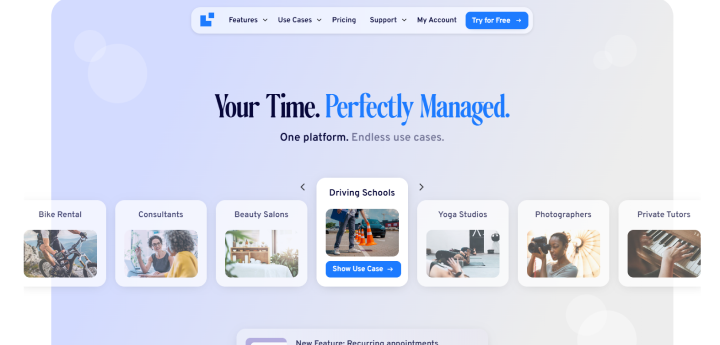
LatePoint is another WordPress booking plugin that caught my attention because of how it approaches pricing. Rather than making you buy separate add-ons to unlock different features, its paid plans include the full feature set. The main difference between the plans is the number of websites you can use the plugin on.
Best of all, LatePoint lets you accept regular appointments, group bookings and event registration, so you’re not limited to one-to-one scheduling. Besides, you can manage multiple staff members and locations.
I looked at its booking and management features, including the options for handling staff, locations, payments, and appointment types. The plugin also offers customer-facing booking management, and its Pro features extend the system with integrations such as Google Calendar and video conferencing
Why Choose LatePoint Over Booknetic? If you want access to a broad set of premium booking features without purchasing individual add-ons, LatePoint is worth considering
Strengths
- All features included in paid plans.
- Appointments, group bookings and event registration.
- Multi-staff and multi-location management.
- Payment integrations, including Stripe, PayPal and Razorpay.
- Google Calendar synchronization and video conferencing integrations.
- Custom booking forms and additional fields.
- Customer dashboard for managing appointments.
- Email notifications, with SMS and WhatsApp options.
Limitations
- Several advanced features, including multi-staff and multi-location management, require Pro
- The number of websites covered depends on the license you choose.
- Businesses with complex booking workflows will take time to set up the available options
Cost: LatePoint’s standard annual pricing starts at $99/year for one website.
5. Bookly: Best For Established WordPress Booking Ecosystems
| Rating | 4.4/5 on WordPress.org (576 reviews) |
| Best for | Businesses that want an established WordPress booking plugin with an extensive add-on ecosystem |
| Standout features | Customizable booking formsStaff schedulescustomer managementGoogle Calendar sync Multiple add-ons and extensions |
| Free version | Yes, with basic appointment scheduling |
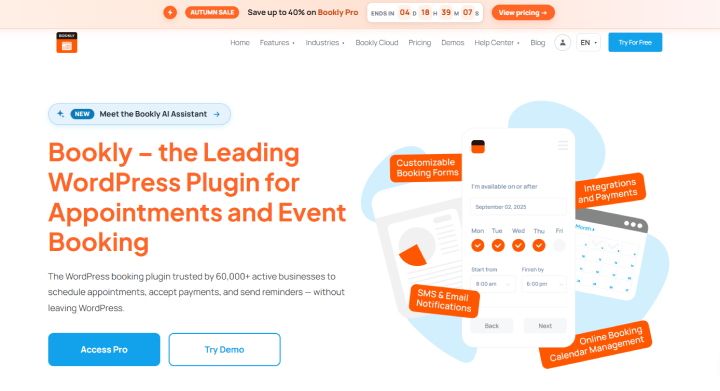
Bookly is one of those WordPress booking plugins that has been around long enough to build a large ecosystem of features and extensions.
Of course, it’s not trying to reinvent appointment scheduling – it just simply gives you the essentials and lets you expand the system as your business grows.
The free version covers basic appointment scheduling, and the Bookly Pro and its add-ons unlock more advanced features. On top of that, there’s also support for online payments, notifications and Google Calendar synchronization, although some of these features depend on the version or add-on you’re using.
Worth noting is its large ecosystem of addons. If your business needs recurring appointments, group bookings, deposits, or packages, Bookly has dedicated extensions for those workflows. The flexibility is useful but yet it also means you need to pay attention to which features are included in your license and which needs separate purchases.
Why Choose Bookly Over Booknetic? If you want an established WordPress booking solution that you can expand using paid dedicated add-ons, Bookly is a solid option
Strengths
- Free version available for basic appointment scheduling.
- Customizable booking forms.
- Unlimited services and staff members with the appropriate version
- Google Calendar synchronization.
- Online payments through supported payment integrations
- Email, voice, and SMS notification options.
- Dedicated add-ons for group bookings, recurring appointments, deposits and packages.
- Customer and staff management features in paid bundles.
Limitations
- Expensive if you want more features
- Several advanced features need Bookly Pro or additional add-ons
- The cost can increase as you add more functionality.
- Some integrations and services like SMS alerts involve additional costs
Cost: Its paid bundles currently start at $99/year for one website.
6. Easy Appointments: Best For Budget-Friendly WordPress Scheduling
| Rating | 4.3/5 on WordPress.org (131 reviews) |
| Best for | Small businesses looking for a free appointment booking system. |
| Standout features | Multiple services.Staff and locations.flexible schedules .custom booking forms.email notifications.Google Calendar sync. |
| Free version | Yes |
| Cost | Free; hosting costs apply. |
If you’re looking for a budget-friendly alternative to Booknetic, Easy Appointments is worth a look. It’s an open-source appointment booking solution that lets you manage bookings with no recurring software license fee.
This WordPress appointment booking plugin lets you easily manageAdvanced scheduling and team features need paid plans. multiple services, staff members, and locations, with individual availability and time slots. You can also customize booking forms, configure email notifications and manage appointments via a calendar. Thus, for service businesses that don’t need a complicated booking setup, that’s pretty useful.
One thing I like about the approach is that you’re not forced into a per-staff or per-booking pricing model. The core software is self hosted so you run it on your own server and retain control over your booking data. The trade-off is that you’re also responsible for the hosting and maintenance.
There’s one setup detail worth understanding before you choose it. Easy Appointments uses a separate booking engine that connects to your WordPress website through its WordPress integration. Once the engine is running, you can display the booking page on your site using a block, widget or shortcode. Thus, although the customer-facing booking experience can appear on your WordPress website, the booking engine itself needs to be installed and connected separately.
Why Choose Easy Appointments Over Booknetic? If keeping costs low is your priority, Easy Appointments is an attractive alternative to Booknetic ..
Strengths
- Free and open source core software.
- No per booking or per staff license fees.
- Supports multiple services, staff members, and locations.
- Flexible schedules with individual availability.
- Customizable booking forms.
- Email booking confirmations and notifications.
- Google Calendar synchronization.
- Booking data stays on your own hosting.
- WordPress integration for showing the booking page on your website.
Limitations
- Requires a separate booking engine installation and connection to WordPress.
- You’re responsible for hosting, updates and maintenance.
- Less suitable if you want everything managed from a conventional WordPress plugin dashboard without a separate installation.
Cost: The core software is free and open source.
7. Calendly: Best For Simple Meeting Scheduling And Integrations
| Rating | 4.1/5 Stars (722+ reviews) on Trustpilot |
| Best for | Consultants, sales teams and professionals who regularly schedule meetings |
| Standout features | Booking linkscalendar synchronizationautomated remindersround-robin schedulingteam scheduling |
| Free version | Yes, with limited scheduling features |
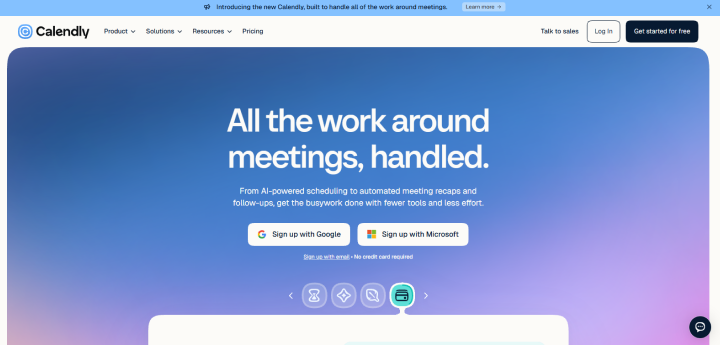
Rather than giving you a full booking management system inside WordPress, Calendly makes it easier for people to schedule meetings without the usual back-and-forth emails.
The idea is simple. You create an event type, set your availability and share your booking link. Later, clients or visitors can then pick a suitable time from the slots you’ve made available.
The best part is its approach for businesses that mainly schedule consultations, sales calls, interviews or one-on-one meetings. You don’t have to make any complicated service booking process when all you want is a convenient way for someone to book time with you.
Apart from that, Calendly also offers integrations with calendar and video conferencing tools, along with payment collection through Stripe and PayPal on eligible plans.
Why Choose Calendly Over Booknetic? If you want to schedule meetings rather than manage service appointments, Calendly is a simpler fit .
Strengths
- Simple booking links that you can share with clients.
- Unlimited event types on paid plans.
- Automated reminders and scheduling.
- Round robin and team scheduling.
- Lead routing for sales and business teams.
- Stripe and PayPal payment.
- Integrations with tools such as HubSpot, Mailchimp, Zoom and Google Meet.
Limitations
- Not a complete service-business booking management system.
- Free plan is limited to one event type and one calendar connection.
- Per-seat pricing can become expensive as your team grows.
Cost: The Standard plan starts at $120/seat/year.
Final Verdict: What Is The Best Alternative To Booknetic?
After 2 weeks of side by side testing across all 7 alternatives, I’ve realized that the best Booknetic alternative answer is scenario-based. Thus, here’s your decision-making framework..
- Pick BookingPress if you want an all-in-one WordPress appointment booking system, Pro from $89/year or $229 lifetime, mobile-friendly booking form, and a free Lite version with PayPal Payments
- Pick FluentBooking if you are already on or moving to FluentCRM.
- Pick Acuity Scheduling if you want a hosted platform, not another WordPress booking plugin.
Can’t decide if a Booknetic alternative is worth switching to? Install BookingPress Lite on one WordPress site, test it for two weeks and see how it compares with your existing Booknetic setup.
Related articles:
- Amelia Alternatives: 5 Great Appointment Booking Plugins in 2025
- Top 5 Bookly Alternatives: Better & Cheaper Options in 2025
- Top 5 WooCommerce Bookings Alternatives For 2026
FAQs
BookingPress is the best booking system to use for your service-based business, be it salon, clinic, rental store, coaching center, law firm, fitness studio or consultancy firm. It comes with a beautiful front-end booking form which you can customize as per your requirements, modern SaaS-like admin interface and staff member dashboard, and 22+ payment gateways.
Yes, Of Course! There are many free alternatives to Booknetic such as:
– BookingPress
– Easy Appointments
– Latepoint
Yes, indeed. The BookingPress Lite version is completely free forever on unlimited websites. It comes with all the core booking features such as unlimited appointments, admin calendar and online payment.
Yes, you can easily migrate from Booknetic to BookingPress using the official BookingPress Migration Addon.
 14-day money-back guarantee