Top 12 Class Scheduling Software for Teachers, Tutors & Schools (2026)


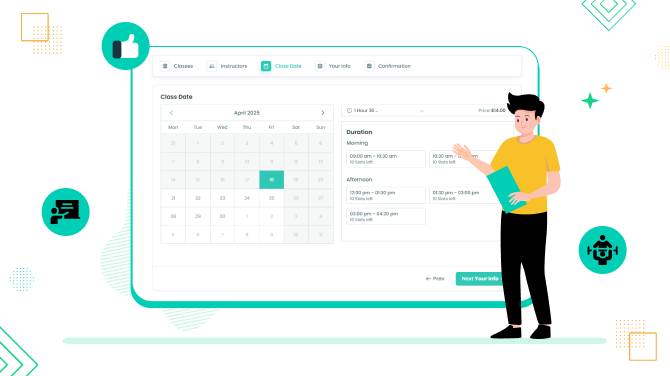
Coaches, trainers, and teachers can free up a lot of time by automating the most regular boring jobs – student, parent, and client scheduling.
To help you choose one, we’ve picked the best class scheduling software that can help you when you need to automate scheduling for:
- One-on-one tutoring sessions.
- Small group studies.
- Office hours for teachers, tutors, and trainers.
- Parent–teacher conferences.
- Admissions and school tours.
- Exam prep and review sessions.
- Activities, clubs, and seasonal programs.
Let’s jump right in!
Quick Overview – The Best Class Scheduling Software
| Software | Best For | Free Plan | Pricing Starts | Key Strength |
| BookingPress | WordPress based online class sites & paid sessions | ✅ Yes | $79/year | Flexible scheduling and 20+ payment gateways |
| CozyCal | Small schools & group bookings | ❌ No | $15/month | Clean UI & multi-host scheduling |
| ClassFit | Fitness, wellness & coaching businesses | ❌ No (30-day trial) | 2% revenue (min $40) | All-in-one scheduling + payments |
| TeachNGo | Tutors & small education centers | ❌ No (14-day trial) | €69/month | Student management + class scheduling |
| TutorBird | Private tutors & test prep businesses | ❌ No (90-day trial) | $14.95/month | Student tracking & billing |
| Class Manager | Large classes & institutions | ❌ No (trial available) | £30/month | Multi-class & multi-instructor management |
| YouCanBookMe | Simple 1:1 bookings | ✅ Yes | $9/month | Fast setup & calendar syncing |
| Teachworks | Tutoring businesses & agencies | ❌ No (21-day trial) | $16.49/month | Tutor management & invoicing |
| Arlo | Structured training & certifications | ❌ No (14-day trial) | $118/month | Course delivery & reporting |
| Coursedog | Universities & large institutions | ❌ No | Custom pricing | Academic scheduling & analytics |
| TutorCruncher | Tutoring businesses of all sizes | ❌ No (14-day trial) | £25/month | All-in-one tutoring platform |
| Reservio | Parent–teacher meetings | ✅ Yes | $9.23/month | Simple booking & reminders |
How We Tested and Reviewed the Best Class Scheduling Software
We test and evaluate the real-world features of these softwares and tools that matter most to teachers, tutors, and schools. Here are the factors we kept in mind while making this list of the best class scheduling software:
- Ease of Use: Because nobody wants a tool more complicated than the lesson plan itself. We look for software and tools with simple user interfaces and workflows. So that even non-tech teachers can use them.
- Automation & Time Saving Features: From auto reminders to recurring classes, we picked tools that actually save you hours.
- Student & Parent Management: All class scheduling software must manage multiple schedules, parents and students’ meetings.
- Integrations: Does it play nicely with Google Calendar, Zoom or your current LMS? Thus, we picked all software that connects smoothly with the tools teachers like you already know.
- Customization & Flexibility: Every class is unique. So the software should always adapt to your schedule, not the other way around.
- Pricing: We compared plans, free trials, and feature-to-price ratios so you can pick what’s worth your investment.
- Support & Updates: Even the best tools need backup plans. Thus, we checked how responsive and helpful the customer support is and how regularly the software gets new features or updates.
By using these following criteria, we made sure our list isn’t just a bunch of names. This guide is a thoughtful lineup of top notch class scheduling software tools that actually make scheduling less stressful and more productive.
Now, let’s take a look at our top recommendations for class scheduling software, especially for teachers, tutors and schools.
12 Best Class Scheduling Software for Teachers, Tutors & Schools
1. BookingPress
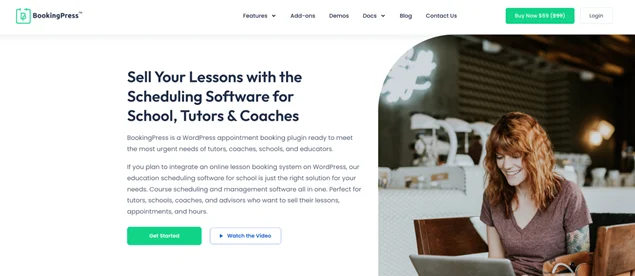
BookingPress is a super flexible scheduling software for one-to-one sessions, group sessions, and various activities. It allows teachers and schools to build a schedule with available hours for lessons, tests, or conferences, thus enabling students and parents to pick a time and schedule it right away.
If your sessions require advanced payments, or even mixed (like extra activities or solo teaching as an entrepreneur), BookingPress is probably the best choice thanks to its support of 20+ payment gateways.
Key features:
- Automated booking notifications (SMS, email, WhatsApp).
- Seamless integration with other software.
- Flexible schedule customization and modern booking widget (view demo).
Best For: Coaches, tutors, and schools have a WordPress site and want full control over class scheduling with flexible payment options.
Pros & Cons:
| Pros | Cons |
| Super flexible for one-on-one and group sessions. | Advanced features may need premium plans. |
| Supports multiple secure and popular payment gateways. | Some initial setup is needed for full customization. |
| User friendly interface for both students and teachers. | Not useful for non-WordPress websites |
| Advanced features such as recurring appointments, buffer time, multi-location, group bookings and powerful addons. |
Pricing:
- Free Version: Available.
- Premium Plan: Starts at $79/year only.
2. CozyCal
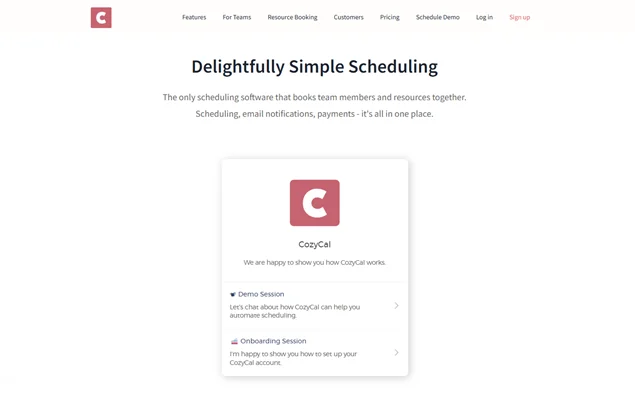
CozyCal gives schools modern software tools for scheduling parent-teacher conferences, campus tours, educational workshops, staff meetings and various events. You can have up to 500 people in a single time slot, so it works well for workshops, orientations, and other big group sessions.
If an event needs several team members, you can use multi-host scheduling to combine their availability. Students or teachers just see the shared open times and book a slot that works for everyone.
Key features:
- Integrates with Google Calendar, Outlook Calendar, Zoom, Google Meet and Stripe.
- Personal booking pages for teachers.
- Easy-to-handle virtual events like family-teacher conferences.
Best For: Coaches, tutors, and small schools who want a simple, elegant booking system with automated scheduling and payment options.
Pros & Cons:
| Pros | Cons |
| Simple, easy to use interface. | Limited advanced features for large schools. |
| Payments and automated reminders. | Group booking options are not as robust as some competitors. |
| Smoothly connect with multiple calendars. | |
| Customizable booking pages. |
Pricing:
- Free Version: Not available.
- Premium Plan: Starts from $15/month per seat (billed yearly).
3. ClassFit
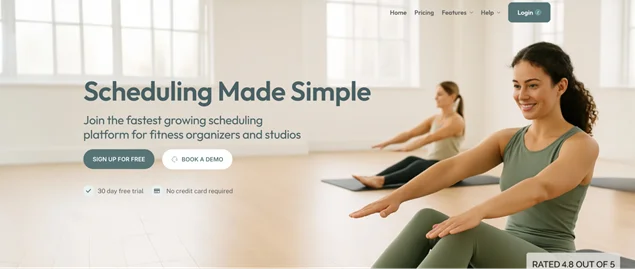
ClassFit is class scheduling and booking software, primarily focused on fitness and wellness businesses (yoga trainers, pilates, and independent coaches). Its main benefit for instructors and studio owners is that it handles all the admin work and scheduling, making the workflow fully digitalized and automated. You can embed a branded booking calendar on your website or use a dedicated booking page or app.
Key features:
- Class schedules and 1:1 appointments.
- Waivers, memberships, and waiting lists.
- Let clients book and pay online (including memberships and class packs).
Best For: Tutors, coaches and fitness instructors who need an all-in-one scheduling system with client management.
Pros & Cons:
| Pros | Cons |
| All in one solution for scheduling, payments and client management. | Advanced customization options need higher tier plans. |
| Supports recurring and group classes. | Some integrations are limited in lower-tier plans. |
| Easy to use interface for instructors and students. | |
| Tracks attendance and class history. |
Pricing:
- Free Version: Not available (Only 30 day free trial).
- Revenue Based Plan: 2% of revenue made through ClassFit, minimum $40/month and maximum $120/month.
4. TeachNGo
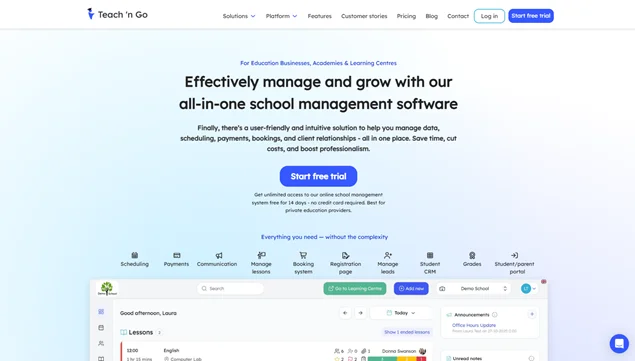
TeachNGo is more helpful when you need a full-scale education scheduling software. It provides you with a platform to manage and organize your classes and students, with flexible schedules. A mature platform gives you a quick overview of upcoming lessons for all of your teachers, also allowing you to assign hourly, monthly, or custom fees to group classes.
Key features:
- Structured student information, including attendance and courses.
- Homeworks and link recordings.
- Scheduling classes, including school lessons on recurring days.
Best For: Tutors, teachers and small education centers who want an all-in-one platform for scheduling, payments and student management.
Pros & Cons:
| Pros | Cons |
| All-in-one platform for scheduling, payments, and management. | Limited integrations with third party software. |
| Supports recurring and group sessions. | Interface can feel slightly complex for beginners. |
| Automated notifications reduce admin work. | |
| Customizable booking pages. |
Pricing:
- Free Version: Not available (Only 14 day free trial).
- The Paid Plan: Starts from €69/month and €690/Year for 100 live students.
5. TutorBird
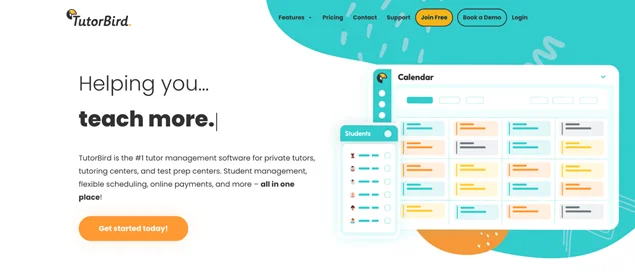
TutorBird is an all-in-one tutor management software to assist you in organizing lessons, managing students, and getting paid on time. It has the full package, including scheduling, billing, a website, and a student/parent portal for a user-friendly overview and management. You can schedule private or group lessons, track attendance, sync to your calendar, and send automatic email/SMS reminders.
Key features:
- Calendar-based billing, automatic invoices, and online payments.
- Let families book lessons or consultations, pay online, see notes, and submit homework.
- Best class scheduling software for test prep businesses.
Best For: Private tutors and small schools who want easy scheduling, billing and student tracking.
Pros & Cons:
| Pros | Cons |
| Easy to use for both tutors and students. | Some advanced features are only in the paid plan. |
| Tracks attendance and billing in one place. | Limited integrations with external apps. |
| Supports group and recurring sessions. | |
| Reduces admin time significantly. |
Pricing:
- Free Version: Not available (Only 90 day free trial)
- The Paid Plan: Starts from $14.95/month + $4.95 per each additional tutor or staff member.
6. Class Manager
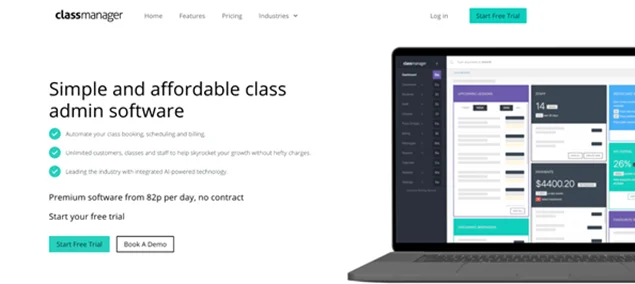
Class Manager is class admin software for accepting student bookings, creating schedules, and billing for studios and clubs (or other activity-based businesses). You get unlimited customers, classes, and staff, built-in AI tools, and more tools to improve your day-to-day busy schedule.
Key features:
- Affordable class management software for studios and clubs.
- One panel for booking, registration, invoices, and payments.
- Unlimited clients, classes, and team members on one low, no-contract price.
Best For: Schools, colleges, and coaching centers that are looking for a powerful class and student management system.
Pros & Cons:
| Pros | Cons |
| Awesome for large classes and multiple instructors. | Can be overwhelming for small setups. |
| Tracks attendance, payments and progress with ease. | User interface could be more modern. |
| Supports multi class and multi location management. | |
| Customizable reports and analytics. |
Pricing:
- Free Version: Not available (Only free trial).
- The Paid Plan: Starts from £30/month and £300/year.
7. YouCanBookMe
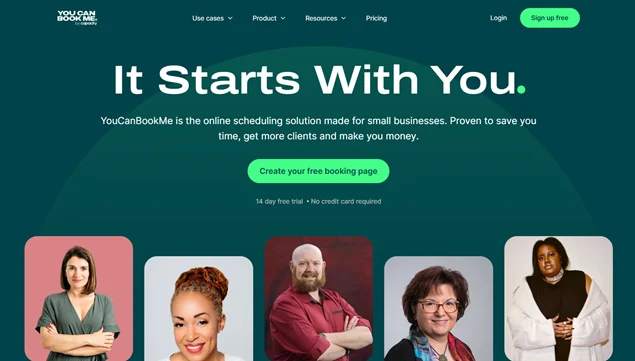
YouCanBookMe is a multipurpose business scheduling software with tools for schools and teachers. It enables students to book time with educators in seconds. You can link this software to your calendar, add buffers between meetings, enforce notice periods, and cut appointment-related emails.
Key features:
- Automated emails/texts send resources and reminders.
- Connects to Google/Outlook/Apple calendars, Zoom/Teams, CRMs, and more.
- Many customer stories are related to using software by higher education institutions.
Best For: Professionals, tutors and small teams who want a fast client friendly online scheduling.
Pros & Cons:
| Pros | Cons |
| Super simple to use and set up. | Limited advanced class management features. |
| Integrates with popular calendars and video tools. | Pricing can add up for larger teams. |
| Automates reminders and follow-ups. | |
| Client friendly booking interface. |
Pricing :
- Free Version: Available
- The Paid Plan: Starts from $9/month. (Also offers yearly and 2 year plans)
8. Teachworks
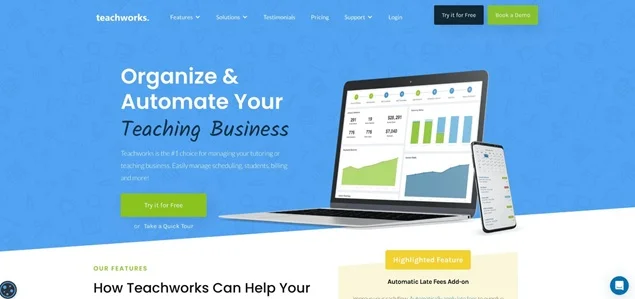
Teachworks is probably one of the best class scheduling software solutions, offering a full toolkit for website booking pages, tutor profiles, and lead management tools. Thanks to this, you can showcase your tutors and teachers, their experience, and their skills on your website to attract more clients.
When managing paid lessons, you can send automatic invoice due reminders to your students.
Key features:
- Delegate tasks, track hours, and manage tutor profiles.
- Invoicing, payments, and reminders.
- Tutors and teachers can update their availability and schedule lessons.
Best For: Tutoring businesses and education providers that want advanced scheduling, tutor management and client tracking in one platform.
Pros & Cons:
| Pros | Cons |
| Strong tutor and client management tools. | The interface may feel complex for new users. |
| Automated invoicing and payment tracking. | Limited design customization. |
| Ideal for growing tutoring businesses. |
Pricing:
- Free Version: Not available (21 days free trial).
- The Paid Plan: Starts from $16.49 /month + $0.320 per student lesson.
9. Arlo
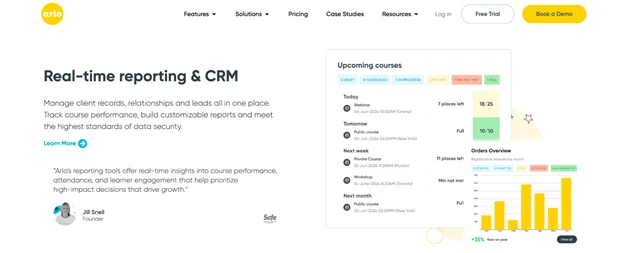
Arlo is training management software, where you can create, schedule, sell, and deliver courses (online, in-person, and blended). It’s designed to help teachers and tutors set up courses and schedules in minutes (including Zoom links and sessions); also, customize emails, reminders, certificates, and follow-ups.
Key features:
- Registrations and payments with smart forms and invoicing.
- A learner portal for self-service access to content and e-learning.
- Tracking course performance.
Best For: Educators who want to offer structured courses, workshops and certifications.
Pros & Cons:
| Pros | Cons |
| Perfect for structured training programs. | Not good for casual or one off bookings. |
| Powerful automation and reporting. | Setup may take time for new users. |
| Professional learner experience. |
Pricing:
- Free Version: Not available (14 days free trial).
- The Paid Plan: Starts from $118/month (billed yearly).
10. CourseDog
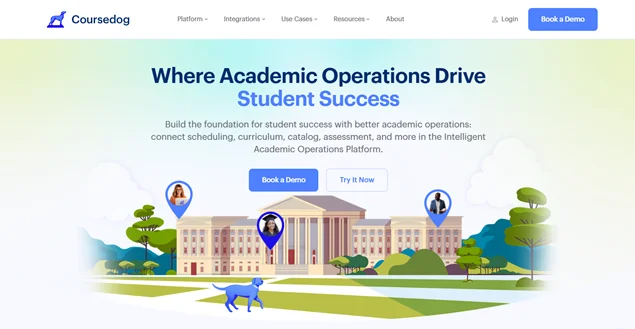
Coursedog scheduling software optimizes academic scheduling, which can include supporting the scheduling needs for teachers and tutors. Its dedicated tools, like reports and relationships, help with the enforcement of institutional policies and reducing manual errors (no double-booked instructors).
Key features:
- Actionable insights, like course demand projections and curriculum analytics.
- Departmental scheduling autonomy.
- Event scheduling of campus space usage.
Best For: Educational institutions that need advanced scheduling and academic planning tools.
Pros & Cons:
| Pros | Cons |
| Great for large institutions and universities. | Not suited for small tutoring businesses. |
| Advanced analytics and reporting. | Higher learning curve; not for beginners. |
| Strong policy and compliance support. |
Pricing:
- Free Version: Not available (free trial).
- The Paid Plan: Custom pricing only.
11. TutorCruncher
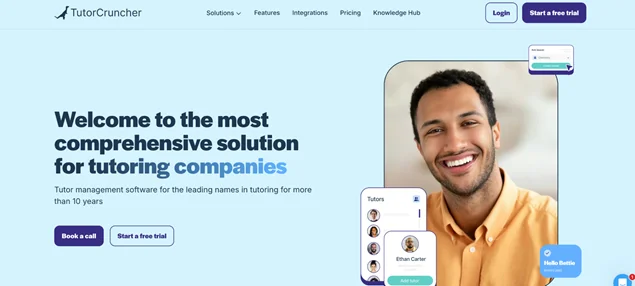
TutorCruncher is tutor management software for tutoring businesses of any size. It works with scheduling, tutor and student management, online lessons, payments, and payroll (all centralized). For either one-to-one or group meetings, you can manage tutors, students, schedules, communications, lesson reports, and analytics from one account.
Key features:
- Online lessons via TutorCruncher’s own video platform and whiteboard integrations.
- Automated invoices.
- Perfect for small online tutoring businesses and larger agencies and centers.
Best For: Tutoring businesses of all sizes that need an all-in-one system for scheduling, payments and tutor management.
Pros & Cons:
| Pros | Cons |
| Best for tutoring businesses. | Interface can feel feature-heavy, not beginner friendly. |
| Supports both individual and group lessons. | Setup may take time for larger teams. |
| Built-in video and payment tools. |
Pricing:
- Free Version: Not available (2 week free trial).
- The Paid Plan: £25/month + standard card fees 2.65%.
12. Reservio
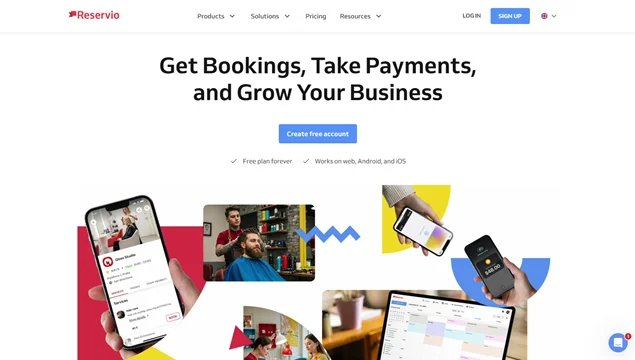
Reservio, as a multipurpose scheduling software, is widely used by educational institutions and solo tutors. One of its niches is parent–teacher appointment scheduling that moves all your meeting bookings online. Parents can self-book meetings, and schools keep track of appointments, notes, and history.
Key features:
- Parents self-manage bookings.
- Automatic reminder messages.
- A branded booking page for a professional experience.
Best For: Schools, tutors, and educators who need simple appointment scheduling for parent teacher meetings.
Pros & Cons:
| Pros | Cons |
| Very easy for parents and students to use. | Limited advanced tools. |
| Simple user friendly interface. | Less flexible for complex scheduling classes. |
| Great for meetings and consultations. |
Pricing:
- Free Version: Available.
- The Paid Plan: Starts from $9.23/month + VAT.
Let’s Sum Up: Which is the Best Class Scheduling Software?
Picking the best class scheduling software comes down to how you run your institution – is this a yoga class or a test prep center? Do you need a parent-teacher conference or campus space inventory management?
For example, a solo tutor needs simple booking, payment collection, and lesson tracking. Small studios or tutoring centers require managing multiple clients, staff, and recurring classes. In these cases, consider software like BookingPress, CozyCal, ClassFit, or Reservio.
At the same time, municipal schools or universities demand robust student management, specific rules and patterns, exam bookings, and integration with existing systems. Here, you need more tailored-made software like TeachNGo, CourseDog, Arlo, or TeachWorks.
Each scenario changes how you handle scheduling, payments, communications, and the overall user experience, so the right software depends on your exact workflow and scale.
More related articles:
- WordPress Scheduling Plugins for Music Teachers
- Top-Notch Employee Scheduling Software
- How to Deal with Last-Minute Appointment Cancellations
Frequently Asked Questions:
What is class scheduling software for teachers and schools?
Class scheduling software is a digital tool that is used by administrators, teachers and office staff to organize meetings such as parent-teacher meetings, track attendance, and manage appointments.
Why do teachers and tutors need scheduling software?
Teachers and tutors need scheduling software to create, manage and optimize their working schedules. Also, by using a scheduling software, they can:
- Save time
- Avoid confusion
- Reduce absent
- Get paid easily
- Stay organized
- Appear professional
What types of schools or tutoring businesses benefit most from scheduling software?
All types of schools or tutoring businesses can benefit from using scheduling software. The types that benefit the most are:
- Tutoring centers & private tutors
- Music & art schools
- Driving schools
- Test prep centers
- Specialized preschools
How can class scheduling software improve productivity and reduce manual work?
The class scheduling software can improve productivity and reduce manual work, as everything is now automated. From administrative tasks to communication, a class scheduling software can automate scheduling, avoiding conflicts and saving hours of hassle.
What are the top scheduling software options for teachers, tutors, and schools?
Here are the top scheduling software options for teachers, tutors, and schools:
- BookingPress (For WordPress website)
- CozyCal
- ClassFit
- TeachNGo
- TutorBird
Are there free or basic scheduling tools suitable for small tutors or schools?
There are many free or basic scheduling tools that are suitable for small tutors or schools, such as BookingPress, YouCanBookMe, and Reservio. These software offer useful features in free versions and are also budget-friendly for small schools and tutors.
Can multiple teachers or staff members manage schedules within the same system?
Yes, most of the best class scheduling tools allow you to add more than one staff member, instructor, and tutor within a single system. If you use BookingPress, you can manage multiple staff members and teachers from a single user-friendly dashboard. Also, staff and teachers get their own dashboard to keep track of their schedule and appointments.
Does it integrate with Zoom, Google Calendar, Microsoft Teams, or other tools?
Yes, it does. Most class scheduling software listed here smoothly integrates with Zoom, Google Calendar, Microsoft Teams, and other popular tools to automate your workflow.
Does it support online payments, invoicing, and billing?
Yes, many class scheduling software such as BookingPress, ClassFit, Techworks, and TutorCruncher come with payment gateways so you can accept online payments, give instant invoices, and manage billing digitally.



Brian is a WordPress expert with a decade of developing experience & technical-writing. He enjoys blogging, movies & hiking.

Get BookingPress Premium
60+ Premium Addons
20+ Payment Gateways
Plan starts at just $89
Get Premium Now