The Do’s and Don’ts of Cancelling Appointments Professionally


So, you’ve got an appointment on your calendar and now you know it can’t happen.
Maybe someone on your team called in sick. Maybe an urgent priority just landed on your desk. Or maybe your schedule quietly double-booked itself. Whatever the reason, one thought hits you immediately:
“How do I cancel this without upsetting the client?”
The real problem isn’t canceling. It’s how you cancel. Because canceling an appointment sounds simple until you realize how easily it can damage trust.
- Do it wrong, and you look unreliable.
- Do it late, and you risk losing trust.
- Do it carelessly, and that one cancellation can undo weeks of goodwill.
Clients don’t see the chaos behind the scenes. They only feel the inconvenience. And when cancellations aren’t managed professionally, the client’s trust breaks. Sometimes, all it takes is one bad experience to push a client toward a competitor.
That’s exactly why we’re here now.
In this blog, you’ll learn the do’s and don’ts of cancelling appointments so you can protect your reputation and clients’ trust while handling appointment cancellations the right way.
TL;DR. Clients forgive cancellations, but they don’t forgive poor communication. So, cancel early, take responsibility, show empathy, and must suggest the next step. Professional handling turns inconvenience into loyalty.
When Cancelling an Appointment Makes Sense

Yes, not every appointment should be cancelled. But sometimes, cancelling is the more professional choice.
If you’re dealing with a sudden illness, a genuine emergency, a technical failure or the absence of a key team member, pushing through the appointment means doing more harm than good.
Apart from this, showing up distracted, unprepared or unable to deliver the expected excellent service damages more trust than a well-communicated cancellation ever will.
In short, cancelling an appointment makes sense when:
- You can’t deliver the promised quality of service.
- An emergency or illness prevents proper attention.
- A critical resource, system, or person is unavailable.
- Proceeding means simply wasting time of both, client and yours.
In the end of the day, Professionalism is all about knowing when cancelling is the responsible decision.
Cancel or Reschedule? How to Decide

Wait…. Before you hit “Cancel”, pause and ask yourself one question: Is this situation temporary or final?
This is the question that confuses many – Whether they should actually cancel or simply reschedule?
If the issue is short-term, say a scheduling conflict or a double booking (which, let’s be honest, has zero chance of happening with BookingPress 😉), rescheduling is usually the smarter move. It shows respect for the client’s time and signals that you still value the relationship.
On the other hand, appointment cancellation is the right call when:
- You don’t have a clear alternative date or time.
- The appointment no longer serves its original purpose.
- The disruption would continue even after rescheduling.
So, to make the right choice, take a look at the simple rule to follow:
- Reschedule when you can confidently offer a better experience later.
- Cancel when proceeding or postponing would create more inconvenience.
Making this decision thoughtfully is the first step toward canceling appointments professionally and respectfully, which is EXACTLY what your clients expect.
The Do’s of Cancelling Appointments Professionally
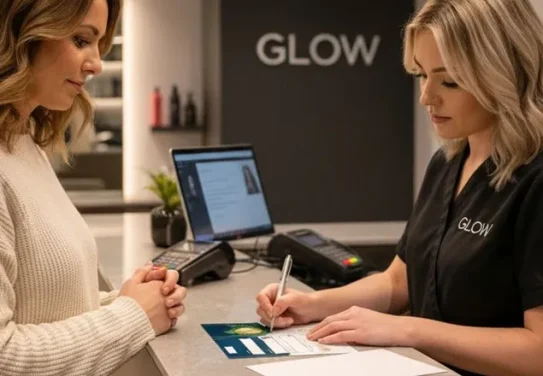
If you must cancel an appointment, how you handle it matters just as much as the reason itself. Here are the Do’s for cancelling appointments the professional way:
Do #1: Cancel as Early as Possible
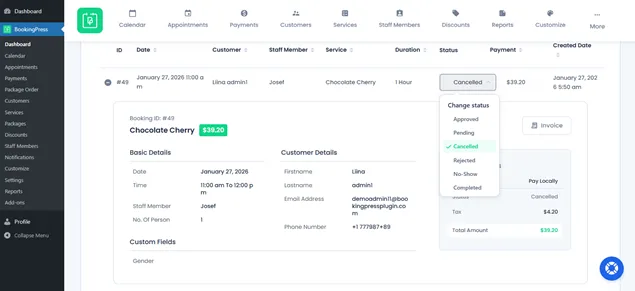
The second you realize this appointment can’t happen, cancel it. The sooner the better. Early notice gives your client something incredibly valuable: time.
Your clients also have their own schedule. So, cancelling early gives them time to adjust their own schedule, make alternate plans, or rebook without stress.
The longer you wait, the more inconvenient the cancellation feels, no matter how valid your reason is.
Even if you don’t have every detail figured out yet, it’s better to give a heads up early than to stay silent and cancel at the last minute. Clients are far more understanding when they’re informed in advance.
Remember, the earlier you cancel, the more professional it feels.
Do #2: Be Honest, But Not Overly Detailed
Honesty is the key when it comes to explaining why you need to cancel. In our experience, however, we suggest you resist the urge to overshare.
Clients appreciate knowing the reason such as a sudden illness, an emergency or a scheduling conflict, but they don’t need every tiny detail.
Too much information can feel messy or even unprofessional. And let’s be honest, nobody wants to read a novel about your day. A simple & clear explanation shows respect and keeps the focus on finding a solution.
For Example: “I’m really sorry, but I need to cancel our appointment due to an unexpected scheduling conflict. Can we find another time that works for you?”
Short, honest and considerate – that’s the sweet spot you have to look for.
Do #3: Apologize Sincerely
As we all know, a genuine apology goes a long way. Thus, make sure to show your clients that you value their time and understand the inconvenience of cancelling this appointment.
A quick, heartfelt line like “I’m really sorry for the change in plans and any inconvenience this may cause” is sometimes all it takes to keep things professional and respectful.
Make sure to keep it authentic, brief and straight to the point. Clients can tell when an apology is forced, fake or genuine, even via text. And when they feel it, they’re good to be gone.
That’s why a sincere apology is a must that creates trust, sounds human and makes them far more willing to reschedule.
Do #4: Offer an Alternative or Reschedule Option
Don’t just drop the cancellation and leave it at that- show them an alternative always. If you don’t, your competitors will.
You can offer an alternative date or time that shows you’re still thinking about their schedule and value them.
Even something simple like “Can we move our appointment to Thursday at 2 PM, or is another time better for you?” makes a big difference.
It shows that you’re committed to keeping the relationship on track. Plus, it makes the appointment cancellation feel like a temporary hiccup, not a dead end.
Do #5: Use the Right Communication Channel
Now that you know how to cancel appointments, you should also learn how to communicate that appointment cancellation.
Some cancellations are fine over email, while others may need a phone call or even a text, depending on the:
- Client (New or existing)
- Urgency of service (Such as medical appointments or bridal makeup)
- And the nature of your relationship (Do you know the client personally?)
Using the wrong channel can make a simple cancellation feel careless or impersonal. For example:
- High stakes meetings or VIP clients: a phone call shows respect and professionalism.
- Routine appointments: email or messaging is mostly fine as long as it’s timely and clear.
The rule of thumb: use the method that the client expects and checks most regularly. A well timed, properly delivered message:
- Prevents confusion.
- Keeps communication clear.
- Shows you care about their time.
If you are using BookingPress as your all in one appointment scheduling software, you can send automatic cancellation notifications via Email, SMS and WhatsApp as well as Telegram.
The Don’ts of Cancelling Appointments

Just as important as what you should do is knowing what you must avoid. Thus, these are the mistakes of cancelling appointments that are small on the surface but costly when it comes to trust:
Don’t #1: Cancel at the Last Minute Without Explanation
Last minute appointment cancellations are the fastest way to frustrate a client. It’s already disrupting their plans. Plus, doing it without any explanation makes it feel careless, disrespectful and unprofessional.
From the client’s perspective, it looks like this: “They cleared their schedule. They prepared for the appointment and suddenly, it’s gone, with no context.”
Even if the reason is unavoidable, silence makes it feel avoidable. However, if you must cancel close to the appointment time, always:
- Acknowledge the short notice.
- Briefly explain why.
- Apologize sincerely.
A simple explanation is far better than none at all. Clients don’t expect perfection, but they do expect proper communication at least.
If the cancellation is very last minute and the client likely lost time or money, offering a small incentive can be a smart trust-repair move. Here are some safe and professional incentives that work the best:
- Priority rescheduling
- Small percentage off the next appointment (5-10%)
- Free addon or upgrade
- Extended session time
- Waived rescheduling or cancellation fee
- Loyalty credit for future bookings
Don’t #2: Blame the Client or External Factors
Never shift responsibility. Phrases such as:
- “You didn’t confirm.”
- “Your email didn’t come through.”
- “The system messed up.”
- and so on, put clients on the defensive right away.
Even if something genuinely went wrong, playing a blame game will do no good. Clients care less about who’s at fault and more about how the situation is handled.
Instead of pointing fingers:
- Take ownership.
- Focus on the solution.
- Keep the conversation calm and professional.
Remember, Accountability builds customer trust. Excuses break it fast.
Don’t #3: Sound Cold, Robotic or Indifferent
Appointment cancellation is all about doing it the right way – emotionally.
A message that sounds too blunt or automated can feel dismissive, especially if the appointment mattered to the client. Thus, avoid messages that feel like:
- A system error.
- A copy-paste template.
- Or a one-line cancellation with no warmth.
Even automated notifications should sound human. A small touch of empathy:
- “I understand this is inconvenient”.
- “Thanks for your understanding”.
- “I appreciate your flexibility”.
….can completely change how a cancellation is received. In short, professional doesn’t mean emotionless.
Don’t #4: Ghost or Delay the Cancellation
This one’s subtle but damaging. If you cancel an appointment and don’t:
- Offer next steps.
- Suggest rescheduling.
- Or explain what happens next.
Clients are left hanging. That uncertainty often leads to:
- Missed follow-ups
- Lost bookings
- Clients quietly moving on
That’s why a cancellation should always answer the client’s next question, “What now?” Whether it’s rescheduling, a refund or a future update, you must have to clarify the matter.
Don’t #5: Make Cancellations a Habit
Occasional cancellations happen. But repeated cancellations become a reputation problem. If clients notice a pattern of:
- Rescheduled appointments
- Frequent last-minute changes
- Unreliable availability
They’ll stop trusting your calendar and eventually, your service. This is where systems matter. Using a reliable appointment scheduling tool like BookingPress leaves no room for:
- Appointment mistakes.
- Double bookings.
- Missed availability.
- Poor coordination across teams.
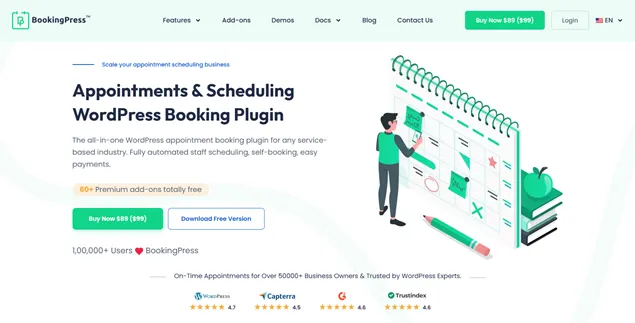
BookingPress allows you to manage everything, from unlimited appointments, services, staff, and clients via a friendly user dashboard. The best part is that it allows you to two-way sync bookings across calendars such as Google, Apple, and Outlook Calendars. So everyone stays on the same page.
Consistency is the foundation of professionalism. And professionalism is what keeps clients coming back.
How to Cancel Appointments Politely (Real Examples)

Knowing what to say is half the battle, but knowing how to say it professionally is what matters the most. Thus, here are some appointment cancellation templates.
Example 1: Cancelling but Offering Immediate Rescheduling
When to use this: The issue is temporary and you already have alternative availability.
Appointment Cancelling Template:
“Hi [Client Name], I’m sorry to inform you that I need to cancel our appointment on [date]. However, I’m available to reschedule on [new date and time] or [alternative option]. Please let me know what works best for you.”
Example 2: Cancelling Due to a Scheduling Conflict
When to use this: Double bookings, internal calendar issues or unexpected overlaps.
Appointment Cancelling Template:
“Hi [Client Name], I’m really sorry, but I need to cancel our appointment scheduled for [date and time] due to an unexpected scheduling conflict. I understand this may be inconvenient, and I truly appreciate your understanding. Please let me know a time that works better for you, and I’ll be happy to reschedule.”
Example 3: Cancelling Due to Illness or Emergency
When to use this: Sudden illness, family emergencies or situations beyond your control.
Appointment Cancelling Template:
“Hello [Client Name], I sincerely apologize for the inconvenience, but I won’t be able to attend our appointment on [date] due to an unexpected health issue. I didn’t want to proceed unless I could give you my full attention. Thank you for your understanding and I’d be happy to reschedule when it suits you.”
Example 4: Last-Minute Cancellation
When to use this: Emergencies or unavoidable situations close to the appointment time.
Appointment Cancelling Template:
“Hi [Client Name], I’m very sorry for the short notice, but I need to cancel our appointment scheduled for today due to an urgent matter. I completely understand this is inconvenient, and I truly apologize. Please let me know how you’d like to proceed, and I’ll do my best to accommodate you.”
Example 5: Short and Polite (Text or WhatsApp Friendly)
When to use this: Casual services, same day updates or quick mobile communication.
Appointment Cancelling Template:
“Hi [Name], I’m really sorry, but I need to cancel our appointment today due to an unexpected issue. Thank you for understanding. I’ll message you shortly to reschedule.”
Final Thoughts: Cancelling Appointments Without Burning Bridges
Appointment cancellations, sometimes, are truly unavoidable. Still, what truly matters is how you handle the situation. Clients understand that emergencies happen, schedules change and unexpected issues come up.
Thus, you must:
- Communicate ASAP with your clients.
- Acknowledge the inconvenience & simply apologize properly.
- Be honest, clear and respectful.
- Offer alternatives or rescheduling options whenever possible.
- Use goodwill gestures thoughtfully when the inconvenience is real.
Mostly, the businesses that retain loyal clients aren’t the ones that never cancel. They’re the ones that cancel responsibly.
That’s why you must handle appointment cancellations the right way. Make sure clients won’t remember the inconvenience, but they’ll remember how professionally you treated them, and that’s what keeps bridges intact.
You May Also Like:



Brian is a WordPress expert with a decade of developing experience & technical-writing. He enjoys blogging, movies & hiking.

Get BookingPress Premium
60+ Premium Addons
20+ Payment Gateways
Plan starts at just $89
Get Premium NowLike our insights? Click the badge to add BookingPress as your preferred source on Google.

Add as a Preferred
Source on Google