

Most businesses think sending an appointment reminder is enough. It isn’t. I’ve seen clinics, salons, and service providers lose bookings daily, not because they forgot reminders, but because they picked the wrong channel.
Emails go unread. SMS gets seen but ignored. And WhatsApp? It works…until it doesn’t. The real problem is how you send appointment reminders, and which channel your customers actually respond to.
Here, we break down 3 major channels: Email vs SMS vs WhatsApp appointment reminders based on real-world performance, so you can lower no shows, not just send more notifications.
TL;DR: Quick Answer – Which Appointment Reminder Works Best?
WhatsApp is the most effective appointment reminder channel for modern and high-engagement businesses. However, if I had to pick a winner, it would be WhatsApp > SMS > Email. And if you want to send automatic appointment reminders from all 3 channels, BookingPress gets it done.
Email vs SMS vs WhatsApp: What’s the Real Difference?
Don’t have time to scroll? No worries! Here’s a quick head-on-head comparison of Email vs SMS vs WhatsApp appointment reminders based on real-world scenarios.
| Factor | Email Appointment Reminders | SMS Appointment Reminders | WhatsApp Appointment Reminders |
| Open Rate | Low–Moderate (mostly ignored or delayed) | Very High (seen within minutes) | High (mostly opened right away – if internet on) |
| Response Rate | Low | Moderate (limited replies) | High (easy and conversational replies) |
| Engagement Level | Passive | One-way or limited interaction | Interactive (buttons, quick replies and media) |
| Speed of Delivery | Fast, but not urgent | Instant and attention-grabbing | Instant with high visibility |
| User Behavior | Checked occasionally | Read immediately, often skimmed | Actively engaged like chat |
| Personalization | Moderate | Limited | High (feels like real conversation) |
| Limitations | Easily missedAnd cluttered inbox | Character limits with lacks depth | Requires opt-in + platform dependency |
| Best For | Detailed info, confirmations and follow-ups | Urgent reminders and last minute alerts | Confirmations, rescheduling & two-way communication |
Why Most Appointment Reminders Fail (Even When Sent)
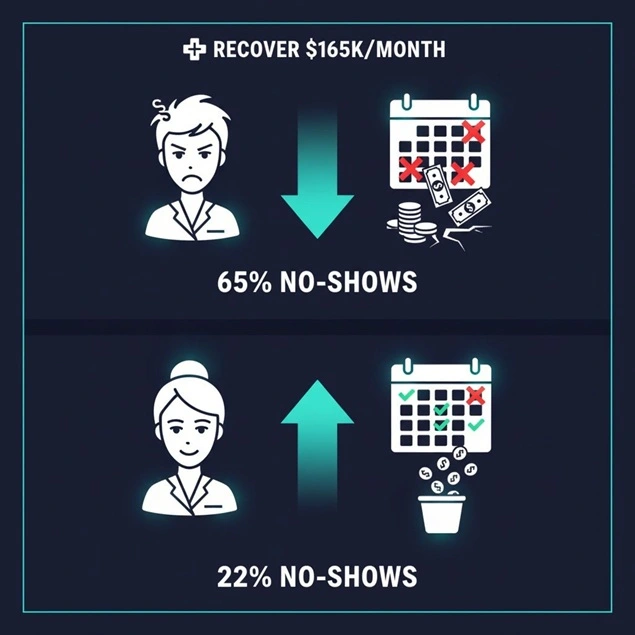
Most service businesses simply assume that once an appointment reminder is sent, the job is done. But in reality, that’s where the failure begins.
Across real booking workflows, I’ve seen reminders go out on time, and still result in no shows. Many think the issue isn’t sending reminders, yet it’s actually sending reminders that don’t get noticed, understood or acted on.
1. Wrong Channel for the Situation
Not all reminders carry the same urgency, yet many businesses use a single channel for everything.
- Email for last minute reminders → gets missed.
- SMS for detailed instructions → lacks context.
- No conversational channel → no confirmations.
The outcome? Your appointment reminder message is delivered, but not effective.
2. Timing That Doesn’t Match User Behavior
Sending a reminder 24 hours before an appointment sounds logical, but user behavior says otherwise.
- Too early → users forget again.
- Too late → no time to adjust or reschedule.
Without staggered reminders (such as: 24 hrs + 2 hrs), even the right message loses impact.
3. No Clear Call-to-Action
Many reminders inform, yet never guide to action.
Here are some common gaps I’ve seen in most appointment reminder messages:
- No “Confirm Appointment” option.
- No reschedule link.
- No quick reply mechanism.
Thus, when your client sees the reminder and doesn’t act, it means it’s gonna be a silent no show up.
4. One-Way Communication Only
Email and SMS are most commonly used broadcast channels. But in practice, customers:
- Want to confirm quickly.
- Need to reschedule easily.
- Sometimes have last-minute questions.
If replying feels like effort, they simply ignore it.
5. Message Fatigue and Generic Content
Repeated, templated reminders lower attention over time.
- Same wording every time.
- No personalization (name, service, time).
- No contextual relevance.
People start filtering them out, mentally or literally.
6. No Confirmation Tracking System
Many businesses send reminders but don’t track responses.
- Who confirmed?
- Who hasn’t seen the message?
- Who needs a follow-up?
What This Means Strategically
Appointment reminders fail because of poor alignment between:
- Channel.
- Timing.
- User behavior.
- Actionability.
Businesses that lower no-shows don’t just automate reminders, they design them as a conversion flow.
Email Appointment Reminders: Widely Used, but Easily Ignored
Email is the default choice for appointment reminders, mainly because it’s easy to automate, low cost and already part of most booking systems.
But the thing that many don’t understand is, email behaves more like a passive notification channel. In other words, it delivers information well, but struggles to capture attention.
I’ve seen many service-based businesses rely heavily on email reminders, only to realize later that customers either opened them too late, or never saw them at all.
When Email Works Well
Email performs best when the goal is clarity and documentation, not urgency. And appointment reminders are urgent.
Yet it doesn’t mean you can’t use emails for appointment notification at all. Just make sure to use email appointment reminders effectively for only:
- Detailed appointment information (date, time, service, provider).
- Pre appointment instructions (forms, preparation steps, policies).
- Booking confirmations and receipts.
- Follow ups and post visit communication.
Clients treat email as a place to review information. If they’re already planning to attend, email locks in the commitment.
Why Email Fails as a Reminder
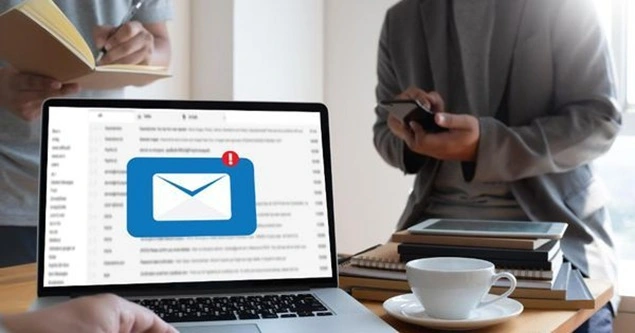
Where most businesses go wrong is expecting email to drive immediate action like last-minute attendance.
This never works because email is a kind of channel that gets:
- Low visibility → Emails get buried in crowded inboxes.
- Delayed checking behavior → People may see it hours later (or not at all)
- Weak urgency signals → No push notification impact like SMS or WhatsApp.
- No interaction → Confirming or rescheduling takes multiple steps; time consuming.
- Promotions/Spam filtering → Important reminders never reach the primary inbox.
Even if your email is well written and delivered on time, it mostly fails at the one thing that matters: Getting the client to act before the appointment.
Strategic Takeaway:
Email should not be your primary reminder channel for lowering no shows, but you can use it as a supporting layer for sending detailed information.
This shift, from relying on email to making it a supporting channel, is where most businesses see a measurable drop in missed appointments.
SMS Appointment Reminders: Seen Instantly, but Hard to Engage With
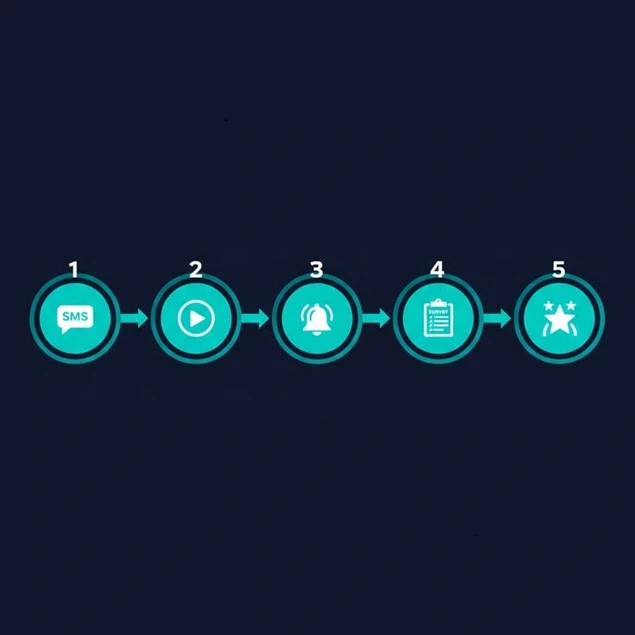
SMS is one of the most reliable ways to get your appointment reminder seen. With over 98% open rate, all text messages are typically opened within minutes.
But visibility doesn’t always equals action.
I’ve seen automated text reminders successfully grab attention, yet still fail to lower no-shows because clients read the message….and move on. The gap lies in engagement, not delivery.
Where SMS Performs Best
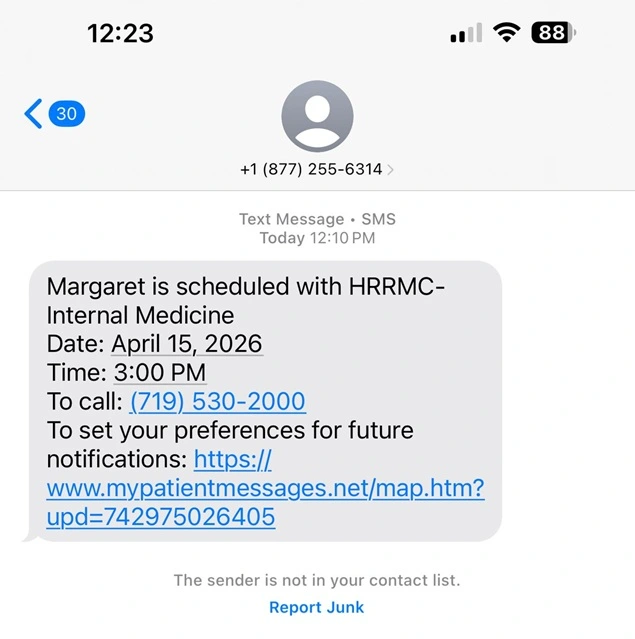
SMS works best when the goal is immediate awareness. Yet if you want deep or interactive interaction, this channel is not the one.
However, it also doesn’t mean you can’t use SMS at all. For years, SMS has been considered the best appointment reminder channels. Thus, SMS appointment reminders are super effective for:
- Same day or last minute reminders (like 2 to 4 hours before appointment).
- Short and time-sensitive alerts (appointment starting soon).
- Quick nudges to check other channels (like email or WhatsApp).
- High priority notifications where visibility is important.
SMS triggers instant attention, and one of the main reasons is that clients need no internet connection to receive SMS messages. It cuts straight through distractions and ensures the client sees the reminder.
Limitations of SMS
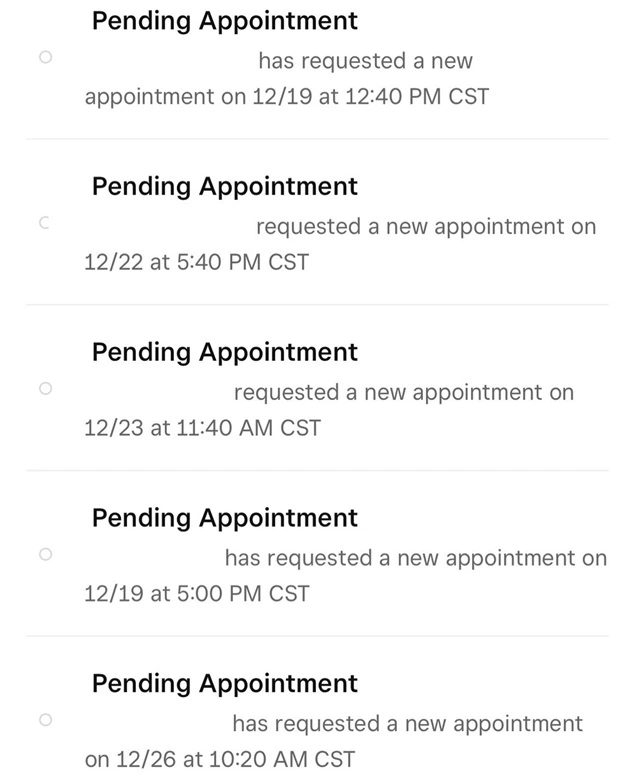
The biggest limitation using SMS for appointment reminders is that it’s not built for interaction or flexibility.
After 10+ years helping service businesses grow, one thing is clear: SMS appointment reminders aren’t the problem, how they’re used is. And, these are a few common challenges that keep showing up again and again.
- Limited engagement → No buttons, forms or rich interactions.
- Awkward replies → People have to manually type responses (some are too lazy or busy to do that)
- Character Limit→ Can’t add every detail or instruction. SMS messages have a 160 character limit.
- No conversational flow → Not made for conversations, although not bad I would say.
- Per-message cost → Can become expensive as business grows.
SMS ensures your reminder is noticed, but mostly falls short when you need the user to confirm, reschedule or respond quickly.
Strategic Takeaway:
SMS is highly effective as an attention trigger, but sadly not a complete reminder solution. But still you can use it to:
- Ensure visibility at critical moments.
- Drive users toward action. (via links or follow up channels)
And for better results, combine SMS with a more interactive channel, so attention turns into attendance
WhatsApp Appointment Reminders: Feels Personal, but Requires User Opt-In
Being the game-changer, WhatsApp appointment reminders have truly changed how appointment reminders perform since 2021. While WhatsApp has been around, the real shift towards automatic reminders via the WhatsApp Business API has gained a big momentum after 2021 onwards.
Because it doesn’t feel like a reminder system, people actually pay attention as this platform is the place for daily conversation with family and friends.
In real world usage, I’ve seen WhatsApp reminders generate significantly higher confirmations and replies compared to email or SMS.
Even the statistics and studies show WhatsApp boasts a 98% open rate (same as SMS). Plus over 80% of WhatsApp messages are read within 5 minutes.
What sets it apart from other channels like Email (20-25% open rate)and SMS (98% open rate) is its interactivity. Here, people don’t just read the message, they interact with it.
But this effectiveness comes with a constraint: you can only message users who have opted in.
Why WhatsApp Works Better
WhatsApp performs best when the goal is action and engagement, not just delivery. So, you get to use WhatsApp appointment reminders for:
- Appointment confirmations (quick reply or button based).
- Rescheduling requests without friction.
- Two way communication. (questions, clarifications)
- Sending rich content. (location maps, service details, images)
The reason it works so perfectly is because WhatsApp appointment reminders give you:
- Chat like experience → Feels personal and direct.
- High open + response rates → Messages are rarely ignored.
- Interactive elements → Buttons, quick replies and links.
- Conversation continuity → Keeps all interactions in one thread.
Thus, people are far more likely to confirm or respond on WhatsApp compared to any other channel.
Where WhatsApp Falls Short
Despite its high performance, WhatsApp isn’t frictionless to implement.
- Needs explicit opt-in → You can’t message people without their consent (If you try, you’re obviously going to block list)
- Platform dependency → Relies on WhatsApp usage and availability.
- Template restrictions → Pre-approved message formats only.
- Setup complexity → Needs API integration or third party tools to setup (Time Consuming unless you a proper WordPress booking plugin)
- Cost considerations → Conversation based pricing in many cases.
Thus, if you don’t have a proper opt-in flow or messaging setup, WhatsApp can’t be used at scale – no matter how effective it is.
Strategic Takeaway:
WhatsApp is the most effective channel for lowering no-shows through interaction, but only if you build the system around it.
Real World Use Cases (What Works for Different Businesses)
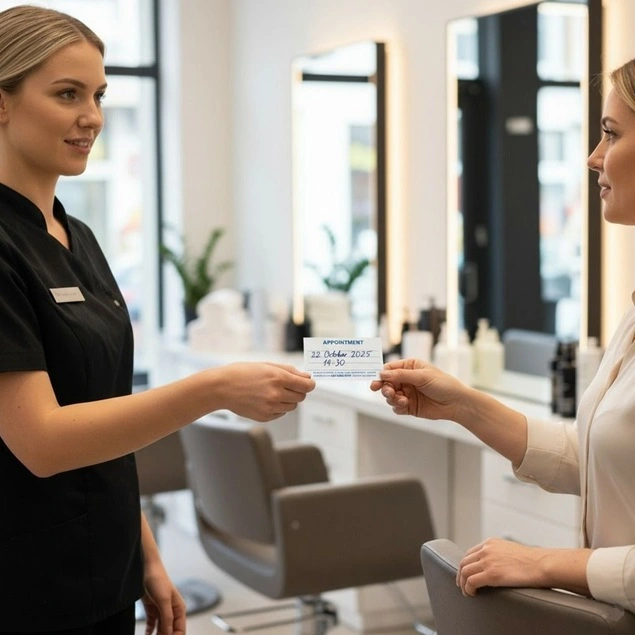
Different service businesses and their clients respond differently to each reminder channel. Whether you run a salon, spa, consulting business, yoga studio, rental repair, or any other service company, here’s what works best in practice:
| Business Type | Best Channel | Why It Works | Example Use |
| Clinics / Hospitals | SMS + WhatsApp | SMS is fast for reminders. WhatsApp helps confirm or reschedule easily. | Appointments, follow-ups, no-show reduction. |
| Salons / Spas | Clients respond quickly. Easy to confirm or change booking. | Haircuts, beauty, spa bookings. | |
| Coaches / Consultants | WhatsApp + Email | WhatsApp for quick replies. Email for full details. | Coaching sessions, consulting calls. |
| Travel / Education Bookings | Sends detailed schedules and documents clearly. | Tickets, course details, confirmations. | |
| Gyms / Fitness Studios | WhatsApp + SMS | WhatsApp boosts attendance. SMS handles urgent reminders. | Class reminders, PT sessions. |
| Dental Clinics | SMS + WhatsApp | SMS ensures urgency. WhatsApp improves patient response. | Checkups and treatment recurring reminders. |
| Real Estate Agents | WhatsApp + Email | WhatsApp for quick scheduling. Email for property details. | Property visits and client meetings. |
| Beauty Clinics / Dermatology | High engagement and easy follow-up chats. | Skin treatments and follow-up visits. | |
| Automotive Services | SMS + WhatsApp | SMS for service reminders. WhatsApp for updates and approvals. | Car servicing, repair updates. |
| Event Bookings | WhatsApp + Email | WhatsApp for reminders. Email for tickets and details. | Events, webinars and workshops. |
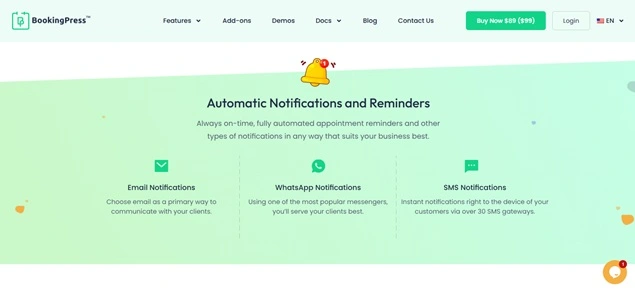
If you run any of these service-based businesses, and want to accept online booking + send automatic reminders, BookingPress is worth considering. This WordPress appointment booking plugin comes loaded with over 60+ premium addons including 20+ payment gateways, two-way sync calendars and a lot more.
The Best Strategy: Combine All Channels For Smart Appointment Reminders
No shows are seriously frustrating and….costly. You prepare everything for the upcoming appointment then wait….and wait, yet the client doesn’t show up.
Today, we’ve decided to focus not on problems, but solutions. You must have read everywhere that sending automatic reminders is the best way to lower no-shows. But no one talks about which channels to use.
Many businesses struggle because they rely on only one way to remind customers, usually email, which gets buried ten feet under the crowded inbox full of promotional mails and spam.
The expert and modern strategy isn’t SMS vs. Email vs. WhatsApp. It’s combining them into a “smart” multi-channel flow.
Pair WhatsApp (for two-way engagement) with SMS (for reach) and email (for detail), so you cover visibility, engagement and information, all at once together.
For example, here’s an “smart” multi-channel flow we always recommend to our clients (Service business owners):
Warning: Don’t just send one message. Stagger them for the best results.
- Booking Moment (Email): Send booking confirmation email with calendar integration.
- 7 Days before (Email – Optional): For high-value or long appointments, send preparation notes.
- 24 Hours before (WhatsApp): The “heads-up”. Action: “Reply 1 to confirm or 2 to reschedule”
- 2-3 Hours before (SMS): The “Last Nudge”, perfect for last-minute cancellation or traffic alerts. Plus a direct link to reschedule if they can’t make it.
For lowering no-shows completely, here are some more expert insights and tips:
- Make sure to personalize every message you send via any of these 3 channels (include client’s name, service and time & date)
- Keep it short, especially for SMS, and get straight to the point.
- Make it simple to reschedule to lower appointment cancellation (avoids losing client)
- Watch the time before automating any message from any channel (Avoid sending reminder at 6 AM or late night)
- Always get consent first, during the time of booking. Plus show them easy opt-out options as well.
Finally ready to send appointment reminders properly to lower no-shows? Whether you are planning to use Email, SMS, WhatsApp, or all 3 of them together, BookingPress got your back.
BookingPress is the leading appointment booking plugin in the whole WordPress ecosystem to send automatic reminders via Email, SMS, and WhatsApp as well as Telegram. The reason it stands out in the crowded WordPress ecosystem is it lets you send automatic appointment reminders via 4 channels, while most are stuck with only email and sms .
Final Verdict: Which Channel Actually Lowers No-Shows the Most?
WhatsApp + SMS both outperforms email with their 98% open rates and conversational nature.
However, if you want me to pick one, I’ll go with this simple logical framework for appointment reminders to lower no-shows:
WhatsApp >SMS >Email
The best part? You can send automatic appointment notifications and reminders right away via Email, SMS and WhatsApp using BookingPress. This WordPress appointment booking plugin comes packed with excellent features and a user friendly design.
On top of that, BookingPress takes appointment reminders one step ahead by letting you send automatic reminders via Telegram as well.
FAQs
You can send an appointment reminder message via SMS, Email and WhatsApp by using a WordPress booking plugin like BookingPress. It automatically sends appointment reminders and lets you personalize text messages using placeholders to add client’s name, service details, appointment details and more.
You remind a patient of an appointment by sending them automatic appointment reminder notifications, 24 hours and 2-3 hours prior appointment via SMS, WhatsApp or Email.
The best time to send appointment reminders is 24 hours before the actual visit. And if you wanna lower no-shows, send a second appointment reminder 2-3 hours before appointment.
WhatsApp is better for sending appointment reminder notifications compared to email. WhatsApp has over 98% of open rate, 45-66% click through rates and highest engagement, while email has barely 20-25% open rate yet good for long informational messages or instant booking confirmations.
Yes, Of Course! WhatsApp is generally better for daily conversations and rich-media communication, while SMS is good for urgent and one-way alerts.
Still curious? Here’s what to read next:
 14-day money-back guarantee