

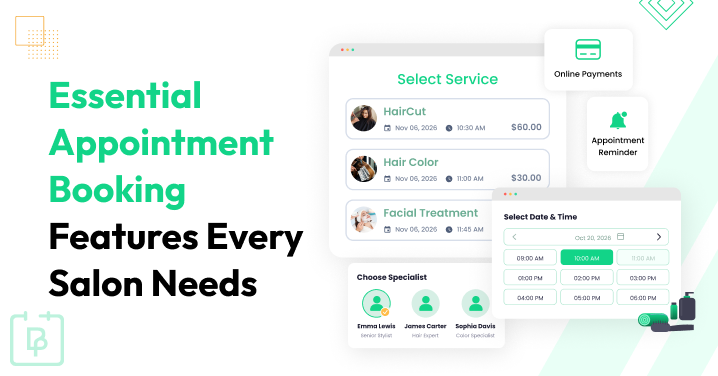
Not all salon booking systems offer the same features, and knowing which ones matter most can make all the difference.
If you are choosing a booking system for a salon, we’re here to help you understand what key features you need. There are some fundamental things needed by nearly every salon, as well as very narrow and specific ones – but you might require the latter, too.
Although some appointment booking features are more useful for salon owners and staff, and others benefit clients, for this guide, we’ll not split them by audience.
We’ll cover the must-have salon appointment booking features your online booking system should support, along with a few optional ones that could make a real difference depending on your salon’s needs.
TL;DR: The essential salon appointment booking features include real-time availability, staff scheduling, service selection, customizable booking forms, automated reminders, easy rescheduling, online payments, and client management. BookingPress is one of the best salon booking plugins, having all these features and beyond.
10 Must-Have Salon Appointment Booking Features For 2026
What are the most important booking features to automate your salon appointments, save staff time, and improve client experience? We’ll go over them right here.
1. Real-Time Availability And Double-Booking Prevention
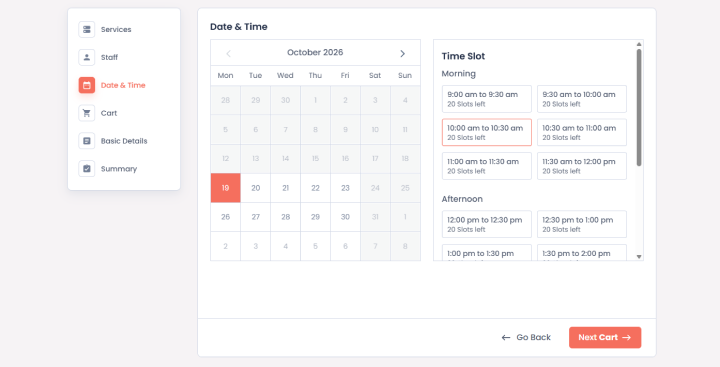
No one wants their clients to wait just because of a double booking error made by your staff’s side. Because it does nothing but create confusion, affect your daily schedule, and leave both your staff and clients frustrated.
Thus, your salon appointment booking system must show real-time availability and stop two clients from booking the same time slot.
Whenever a client books an appointment, the available time slot should be updated automatically, so other clients can only pick from the remaining options.
For instance, if a hairdresser is already booked for a haircut at 2 PM, another client should not be able to book the same hairdresser at the same time.
So this way you can avoid appointment scheduling conflicts plus make sure your staff focuses on their clients only rather than sorting out booking mistakes.
2. Staff Member Management And Individual Schedules
If your salon has multiple hairdressers, beauticians or other service providers, managing everyone’s availability gets difficult (unless you have a right salon appointment booking system).
Some staff members may work different shifts, have specific days off or offer only a certain few of the services. Thus, you need a way to manage all these things with no confusion.
A good salon booking software allows you to create individual staff schedules, set their working hours, and manage breaks, as well as control their availability for appointments. This way, clients can simply pick their preferred staff member and book a time that works for both sides.
For instance, if one hairdresser works only in the morning and another works in the evening, your hair salon online booking system should show their available time slots as per it. Plus, you can also make changes to staff schedules whenever needed, so your online booking system stays updated.
This salon software feature becomes even more useful (and very important)when your salon grows and you have more staff members to manage. Afterall, if a software can let you manage everything from one place while also lowering the chances of scheduling errors, why bother trying to handle everyone’s schedule by yourself on a paper or spreadsheet?
3. Service And Hairdresser Selection
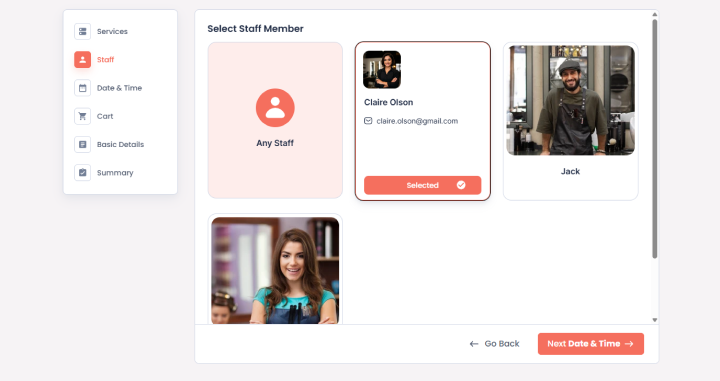
Not every client visits your salon for the same service, and not every hairdresser or beautician offers the same treatments. Some clients want a haircut, while others need hair coloring, a facial, a manicure or a complete beauty treatment bridal package.
This is why your salon appointment booking system should make it easy for clients to select the service they need and the staff member they love.
Your salon booking software must allow you to add different services, set their prices and durations, and assign them to the staff members who can perform them. Thus, clients can pick the right service without having to contact your salon to confirm every detail.
Also, if you want to give your clients even more flexibility, let them select multiple services in a one continuous time slot or allow them to select services in a cart-like style.
For instance, if a client wants a hair coloring appointment, they should be able to select that service and pick a hairdresser who offers it. If another staff member offers only haircuts and styling, the system should not show them as an available option for hair coloring.
This can make the booking process easier for clients and help your staff manage appointments more efficiently. Moreover, it helps you present your salon services clearly so clients know what they are booking before they arrive.
4. Online Booking Through Your Salon Website
Not every client wants to call your salon to book an appointment. Some might want to book late at night, during their lunch break…or simply just whenever they have a free moment. And if they have to wait until your salon opens to make a booking, you miss the opportunities.
This is why make sure your salon booking system lets you add an online booking form using a simple shortcode, anywhere on your official business website.
This is why having a salon appointment booking system on your salon website can be important. It allows clients to check available services, pick their favorite staff member, select a suitable time slot, and book an appointment without contacting your staff directly.
For instance, if a client remembers that they need a haircut after work, they can visit your website and book an available evening appointment in just a few steps. Your staff can then receive the booking details automatically. You don’t have to interfere with anything. Simply get things done.
Apart from this, a good salon online booking system should also work smoothly on mobile devices, as many clients may visit your website through their phones. The booking process must be simple with clear service details, available time slots, and simple booking steps. Remember: the UI of your booking forms matters the most because that’s what your clients will interact with. This is to decide your clients first experience with your business.
This way your salon can accept appointments even when your staff are busy serving clients or when the salon is closed. Furthermore, it also lowers the number of calls and messages your team needs to handle throughout the day.
5. Custom Service Duration And Buffer Times
Different salon services need different amounts of time.
A simple haircut might take 30 minutes, and hair coloring, styling, or other treatments can take much longer. Thus if your booking system assigns the same duration to every service, that creates scheduling problems and leaves your staff rushing to finish appointments.
Your salon booking software must let you set custom durations for each service. So the available time slots match the actual time needed to complete the appointment. Even better, if the software allows you to add buffer time between appointments when your services need extra preparation or cleanup.
Suppose, a haircut takes 30 minutes and a hair coloring appointment takes 90 minutes. Thus, your salon booking system should block the appropriate amount of time for each service. And if your staff needs another 10 minutes to clean their station or prepare for the next client, you should be able to account for that as well.
This salon software feature allows you to manage your daily schedule more realistically plus avoid booking appointments too close together. Your staff will have enough time to complete their work properly and clients can enjoy a more organized service experience..
6. Automated Appointment Confirmations And Reminders
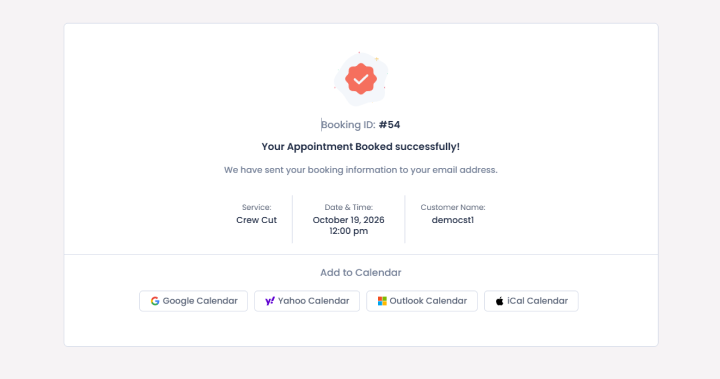
Missed appointments can create problems for any salon. Your staff keep a time slot available for a client who never arrives, while another client could have booked that same time. And, calling every client to confirm their appointments can also take up a lot of your staff’s time.
This is exactly why automated appointment confirmations and reminders are useful salon software features.
It sends automated confirmation messages after a client books an appointment and reminders before the scheduled time. Now, based on your system, these notifications can be sent through email, SMS or any other supported messaging integrations.
Suppose a client books a facial for Friday afternoon. Then, they will receive a confirmation with the appointment date, time, and service details. The system can then send a reminder before the appointment, to make sure they remember their appointments. And if anything comes up suddenly, give them a chance to cancel or reschedule.
Besides, you should also look for a salon appointment booking system that lets you customize notification messages and timing.
7. Easy Appointment Rescheduling And Cancellations
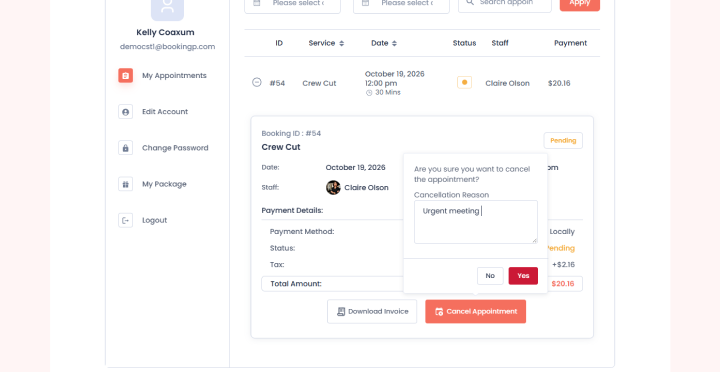
As we said before, sometimes clients need to change their plans and they might not be able to attend an appointment at the scheduled time. And if your salon doesn’t have a simple way to handle it, your staff will end up managing every request via phone calls or messages.
Your salon booking plugin must make it easy to reschedule or cancel appointments. Clients should be able to make changes as per the rules you set, and your staff should be able to manage those changes from the same system.
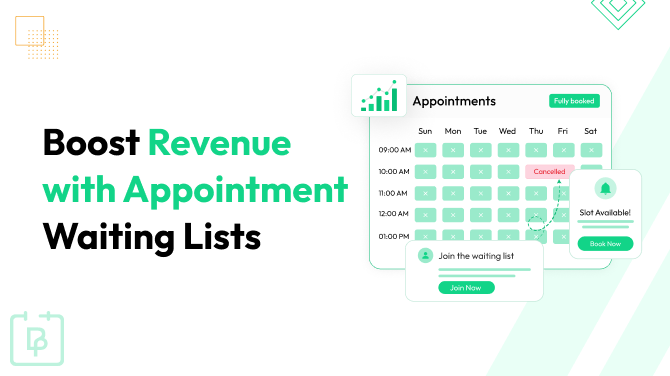
Worth mentioning, it would be a bonus if your salon booking plugin also includes a waitlist feature. It means, you give your clients a way to try their luck on their preferred time slot which is currently occupied. However, consider this only when you have a higher cancellation or rescheduling rate, plus your clients demand it.
Besides, you can also look for options to set cancellation policies such as requiring clients to cancel a certain number of hours before their appointment or non-refundable deposit before 24 hours.
This lets you manage last-minute cancellations and give your staff more time to adjust their schedules.
8. Online Payments And Deposit Collection
Managing payments is another very important part of running a salon. Although some clients prefer to pay after their services, others will find it more convenient to pay online at the time of booking (to avoid the hassle of paying later).
Now this thing completely depends on your clients. So, let’s take a look at the data:
- 57% of consumers are comfortable paying for appointments online at the time of booking.
- 51% of salon owners now ask for a deposit from clients at the point of online booking to lower no-show rates.
- 35% to 42% of all salon appointments are booked online
- Businesses that ask for deposit or online prepayments see an average no-show rate of 5% to 7% compared to 12% to 18% for businesses that collect no payment at booking.
All in all, collecting deposits is useful for salons that offer expensive treatments or deal with many last minute cancellations.
Your salon booking software should connect with online payment gateways and, if required, allow you to collect deposits during the booking process.
On top of that, you should check whether your booking system supports the payment methods and payment gateways you want to use. Afterall, having local and popular payment options can make the process easier for clients and help you manage transactions more conveniently.
This salon appointment booking feature can lower the amount of manual payment handling your staff needs to do.
9. Centralized Salon Appointment Calendar
When you manage more staff members and more different kinds of services, keeping track of every appointment becomes pretty complicated. Imagine having 10 staff members and more than 30+ services of different categories such as hair, skin, nails, spa, and wax.
If bookings are scattered across notebooks, spreadsheets, phone messages, or separate calendars, your staff will struggle to find the right details when they need it.
Thus, a centralized salon appointment calendar is a very important salon appointment booking feature. It lets you view all your appointments in one place, check staff availability, see upcoming appointments, your revenue and understand how your salon’s schedule looks throughout the day or week.
For instance, if you want to check which hairdressers are available on Saturday morning, simply see their schedules from your centralized dashboard. No need to open separate calendars for every staff member. Further into it, you can also see upcoming appointments, find available time slots, and make changes when needed.
On top of that, a good appointment calendar makes it easy to distinguish between different appointments and staff members, while also offering calendar filters, different viewing options, and drag and drop appointment management.
Thus, this way you can organize your daily tasks and make it easier for your staff to manage appointments.
10. Client Profiles, Appointment History, And Quick Rebooking
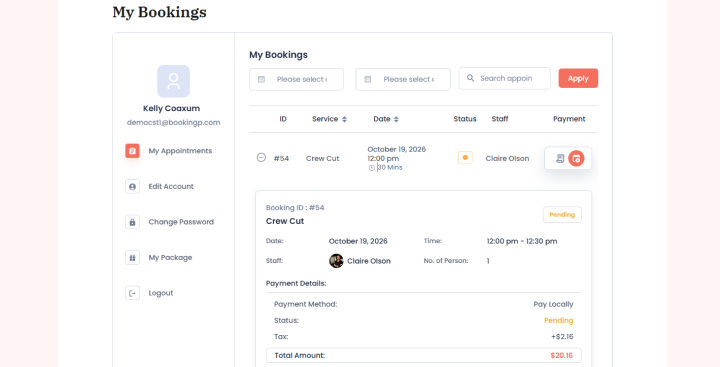
Keeping track of your clients lets you give them a more personalized salon experience.
Some clients visit regularly for haircuts. Others return every few weeks for facials, manicures or other beauty treatments. So if your staff has to ask for the same details every time, managing repeat appointments simply gets less convenient.
Your salon booking software can let you maintain client profiles with their contact details, appointment history and other useful details. Best of all, if it lets you record their service preferences, notes and other details that help your staff prepare for future visits.
For instance, if a client regularly books a haircut with the same hairdresser, your staff can just check their previous appointments and understand their usual booking preferences. When the client wants to return, they should be able to book the same service again without going through every step from the beginning.
Quick rebooking can be useful for clients who visit your salon
regularly. Because they don’t have to search for the same service and staff member every time; they just can repeat the previous booking.
This salon appointment booking feature keeps client details organized and makes repeat bookings more convenient.
How To Choose The Right Salon Appointment Booking Plugin
Now that you know which salon appointment booking features matter most, the next step is to find a plugin that offers the right combination of them for your service business.
There are a lot of salon booking software options available, especially if you’re running your website on WordPress. But, the features, customization options, payment methods and staff management capabilities can vary quite a lot from one plugin to another. Thus, you need to check how well a plugin fits your everyday salon tasks before making a decision (or investment because most of the right plugins are paid).
First of all, make sure the plugin supports the way your salon works. And if your salon offers haircuts, coloring, facials, manicures and other treatments, check whether you can set different prices and durations for each service and let clients book multiple services in one go.
Next, look at how the booking process works from your clients’ side. Can they check available time slots, pick their preferred hairdresser and book an appointment from their phones? Can they reschedule their appointments without having to call your salon? These things may sound pretty basic but actually make a real difference to the overall client experience.
You should also check the payment and notification options. Suppose your salon deals with expensive hair treatments or frequent last-minute cancellations. Then, deposit collection can be useful. At last, check whether the plugin can grow along with your salon.
Thus, getting a salon appointment booking plugin that can accommodate these needs can save you the hassle of switching systems later.
Now, with these all points in mind, let’s look at three top salon appointment booking plugins you can think of for your WordPress website.
Just for context, those who don’t know, software, systems and plugins are all almost the same thing. If you have an existing WordPress business site of your business, WordPress plugins are the best options as they have the features to turn your simple website into an complete salon online booking system (Plus, they are also better than getting a standalone salon booking software as most of them charge commission per booking plus transaction fees, making it more expensive).
Top 3 Salon Appointment Booking System Having All These Features
Different WordPress booking plugins offer different combinations of appointment scheduling features, staff management, payments and client self-service. Thus, to save you from the hassle of testing each and every one, we did that for you.
Here are three options worth evaluating against the features we discussed above.
1. BookingPress
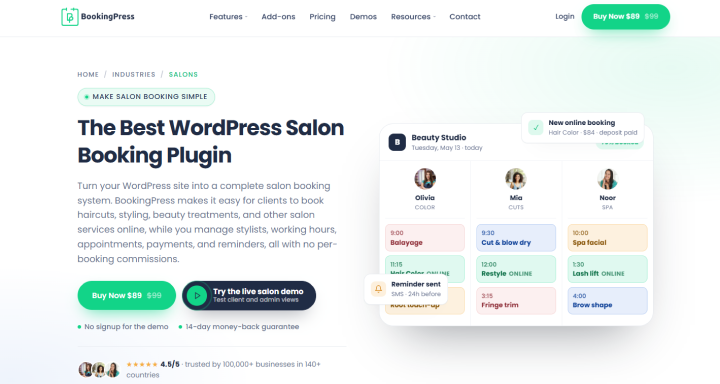
Best for salons looking for a flexible WordPress appointment booking system with advanced booking rules, staff management, and a wide range of payment options.
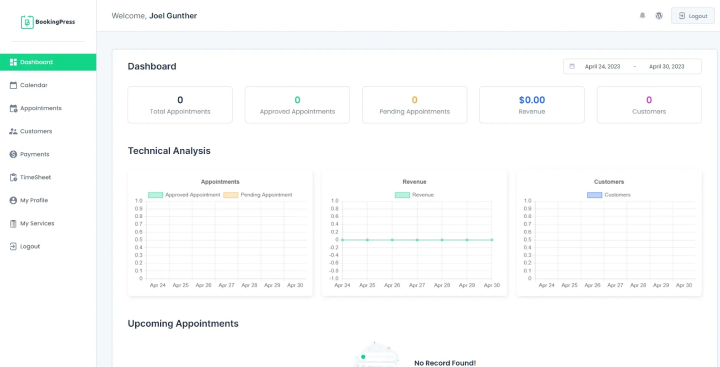
If you’re looking for a salon appointment booking plugin that lets you manage appointments, staff, services and payments from your centralized dashboard, BookingPress is worth it.
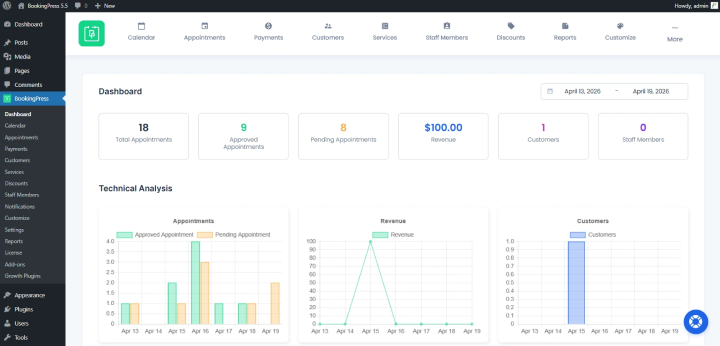
BookingPress lets you accept online appointments based on real time availability, manage endless services, customize appointment durations, and manage your booking calendar. Plus, you can even create individual staff accounts, set their specific or general working schedules and give employees specific permissions to manage their appointments and schedules, from their own dashboard. Yes, BookingPress also gives each of your staff members their own dashboard to manage their upcoming appointments and clients.
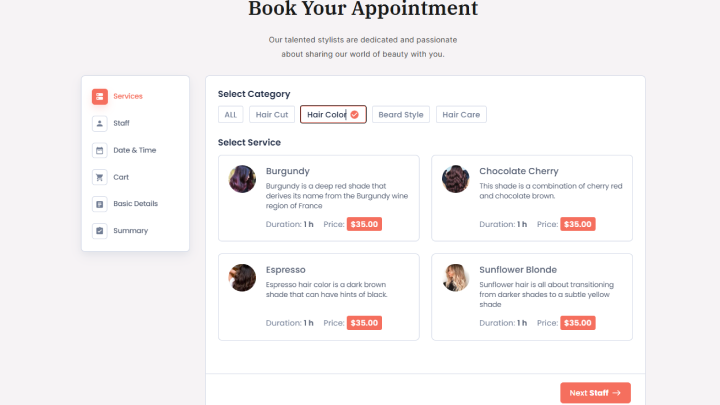
Another useful thing that caught our eye is its booking form. Unlike any other online booking form we’ve seen, BookingPress offers a highly customizable booking form with extensive styling options. No coding. No designer skills needed at all. Simply drag and drop your custom fields, and design your form to match your salon’s vibes.
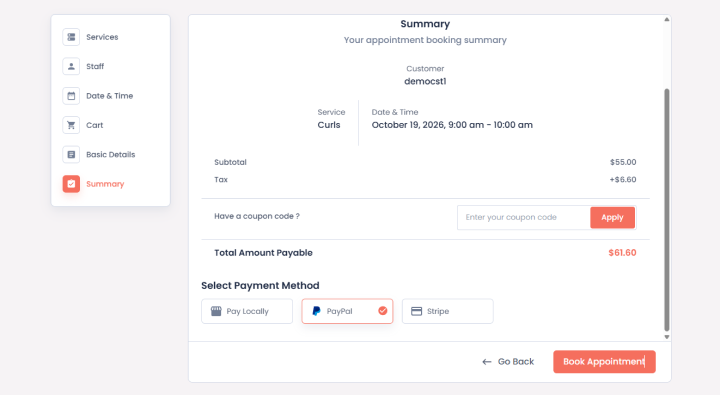
When it comes to payments, BookingPress connects with over 22+ payment gateways, which to be honest, is fantastic because we’ve never seen any other plugin offering this many. You can accept on-site payments in cash or via POS system, or online payments in full or deposit using payment gateways like PayPal, Stripe, Mollie, Razorpay, and more. And if your local payment gateway is still not here, you can always use WooCommerce Payments.
Apart from that, to lower your no-show rate, BookingPress sends automated notifications to both clients and staff members via email, SMS, WhatsApp, and Telegram. Plus, two-way syncs with popular calendars like Google, Outlook and iCal.
Best of all, BookingPress offers features such as recurring appointments, waiting lists, service packages, service extras, multiple locations, staff commissions, reports, email marketing integrations and video conferencing tools. This gives you room to expand your booking workflow as your salon grows.
Overall, BookingPress is a powerful option for salon owners. It has literally all the features (and even more) we discussed above.
What we like:
- 60+ premium addons at zero extra cost
- 22+ payment gateways for online or in-person payments
- Highly customizable booking form
- Customer panel and staff member dashboard
- Multi-location management
- Coupon codes, happy hours, gift cards, service packages
- Unlimited services, staff members and appointments – zero commission
- Easy to setup and modern, SaaS-like user interface
What we don’t like:
- Some flexible booking rules like recurring and group appointments needs premium version
- Beginners will need time to explore all features (Although that’s not an big issue since it got excellent customer support, beginner friendly documentation and video tutorials)
Cost:
- Free version available
- The premium plan starts at $89/year.
2. Salon Booking System
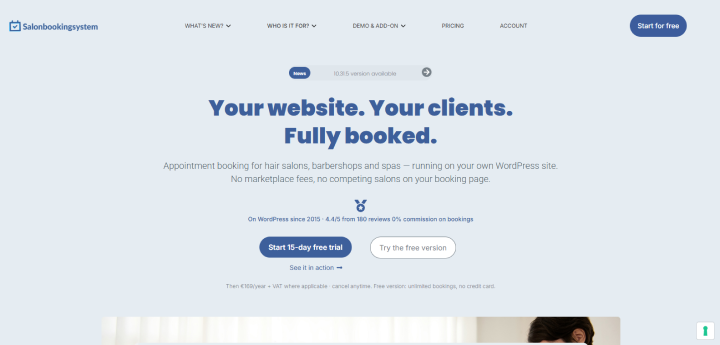
Best for salons, barbershops, and beauty businesses looking for salon-focused appointment scheduling
Salon Booking System is another WordPress plugin which is designed specifically for appointment booking in salons and beauty businesses. As its name suggests, it lets you turn your WordPress site into a salon booking system, giving you features like a booking calendar, staff availability settings, customer notifications, and several tools for managing reservations from your website.
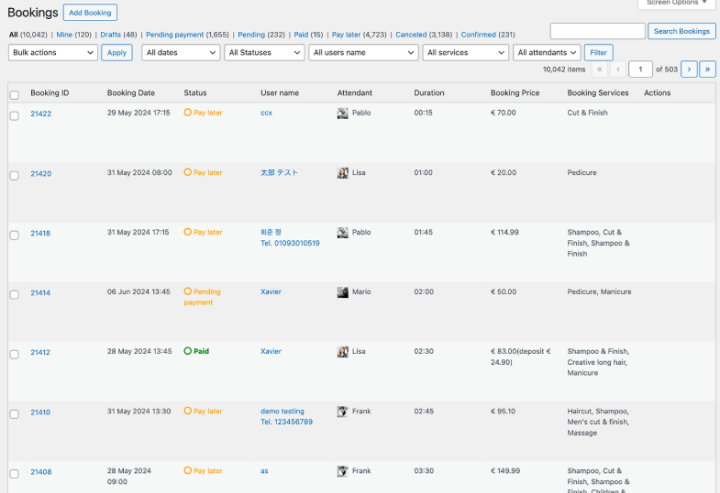
One feature worth saying is its calendar interface which supports daily, weekly and monthly views. (Mind you BookingPress also offers the same admin Calendar, so you can manage your upcoming appointments from a calendar-like user interface). This lets you and your staff members keep a track of all upcoming appointments, changes in reservation and block time when staff members are busy or unavailable. Apart from this, you can also set working schedules, holidays and the time between reservations to make your appointment calendar fit your salons’ routine.
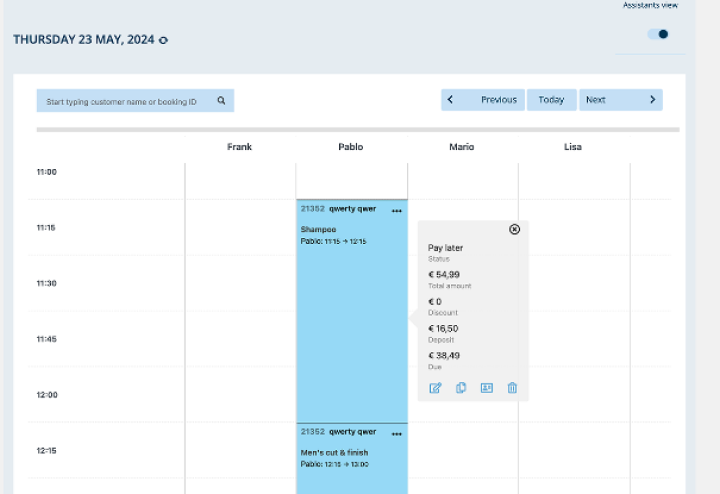
For client communication, Salon Booking System allows email notifications and reminders, along with SMS notifications via supported providers.
All in all, the Salon Booking System is a good option to consider for your service businesses.
What I like:
- 0% commission on unlimited bookings, services and staff members
- Two-way Google calendar sync
- AI setup assistant
- White label – your brand only
- WooCommerce checkout
- Advanced staff management and mobile app
- Online payment, full or deposit, via PayPal and Stripe.
What I don’t like:
- Online payment gateways needs Pro version (While BookingPress offers online payment feature even in its lite free version)
- Steeper learning curve; beginners will need time to set up the backend
- The advanced, eye-catching features like AI setup assistant and White label are only for higher-tier plans, starting at €169/year (around $189.77/year)
Cost:
- Free version available
- The premium plan starts at €89/year (around $99.72/year).
3. Rox Appointment Booking
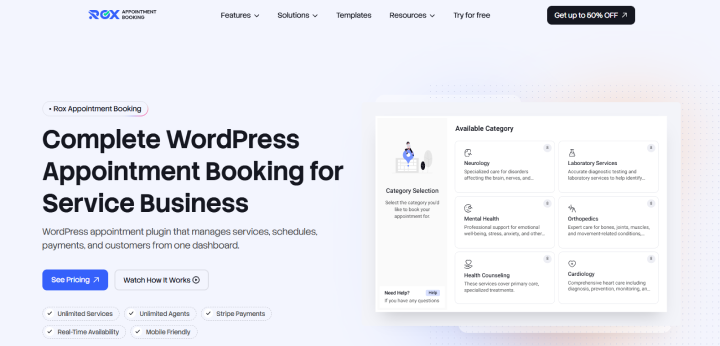
Best for: businesses looking for appointment scheduling with customer self-service and staff portals..
Rox Appointment Booking is another WordPress plugin you can consider for a salon or beauty business. It basically offers almost all the essential appointment booking features a salon needs.
One of its best features we liked is its customer portal. Clients can log in to view their upcoming, past, and cancelled appointments. Depending on the permissions configured by your salon, they can also reschedule or cancel appointments, manage their profile, review payment history, and book again using details from a previous reservation. This can be helpful if your salon has regular clients who book the same haircut, treatment, or stylist every few weeks
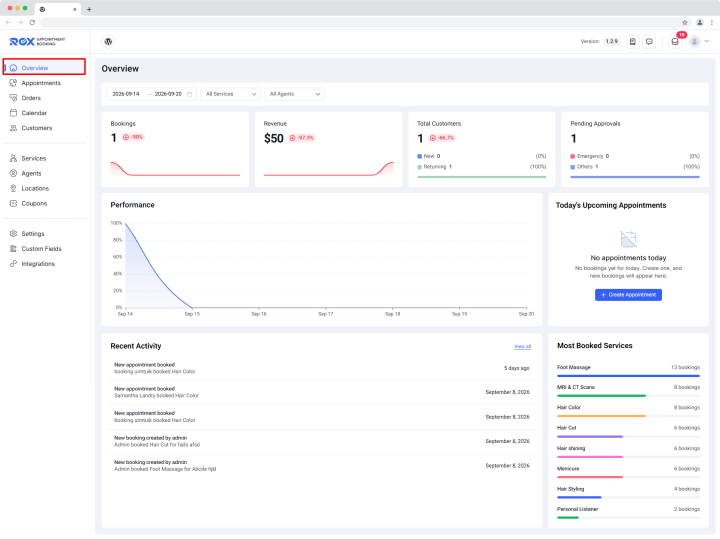
Best of all, Rox offers a separate staff-facing portal where team members can view their assigned appointments, calendars, and services. This offers a way to give staff access to the information they need for their own schedules. Also, the plugin offers appointment booking features such as service extras and packages, staff commissions, reports and role-based permissions, which may be helpful as your salon’s operations become more complex.
However, you must pay attention to the plan needs before going with the Rox plugin. According to its WordPress.org listing, the free version supports one staff member, while unlimited staff members and multiple business locations need the PRO version. Thus, if you run a multi-stylist salon, check the paid plan carefully to make sure it covers the number of employees and locations you need.
Overall, Rox Appointment Booking is worth evaluating because it’s less expensive compared to other two plugins, plus, it includes all the must-have features.
What we like:
- Online payment via Stripe, PayPal and WooCommerce Payments
- Google Calendar & Google Meet sync
- Unlimited Agents and Services
- Multiple Locations
- Elementor and Gutenberg Compatible
- Deposits with partial payments
- Auto-applied discount coupons
What we don’t like:
- Single location limit on free version
- Only 1,000+ active installations on WordPress.org
Cost:
- Free version available
- The premium plan starts at $49/year.
Concluding: What Are Important Booking Features For Salon Booking Software?
With so many salon booking software options available, you may feel that most plugins offer everything you need. But, there are big differences in how these features work, how flexible they are and what value they offer to your salon.
Still wondering which is the best salon booking system?
If you’re running your salon website on WordPress, BookingPress is a good place to start. It offers all the important features your salon will ever need such as:
- Flexible appointment scheduling
- Staff management
- Customizable booking forms
- Wide range of payment options
- Easy appointment cancellation and rescheduling options
- Customer panel
- Automated notifications via multi-channels
- and a lot more…
All in all, we’d recommend testing the booking process with a few real salon scenarios before making your final choice. Try booking a haircut with a specific stylist, adding a second service, changing an appointment time, and collecting a deposit.
This will help you understand how the WordPress salon booking plugin handles your everyday tasks and whether it can make appointment management easier for your team.
Related articles:
 14-day money-back guarantee