

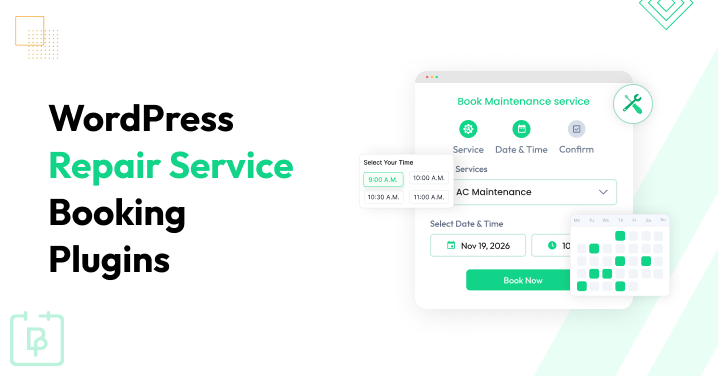
People are already stressed when they need to get something repaired. No need to make it harder than it needs to be.
Whether you run an auto repair shop, phone repair business, appliance service, HVAC company or another repair or maintenance business, your customers want a simple way to book the service they need. They shouldn’t have to call, wait on hold, play phone tag, or go back and forth with your staff just to find an available time for a repair.
A WordPress online repair booking system takes that hassle off their plate, and also gives you an easier way to manage appointments, staff schedules, payments, and reminders.
So, which repair service booking plugin should you use? Below, we evaluated the 5 best repair service booking plugins for WordPress in 2026.
TL;DR: We’ve tested most of all popular WordPress service booking plugins on a WordPress staging site. Out of which, BookingPress can be considered as a powerful repair service booking plugin to manage and book maintenance services. It comes with 60+ premium addons at no extra cost, 22+ payment gateways and user friendliness, overall offering a money-worth premium version, alongside a generous free version with all core service scheduling features.
Quick Comparison: Best Repair Service Booking Plugins For 2026
Don’t have time to read? No Worries! Here are the best repair service booking plugins for WordPress.
| Plugin | Best For | Key Repair & Maintenance Features | Free Version | Starting Price | Rating |
| BookingPress | Repair shops and maintenance businesses needing an all-in-one booking system | Staff & location management, custom forms, resources, deposits, recurring appointments, calendar sync, 22+ payment gateways, automated reminders | ✅ Yes | $89/year | 9.4/10 |
| RepairBuddy | Repair shops that need booking + repair job management | Repair tickets, estimates, technician assignments, device history, pickup/ship-in/in-store repairs, payments, job tracking | ✅ Yes | $79.99/year | 9.2/10 |
| Booktics | Service businesses needing flexible appointment scheduling | Unlimited staff, custom forms, recurring services, buffer time, calendar sync, deposits, customer self-service | ✅ Yes | $79/year | 8.4/10 |
| Bookly | Businesses wanting a mature booking plugin with a large add-on ecosystem | Staff scheduling, custom fields, recurring appointments, deposits, multiple locations, calendar sync, SMS/WhatsApp notifications | ✅ Yes | $99/year | 8.3/10 |
| Hydra Booking | Businesses needing flexible scheduling and integrations | Multiple hosts, custom forms, buffer time, recurring bookings, calendar sync, payments, email/SMS notifications | ✅ Yes | $69/year | 7.9/10 |
What Does a Repair Business Actually Need From a Booking Plugin?
A repair shop needs more than a calendar with a “Book Now” button – a booking system that fits the way your maintenance business actually works from the moment a customer picks a service to the moment your technician completes the appointment.
When comparing repair service booking plugins, we looked beyond the usual feature lists and focused on the things that can make a real difference to repair and maintenance businesses.
Flexible Service Scheduling
Not every repair takes the same amount of time. A quick phone screen replacement may take 30 minutes. An appliance diagnosis or vehicle service could take much longer than 2 hours.
Thus your booking plugin should let you set different service durations, availability, and buffer times so customers don’t end up booking appointments back-to-back when your technicians need time between jobs.
Technician And Staff Scheduling
If you have more than one technician, keeping track of everyone’s availability can quickly become complicated.
That’s why a good repair service scheduling plugin should let you create individual staff schedules, set working hours and prevent customers from booking a technician when they’re already unavailable. This is especially important if different technicians handle different types of repairs.
Custom Booking Forms
A customer booking a repair isn’t always just booking a time. You may need to know what’s being repaired before the appointment.
Thus look for a service booking WordPress plugin that lets you add custom fields to your booking form so customers can provide details such as the device or vehicle type, model, repair issue, preferred service, or additional notes.
That information can help you and your technicians prepare before the customer arrives.
Online Payments And Deposits
If you require a deposit or collect payment when customers book, your booking system should make that process straightforward.
Online payments can also lower the amount of manual follow up your staff needs to do and give customers a clear confirmation that their repair appointment is booked.
Recurring Maintenance Appointments
Repair businesses don’t always deal with one-time repairs. If you also offer inspections, tune-ups, preventive maintenance, or scheduled servicing, recurring appointments can save you and your customers a lot of time.
In that case, make sure to get a service booking WordPress plugin that supports recurring bookings and makes it easy to manage ongoing maintenance services.
Notifications And Reminders
A booking isn’t much use if the customer forgets about it.
Automatic confirmation emails, appointment reminders, cancellation notifications and rescheduling updates keeps your customers updated regarding their appointment. It also shows professionalism, and the fact that you actually value this appointment.
Multiple Locations And Resources
As your business grows, you may need to manage more than one location, technician, room, workstation, or other resource.
If that’s part of your workflow, make sure the plugin can handle those requirements without forcing you to manage everything manually.
These are the criteria we’ll use throughout the list below, not simply how many features a plugin claims to have, but how useful those features are for a real repair or maintenance business.
How We Evaluated These Repair Appointment Booking Plugins
We didn’t rank these plugins simply by counting how many features appear on their websites. Afterall, a WordPress booking plugin can have dozens of features and still be a poor fit for a repair business if the booking flow is confusing, important features are locked behind expensive add-ons, or the plugin can’t handle the way technicians and repair appointments are scheduled.
We recommend only those Service appointment booking plugins that our team of experts personally tested. For this comparison, we evaluated 5 WordPress booking plugins with the same repair and maintenance scenarios – focusing only on what a real business would need before, during and after a customer books an appointment.
Here are the 5 main areas to assess each online repair booking system for WordPress:
- Repair workflow fit
- Booking and scheduling experience
- Business management features
- Pricing and overall value
- Ease of use and documentation
So, below is what we looked at in each area.
Repair Workflow Fit
A general appointment plugin isn’t automatically a good repair booking plugin.
That’s why we checked each plugin for the support in common repair scenarios such as:
- A customer booking a quick repair such as a phone screen replacement
- A customer scheduling a longer appliance or vehicle service
- A technician handling different services with different working hours
- A business managing more than one location
- A repair business using workstations, rooms, equipment, or other shared resources
- A maintenance company scheduling repeat services
- A mobile technician visiting a customer’s location
We gave more weight to features that solve actual repair business problems rather than features that are useful only in general appointment scheduling.
Booking And Scheduling Experience
For each plugin, we considered how easily a customer can:
- Find the right repair service
- Select a technician or location where applicable
- Choose an available date and time
- Enter repair-related information
- Make a payment or deposit
- Confirm the appointment
- Reschedule or cancel when supported
On top of that, we also took the administrative side of the same appointment in mind.
A customer may see a simple booking form, but the business still needs to know what service was booked, when it is scheduled, who is handling it and whether the appointment conflicts with another booking.
That front end and back end experience both count toward our evaluation.
Repair Specific Booking Scenarios
To avoid judging every plugin from a generic “appointment” perspective, we mapped the features to real repair and maintenance examples.
For example a phone repair business may need to collect a device model, describe the problem and let the customer upload a photo.
An auto repair business may need to schedule a specific technician, and accounting for the required service time and available workspace.
An HVAC company may need to accept an on-site service appointment and schedule recurring maintenance later.
An appliance repair business may need to collect the appliance type, model number, problem description, and other details before the technician arrives.
These scenarios helped us evaluate whether a feature is genuinely useful for repair services rather than simply available on a feature list. Also, we looked at how much manual work would still be needed after the booking is submitted.
Custom Forms And Customer Information
Repair bookings mostly need more info than a standard appointment.
Thus we tested and make sure that each maintenance service booking plugin can collect information such as:
- Device or equipment type
- Model or serial number
- Vehicle information
- Repair or maintenance issue
- Customer notes
- File or image uploads, where supported
Scheduling, Resources, And Availability
We reviewed how each plugin handles the people and resources involved in a booking. This includes technician availability, working hours, appointment durations, locations and other bookable resources where supported.
For businesses with limited resources, we paid particular attention to whether the system can prevent overlapping bookings or help the business understand when a required resource is unavailable.
Payments, Deposits, And Booking Confirmation
We even tested how each service booking plugin handles payments, considering options for:
- Online payments
- Deposits
- Partial payments
- Available payment gateways
- Payment confirmation
- Payment related booking status
Recurring Maintenance
Businesses that offer inspections, servicing, tune-ups or preventive maintenance may need customers to return at regular intervals.
Thus we therefore checked whether the maintenance scheduling software for WordPress supports recurring appointments and how practical those recurring bookings are for maintenance workflows.
In the end, a recurring booking feature is more useful when it can fit naturally into the rest of the scheduling process.
Notifications And Reminders
As we said before, automatic notifications are a must if you wanna lower no-shows or make your repair service look more professional.
- Booking confirmations
- Appointment reminders
- Cancellation notifications
- Rescheduling notifications
- Email notifications
- SMS or other messaging integrations
These are all the types of notifications which are must. And as for a repair business, these notifications can have a practical impact.
A reminder before an appointment can help lower missed bookings, and a confirmation can lower the number of customers contacting your maintenance business simply to check whether their appointment went through.
Pricing And Total Cost
We never compare plugins using only their lowest advertised price.
Instead, we looked at the cost of getting the features a typical repair or maintenance business may actually need.
For each service scheduling plugin, we evaluated their:
- Starting price
- Available free version
- Plan limitations
- Important features restricted to higher plans
- Paid addons
- Relevant integrations that needs extra payment
- Renewal pricing where available
This is important because a plugin advertised at $X per year may cost significantly more once a business adds payments, calendar synchronization, SMS, recurring appointments, resources, or other required functionality.
Our pricing comparison therefore focuses on value, not just the cheapest entry point.
Ease Of Use
A repair business shouldn’t need a developer to understand its booking calendar.
Thus we handpicked only those repair service booking plugins that make it easy to set up common tasks such as creating services, adding staff, configuring availability, building the booking form and publishing the booking page.
Moreover, we even looked at how understandable the terminology and settings are for someone who knows their repair business but may not be a WordPress expert.
Documentation And Support
Finally at last, we checked the info available to you when you need help.
This included official documentation, video tutorials, setup instructions, feature guides, FAQs and support information where available.
A plugin becomes much less useful if a business owner cannot figure out how to configure an important feature after purchasing it.
How We Scored The Repair Service Booking Plugins
We used a 10 point scale to keep the comparison consistent. So, each maintenance service booking plugin received scores across these areas:
- Repair workflow fit – 30%
- Booking and scheduling experience – 20%
- Business and management features – 20%
- Ease of use – 15%
- Pricing and overall value – 10%
- Documentation and support – 5%
The higher weighting for repair workflow fit is intentional as a plugin shouldn’t rank highly simply because it has a polished interface or a long list of integrations. But because it can actually support the scheduling needs of a repair or maintenance business.
Note: Pricing, features, integrations and plan availability can change. We based this comparison on the info available during our review and recommend checking each plugin’s official pricing and documentation before making a purchase.
5 Best WordPress Repair Service Booking Plugins (Expert Review)
1. BookingPress
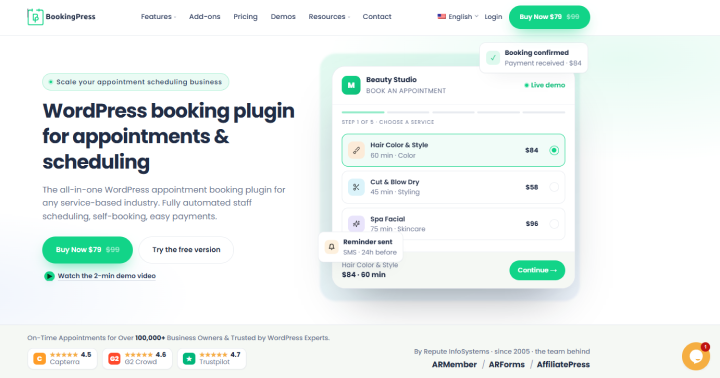
Best For: Repair shops, maintenance businesses, and service companies that need flexible appointment scheduling, technician management, custom booking forms, resources, payments and recurring services
Rating: 9.4/10
BookingPress is an industry leading repair service scheduling plugin for repair and maintenance businesses.
After testing BookingPress, we found it to be one of the powerful options for repair and maintenance businesses that want to manage their complete service appointment booking business from WordPress.
What stood out to me was that it goes beyond simply letting customers pick a date and time. You can create different repair services, assign staff, manage resources, collect customer info, accept deposits and automate appointment reminders from the same system.
For example a phone repair business could create separate services for screen replacement, battery replacement, and diagnostics, and an HVAC company could create maintenance and repair appointments with different durations.
After which, customers can then pick a service, select an available staff member and time, provide extra info through custom fields, and complete their booking online. BookingPress also supports deposit payments so you can collect a fixed or percentage based deposit when the appointment is booked.
Another feature we found particularly useful for repair businesses is Resource Management. BookingPress allows businesses to create limited resources, assign quantities and control when those resources are available. This can be useful for things such as repair equipment, workstations, rooms or other shared resources that cannot be booked by two appointments at the same time.
Key Features for Repair & Maintenance Businesses
- Easily schedule quarterly or annual checkups and tune ups for regular clients
- Buffer and travel time controls
- Accept on-site payment or online, full or deposit, via 22+ payment gateways + POS system
- Automatic reminders via Email, SMS, WhatsApp and Telegram
- Visual admin calendar
- Two way calendar sync with Google, Outlook and Apple Calendars
- In-depth reports for tracking your entire repairing store
What We Like About BookingPress
- 60+ premium addons at zero extra cost
- Generous free tier
- Advanced staff and location management
- Multi-channel automatic notifications
- Fully customizable booking form
What Could Be Better
- The large feature set can feel overwhelming at first
- It is a booking and scheduling system, not a complete repair shop management platform
Price:
- Free version available
- The premium plan starts at $89/year.
Our Verdict:
BookingPress is a great choice for repair and maintenance businesses that need more than a basic online calendar. After testing it, we found that its combination of staff scheduling, flexible service setup, custom forms, resources, deposits, recurring appointments and automated notifications gives it a well rounded workflow for businesses that handle different types of repair services.
All in all, it is worth considering if you want to keep the booking system on your own WordPress website rather than sending customers to a separate scheduling platform.
2. RepairBuddy
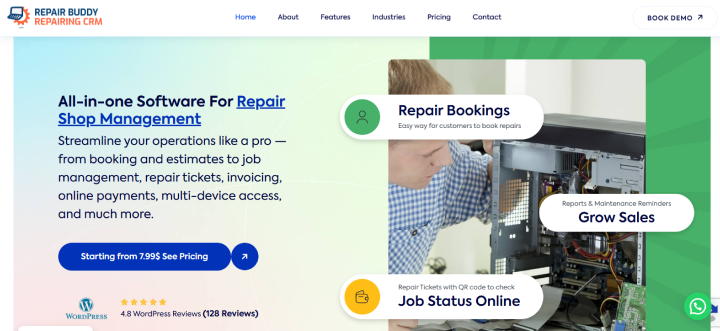
Best For: Repair shops that want more than online appointments and need repair tickets, estimates, technician assignments, device histories, payments and job tracking in the same system
Rating: 9.2/10
We enjoyed our tests of RepairBuddy, an all in one maintenance scheduling software focused much more on growing repair businesses. Instead of stopping at appointment scheduling, it connects the booking with the actual repair workflow.
Thanks to this, your customers can select a device type, brand, model and repair service. And as for your businesses, it can turn the booking into an estimate or job, assign it to a technician and continue tracking the repair after the appointment.
Moreover, RepairBuddy also supports in-store, pickup, on-site, and ship-in repair options which makes it particularly interesting for businesses handling different types of repair intake.
We especially liked that RepairBuddy treats the item being repaired as part of the booking. You can collect details such as IMEI or serial numbers, book multiple services for one device and even handle multiple devices in a single booking. Thus after the booking is submitted, RepairBuddy can automatically create a draft estimate and appointment, while the customer receives email and SMS confirmation.
Key Features for Repair & Maintenance Businesses
- Let clients schedule pickups, ship-ins or in-store appointments
- QR code ticketing
- Status tracking
- Digital signature
- Assign specific task to each technician
- Time logging
- Expense tracking
- Invoicing and online payment via WooCommerce
What We Like About RepairBuddy
- Flexible online booking
- Industry customization
- Easy job and tech tracking
- Sends automated review requests
What Could Be Better
- WooCommerce dependency for online payment
- Complicated to setup at first
- A bit of learning curve for staff members
Pricing:
- Free version available
- The premium plan starts from $79.99/year with options to pay monthly or get lifetime packages.
Our Verdict: RepairBuddy is one of the most repair specific options on this list. It goes beyond appointment booking and gives repair businesses a way to manage the actual journey from booking and estimate to technician assignment, repair ticket, payment, and customer status tracking. If your business needs a true repair workflow rather than just an online calendar, RepairBuddy deserves a serious look.
3. Booktics
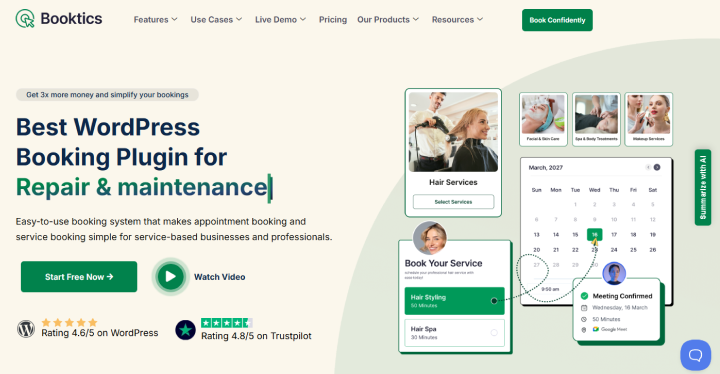
Best For: Service businesses that want a modern booking system with flexible scheduling, team management, recurring services, calendar synchronization, and bundled features
Rating: 8.4/10
When we looked at Booktics, we found it to be a clean and modern booking solution aimed at service based businesses. The setup focuses on the essentials: create services, set availability, assign staff, embed the booking form and automate confirmation and reminder emails. It also supports unlimited staff, custom schedules, multiple pricing durations, recurring services, group bookings and two way Google and Outlook Calendar synchronization.
For a repair business, Booktics can handle the appointment side of the workflow quite well. Furthermore, a customer can pick a service, staff member, time slot and payment option. As for repair businesses, they can use custom fields to collect extra information.
We also like that its plans include the premium features rather than requiring businesses to purchase a long list of individual addons.
Key Features for Repair & Maintenance Businesses
- Flexible scheduling with buffer time
- Unlimited staff members
- Two way calendar sync with Google Calendar and Outlook Calendar
- Multi-step booking form
- Custom form fields
- Self service changes
- Online full payment or deposit via Stripe or PayPal
- Dedicated admin and staff dashboards for tracking
What We Like About Booktics
- 24/7 multi-step client intake
- Dynamic capacity safeguards
- Customer self service portal
- No code setup
What Could Be Better
- Niche field limitations with no inventory tracking
- Smaller ecosystem compared to other service scheduling plugins on this list
Pricing:
- Free version available
- The premium plan starts from $79/year
Our Verdict: Booktics is a solid choice when your main requirement is flexible appointment scheduling rather than full repair-shop management. It is especially appealing for service businesses that want unlimited staff, recurring services, calendar sync, payments, and all premium features bundled together.
4. Bookly
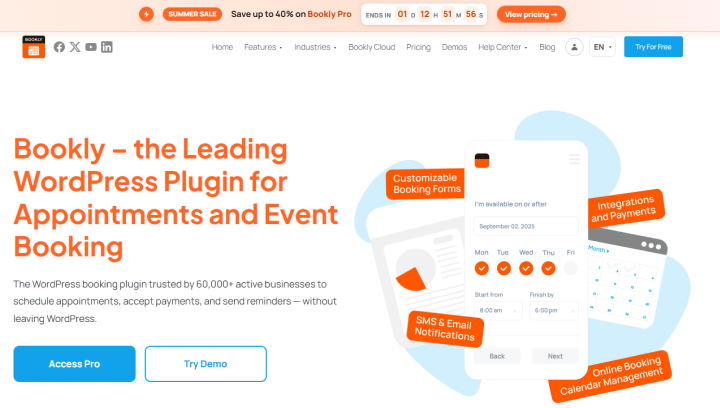
Best For: Repair businesses that want a mature WordPress appointment plugin with extensive scheduling features, payment options, notifications and a large add-on ecosystem
Rating: 8.3/10
Bookly is one of the more established options we looked at, and it has a wide range of appointment features.
The booking form is designed to keep the customer journey short, and the admin calendar lets businesses manage appointments by day, week, or month and filter them by staff, service, or location. Custom fields can also collect additional information before an appointment.
There is plenty here for repair businesses. Bookly supports unlimited staff and services on its paid plans, custom durations, service schedules, deposits, recurring appointments, multiple locations, custom fields, service extras, customer and staff cabinets, and several payment options.
Moreover, it also supports email, SMS and WhatsApp notifications, along with Google and Outlook Calendar integrations.
Key Features for Repair & Maintenance Businesses
- Mobile friendly widgets
- Flexible service durations
- Multi-staff scheduling
- Unified calendar view to filter appointments by staff members, day, week or month
- Automated notifications via SMS, Email and WhatsApp
- Online payment, full or deposit, via Stripe, PayPal and more
- WooCommerce support
What We Like About Bookly
- It has a lot of depth
- The calendar is easy to understand
- The free version gives businesses a way to test the core booking workflow
What Could Be Better
- The pricing structure can become complicated
- The free version is quite limited for a real repair business
- The sheer number of options can make the plugin feel heavier than simpler alternatives
- Addons are sold separately which makes it expensive
Pricing:
- Free version available
- The premium plan starts from $99/year
Our Verdict: Bookly remains a capable choice for repair businesses that want a mature booking system with lots of configuration options. We especially like it for businesses that need advanced appointment scheduling and integrations. The trade-off is complexity: once you start adding extensions and Cloud services, Bookly becomes less straightforward than an all-in-one plan with everything included from the start.
5. Hydra Booking
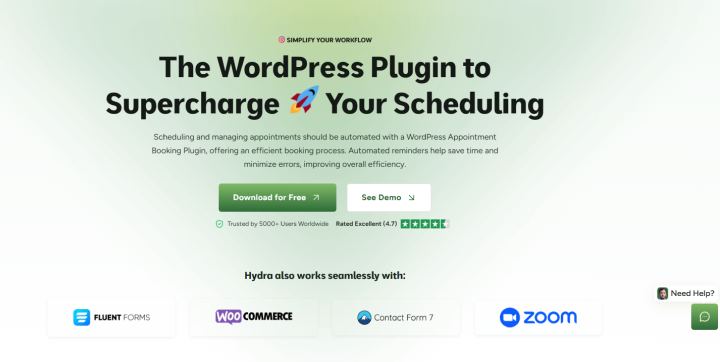
Best For: Repair and maintenance businesses that need flexible appointment scheduling, multiple hosts or payment integrations and automated notifications
Rating: 7.9/10
Hydra Booking takes a broader appointment booking approach, but we found several features that can work well for repair and maintenance services.
It gives businesses complete control over availability, lets them manage multiple hosts and locations, and provides booking views, reminders, payment integrations, and recurring meetings. The front-end demo also keeps the booking process fairly simple, with customers choosing a meeting type, date, time, and entering their details.
What makes Hydra interesting is the amount of flexibility packed into the platform.
On top of that, it even supports physical, online and phone meeting locations, custom meeting questions, buffer time, date overrides, availability rules and recurring bookings.
For a repair business, these can be adapted for technician appointments and maintenance visits, but the plugin still feels more meeting and appointment oriented than repair specific.
Key Features for Repair & Maintenance Businesses
- Flexible availability
- Staff/Host profile
- Front-end dashboard for staff and shop managers
- Custom booking form
- Automated notifications via Email and SMS
- Two way calendar sync with Google Calendar, Apple Calendar and Outlook Calendar
- Payment via WooCommerce, Stripe and PayPal
- Link customer data to tools like Zoho CRM, Fluent CRM and Form plugins
What We Like About Hydra Booking
- No backend clutter
- Advanced ecosystem integrations
- Form Builder compatibility
What Could Be Better
- Limited native field customization
- Advanced features needs pro version
Pricing:
- Free version available
- The premium plan starts from $69/year
Our Verdict: Hydra Booking is a flexible appointment plugin that can work for repair and maintenance appointments, especially when calendar synchronization, recurring bookings and integrations are priorities. However, businesses that need repair specific job management will likely outgrow its appointment focused workflow.
Final Verdict
In a nutshell, these are all the best maintenance service booking plugins for WordPress.
Still confused which one is the best among the best WordPress maintenance & repair service booking plugins?
The answer is obviously BookingPress. After testing it on our WordPress staging site, BookingPress is one of the most complete WordPress appointment booking plugins. Packed with 60+ premium features and a wide range of 22+ payment gateways, it gives you everything you need to run your maintenance repair business, and a user-friendly booking form for customers to easily book repair services.
RepairBuddy is also another option worth considering if you want a complete maintenance scheduling software for your WordPress. And for solo repair technicians wanting to handle simple appointments, Booktics works quite well.
All in all, your best-fit WordPress appointment booking plugin depends completely on what your needs are.
Related Articles:
- Appointment Booking Plugin for Home Repair Services Website
- 15+ Best Car Repair WordPress Themes for Auto Parts, Washing & Services
- How Online Booking System Will Help You Increase Revenue
FAQs
BookingPress is the best repair service booking plugin for WordPress thanks to its rich feature set of 60+ premium addons, wide range of payment gateways and user friendliness.
Yes, of course! WordPress can be used as an online repair booking system by installing and activating a maintenance repair service booking plugin. In the WordPress ecosystem, you’ll find several plugins for your repair store such as BookingPress, Bookly, and RepairBuddy.
Yes, you can use a WordPress booking plugin for recurring maintenance appointments. There are tons of online repair booking systems that lets your clients schedule repeating visits in weekly, monthly or yearly intervals such as BookingPress.
A maintenance repair booking plugin is a WordPress system that lets customers schedule appointments or drop offs. In contrast, maintenance scheduling software is a platform used by operations teams to track physical assets, manage technician workloads and plan preventive upkeep.

 14-day money-back guarantee