You’ll find many WordPress plugins for selling products, but when it comes to selling your time, the options are surprisingly limited.
If you run a salon, clinic, consultancy or any other service-based business, you understand the need for a full-power online booking system that lets your customers book easily, especially from their smart phones.
In 2026, over 60% of all service based bookings are now made through smartphones or tablets. This makes mobile experience the deciding factor in whether a customer completes a booking or drops off.
That means your online booking system needs to be fast, simple and mobile friendly.
But with so many booking plugins calling themselves the “best,” it can quickly become confusing to figure out which one actually works well.
So, to make things easier, we tested and compared the top mobile optimized WordPress booking plugins based on real-world performance, usability and mobile experience.
Here are the best options we discovered.
TL;DR: Based on our testing of leading mobile optimized WordPress booking plugins, BookingPress came out on top for its smooth mobile experience, flexible booking rules, and 20+ payment gateways. It also offers 60+ premium addons and a generous free version to get started.
Our Top Picks for Mobile-Friendly Booking Plugins For WordPress
Don’t have time to scroll? No worries! Here are the best WordPress booking plugins which are optimized for mobile-friendliness.
| Plugin | Mobile Experience | Ease of Use | Best For | Pricing |
| BookingPress | ⭐⭐⭐⭐⭐ Smooth app-like UX | ⭐⭐⭐⭐⭐ Beginner friendly | All service businesses. | Free + $89/year |
| WooCommerce Bookings | ⭐⭐⭐ Good (theme-dependent) | ⭐⭐ Moderate | WooCommerce stores. | $124.50/year |
| Bookly | ⭐⭐⭐⭐ Modern & responsive | ⭐⭐⭐ Easy (addons needed) | Small–medium businesses. | Free + $49/year |
| MotoPress Appointment Booking | ⭐⭐⭐⭐ Solid & reliable | ⭐⭐⭐ Moderate | Multi-staff businesses. | Free + $49/year |
| Webba Booking | ⭐⭐⭐⭐ Clean & flexible | ⭐⭐⭐ Moderate | Custom booking setups. | Free + $45/year |
| LatePoint | ⭐⭐⭐⭐⭐ Best-in-class mobile UX | ⭐⭐⭐⭐ Easy | Speed focused businesses. | Free + $99/year |
| WP Booking Calendar | ⭐⭐⭐ Basic responsiveness | ⭐⭐ Moderate | Simple bookings. | Free + $41.87/year |
| Appointment Hour Booking | ⭐⭐ Basic | ⭐⭐ Complex | Technical use cases. | Free + €59/year |
Why Mobile Booking Experience Matters More Than Ever
Mobile booking is now the default way customers interact with service-based businesses.
With most people browsing and booking directly from their phones, even small frictions in your booking flows like:
- Too many steps or form fields
- Non-mobile optimized design
- Hidden or unclear “Book Now” button
- Poor navigation
- Slow load time
- No online payment
- Lack of trust signals due to poor booking form
And so on, can truly hurt your business and lead to lost appointments and low revenue.
According to 2026 data, a one second delay in page load time can lower conversions by 7%, and a 32% mobile drop off rate is common when mobile first, simple and fast booking is not prioritized.
Further, here are more reasons why mobile experience plays such an important role in online bookings today:
Higher Mobile Usage For Bookings
Most customers now want to book appointments instantly from their smartphones rather than using desktops or making phone calls.
Speed Directly Impacts Conversions
If your booking form takes too long to load or feels clunky on mobile, people are far more likely to abandon the booking process.
Simple Ux Leads To More Completed Bookings
Mobile users expect short forms, clear calendars and minimal steps to confirm an appointment.
Payments Happen On Mobile Too
Many customers complete bookings using mobile wallets or saved payment methods.. That’s why seamless payment gateway integrations are also a must.
First Impressions Matter
A poorly optimized mobile booking experience can make your business appear outdated or unprofessional.
Overall, your online booking system is mostly the first real interaction a customer has with your business, and on mobile, that experience needs to be instant, intuitive and frustration-free.
How We Tested and Evaluated Mobile-Optimized WordPress Booking Plugins
To bring you a list that’s truly practical and unbiased, we installed, tested and evaluated over 20+ popular WordPress booking plugins on a clean staging site, all under the same conditions.
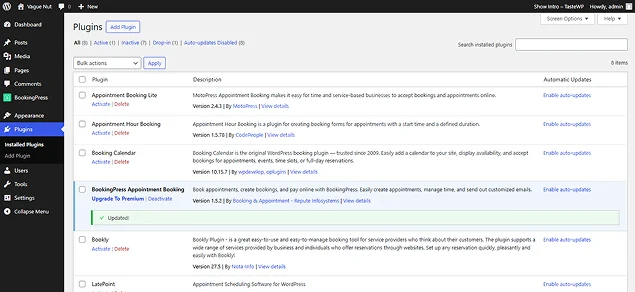
This way we were able to compare their speed, usability and mobile experience fairly, so you get a list you can actually trust.
Our goal was simple: Find out which plugins actually deliver a smooth mobile friendly booking experience in real world conditions.
To do that, here are the factors we focused on that matters most for conversions and user experience:
- Mobile responsiveness: We only picked the plugins whose booking form smoothly adapted across different phone screen sizes with tap friendly calendars, buttons and booking elements
- Speed & performance: Fast loading booking forms and lightweight front end experience on mobile devices are always a must.
- Ease of use: No matter what, always choose a responsive WordPress plugin that’s easy to set up and simple to use for everything including admin, customers and staff members.
- Booking flow: We made sure you can easily set the booking steps from selecting a service to confirming a booking.
- Payment experience: We only handpicked the booking plugins which gives us reliable mobile payment options with popular gateways.
- Flexibility & features: At last, we made sure the plugins we shortlist have advanced features too such as multiple services, staff, scheduling rules and full customization.
We also looked at real user feedback, update frequency and overall reliability to validate our findings.
The result is a carefully tested list of 7 best mobile optimized WordPress booking plugins that don’t just look good on paper, but actually perform where it matters most: on mobile.
7 Best Mobile-Optimized WordPress Booking Plugins
BookingPress
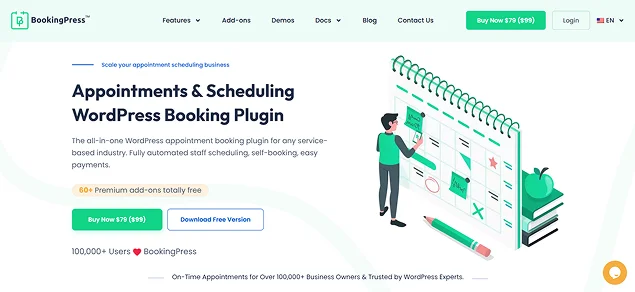
BookingPress is one of the best WordPress appointment booking plugins out there. No matter whether you run a salon, spa, fitness studio, law firm, clinic or any other service-based business, this plugin turns your WordPress site into a full-power online booking system.
When I started testing BookingPress, what immediately stood out was how well it balances user friendliness with advanced features. Right after installation, a setup wizard walked us through everything. The centralized dashboard that made it easy to keep all appointments organized.
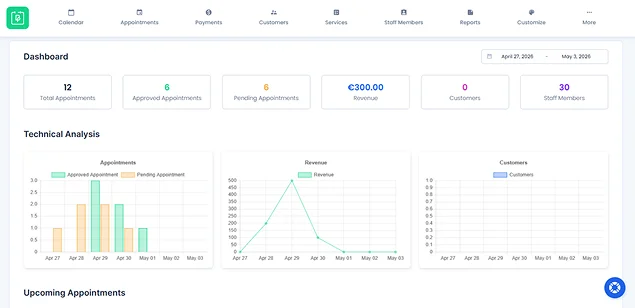
Setting up services, defining time slots and configuring availability was surprisingly fast, even with multiple options available. On the front end, the booking experience felt smooth, fast and really optimized for smaller screens of smart phones. From selecting services to completing online payments, everything worked with zero friction, which is exactly what you want when most people are booking from their phones.
The nice thing about BookingPress is you can create a fully customizable booking form using extensive styling options to change font, form color, label, button text color and so on.
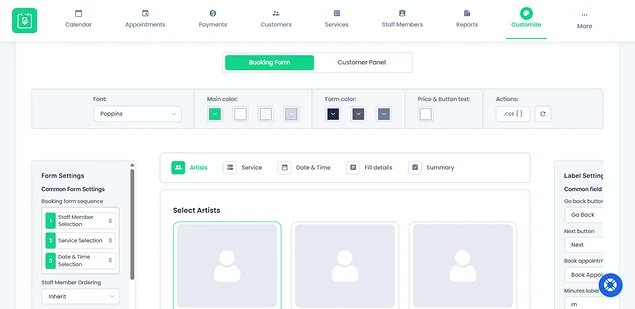
To remove friction, you can arrange the booking form page sequence as you see fit. And more importantly, this isn’t just about features; BookingPress is clearly designed to lower friction and create a smooth booking journey that turns visitors into confirmed appointments.
Key Features:
- Unlimited services, bookings, staff members and locations
- Advanced staff management
- On-site and online payment, full or deposit, via 20+ payment gateways
- Centralized analytics dashboard
- Add services to cart
- Two-way sync bookings across Google, Outlook and Apple Calendars
- Automatic notifications via Email, SMS, Telegram and WhatsApp Group and recurring appointments
What We Liked:
- Step-by-step setup wizard for quick and easy setup
- Over 60+ premium addons included for free
- Design-first booking form
- Generous free version
What Could Be Better:
- Advanced features and addons takes time to setup
- Maybe overwhelming to some beginners due to massive volume of addons
Best For: All service-based businesses including salon, spa, gym, and clinics managing multiple staff members and services. Also, perfect for scheduling 1-on-1 sessions with Zoom or Google Meet integrations.
Pricing:
- Free version available.
- The premium starts from $89/Year.
Why We Recommend BookingPress: We vouch for BookingPress because we have personally used it extensively. Trusted by over 50,000+ service businesses, this plugin is feature rich, modern and easy to use. It has everything you need for accepting online bookings and payments, managing staff members, and keeping your service business organized and growing.
WooCommerce Bookings
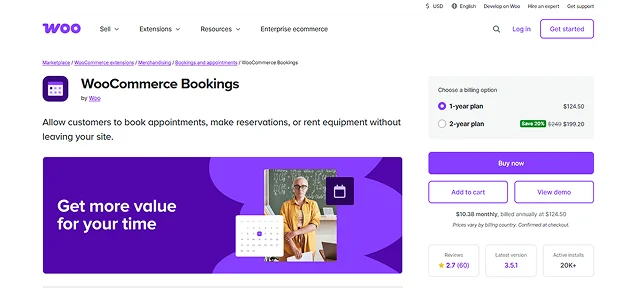
WooCommerce Bookings is another excellent mobile optimized WordPress plugin for those who want to turn their products into bookable services.
When we started testing WooCommerce Bookings, the first thing that stood out was how tightly it integrates with WooCommerce. If you’re already running a Woo store, adding bookings feels like a natural extension. (Afterall, WooCommerce Bookings IS a extension rather than a full responsive WordPress plugin)
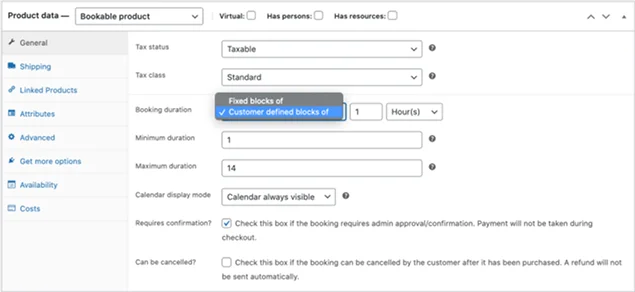
The best part is it lets you create bookable products with time slots, pricing and availability rules. The flexibility was also impressive. You can define fixed time slots, allow customer defined bookings, add buffer times and even adjust pricing based on date, time, or number of people. But, this flexibility comes with a trade-off. This takes slightly more time to set compared to beginner friendly booking plugins like BookingPress.
From a mobile experience perspective, WooCommerce Bookings performs reliably, but not exceptionally. The booking interface adapts well to smaller screens of smart phones, and the checkout process is fully mobile compatible.
But again, the overall booking flow depends mostly on your WooCommerce theme and setup. This means the experience may not always feel as smooth or app-like.
Key Features:
- Flexible time management.
- Real time availability.
- Advanced staff and resource management .
- Automatic notifications and reminders via email.
- Syncs with Google Calendar .
- Automatically adds buffer time between bookings .
What Stood Out:
- WooCommerce official ecosystem integration .
- Highly customization for pricing rules and capacity management .
- Developer friendly .
What Could Be Better:
- It’s too expensive .
- Complex to setup and use for beginners .
- Native Google Calendar Sync is one-way only (That can also be glitchy sometimes)
- No native recurring events.
Best For: This works well for WooCommerce businesses that already sell packages, rentals or event based services.
Pricing:
- No free version available.
- The paid plan starts from $124.50/year.
Why We Recommend WooCommerce Bookings: The reason why we shortlisted WooCommerce Bookings is, despite it not being the most mobile-optimized WordPress booking plugin out of the box, its flexibility and payment gateways make it a good option when configured correctly.
MotoPress Appointment Booking
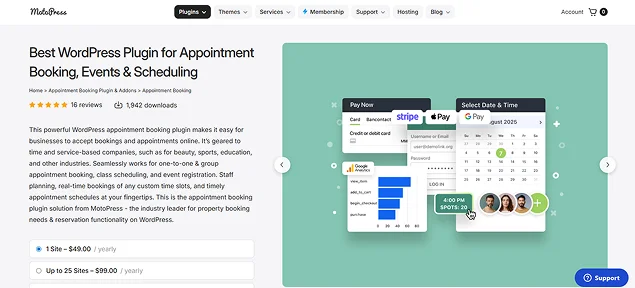
If you’re looking for a responsive WordPress booking system that’s structured and feature rich, it’s time to meet the MotoPress Appointment Booking plugin.
The setup process is fairly smooth thanks to its built-in setup wizard. Creating services, assigning staff and configuring schedules felt organized, even when dealing with multiple services and employees.
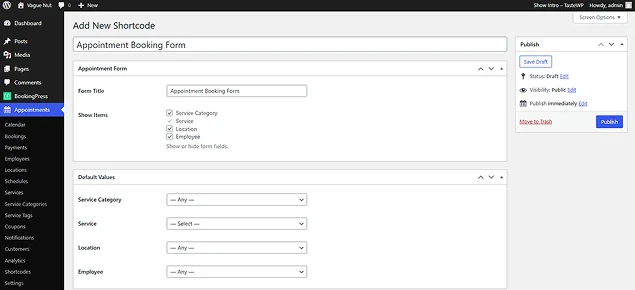
It’s not the simplest plugin on this list, but it gives you a lot of control once you get used to it. MotoPress performs solidly when it comes to responsiveness. The booking form is fully responsive and adapts well to smaller screens with a layout that keeps everything readable and tappable. It’s not the most visually modern interface, but it’s practical, fast and gets the job done.
Key Features:
- Unlimited services, employees, services and locations
- Mobile friendly booking form
- Flexible scheduling and buffers
- group scheduling and events
- Multiple services per bookings
- Accepts onsite and online payment, full or partial, via PayPal, Stripe, bank transfer and Square (including Bancontact and Klarna, as well as Apple Pay, Google Pay and more.)
- Deep page builder integration
What Stood Out:
- Powerful free version
- Developer friendly
- Well-optimized for speed
- Better customization options to match your business needs
What Could be Better:
- Less modern user interface
- Better for hourly bookings rather than full-day booking
Best For: Salons and spa managing multiple staff schedules and services as well as businesses looking for a feature-rich plugin without expensive subscriptions.
Pricing:
- Free version available.
- The premium starts from $49/year.
Why We Recommend MotoPress Appointment Bookings: This is another best mobile optimized WordPress plugin for accepting online appointment bookings with ease.
Webba Booking
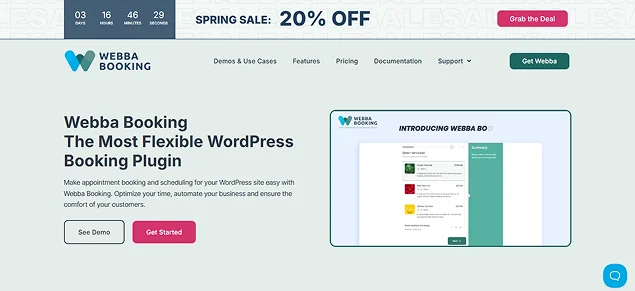
The next one of the most flexible and mobile-optimized WordPress booking plugins is Webba Booking. Although many have not heard its name, this booking plugin beats almost all plugins we discussed till now when it comes to flexibility.
Customize your services, set your business hours, set different pricing rules and let your clients book one or multiple services and time slots within a single reservation.
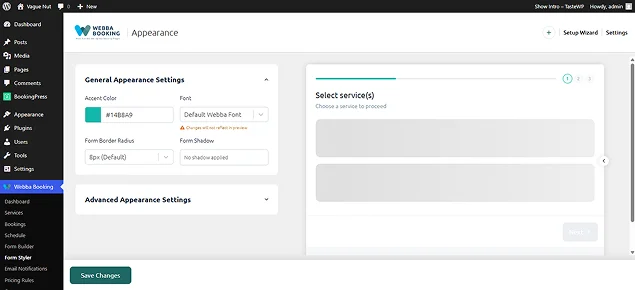
On the front end, Webba Booking delivers a clean and distraction-free booking experience. The forms are simple, and users can quickly select dates and time slots without unnecessary steps. This is especially important for mobile users who don’t want to deal with complex booking flows.
Furthermore, the booking form is responsive, buttons are tap-friendly and the flow is quick enough to complete a booking without frustration. While it may not feel as “app-like” as premium tools like BookingPress or Bookly, it still offers a smooth and reliable experience on smartphones.
key Features:
- Modern booking form with 80+ customization options
- Flexible scheduling and multi-booking
- Two-way sync with Google Calendar
- Built-in form builder
- Automatic notification via email and SMS
- Payment gateways like Stripe, PayPal, or WooCommerce
- Dashboard with advanced stats
- Staff & Location Management
What Stands Out:
- Good customer support
- Flexibility for complex scenarios
- Modern UI and UX
- Value for money
What Could Be Better:
- Confusing for beginners; high flexibility = more settings to configure
- Shortcode dependent
Best For: Salons, consultants, coaches and any service business that needs to book online, manage payment send reminders for services.
Pricing:
- Free version available.
- The premium plan starts from $45/Year
Why We Recommend Webba Booking: It’s a highly flexible and responsive WordPress scheduling plugin so it’s best-fit for those who want to create their booking form in their own way with an aesthetic look due to 80+ customization options.
LatePoint
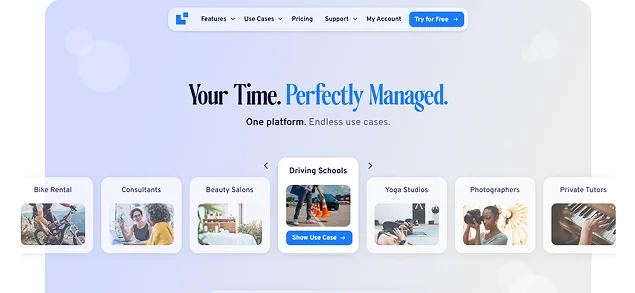
Speaking from experience, we tested the LatePoint plugin on our WordPress site and instantly it felt more like a SaaS app built inside WordPress. The interface is sleek, fast and surprisingly intuitive even for first time users.
What really stood out was how quickly everything comes together. You can set up services, define availability and start accepting bookings without digging through complicated settings. The dashboard is clean and everything, from appointments to customers, is easy to manage in one place.
But the real highlight is the booking experience itself.
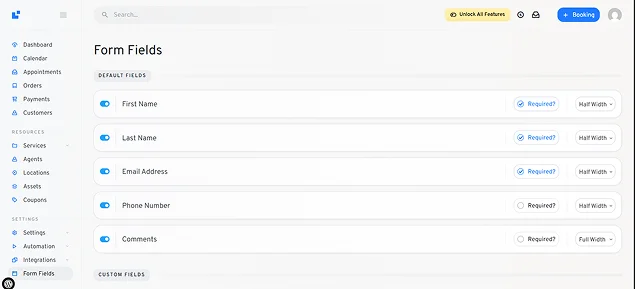
LatePoint uses a modern step-by-step booking flow that feels incredibly smooth on almost all smart phones we could test. Transitions are fast, buttons are clearly tappable and the complete process feels optimized for speed. It’s one of the few plugins where the mobile experience genuinely feels “native” rather than just responsive.
That said, while the core plugin is powerful, many advanced features like integrations and addons are part of higher paid plans. So, just like with Bookly, the full experience depends on how much you’re willing to invest.
Still, from a mobile UX and performance perspective, LatePoint is easily one of the best WordPress booking plugins in this list.
Key Features:
- Intelligent booking interface
- Customer and agent dashboard
- Automated notifications via Email, SMS and WhatsApp
- Flexible scheduling and recurring appointments
- Integrates with Zoom and Google Meet for virtual sessions
- Accepts online payment via 8 payment gateways including PayPal, Stripe and more
- Fully customizable forms
What Stands Out:
- Best-in-Class Mobile Experience
- Lightweight
- In-booking communications with “Chat” addon
- Clean agent and customer dashboards
What Could Be Better:
- The user interface is good, but can be rigid; deep designs needs custom CSS
- Pro-Only key features like Google Calendar sync and customer dashboard
- Limited group booking
Best For: This top mobile optimized WordPress booking plugin is an excellent options service for businesses like hair salons, coaches, cleaners and photographers with small to medium-sized teams.
Pricing:
- Free version available
- The premium starts from $99/year (renews at $129/year)
Why We Recommend LatePoint: LatePoint is best for those who want super fast speed, mobile experience and ease of use.
WP Booking Calendar
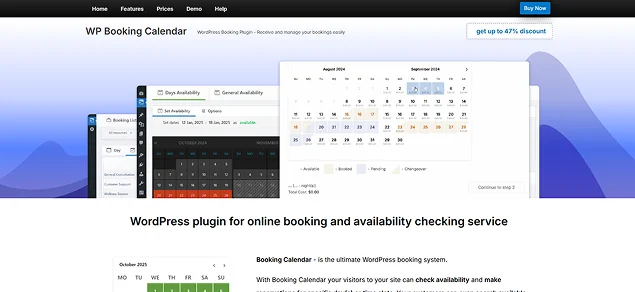
WP Booking Calendar is the most reliable (and oldest) WordPress booking plugin in the whole WordPress ecosystem. It’s been around for years and that shows in both its stability and its features.
Unlike modern “all-in-one” booking tools, WP Booking Calendar only does one job which is handling calendar based bookings. The reason why we picked it is also due to its reliability.
The setup is simple. You create a calendar, set your availability and add it into your pages. It doesn’t try to reinvent the process which can actually be a good thing if you want something straightforward.
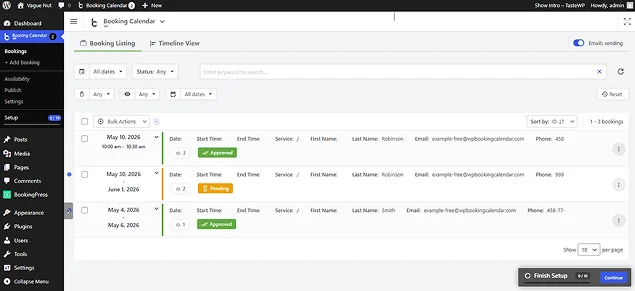
From a mobile perspective, the experience is decent but not exceptional. The calendar adapts to smaller screens and visitors can select dates without major issues. However, the interface feels more traditional (While outdated is the right term) and the overall flow isn’t as smooth or conversion focused as newer plugins.
Alt: full day booking
Thus if you’re looking for a simple booking solution that works across devices, WP Booking Calendar does the job; just don’t expect a highly polished mobile UX.
Key Features:
- Clear front-end calendar
- Drag and drop form builder
- Unlimited bookable resources
- Two-way sync with Airbnb, Booking.com, VRBO, and Google Calendar via .ics feeds
- Flexible booking types
- Changeover days
- Online payment, full or deposit, via PayPal, Stripe and Authorize.Net
What Stood Out:
- One time costs only
- Highly customizable
- Powerful admin panel
What Could be Better:
- Confusing settings for beginners
- Only 6 mouth support
- Interface can feel outdated
- Complex setup for advanced features
Best For: This is best for property managers, vacation rentals and service providers who want total data control and flexible schedule.
Pricing:
- Free version available.
- The pro plan starts from $41.87/Year.
Why We Recommend WP Booking Calendar: WP Booking Calendar is a good pick plugin for WordPress users who want a basic and simple booking solution. While it’s not the most modern or mobile optimized plugin, it still remains a solid choice for simple booking needs.
Appointment Hour Booking
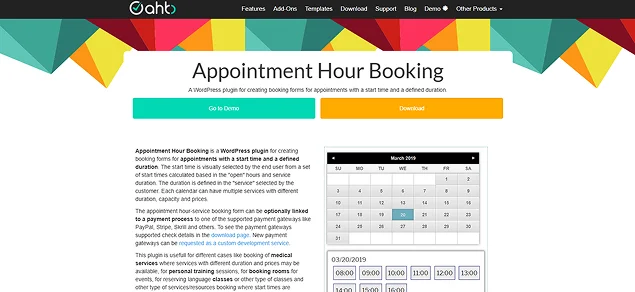
When I tested Appointment Hour Booking, it felt very different from the other plugins on this list.
The setup process is more technical compared to other plugins. You’ll spend some time configuring forms, setting up time slots and adjusting settings. I would say it’s not difficult but it’s also not beginner friendly either.
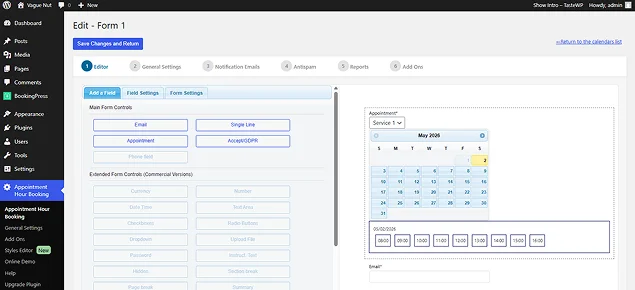
The booking form is responsive but again, the layout and flow feel more basic. It gets the job done, just doesn’t offer the smooth and frictionless experience you see in newer plugins.
However, where it stands out is flexibility. You can easily customize booking logic, pricing and time based conditions in ways that many simpler plugins simply don’t allow.
Key Features:
- Dynamic time slot calculation.
- Multiple service and capacity.
- Built-in visual form builder.
- Flexible calendar control.
- Accepts online payment via PayPal, Stripe, Skrill, and more .
- Timezone conversion.
- Padding Time.
What Stood Out:
- Powerful free version .
- Flexible .
What Could Be Better (The whole plugin):
- Outdated interface and design.
- Limited mobile UX optimization.
- Not beginner friendly .
Best For: Handling consultations, equipment rentals or technical sessions.
Pricing
- Free version available.
- The premium plan starts from €59/Year.
Why We Recommend Appointment Hour Booking: This is a good option due to its flexibility in handling time based bookings. Although it lacks modern design and mobile optimization, it’s still a solid choice for specific use cases where control matters more than user experience.
How to Choose the Right WordPress Booking Plugin
Picking the right WordPress booking plugin is more important than you think because going with a wrong booking plugin can quietly cost you customers….and revenue.
Slow mobile forms, too many steps or confusing calendars mostly get abandoned, especially on smartphones. And since most people book on mobile now, even small friction can hurt conversions.
The good news? You don’t need the “most powerful” plugin. You just need the right fit for your business.
Here’s a simple way to decide:
Pick Based On Your Business Type
- Service businesses like salons, clinics, coaches → Go with BookingPress.
- WooCommerce stores → Pick WooCommerce Bookings.
- Rentals or property bookings → Use WP Booking Calendar.
Pick Based On Booking Complexity
- Simple date bookings → WP Booking Calendar.
- Multi-staff and multiple services → BookingPress or MotoPress.
- Advanced custom rules → Webba Booking.
Pick Based On Mobile Experience (Most Important)
- Best balance of UX + features → BookingPress.
- Fastest app-like experience → LatePoint.
- Depends on setup/theme → WooCommerce Bookings.
Pick Based On Ease Of Use
- Beginner friendly → BookingPress.
- Moderate learning curve → Bookly or LatePoint.
- More technical → Appointment Hour Booking.
Quick Decision Shortcut
- If you want the safest all-in-one option? → BookingPress is worth it.
- If you want the smoothest mobile UX? → LatePoint is a go-to tool.
- Already using WooCommerce? → Consider WooCommerce Bookings.
In the end, all you have to think about is how easily and fast a customer can book your service from their phone. That’s what drives real conversions.
Final Thoughts
The right best WordPress booking plugin is the one that easily lets your customers complete a booking, especially on mobile.
After testing all these tools side by side, one thing became clear: mobile experience is no longer optional. With the majority of bookings now happening on smartphones, even a small friction like slow loading, messed up forms or hard-to-tap buttons, can cost you real customers.
If you want the best balance between mobile UX, features and ease of use, BookingPress shines as the best WordPress booking plugin. It strikes the perfect balance of user friendliness along with a set of 60+ premium addons.
At the end of the day, the right choice comes down to this:
- How quickly and smoothly can your customers book from their phone?
Because that’s what actually impacts your conversions, revenue and overall user experience.
Pick one of the best mobile-optimized WordPress booking plugins that makes booking effortless for your customers.
You May Also Like:
 14-day money-back guarantee