


A prospective client books a consultation with your law firm. But what happens next? Does the appointment appear on the correct attorney’s calendar? Can the client pay the consultation fee during booking? Can your team collect the basic details needed before the meeting? And will the client receive a reminder automatically without someone having to send it?
These are the things that separate a simple booking calendar from a dedicated law firm appointment scheduling software.
If your law firm or legal consultancy runs on WordPress, the right WordPress plugin can easily bring these steps together on your website. The challenge is that not every WordPress booking plugin supports the same workflow, and some features even require paid upgrades or extensions.
To save you hours of research, I tested around 21 WordPress appointment booking plugins and handpicked the 5 best options for law firms and legal consultants. All these just to see how each plugin handles the practical requirements such as multiple-attorney scheduling, online payments, secure intake forms, automated reminders and online consultations.
Now, here’s how they compare, including what each option does well and where you will run into limitations.
TL;DR: BookingPress is the clear winner, offering the best all-in-one booking solution for law firms and legal consultants with multi-attorney scheduling, customizable intake forms, secure file uploads, 22+ payment gateways, and automated reminders. With 60+ premium add-ons bundled into its paid plans, it delivers the best overall value for legal practices of all sizes.
Quick Comparison: Top 3 WordPress Booking Plugins For Law Firms And Consultancies
No time to read? No problem! Below are the top 3 WordPress appointment booking plugins for law firms and legal consultants.
| Feature | BookingPress | Rox Appointment Booking | LatePoint |
| Best for | All-in-one booking for law firms | Budget-conscious solo attorneys | Polished booking and automation |
| Multiple attorneys | Yes; multi-staff bookings is available | No; free supports only 1 agent. Pro includes unlimited agents | Yes; multi-staff is included on every paid plan |
| Client intake forms | Custom forms and file uploads | Custom booking-form fields; file uploads are not clearly advertised as a core Pro feature | Custom fields and file uploads |
| Online payments | 22+ gateways on paid plans; free version is PayPal-only | Stripe is included free; Pro adds PayPal and WooCommerce checkout. Only 3 direct gateways total | Stripe, PayPal, Square, Razorpay and other gateways; 10+ payment options included |
| Calendar and video integrations | Two-way calendar sync with Google, Outlook and iCal; Zoom and Google Meet integrations | Google Calendar sync and Google Meet; no Outlook or Apple Calendar sync advertised | Google, Outlook and Apple Calendar; Zoom and Google Meet |
| Minimum suitable plan | Standard : $89/year for 1 site; Professional : $139/year for 60+ premium addons and up to 3 sites | Free for solo use; Pro starts at $59 one-time for 3 sites and unlimited agents | Starter: $79 for the first year, then $99/year; includes all features for 1 site |
| Main limitation | Multi-staff, multi-location, recurring appointments and several advanced features are locked behind Professional | Only 3 payment gateways, Google-only calendar/video integration, and multi-agent use requires Pro | Restricted free plan and inflexible staff terminology so you can’t change the staff members label “agents” easily. Also, the booking form has less design customization options compared to BookingPress. |
How I Tested And Ranked These WordPress Appointment Booking Plugins
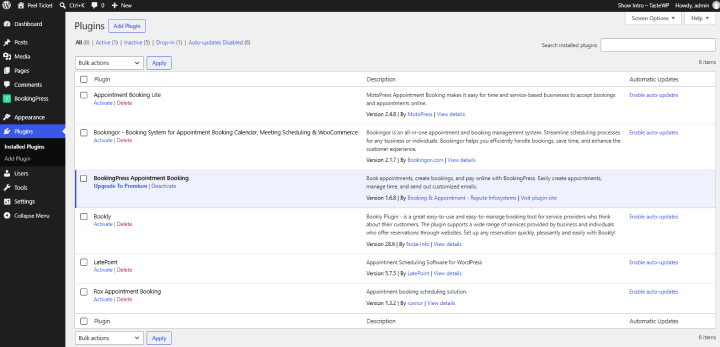
I’m a WordPress expert with a decade of development experience and technical writing. For this comparison, I evaluated 21+ popular WordPress booking plugins including Amelia, BookingPress, Simply Schedule Appointments, and several other popular alternatives before narrowing the list to six.
And no, I didn’t shortlist plugins simply because they had impressive feature lists or attractive pricing pages. Some offered extensive features but introduced trade-offs in setup complexity, team scheduling costs, payment flexibility, customization or long term value. Others needed higher-priced plans to support workflows that a law firm might consider essential.
Thus, every WordPress appointment booking plugin was evaluated against a common scenario on a common WordPress staging site: 5 services, 1 staff member, one location and one schedule – on a legal consultancy website environment using real legal consultancy services.
Tested Environments
I installed all six shortlisted plugins on a WordPress staging site rather than relying exclusively on product demos, screenshots, or marketing claims. I started with the free versions, compared their available booking features, and then moved to the entry-level paid plans to evaluate which additional capabilities required an upgrade.
Here are the plugin versions recorded in my staging environment.
| Plugin | Version tested | Testing environment |
| BookingPress | 1.6.8 | WordPress staging site; free version tested first, followed by the BookingPress premium plan with 60+ premium add-ons |
| Rox Appointment Booking | 1.3.2 | WordPress staging site; free and entry-level paid versions compared for features and plan restrictions. |
| LatePoint | 5.7.5 | WordPress staging site; free version evaluated before testing the entry-level paid plan. |
| Bookingor | 2.1.7 | WordPress staging site; free and entry-level paid versions compared to assess available booking features. |
| MotoPress Appointment Booking | 2.4.8 | WordPress staging site; free version assessed before comparing its features with the entry-level paid plan. |
These are the versions shown in my WordPress staging dashboard during testing, not necessarily the latest available versions. Pricing, plan restrictions, and feature availability should be verified against the current official documentation before purchasing.
I’ve verified and tested these plugins on 21, October 2026.
Apart from that, I even also reviewed public ratings and customer feedback on WordPress.org, Trustpilot, and Capterra to understand reported support experiences and recurring product complaints. I treated those reviews as additional context, not as a substitute for my hands-on evaluation.
My Scoring Methodology
I ranked all the WordPress plugins using a 100-point framework which was completely designed around the legal consultancies and law firms environment and practices.
Wondering how I managed to understand law firms and legal consultants’ practices? Because I worked with them for decades over multiple WordPress web development projects, and based on my that experience, I can confidently make this scoring methodology.
| Evaluation criterion | What I evaluated | Weight |
| Legal and consulting workflow fit | Consultation types, appointment durations, and booking flexibility | 25 points |
| Staff scheduling and calendar management | Multiple attorneys, individual availability, calendar synchronization, and scheduling restrictions | 20 points |
| Intake forms and data handling | Custom fields, information collection, and documented data-handling options | 15 points |
| Payments and deposits | Consultation fees, payment methods, deposits, and plan restrictions | 10 points |
| Notifications and meeting integrations | Booking confirmations, reminders, calendar connections, and online meetings | 10 points |
| Setup and daily usability | Configuration effort, administrative workflow, and booking experience | 10 points |
| Total cost and plan limitations | Entry-level paid pricing, required upgrades, additional costs, and renewal terms | 10 points |
| Total | 100 points |
The weighting shows what matters when selecting appointment scheduling software for a legal or consulting business. A plugin shouldn’t score highly just because it supports dozens of integrations if the features a practice needs are difficult to configure or locked behind an expensive upgrade.
Moreover, I even distinguished between features advertised by the developer, features available in the tested plan, and capabilities I could verify during testing. That distinction matters because a feature listed on a pricing page isn’t necessarily included in the cheapest plan.
Score Breakdown
The final scores are based on the seven criteria above, with a maximum of 100 points per plugin. Each product is evaluated against the same framework so that the rankings show only the practical suitability.
| Plugin | Legal workflow fit (25) | Staff & calendar (20) | Intake forms (15) | Payments (10) | Notifications & meetings (10) | Usability (10) | Cost & limitations (10) | Total (100) |
| BookingPress | 23 | 18 | 13 | 10 | 9 | 9 | 9 | 91 |
| Rox Appointment Booking | 22 | 17 | 13 | 8 | 8 | 9 | 9 | 86 |
| LatePoint | 20 | 19 | 13 | 9 | 9 | 9 | 7 | 85 |
| Bookingor | 19 | 17 | 11 | 8 | 9 | 9 | 9 | 82 |
| MotoPress Appointment Booking | 19 | 17 | 12 | 8 | 7 | 8 | 9 | 80 |
What Didn’t Make The Shortlist?
Testing 21+ plugins also meant ruling out alternatives that didn’t offer the right balance for this particular comparison. A product might be perfect for another service business while being less attractive for a law firm because of its plan requirements, setup demands, customization limitations or recurring costs.
For example, Simply Schedule Appointments lists its Business Edition at $399/year at the currently advertised introductory price, with team scheduling and resource management included. Its annual renewal is charged at the regular price of $499. For a small legal practice, that difference matters when calculating the actual, total cost of running the booking system.
The same goes for Amelia. It was installed but it was not an easy “plug and play” booking solution as it advertised. Setting up a live booking form required a strict seven stage dependency chain. Plus, it renews at higher cost, and its Starter plan simply didn’t make the cut. You at least need its Pro plan ($329/year) to make things work for law firms.
Worth mentioning, these trade-offs informed my shortlist, but I didn’t treat every limitation as a universal reason to reject a plugin. The final six were selected for closer comparison because the aim was to assess their suitability for legal and consulting workflows, not to declare every excluded product a poor booking plugin.
These trade-offs informed my shortlist, but I didn’t treat every limitation as a universal reason to reject a plugin. The final six were selected for closer comparison because the aim was to assess their suitability for legal and consulting workflows, not to declare every excluded product a poor booking plugin.
Next, is the full review of all 5 WordPress legal and consulting appointment booking plugins for 2026.
The 5 Best WordPress Booking Plugins For Law Firms: Expert Review
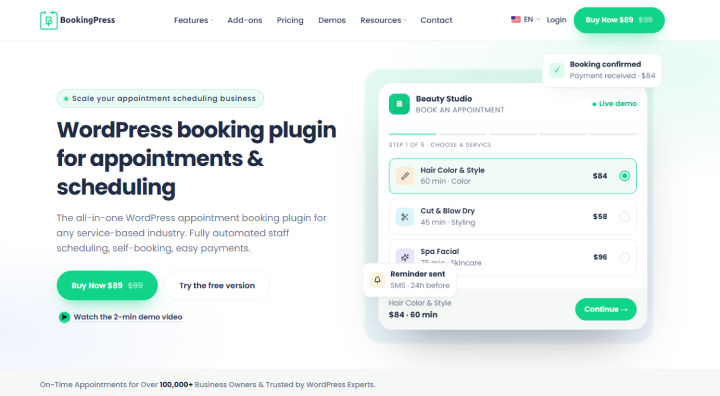
1. BookingPress: Best For Flexible Booking And Bundled Features
| Score | 91/100 |
| Rating | 4.4/5 (94+ reviews) on Trustpilot |
| Best For | All sizes of law firms, solo attorneys, independent counselors, business consultants, and financial advisors who want an all-in-one, reliable booking plugin for their website. |
| Free Version | Yes, with all core booking features. |
| Starting Price | $89/year or $229 for a lifetime plan |
BookingPress is my top pick for all kinds of good reasons. But the most important of these is its robust 60+ premium addons that comes at zero extra cost along with its premium version and its SaaS-like user interface.
This is one of the most complete WordPress booking plugins for law firms and legal consultants. The reason I ranked it #1 is not because of its long feature list, but a list of actually useful features that worked perfectly and made booking easy for clients.
I first tested the BookingPress Lite free version which came with most of all core appointment booking features – meaning you can easily accept online bookings without making client experience suffer. I then went on to test the BookingPress premium version, and it exceeded my expectations.
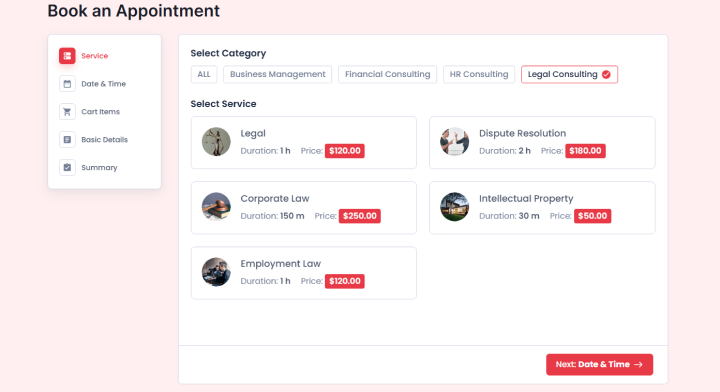
Clients were easily able to book their appointment in a one smooth flow, which is set by you, like Service → Date & Time → Lawyer selection → Cart Items (Optional Add-on) → Basic Details → Summary. Best of all, clients can get flexible options to pay whether in-person, or online full or deposit, via 22+ payment gateways during booking time. Also, they can download the PDF invoice as proof, check upcoming appointment details, cancel or reschedule from their customer panel. The system even sends automatic confirmation and reminders alongside syncing two-ways with all popular calendars perfectly with no confusion.
As for the admin side experience, that was pretty straightforward. When I installed and activated BookingPress, its setup wizard really hand-walked me through everything, from adding my legal consultancy service with price and custom duration to adding staff members (if any) and customizing the front-end booking form with zero coding.
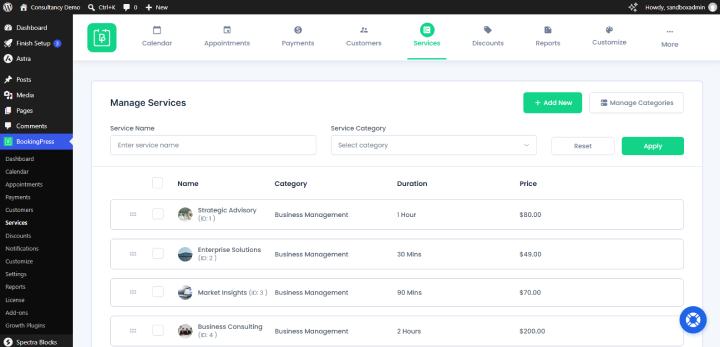
The best part? These all things are just the tip of the iceberg. The overall experience was so smooth from all angles, be it from client-side, admin-side or lawyer-side.
Strengths:
- Most WordPress booking plugins use an “à la carte” model where you pay extra for every feature; BookingPress bundles 45+ to 60+ premium add-ons in one plan
- If your law firm charges for initial consultations, BookingPress offers over 22+ local and global payment gateways
- Robust multi-attorney and Location management
- Virtual consultation integrations via Zoom and Microsoft Teams
- Advanced intake form customization with secure file upload option
Limitations:
- Setting up more than 20 staff members, complex booking rules or integrations may take some time (But you can always contact its expert tech-support and they’ll help you in no time).
- Many advanced features like multiple gateways, calendar sync, and SMS/WhatsApp/Telegram reminders needs premium version
My Final Recommendation: BookingPress is the best WordPress-native appointment booking plugin for legal firms of all sizes. The setup was easy, the dashboard was centralized, and everything was unlimited. The only thing that makes it lose points is the fact that it’s not a completely free solution.
2. Rox Appointment Booking: Best for Budget-Conscious Legal Teams
| Score | 86/100 |
| Rating | 5/5 (5+ reviews) on WordPress.org |
| Best For | Solo attorneys, small law firms, consultants, coaches, and service businesses that want a modern, affordable booking plugin without paying a yearly subscription |
| Free Version | Yes, with core booking features for one agent. |
| Starting Price | $49/year |
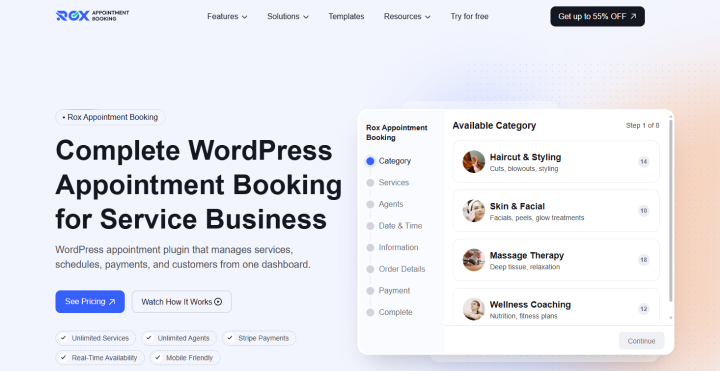
Rox Appointment Booking is worth considering if you want to get your law firm’s booking system up and running with no upfront money from the start. What makes it even more interesting is the fact that you get a feature-rich booking experience without paying for every basic scheduling feature.
When I tested it for solo attorneys and small legal practices, this felt like a practical starting point. You can create services, set appointment availability and let clients to book your services. Furthermore, the plugin also supports booking forms through Gutenberg blocks, Elementor widgets, and shortcodes, which gives you flexibility when adding the booking system to your existing website.
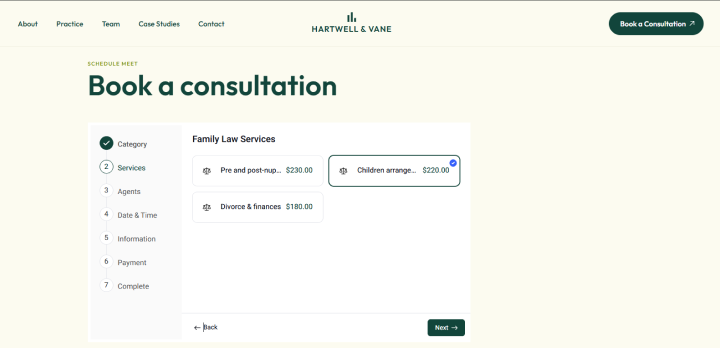
The payment options are another useful addition. Rox supports Stripe, PayPal, and WooCommerce checkout integrations, alongside options such as paying later and deposits. Its Google Calendar integration also supports one-way and two-way synchronization. Plus, appointments were also easy to manage.
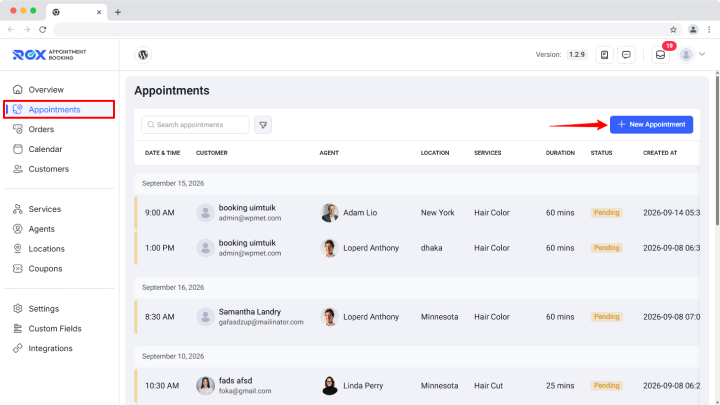
But, there’s one thing you need to keep in mind. The free version supports only one staff member and managing multiple attorneys or business locations requires the Pro version. Thus, while it can work well for a solo attorney, a growing law firm will be forced to upgrade sooner than expected.
Strength:
- Low cost; the core WordPress plugin is affordable and free to start
- You can add specific questions to screen clients before they lock in a time using custom intake form
- Unlimited lawyers, attorneys and services
- Online payment via PayPal, WooCommerce and Stripe
- Google Calendar and Google Meet sync
Limitations:
- No case-management sync
- Built as a multi-purpose tool for salons, clinics, and consultants rather than a legal website
My Final Recommendation: Rox Appointment Booking is a reasonable choice for solo attorneys and budget conscious legal teams that want to start with a free booking plugin. But if you’re running a multi-attorney law firm, check the Pro plan’s costs and team management features before making your final decision (or consider BookingPress or the next plugin on the list).
3. LatePoint: Best For a Polished Booking Experience And Automation

| Score | 85/100 |
| Rating | 4.9/5 (104 reviews) on WordPress.org |
| Best For | Solo attorneys, growing law firms, consultants, salons, clinics, and service businesses that want a clean booking experience, multi-staff scheduling, and automation |
| Free Version | Yes, with core booking features—but it is more limited than it first appears. |
| Starting Price | $79/year for the first year on Starter (renews at $99/year) |
LatePoint is another WordPress booking plugin for law firms which is the best because of “its does what it says”.
In other words, its modern interface, guided booking flow, and automation features make it a powerful option for legal professionals who want to lower the back-and-forth involved in scheduling consultations.
When tested, what I particularly like about LatePoint is its step by step booking wizard. You never have to make your clients figure out a complicated booking form; it guides them through the process.
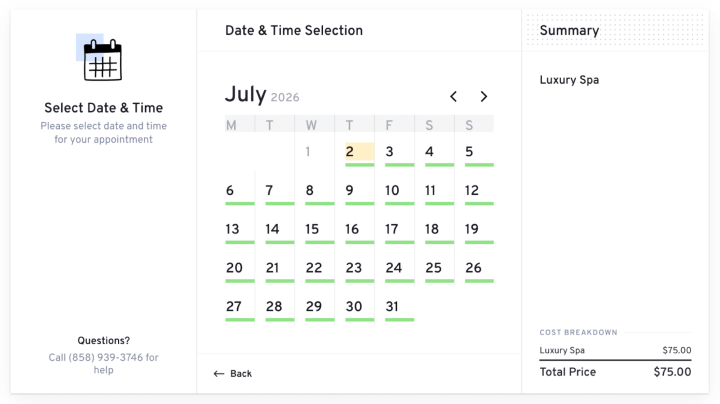
Best of all, you can simply customize the form, set your working hours, manage holidays, and let clients book appointments directly from your website. The free version also supports Stripe, PayPal, and Razorpay payments, along with manual payments for clients who prefer to pay later.
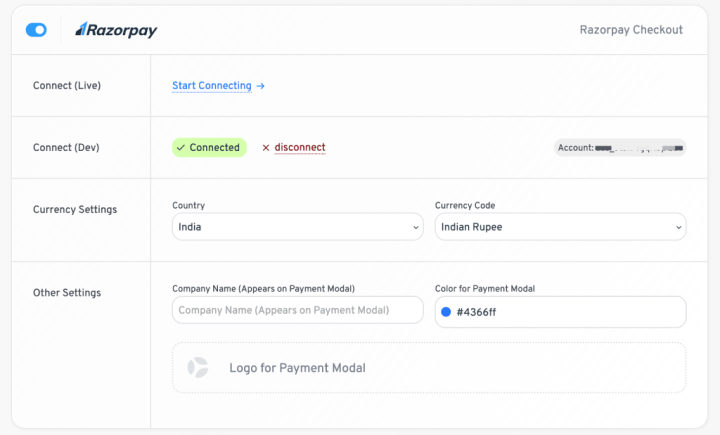
The automation features are where LatePoint becomes more interesting. As with its premium version, you can connect calendars, integrate Zoom, Google Meet, and Microsoft Teams, and send SMS or WhatsApp reminders. On top of that, you can also set up workflows and webhooks to connect your booking system with other applications.
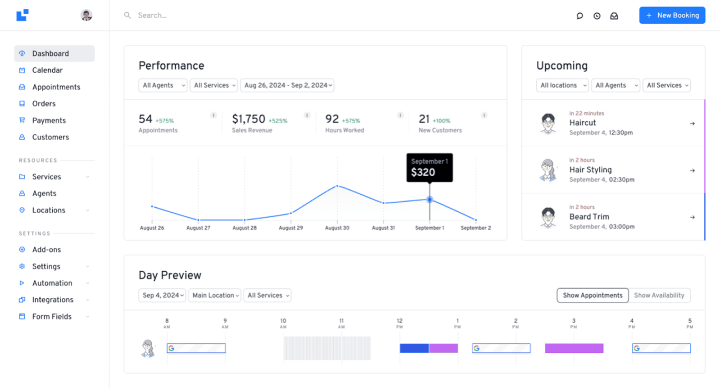
Yet sadly, not everything is available in the free version. Features such as multiple locations, advanced calendar synchronization, video meeting integrations and additional notification channels need a paid plan. Thus if your law firm has multiple attorneys or relies heavily on virtual consultations, plugins like BookingPress fits better.
Strengths:
- Modern booking interface that makes scheduling easier for clients
- Free version includes unlimited appointments and supports Stripe, PayPal, and Razorpay payments
- Advanced automation, calendar synchronization and video meeting integrations
- Custom booking fields and security and spam protection features
- Customer dashboard for managing appointments
Limitations:
- Advanced team scheduling and multiple locations needs the paid version
- Calendar and video meeting integrations are not all included in the free version.
- Firms that need more payment gateways, communication channels and automated workflows should check the paid plan carefully before investing money(Because BookingPress still offers more of these at a better price).
My Final Recommendation: LatePoint is a great option for legal consultancy that want a polished booking experience. The free version gives you a useful starting point, while the premium version adds automation and integrations that can save time as your practice grows. Just make sure you account for the paid features you’ll actually need
4. Bookingor: Best For Teams Considering Integrated Scheduling And Online Meetings
| Score | 82/100 |
| Rating | 5/5 (1 review) on WordPress.org |
| Best For | Small teams, consultants, coaches, and service businesses that want appointment scheduling with WooCommerce payments, Google Calendar syncing, and Zoom or Google Meet links. |
| Free Version | Yes, with core booking features but its real-world track record is very limited. |
| Starting Price | $50/year for 1 staff member; to use it for law firms, you need to opt for its Professional plan starting at $100/year for 5 staff members |
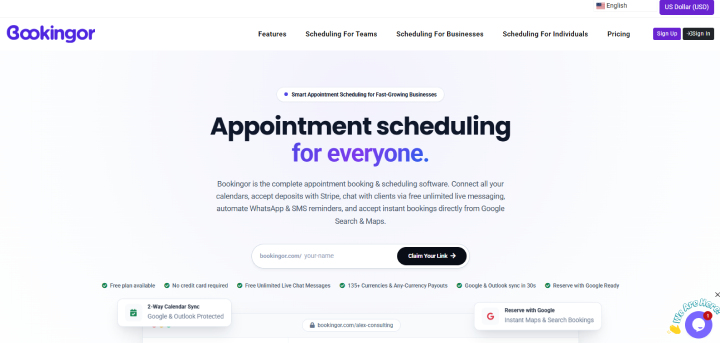
Bookingor is an interesting WordPress appointment scheduling software for legal firms that offer both in-person consultations and virtual appointments, and having tools for these in one place makes daily scheduling easier.
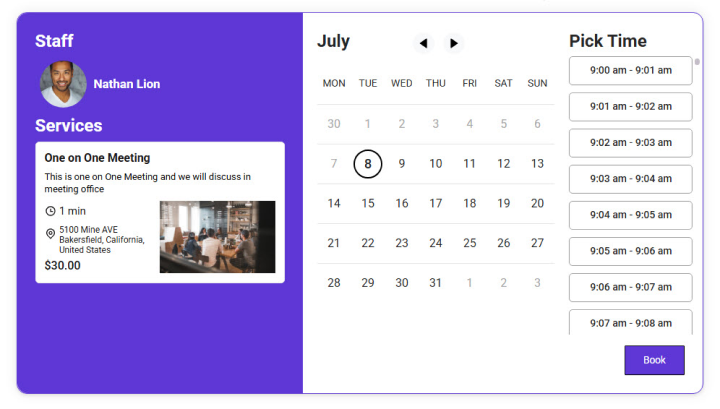
When I tested it next, one of the things that convinced me to rank it 4th is its support for multiple services, staff schedules, and locations. You can create different appointment types, define working hours, set buffer times between appointments and assign services to specific team members.
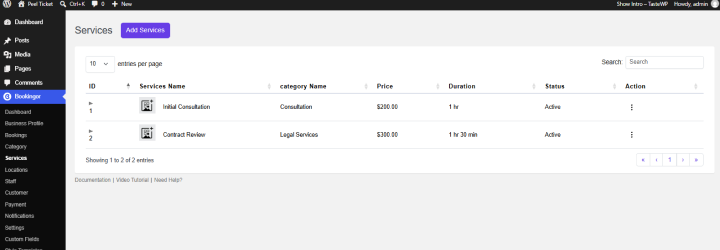
I also like that Bookingor offers a free plan. You can start with a single user account, one calendar and unlimited client bookings without paying upfront.
For law firms, this distinction matters. If you’re a solo attorney who mainly needs a simple way to accept appointment requests, the free plan may be enough to get started. But if you want several attorneys to manage their own schedules, accept deposits and coordinate online consultations, you’ll need to budget for an upgrade.
Strengths:
- Free plan with unlimited client bookings and a single-user setup
- Staff and location management for legal teams with more complex scheduling needs
- Stripe and PayPal payment integrations with full-payment and deposit.
- Calendar synchronization and Zoom or Google Meet integrations.
- Custom booking forms, automated email reminders and buffer times.
Limitations:
- The free plan doesn’t include staff accounts, which limits its usefulness for multi attorney law firms.
- You need a pro version for payment gateways like PayPal and Stripe.
- Limited reporting and analytics.
My Final Recommendation: Bookingor is worth considering if your law firm wants to combine scheduling, payments and online meetings. Also, the free plan is useful for testing the basics, but for multi attorney firms, you will need a paid plan – or just look at the next one.
5. MotoPress Appointment Booking: Best For a Free-First Setup
| Score | 80/100 |
| Rating | 4.5/5 (21 reviews) on WordPress.org |
| Best For | Solo attorneys, small firms, consultants, clinics, and service businesses that want to start with a genuinely useful free booking system and upgrade only when they need online payments, calendar sync, or video meetings |
| Free Version | Yes, with all core booking features and it is one of the most generous free versions in this comparison |
| Starting Price | $49/year for 1 site; for a legal service consultancy, you need to go for a Pro Bundle starting at $99/year |
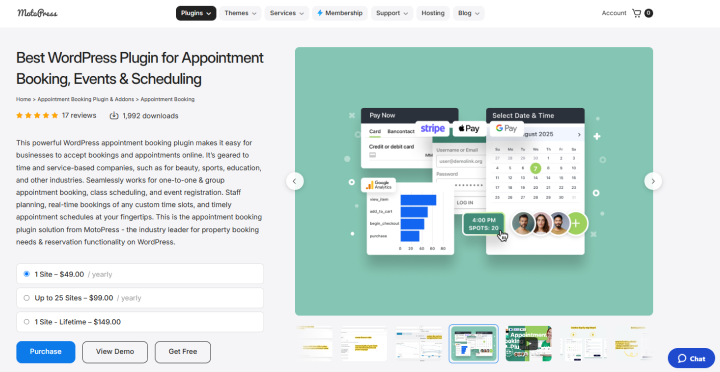
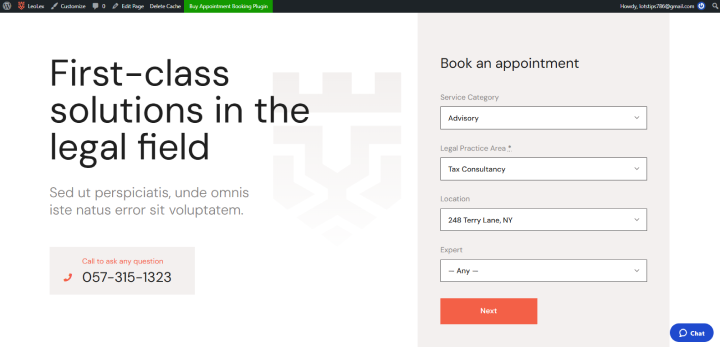
MotoPress Appointment Booking is worth a look if you want a dedicated WordPress appointment scheduling system that lets you organize services, staff availability and client bookings. Although it is marketed toward several service based industries, its scheduling model can also be a good-fit to legal consultants who accept appointments online.
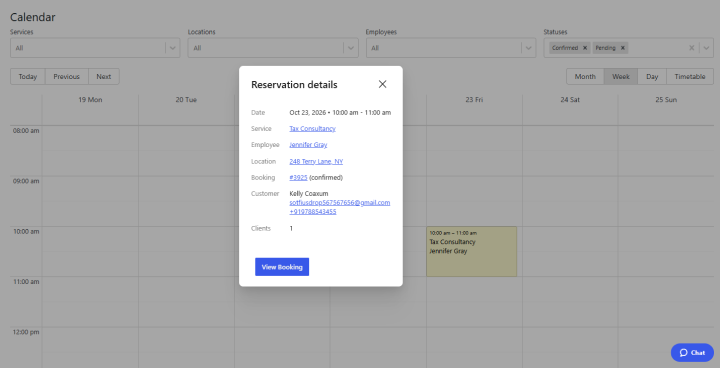
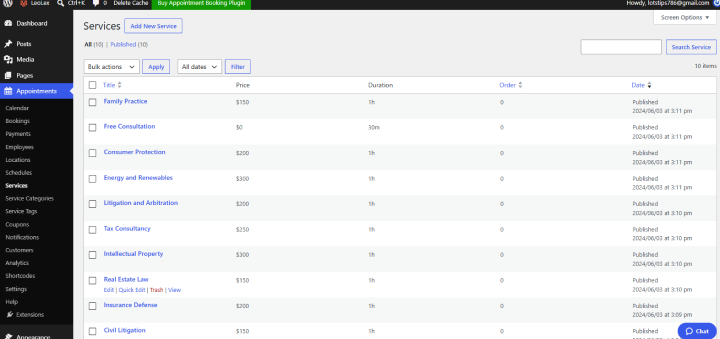
When I first logged in as an administrator, MotoPress gave me a highly visual, centralized space split into two primary areas: Accommodation and Bookings. In simple words, you get a clean color-coded dashboard calendar that looks way too much similar to a whiteboard showing all your rooms on the time slots on the left side and dates across the top.
I would pay more attention to the add-ons when evaluating MotoPress for a legal practice. The vendor lists separate extensions for features such as video conferencing, PDF invoices, additional payment options through WooCommerce, and SMS notifications. These can be useful, but they also affect the overall cost of running the booking system.
For instance, if your firm offers virtual consultations, you’ll want to check whether the video conferencing feature is included in the plan you’re buying or needs an additional purchase. The same applies to invoices and text reminders. The base price may look reasonable, but the final cost depends on the features you need.
Strengths:
- Generous free lite version
- Flexible payment options like PayPal, Stripe, Square and WooCommerce as well as deposit
- Clients can book distinct legal service types (e.g., family law consultation, real estate review, or corporate advisory
- Integrates nicely with all popular page builders
- Allows individual attorneys or paralegals to manage custom working hours, breaks, and buffer times
Limitations:
- Needs pro bundle for features like SMS alerts, Zoom integrations and PDF invoices
- No native mobile app
- Small community and install base compared to BookingPress and Bookly
My Final Recommendation: MotoPress Appointment Booking is worth considering. Setting it up is highly intuitive. The automated page creation means the moment you activate the plugin, it builds the checkout, confirmation, and search results pages for you. Yet the downside is its booking form. They look too plain right out of the box. Thus, you will need custom CSS tweaks to make it match your site.
Which WordPress Booking Plugin Is Best For Your Legal Practice?
| Your legal practice needs | Best plugin | Why it fits |
| A complete booking system with payments, intake forms, reminders, and integrations | BookingPress | Combines a broad range of booking features and premium add-ons in one package |
| A solo attorney looking to start with minimal upfront costs | Rox Appointment Booking | Offers a free starting point with essential scheduling features and payment option |
| A modern, polished booking experience with automation | LatePoint | Its guided booking flow and workflow automation help simplify consultation scheduling |
| A law firm offering both in-person and virtual consultations | Bookingor | Combines staff scheduling, multiple services, calendar synchronization, and online meeting integrations |
| A legal consultant who prefers a free-first setup | MotoPress Appointment Booking | Provides a dedicated appointment booking system, with additional features available through paid extensions or bundles |
| A multi-attorney firm managing different schedules and locations | BookingPress | Offers staff and location management alongside a wide range of scheduling and integration features |
| A firm that needs to collect client information safely before consultations | BookingPress | Its customizable intake forms and file-upload capabilities make it worth considering for pre consultation information collection |
Final Verdict
In a nutshell, these 5 are the best WordPress booking plugins for law firms and legal consultants here. Choosing the right one now depends completely on how your firm works, your number of team members, services and, most importantly, budget.
If you’d ask me, BookingPress is my top recommendation for all legal and law consultancies, and for good reasons. For personally testing on a WordPress staffing site, I can say its user interface is among one of the best. Plus, you get a solid combination of features without paying extra.
Overall, if you want reliable appointment scheduling software for lawyers which let your clients easily book your attorney appointments, then BookingPress is trusted by over 100,000 businesses worldwide with a solid rating of 4.5/5 stars on many platforms.
Related articles:
- 6 Best Website Builders for Lawyers Compared 2025
- How to Create a Lawyer Appointment Website with WordPress
- How Online Booking Plugin will Help Legal Consultant Firms
FAQs
BookingPress is the best WordPress booking plugin for law firms and legal consultants who want to accept appointments online, right from their websites. Packed with 60+ premium addons and a surprisingly simplicity, it turns your simple business site into a complete legal appointment scheduling software.
Yes, with ease because appointment booking plugins like BookingPress comes with 22+ payment gateways natively, so you can easily accept paid consultation in full or deposit payments.
A law firm appointment booking form should collect important client details to keep the process fast and simple. You can ask for basic contact details, matter type and practice area using a dropdown list, a brief case description, and file upload field if any files they want to upload.
No, a WordPress booking plugin doesn’t replace a legal practice management software because most of them are built only to manage the booking part of your business like show real-time availability, capture details via form, payment collection and automated reminders. Meanwhile a legal practice management software may have features like case management, e-signature, billable hour tracking and more.
Here are the best appointment scheduling software for solar attorneys and lawyers:
– BookingPress Lite
– LatePoint
– Rox Appointment Booking


 14-day money-back guarantee