Accepting payments for online appointments is easy thanks to powerful payment processors and integrations for WordPress. On the other hand, not every booking plugin gives you a list of local gateways extensive enough to cover your regional payment requirements.
WooCommerce, the top used e-commerce plugin for WordPress, helps you meet any needs related to using:
- Exclusive regional payment processors and gateways.
- Wallets and buy-now-pay-later tools.
- In-person payment solutions.
- Crypto payments.
Having WooCommerce integrated with your booking and appointment WordPress plugin ensures you can cater to the specific payment preferences of your local clientele. Of course, with top-notch security, design, and extra e-commerce features delivered by WooCommerce.
But which WordPress plugins are the best at handling WooCommerce integration and empowering your service business or booking website on WordPress? Let’s discover them in our write-up today.
TL;DR: After comparing the leading WooCommerce booking plugins based on features, WooCommerce compatibility, pricing, ease of use and user ratings, BookingPress is our best overall option for most WooCommerce service businesses. It comes loaded with a set of 60+ premium addons along with powerful appointment scheduling, built-in WooCommerce support, 21+ payment gateways and multiple marketing tools.
Quick Comparison: Best WooCommerce Booking Plugins
Before going to know each plugin, let’s take a quick glance at some of the best WooCommerce appointment booking plugins.
| Rank | Plugin | WooCommerce Integration | Starting Price | Rating | Best For |
| 🥇 | BookingPress | ✅ | Free / $89 year | ⭐ 4.6 | All-in-one booking & appointment system |
| 🥈 | PluginHive | ✅ | $149 year | ⭐ 4.9 | WooCommerce focused booking stores |
| 🥉 | Bookly Pro | ✅ | $49 year | ⭐ 4.4 | Service based businesses needing flexibility |
| 4 | FluentBooking | ✅ | $79/Year | ⭐ 4.7 | Deep Fluent ecosystem integrations |
| 5 | WooCommerce Bookings | ✅ | $249 year | ⭐ 2.7 | Stores needing official Woo support |
| 6 | WooCommerce Product Options | ✅ | $149/Year | ⭐ 4.8 | Customize WooCommerce products |
| 7 | MotoPress | ✅ (Add-on $79) | $49 year | ⭐ 4.4 | Salons & spa appointment sites |
| 8 | YITH Booking | ✅ | $249.99 year | ⭐ 4.4 | Rental or hourly service scheduling |
| 9 | Bookings for WooCommerce | ✅ | Free / $79 year | ⭐ 4.4 | Businesses that need flexible scheduling |
Still comparing your options? WooCommerce isn’t the only way to build an online booking website. If you’re still deciding which solution fits your business, compare the best WordPress booking plugins across different industries, features, and pricing.
👉 Read: Top WordPress Appointment Booking Plugins (2026)
How We Tested And Reviewed Best WooCommerce Booking Plugins
The best WooCommerce booking plugins is definitely not a new topic to explore. But looking for WooCommerce plugins which are actually best…. and specialised for WooCommerce was the real challenge for our team yet we still tackled it as always and came up with this list.
So here are the factors we tested and reviewed before sorting the best of the best WooCommerce booking plugins:
WooCommerce Integration & Compatibility
We’ve made sure the appointment booking plugins work smoothly with the core WooCommerce, plus any typical extensions/stores workflows as well.
Feature Completeness
We picked up the booking & appointment plugin for woocommerce which is loaded with booking features. Such as various booking types, resource/staff management, dynamic pricing, calendar sync, extra add-ons, etc.
Ease Of Use
We make sure it is super easy to use for everyone. Further, a plugin which is easy to use is also good for beginners.
Pricing Model
The price of your selected WooCommerce appointment plugin matters as it must be worth the investment and value.
Ratings & Reviews
What do actual users and independent reviewers say?
This question matters more than you think. So we always check reviews and ratings before sorting them out.
That being said, you can also consider these factors when choosing your own “Best” WooCommerce booking plugin. So without any further ado, let’s dive in and review each and every booking & appointment plugin for WooCommerce.
Looking for an Appointment Booking Plugin Instead? Not every business needs a full WooCommerce store. If you simply want customers to book appointments online, compare the best WordPress appointment booking plugins to find the right solution for your business.
👉 Recommended Reading: 12 Best WordPress Booking Plugins Compared (2026)
Top 9 WooCommerce Booking Plugins For 2026 (Reviewed)
1. BookingPress
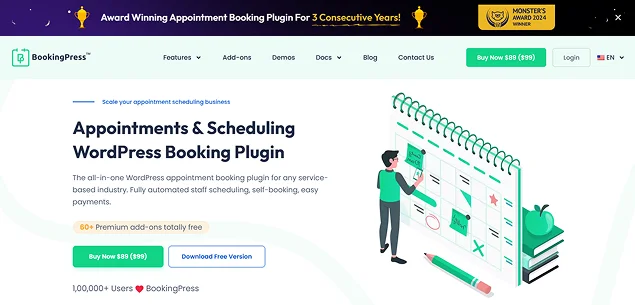
Best For: Salons, spas, consultants, coaches, healthcare clinics, fitness studios, educators and growing service businesses looking for an all-in-one WooCommerce booking system.
BookingPress has developed a range of extensions that go beyond appointment scheduling automation. It allows you to transform your business marketing and earn more with every booking offering tools like online tipping, selling extras, flexible appointment durations, ‘happy hours’ discounts, and others.
Best of all, it already comes with built-in WooCommerce support and POS system support alongside 21+ payment gateways. In short, BookingPress covers all the robust features which we checklisted for being the best WooCommerce booking plugin.
Thus, it is an all-in-one WooCommerce booking and appointment system packed with advanced features, payment gateways, third party integrations and addons.
Standout Features:
- Automated staff management.
- Unlimited Appointments.
- Smooth two-way sync of bookings across Apple, Google and Outlook calendars.
- Built-in WooCommerce integrations.
- Built-in 21+ online payment gateways.
- Create Packages of Multiple Services.
- Centralized analytics dashboard.
- Group Appointments and Taxify Bookings.
- Over 60+ premium addons.
- Smooth integrations with Mailchimp, AWeber, Zoom meeting, WhatsApp, Google Meet, Zapier, and more.
Pros:
- Built in WooCommerce integration
- 21+ payment gateways
- 60+ premium add-ons included
- Beginner friendly interface
Cons:
- Some advanced features needs the Pro version
- Beginners will need a bit time to explore all addons
Price:
- Free plan is available.
- The paid plan starts from $89/Year
Ratings : 4.6/5 (wordpress.org)
2. WooCommerce Bookings and Appointments
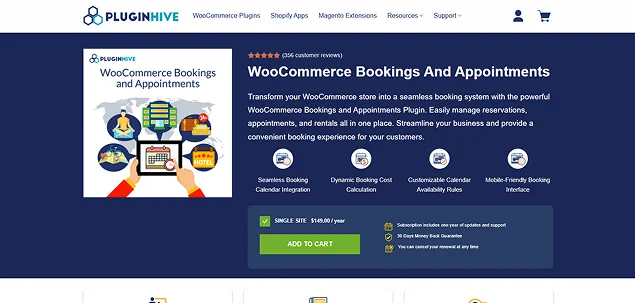
Best For: WooCommerce first stores, rental businesses, equipment bookings, tour operators and businesses that need advanced booking rules.
With PluginHive – WooCommerce Bookings and Appointments, you can easily transform your WooCommerce store into a seamless WooCommerce booking system.
With this plugin, you can accept partial payments or deposits for bookings. Plus, it allows you to create staff profiles, set their schedules, and calculate costs as well based on their availability.
As you see, it’s a dedicated solution for WooCommerce appointments and bookings that smoothly works with WooCommerce.
Standout Features:
- Automated staff and resource management.
- Flexible booking duration.
- Smooth two-way calendar sync.
- Customizable availability and pricing rules.
- Group appointments and participant pricing.
- Built-in WooCommerce support.
- Send automated emails for confirmation, cancellation and more.
- Dynamic total Booking Cost calculation.
- Sync Booking Calendars between Multiple Products in your store.
Pros:
- Smooth WooCommerce ecosystem
- Flexible scheduling
- Dynamic pricing
- Sync with popular calendars
Cons:
- Expensive compared to BookingPress
- Complex setup
Price: Starting from $149/Year
Ratings : 4.9/5 (pluginhive.com)
3. Bookly Pro
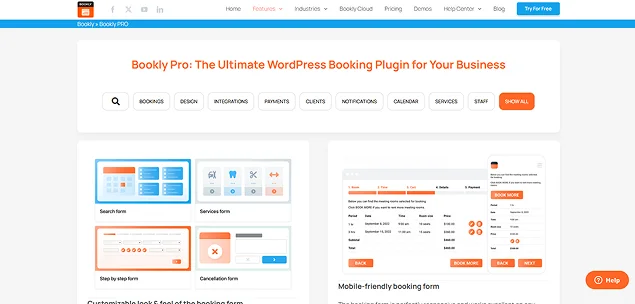
Best For: Freelancers, consultants, beauty professionals, therapists, tutors and service businesses that want completely customizable booking forms.
Bookly Pro is a multipurpose booking plugin for service businesses that creates a handy and intuitive, fully mobile-friendly booking form.
Furthermore, clients can easily choose their service, place, and time. And later pay online with the pre-integrated gateways or ones accessible via WooCommerce.
Best of all, it comes with a wide range of addons such as Group Booking, Stripe, Service Extras, Service Schedule, Advanced Google Calendar and so much more.
Standout Features:
- Highly customizable booking forms.
- Easy to create and manage unlimited booking forms.
- Unlimited staff and services.
- Group appointments.
- Automated email, SMS and WhatsApp notifications.
- Easy two way calendar sync with Google Calendar and Outlook Calendar.
- Built-in WooCommerce integrations.
- Centralized analytics dashboard.
Pros:
- Highly customizable
- Native mobile apps
- Over 40 addons
- Mobile friendly
Cons:
- Addon dependency
- Set up got a bit of learning curve
- Buying multiple addons separately can quickly get expensive
Price: Bookly Pro starting at just $49.00/year.
Ratings : 4.4/5 (wordpress.org)
4. FluentBooking

Best For: Agencies, consultants, coaches, SaaS businesses and teams already using the Fluent ecosystem (FluentCRM and Fluent Forms)
FluentBooking is one of the popular appointment scheduling plugins for WooCommerce. You can easily connect your FluentBooking calendars with WooCommerce Products to get a wide range of WooCommerce payment gateways.
Furthermore, it also lets you offer coupons, and enable taxes. In short, you can do pretty much everything related to payments using FluentBooking + WooCommerce
Standout Features:
- Unlimited calendars and hosts
- Deeply integrates with Fluent Forms and FluentCRM
- Online payment via Stripe or PayPal
- Native WooCommerce checkout
- Deep marketing automation
- Two-way sync with Google, Apple and Outlook calendars
- Integrates with platforms like Zoom, Google Meet, and Microsoft Teams
- Team and round-robin scheduling
- Clean user interface
Pros:
- Native Fluent ecosystem integrations
- Round robin scheduling
- Built-in automations
Cons:
- Can’t manage recurring appointments or multi-day hotel stays
- No native waiting lists
Price:
- Free version is available in the WordPress plugin directory
- The premium plan starts from $79/Year
Ratings: 4.7/5 (wordpress.org)
5. WooCommerce Bookings
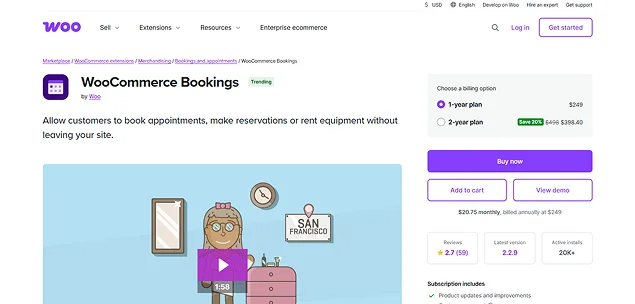
Best For: Established WooCommerce stores, enterprise businesses, and merchants wanting the official WooCommerce booking extension.
The WooCommerce Bookings is sold on the WooCommerce marketplace as a dedicated addon of WooCommerce.
All you need for taking and controlling bookings is packaged, including availability calendars, diverse price management for group appointments and individuals, and of course, payments, cancellations, and confirmations done with ease.
Standout Features:
- Flexible booking duration.
- Time zone support.
- Easy booking confirmation and cancellation.
- Deep WooCommerce integration
- Send automated email notifications.
- Add buffer time and padding time.
- Advanced pricing rules.
- One-way sync with Google Calendar.
- Super easy integration with other first party WooCommerce extensions and addons.
Pros:
- Native WooCommerce integration
- Official extension
- Dynamic pricing
Cons:
- Most expensive plugin on this list
- Interface feels too basic
- Lacks advanced features like multi-staff login permissions
Price: WooCommerce Bookings is a premium extension by Woo starting at $249/year.
Ratings : 2.7/5 (woocommerce.com)
6. WooCommerce Product Options
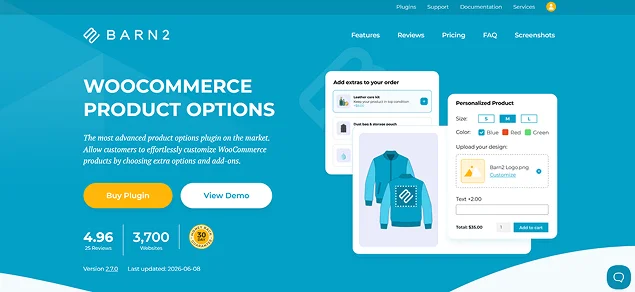
Best For: WooCommerce stores that need simple date based bookings, product customization, rentals and event registrations, not a complete booking system..
The easiest way to integrate bookings and appointments into your WooCommerce store is with the WooCommerce Product Options plugin. This plugin provides a simple, efficient solution to make any product bookable without a complex setup.
It simply turns your WooCommerce products into bookable items. And its intuitive interface makes it so much easier for all store owners to add booking options..
Standout Features:
- Add a calendar field to any product or variation for date and time selection.
- Disable past or future dates to allow bookings only on available days.
- Add extra fees for selected dates.
- Mark the current day as unavailable.
- Block specific weekdays like weekends
- Make the date field required.
- Set minimum and maximum booking dates.
Pros:
- Dynamic pricing
- Easy to collect specific data
- Advanced conditional logic
- Better customization
Cons:
- Giving customers too many choices can increase cart abandonment
- May face compatibility issues
- Slows down page loading speed
Pricing: WooCommerce Product Option plugin starts from $149/year for 1 site plan.
Ratings: 4.8/5 (trustpilot.com)
7. MotoPress Appointment Booking
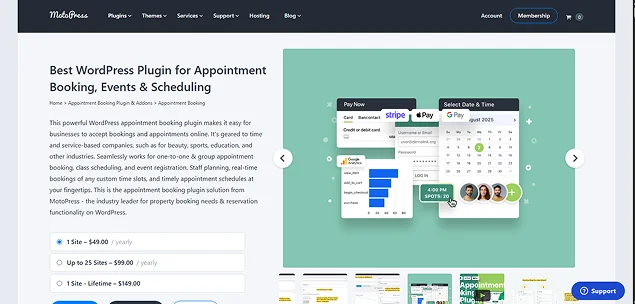
Best For: Salons, spas, wellness centers, healthcare clinics, beauty professionals and local service businesses
If you’re looking to manage daily bookings for appointments for salons or spas, this WordPress plugin is a great choice. Setting up seasonal pricing, creating availability calendars, and running your business online is so much easier with it and needs zero coding.
Furthermore, you can also add more payment options through a paid WooCommerce extension.
Standout Features:
- Highly customizable forms.
- Centralized booking calendar.
- Easy staff management.
- Service customization and group booking.
- Automated email and SMS notifications.
- Accept Payments Online or On-site, Full or Partial.
- Seamlessly works with Google Calendar, Apple Calendar, Outlook Calendar, and Yahoo Calendar.
- Built-in analytics dashboard.
Pros:
- Feature rich free version
- Multi-step customer flow
- Native WooCommerce checkout
- Supports Zoom, Goof Meet, SMS reminders and more via Addons
Cons:
- Needs separate paid addons for basic features like SMS and Google Calendar sync
- Learning curve on admin side
- Smaller active user base (Around 2000+ active users only)
Price: MotoPress appointment Booking plugin starts from $49/year + $79/year addon for WooCommerce.
Ratings : 4.4/5 (wordpress.org)
8. YITH Booking and Appointment for WooCommerce
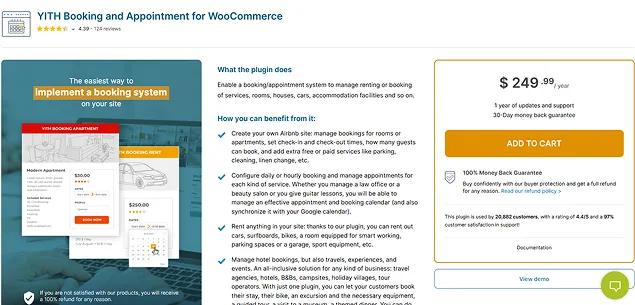
Best For: Vacation rentals, hotels, holiday homes, equipment rentals, event venues and business owners who want to manage hourly or daily bookings.
Rent out apartments or offer online service scheduling with YITH Booking and Appointment for WooCommerce. It has all the tools you need, such as the ability to set the booking duration, by months, days, hours, or minutes.
Standout Features:
- Multiple pricing methods.
- Advanced pricing rules.
- Last minute discounts.
- Flexible booking durations.
- Create unlimited services, free or with a fee.
- Easy to create custom search forms.
- Built-in calendar and auto-sync with services like Booking, Airbnb and Homeaway.
- Discounts for group bookings.
- Smooth integration with Google Calendar.
Pros:
- Multiple scheduling formats
- Dynamic pricing
- Resource assignment
- Two-way syncs with Google Calendar and iCal that syncs with Airbnb and Booking.com
Cons:
- Expensive (Same cost as WooCommerce Bookings)
- Dashboard maybe overwhelming for beginners
- Overkill for simple booking needs
Price: Starts from $249.99/year
Ratings : 4.4/5 (yithemes.com)
9. Bookings for WooCommerce
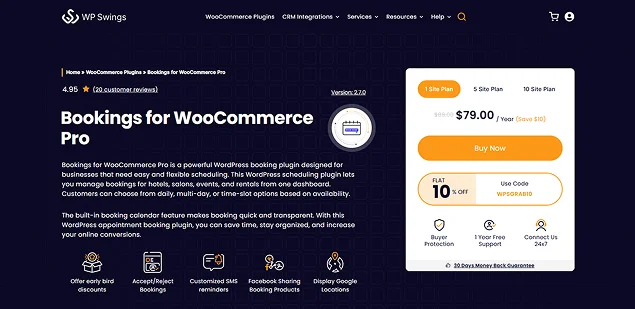
Best For: Small businesses, service providers, rental companies and businesses who want flexible scheduling with Google Calendar integration
With this WooCommerce appointment plugin, you can toggle between Single or Dual Calendar for appointments. As for its features, it offers the flexibility that every service business needs.
Such as receiving overdue reimbursements, determining in advance the maximum amount of bookings that can be made, send reminder emails and SMS, setting different service prices for different dates, and other great solutions.
Standout Features:
- Flexible time slots.
- Customizable calendar view.
- Powerful two-way sync with Google Calendar, Airbnb, and Booking.com.
- Dynamic pricing.
- Automatically send notifications via email or SMS.
- Order management.
- Custom booking fields.
- Easy Rescheduling and cancellations.
Pros:
- Integrates with other WP Swing tools like Subscriptions, Wallet Systems and Gift Cards
- Advanced booking management
- Built-in features like early bird discount, custom booking form fields, and extra booking fee per product.
Cons:
- Most of all powerful features needs pro version
- No built-in Zoom or Calendar sync
- Complex to set up for beginners
Price:
- Free version is available.
- Paid Plans starting from $79/year.
Ratings : 4.4/5 (wordpress.org)
Final Thoughts
WooCommerce is a long-standing symbol of the power of WordPress e-commerce capabilities. When you need to implement it within any business using bookings and appointment plugins, you have a great choice of solutions and integrations.
WooCommerce add-ons and Woocommerce themes often provide deeper integration and inherit more settings directly from WooCommerce. At the same time, standard booking plugins typically focus on integrating WooCommerce’s checkout pages and payment gateways into your website.
So, choose your WooCommerce Booking plugins now and start taking appointments right away!
You May Also Like:
- How to Create Booking Management Account for Every Employee
- How to Manage Bookings During Peak Demand
- How to Manage Appointments for Multiple Business Locations
FAQs
WooCommerce does not have a booking system in-built, but you can easily get it by installing its official WooCommerce Bookings extension which costs $249/Year. If that sounds out of budget, you can always go for other WooCommerce booking plugins like BookingPress and YITH Booking and Appointment for WooCommerce.
BookingPress is the best booking plugin for WordPress due to its massive library of 60+ premium addons that comes at no extra cost.
Here are the best plugins for WooCommerce:
– BookingPress
– WooCommerce Bookings
– YITH Booking and Appointment for WooCommerce
WooCommerce Bookings is an official extension by Woo that allows your customers to book appointments, make reservations or rent equipment directly from your WooCommerce store.
No, the WooCommerce bookings extension is not free and costs $249/Year.
Yes, the BookingPress WordPress booking plugin has a free Lite version which is completely free to download and use. BookingPress Lite lets you accept endless appointments, customize your booking form with extensive styling options and accept online payments security via PayPal.
There are many free WordPress plugins for managing appointment bookings such as BookingPress Lite, FluentBooking and MotoPress Appointment Booking that lets you accept online bookings 24/7.

 14-day money-back guarantee