

Running a salon is already busy. Managing appointments shouldn’t make it harder.
If you’re looking for the best salon booking plugin for WordPress, you’re in the right place.
More salon owners are moving away from manual bookings, and it’s easy to understand why.
Phone calls, missed appointments, scheduling conflicts and back and forth messages can get frustrating real quick. A proper WordPress salon booking system lets you automate appointments, manage availability and give customers an easier way to book – A clear win-win for both!
We reviewed over 20 top salon booking plugins for WordPress and shortlisted the 5 options that actually deliver what they claim.
Not just on paper, but on ease of use, pricing, booking flexibility, and how well they fit real salon workflows.
Each plugin has something different to offer. Browse through the list and find the one that fits your salon’s needs.
TL;DR: After evaluating over 20 WordPress salon booking systems, BookingPress is the best salon booking plugin for WordPress. It strikes a perfect balance between user friendliness and advanced features including appointment scheduling, staff management, online payments, automated reminders and salon specific upselling features, all in one place.
Quick Comparison: Top WordPress Appointment Booking Plugins For Salons
Don’t have time to read the full article? No worries! Here’s a quick look of our top 5 best WordPress appointment and booking plugins for salons:
| Rank | Plugin | Best For | Free Version | Starting Price |
| 🥇 | BookingPress | Best Overall Salon Booking Plugin | Yes | $89/Year |
| 🥈 | Salon Booking System | Best Dedicated Salon Solution | Yes | €89/Year |
| 🥉 | MotoPress Appointment Booking | Best for Flexible Scheduling | Yes | $49/Year |
| 4 | LatePoint | Best Modern Booking Experience | Yes (Limited) | $99/Year |
| 5 | WooCommerce Bookings | Best for WooCommerce-Based Salons | No | $124.50/Year |
Benefits Of Using A WordPress Salon Booking Plugin
Running a busy salon means every minute counts, and frankly, relying on old-school phone calls to manage your front desk is a recipe for missed opportunities.
Here is how upgrading your salon business website with a dedicated WordPress booking solution like BookingPress or Salon Booking System actually grows your business:
1. 24/7 Convenience For Your Clients
Data from SchedulingKit reveals that 40% of all online bookings happen after standard business hours. In fact, up to 48% of customers have actively switched service providers specifically due to a poor, clunky or telephone-only booking experience
It means, these days, customers don’t want to wait until you open to call for an appointment.
A booking plugin offers a round-the-clock, mobile-friendly scheduling experience. Clients can see exactly when their favorite stylist is free, pick their desired service, and lock it in without ever picking up the phone
The fun fact? It isn’t just for younger crowds or Gen Zs. While 99% of Millennials have booked or would book appointments online, 87% of Baby Boomers also explicitly want self service digital scheduling options.
2. Fewer No-Shows With Automated Reminders
Let’s face it: people forget appointments.
And because they simply forget, you lose your revenue.
With a top tier salon booking plugin for WordPress, you can set up automated email, SMS or WhatsApp reminders that go out to your clients automatically. It’s a polite nudge that actually cuts down on empty chairs and loses revenue.
3. Effortless Staff And Calendar Management
Trying to coordinate multiple stylists, varying shifts and different service duration manually is seriously a headache, whose cure is a smart salon booking system plugin.
It helps you assign services, manage staff calendars and avoid scheduling conflicts. Plus, it also avoids double booking and ensures a customer is only assigned to a staff member who’s actually available.
4. Improve Customer Experience
The first impression is the last impression.
A smooth booking process creates a better first impression.
Having a branded booking form on your website makes you look more modern, shine in the crowd and give customers ease of booking.
5. Secure Payments And Deposits
You can take control of your cash flow by simply making full or partial payments mandatory during the time of online booking.
Most expert level plugins integrate smoothly with popular payment gateways like PayPal, Stripe and WooCommerce. This locks in the client’s commitment and speeds up your day to day transactions.
6. Smart Customer & Marketing Insights
Having a salon booking plugin for WordPress acts like a digital filling cabinet.
It stores the client’s history, preferences and visit patterns. These plugins act like digital filing cabinets. So you can easily segment this data to build up email lists, send out promotional offers and encourage clients to leave positive reviews.
How I Tested & Ranked The WordPress Salon Booking Plugins
To put together this list of top 5 WordPress appointment booking plugins for salon, I tested and compared over 20 WordPress salon booking systems and plugins based on the features that matter most for real salon businesses.
I checked how well each plugin works in real world situations – from managing appointments to improving the customer booking experience.
Thus before recommending any salon booking system plugin, here’s what I considered:
- Ease of use: A salon booking plugin should make your work easier, never the other way around. Thus I simply checked how simple it is to set up services, create schedules, manage calendars and handle daily bookings, even if you’re a beginner or newbie to WordPress.
- Booking and scheduling features: Before recommending any WordPress booking plugins, whether it be for salon, spa or healthcare, I always looked at important features such as online appointment booking, service selection, staff availability, appointment reminders, recurring bookings and calendar management.
- Payment and integration: I handpicked only those plugins that have popular payment gateways and integrations growing businesses.
- Salon specific features: Since salons have unique needs, thus I made sure the plugin has advanced employee management, multiple services, working hours, buffers between appointments and customer details.
- Customization and user experience: Also, I made sure the plugin gives you enough control over your booking forms, calendars, layouts and customer facing pages so you can give a smooth client experience.
- Mobile experience: Many customers book appointments from their smartphones, be it iPhone or Android. So don’t worry as all the plugins reviewed and recommended here are fully responsive.
- Pricing and overall value: At last, one of the 3 big factors a salon considers when picking a salon booking system for WordPress is – Budget! Now, every salon is gonna have a different budget, so the thing I made sure of is to compare their pricing plans, check available features and whether the plugin is worth the money for salon owners.
To get you on the right foot, here’s how I shortlisted and ranked these plugins:
| Criteria | Weight |
| Ease of Use | 20% |
| Scheduling Features | 20% |
| Payment Options | 15% |
| Staff Management | 15% |
| Customization | 10% |
| Mobile Experience | 10% |
| Pricing | 10% |
That being said, here are our top recommended best salon booking plugins for WordPress.
The 5 Best Salon Booking Plugins For WordPress (Ranked)
1. BookingPress
| Best For | All service businesses including hair salons, barber shops, and more. |
| Free version | Yes, with all essential features |
| Starting Price | $89/Year |
| Active Installs | 100,000+ |
| Rating | 4.8/5 Stars |
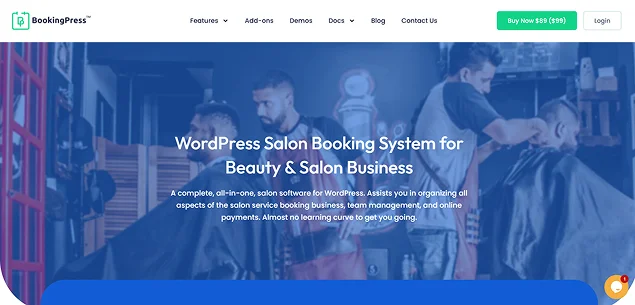
BookingPress is one of the most complete, all-in-one WordPress salon appointment booking plugins I tested. Its’ dashboard feels modern, the booking flow is smooth, and the plugin is clearly built to assist you in organizing all aspects of the salon service booking business, team management, and online payments.
A big advantage is its flexible booking rules. You can easily accept one-to-one appointments, group sessions, and accept & add bookings manually. Features like coupon, tax, invoice, staff management and 60+ other premium addons can be enabled in just one click from BookingPress, so your user interface is filled with only features you need.
If you’re facing high no-rates, BookingPress also fixes it by letting you send automatic notifications via Email, SMS, WhatsApp and Telegram. And best of all, you can personalise these automated messages – so they don’t sound like robots – by using placeholders to add customers first name, appointment details, and more.
Moreover, it lets you upsell by adding Services Extra along with the main ones. For example, your main service is “Hair Cut”, then:
- Blow Dry
- Hair Wash
- Deep conditioning treatments
And more, can be your extra services which customers can add in just one click.
This alone makes BookingPress an excellent fit for growing beauty businesses including hair salons, barber shops, nail salons, beauty workshops and skin care treatments salons that want a premium booking experience with solid long term value.
Key Features:
- Centralized analytics dashboard
- On-site and Online payment, full or deposit, via 20+ payment gateways + Stripe POS System
- Automatic notifications via Email, SMS, WhatsApp and Telegram
- Drag and drop booking form builder with custom fields
- Two way sync bookings via Google Calendar, Outlook Calendar and iCal
- Advanced multi-staff and multi-location management
- Detailed reports for business insights
- Tax calculations
- Dynamic discounts and coupons
- Happy hour pricing
| Pros | Cons |
| Access to 60+ premium add-ons without hidden extra fees | No direct complex group seating maps |
| Native regional payment gateways without needing a complex WooCommerce setup | Advanced features require the Pro plan |
| Salon upselling with Service Extras, online tipping, and gift cards | |
| Create bundled service packages to increase revenue | |
| Stylists and technicians get customized back-end panels to manage shifts | |
| Omnichannel notifications to avoid missed updates | |
| Generous free plan with unlimited services and bookings |
My Verdict: It’s my top pick overall because it makes managing appointments and bookings for salons simple, no matter whether you’re running a small local salon or offering one-on-one premium sessions. It has everything you need to set up unlimited services, control availability, accept payments and keep all your appointments organized.
In a nutshell, BookingPress Is Best For
- Hair salons
- Beauty salons
- Nail studios
- Multi-location businesses
However, avoid BookingPress if:
- You only need simple bookings
- You want a completely free solution
2. Salon Booking System
| Best For | Salons, beauty businesses, and barber shops that need dedicated appointment booking features. |
| Free version | Yes, with essential booking features. |
| Starting Price | 89 €/Year (Approx. 103.35/Year) |
| Active Installs | 3000+ |
| Rating | 4.4/5 Stars |
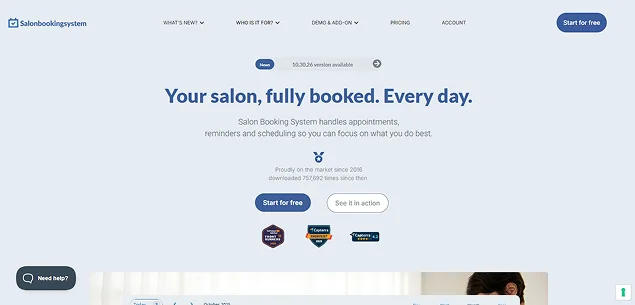
The next salon appointment booking software I tested, and immediately caught my eyes, is Salon Booking System.
It’s one of the best WordPress appointment booking plugins for salons that want a dedicated tool designed just for their needs. You don’t have to “force” your salon business model into generic fields. It handles things like secondary or exclusive services natively, and also assistant matching.
Features like multi-language translation support comes right out of the box (Working smoothly with tools like LocoTranslate or WPML), making it a top pick for the European and global market.
Digging a little deeper into this, Salon Booking System’s backend is truly intuitive. Detailed analytics and built-in graphing tools are included to track reservation trends, popular assistants and top customers over selected time or date range.
The only downside I noticed so far, which is worth mentioning, is while perfect for single location shops, scaling to complex multi location needs purchasing high-tier paid plans, which gets pretty expensive (unless you have a very good budget, of course)
Key Features:
- Flexible calendar view
- Advanced availability rules
- Service packages for discounted promotions
- Two way communication via email and SMS
- Service customization
- Staff member allocation
- Two way sync with Google Calendar
- Custom color palette generator for front end Booking form
- Multi-shops for centralizing booking across multiple salon branch
- WooCommerce checkout
| Pros | Cons |
| Built specifically for salon and beauty businesses. | Advanced multi-location features require higher tier plans. |
| Supports secondary services and assistant matching. | Can become expensive for growing salon chains. |
| Multi-language support for international businesses. | Limited compared to all in one plugins for non salon businesses. |
| Built-in analytics and customer insights. | |
| Flexible availability and booking rules. | |
| Service packages for promotional offers. | |
| WooCommerce checkout support. |
My Verdict: Salon Booking System is a great choice if you are running a down-street salon, beauty shop or barber business, and want a plugin designed around your workflow.
Its dedicated salon focused features, staff management and service customization make it an option worth giving a try.
Yet for growing or multi-shop salons that need more than a basic appointment feature, I’ll consider other options as well.
3. MotoPress Appointment Booking
| Best For | Beauty salons, spas, clinics, and service businesses that need flexible appointment scheduling. |
| Free version | Yes, with essential booking features |
| Starting Price | $49/Year |
| Active Installs | 2000+ |
| Rating | 4.5/5 Stars |
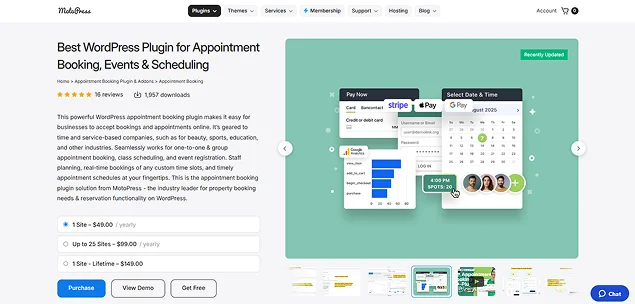
MotoPress Appointment Booking is a lightweight yet powerful WordPress booking plugin on this list. As long as I work around it, I can say it will work well for salons, spas, beauty businesses and other service-based industries.
What I liked most about MotoPress is that it keeps the booking process simple. Plus you get enough control over services, employees, schedules and payments. The interface feels good enough to work around, and setting up your salon services doesn’t need any complicated configuration.
You can create unlimited services, assign employees, set working schedules, add buffer times between appointments, and manage availability from one dashboard.
Another good point I noticed while testing it on my staging site is its flexible booking system. Customers can book single appointments or group sessions, select available time slots and even pay online via payment options. Although the payment options felt limited compared to BookingPress, yet I would say they might work for some.
Further into this, compared to some dedicated salon booking plugins like Salon Booking System, it focuses more on general appointment management rather than advanced salon specific tools such as gift cards or detailed upselling features.
Key Features
- Multi employee management
- Easy location scheduling
- Flexible booking wizard
- Online payment, full or despite, via Stripe, PayPal, Square, etc.
- Two-way sync with Google Calendar, Apple Calendar, Outlook and Yahoo
- Automated notification via Email and SMS
- Customer account and profile
- WooCommerce integration for more payment gateways
- Integration with Google Analytics
- One-on-one and group bookings
| Pros | Cons |
| Affordable pricing compared to many competitors. | Fewer salon specific features. |
| Easy setup and clean interface. | Advanced features needs premium version. |
| Supports multiple services and employees. | Limited marketing tools. |
| Flexible scheduling rules. | |
| Works well with Elementor and Gutenberg. | |
| Supports deposits and online payments. |
My Verdict: It is one of my top choices for salons that need a reliable and affordable booking system. Although it’s true that it’s more of a general WordPress appointment booking plugin, it covers all essential appointment needs like services, staff schedules, payments and customer management. Thus I can say it is ideal for small to medium sized beauty businesses.
4. LatePoint

| Best For | Service businesses that want a modern appointment booking experience with automation. |
| Free version | Yes, but limited. |
| Starting Price | $99/Year |
| Active Installs | 100,000+ |
| Rating | 4.6/5 Stars |
Looking for a modern WordPress appointment booking plugin? Then LatePoint is worth sparing a glance.
The first thing I noticed about LatePoint is its clean and user-friendly interface. The booking process feels more like a modern app which creates a smoother experience for customers.
Furthermore, you manage agents, services, locations, schedules and customer data, all from a simple dashboard. As a salon owner, you get to assign different employees to specific services, then let customers pick available time slots on real time availability.
However, while LatePoint offers a solid set of features, it is not the most beginner friendly option at first setup. When I installed it, I found the configuration process slightly complex compared to other plugins here.
Another drawback is that advanced capabilities depend on your plan which can increase the overall cost if you want a fully complete system. Its starter plan costs $99, but as I said, if you want a complete salon booking system for more than 1 site, the cost easily jumps to $249 to $499 per year.
Although a free version is available, it is quite limited so most growing salons will likely need the premium version to unlock its real potential.
Key Features
- Mobile first client experience
- Stylish/Agent Dashboard
- Customizable booking form
- Automated email and SMS reminders
- Payment gateways like Stripe and PayPal
- Built-in tax and refund rules
- Dedicated customer portals
- Backend manual booking
- WordPress builder compatibility
- Apple Calendar, Google Calendar And Outlook Calendar Sync
| Pros | Cons |
| Modern and visually appealing booking interface. | Many advanced features require premium add-ons |
| Built-in customer management and appointment history | Initial setup can take some time for beginners |
| Strong automation and workflow tools | Costs can increase as additional extensions are added |
| Easy staff, service, and location management | Less generous out-of-the-box feature set than some all-in-one competitors |
| Smooth customer booking experience |
My Verdict: My Verdict: LatePoint is a solid option. The interface is intuitive, customer management is well organized and the booking flow feels good to go. Yet, beauty businesses that need extensive features from day one will find themselves relying on premium plans fairly quickly.
Plus, just so you know, while its SaaS-style dashboard is praised for simplicity, the backend completely overrides the traditional WordPress navigation. Thus if you are just like me who’s accustomed to the standard WordPress admin area, I’ll not recommend it.
Over all, this makes it a better fit for salons with room in their budget for future expansion.
5. WooCommerce Bookings
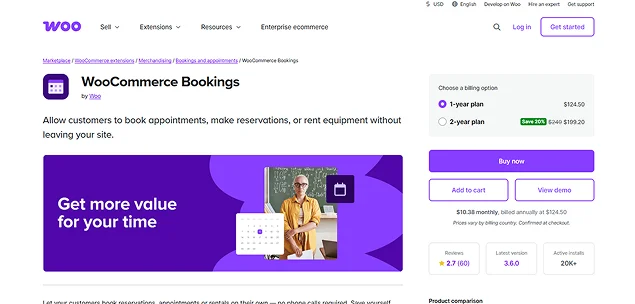
| Best For | Existing WooCommerce stores that want to add appointment booking functionality. |
| Free version | No |
| Starting Price | $124.50/Year (+ Paid Addons for deposit and upsell features costs $109.50/year + $39.50/Year) |
| Active Installs | 20,000+ |
| Rating | 4.3/5 Stars |
The official WooCommerce Bookings plugin is a powerhouse if your salon already uses WooCommerce.
Because it’s built directly into the WooCommerce ecosystem, your clients can book a haircut, buy their favorite shampoo and check out using local payment gateways – all in one cart.
Furthermore, you have complete control over your calendar. You can block out specific lunch hours, set buffer times between appointments for sanitation and set exact availability for each stylist. Even managing staff members is way easier than I thought.
During testing, it perfectly handled complex staff schedules, recurring services and product checkouts, though setting up stylish individual staff profiles needed some extra effort and customizations.
Another thing worth noting is the pricing. WooCommerce Bookings is one of the more expensive options on this list, especially when combined with other WooCommerce extensions that many salons eventually need for a complete booking setup.
Key Features:
- Staff and resource assignment
- Flexible time slots
- Automated notification via Email and SMS
- Google Calendar integration
- Custom buffer time
- Dynamic pricing based on day, time and number of people booking
- Product upsell at checkout ($39.50/Year extra for addon)
- Customer dashboard
- Take a despite via WooCommerce Deposits ($109.50/year extra just for deposits)
- Use AutomateWoo to help improve your customer’s experience
| Pros | Cons |
| Ideal for salons already using WooCommerce. | Significantly more expensive than most competitors. |
| Access to hundreds of WooCommerce integrations. | No free version available. |
| Supports product sales and service bookings together. | Requires additional plugins for many salon-specific features. |
| Flexible booking and availability rules. | More complex setup and maintenance. |
| Wide range of payment gateway options. | Costs can grow quickly with extra extensions. |
| Strong ecosystem and scalability. |
My Verdict: If your salon already sells products via WooCommerce, this plugin keeps everything under one roof. That said, its higher cost and reliance on extra extensions make it less appealing for businesses looking for a complete salon booking solution out of the box.
Final Thoughts : What Is The Best Salon Booking Plugin For WordPress?
In a nutshell, a salon booking plugin does much more than simply schedule appointments.
By getting the right salon booking software, you can lower your no shows, improve customer satisfaction, automate daily operations and ultimately increase revenue.
While all five plugins reviewed here can handle online appointments, BookingPress stands out as the most well rounded solution for most salon owners. Between its generous free version, extensive set of 60+ premium addons, multi staff management, flexible payment options, advanced notifications and salon upselling features, it offers exceptional value – never forcing you into a complicated setup.
That said, every salon is different.
Take a close look at your budget, number of staff members, services offered and future growth plans before making your decision.
Related articles:
- 7 WordPress Appointment Booking Plugins for Elementor
- 10 Best WordPress Membership Plugins
- 8 Best WordPress Affiliate Plugins for 2026 (Tested & Compared)
FAQs
BookingPress is the best booking system for hairdressers. It lets you create an endless number of appointments, services with 1 click upsell option, and multiple locations. You can accept on-site and online payment, full or deposit, via 20+ payment gateways.
You can create a salon booking website with ease, without any coding using WordPress appointment booking plugins for salons. BookingPress, Salon Booking System and WooCommerce Bookings are some of the best salon booking plugins for WordPress.
If you have a WordPress-based site, BookingPress and Salon Booking System are some of the best salon appointment booking software to manage all salon operations.
BookingPress is the easiest online booking software for salon staff to use. It lets you give your staff members, stylish or technician their own dedicated dashboard for managing individual appointments, schedules and client records.
Here are some of the best appointment scheduling software for salons:
– BookingPress
– Salon Booking System
– MotoPress Appointment Booking System

 14-day money-back guarantee