

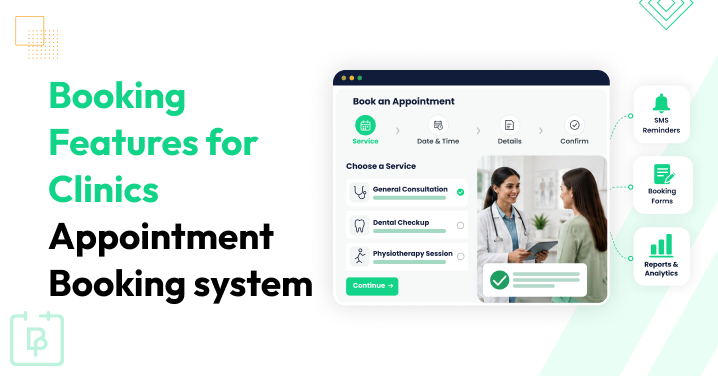
If you are choosing a booking system for a clinic, we’re here to help you understand what key features you need. There are some fundamental things needed by nearly everyone, as well as very narrow and specific ones – but you might require the latter, too.
While some of these features can be more important for staff and doctors, and others for clients, we won’t divide them by target audience in this presentation.
However, we will try to highlight the most critical ones (and it’s important that your booking system supports them) and rather optional ones, but those that can truly matter to your particular clinic
TL;DR: A good clinic appointment booking system should offer real-time availability, doctor selection, automated reminders, rescheduling, staff scheduling, and patient self-service to simplify daily operations and reduce no-shows.
Highly Important Features For Clinic Appointment Booking Systems
What are top critical features for bookings to work, save staff time, and improve patient experience? We’re highlighting them in this part.
Availability In Real Time
Appointment duration configuration – which results in fixed time slots – is highly important for defining times of the day/night that can be booked.
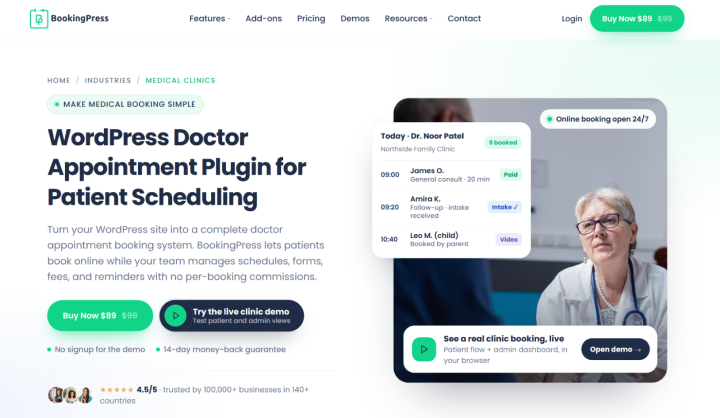
Overall, doctor working hours (availability and recurring working schedules) plus service duration (with optional buffer times) make the availability manageable in real time. This helps automate the whole process and reduce overbookings.
For some services, patients choosing an arbitrary duration may also be needed by some clinics. Many booking systems for patient appointment scheduling support this option.
Service And Doctor Selection
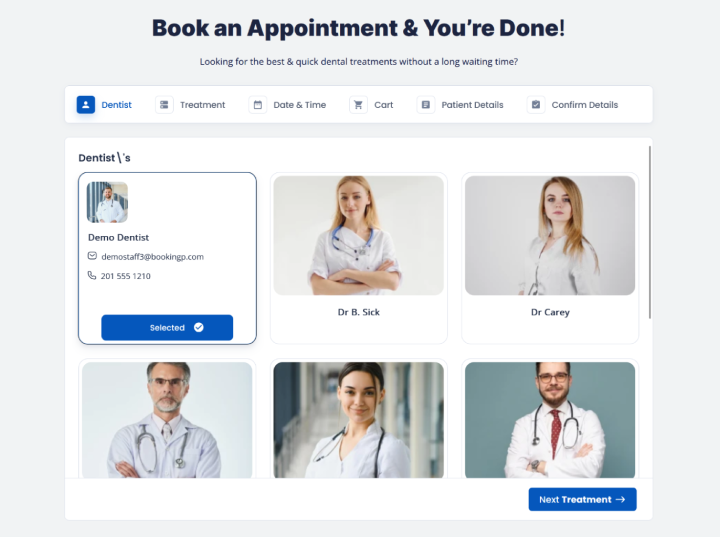
Automatic staff assignment is what many clinics need when a patient chooses a medical service to book for the first time.
However, if you really want to enable your clients to select a specific doctor they already know or they have already visited, then staff selection is a nice feature to have in your appointment booking system.
Appointment Confirmation
Obviously, appointment confirmations should be fully automatic and error-free, with instant notifications across your entire workflow:
- client SMS and email
- doctor notification
- booking system record
- optionally events/notification synced to any external calendars – client or staff.
Buffer Time Between Appointments
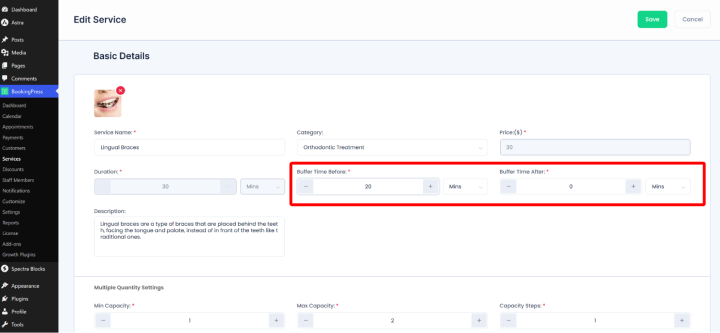
Often you know how much pause you need between specific appointments. Sometimes the booking might reserve a standard slot, while the actual appointment can run longer.
No matter the actual need, buffer times can solve many preparation issues like these. Make sure that buffers between appointments are supported by your booking system to avoid timing collapses.
Rescheduling And Cancellation For Clients
It’s obvious that your staff should be enabled to reschedule and cancel appointments via the booking system interface. But don’t forget that modern clients don’t always call to do just the same. Patient self-rescheduling, hence, is also critical.
Normally, clinic booking systems support this via the Cancel and Reschedule links in the emails and SMS. Or, if client accounts are also supported (like in BookingPress), patients can do the same via such logged-in areas.
Admin View Of All Appointments
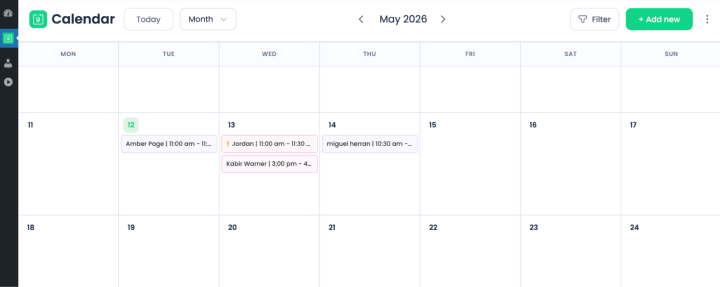
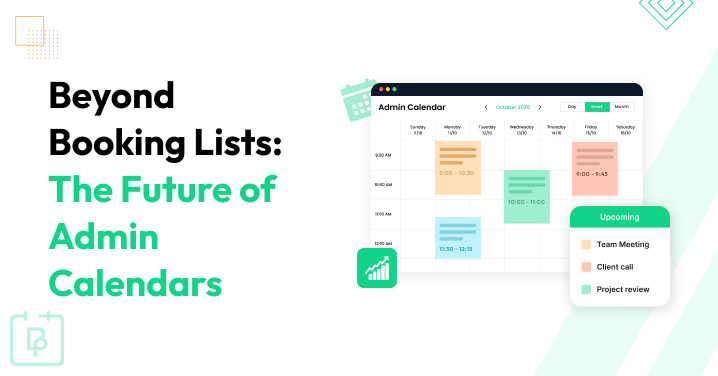
This is where your staff spends a lot of time every day: welcoming clients, taking phone calls, etc. The good clinic appointment system should have a truly multifunctional and intuitive interface for this daily routine.
Recurring Appointments
Recurring appointments allow a client to book a set of visits without having to schedule each one manually. Booking systems that support this type of scheduling significantly speed up the booking process for clients while also helping guarantee revenue for your clinic. It’s important that patients can book the entire series of visits in one go.
Staff-Specific Schedules
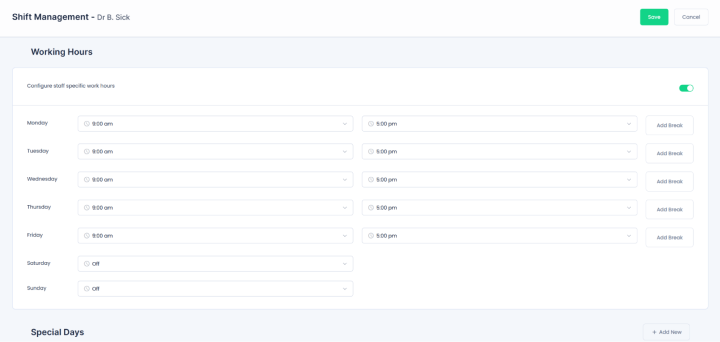
For real-time availability to function properly, every staff member should have their own working hours. This also means that breaks, holidays, days off, and more critical availability blocks should be in place.
If you also operate a few clinics or departments in different locations, mulit-location support in the clinics appointment booking system is of high importance, too. Moreover, the locations of staff members’ operations and their shifts should be interconnected.
Email/SMS Appointment Notifications
This is a true friend in the fight against no-shows. Automated booking confirmations and reminders sent directly to clients’ phones are a great way to protect your revenue. The more reminder touchpoints you can create, the more chance a client won’t miss an appointment.
Maximum Booking Window
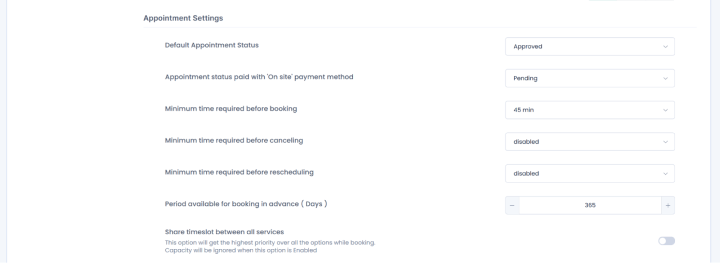
We suggest you don’t underestimate this feature. Many doctors have their schedules available only one or two weeks before the appointment, so patients can’t book them any earlier. On the other hand, if you manage a system where doctors are interchangeable and patients can book a doctor far in advance, this scenario should also be supported by the booking system.
In any case, the key point is that your settings should be flexible enough to let you define a booking window – in simple terms, how far in advance bookings can be made.
Waitlists
Want to enable a patient to add themselves to a waiting list when the time slot they need is booked? The good news is that many scheduling tools support this booking feature as one of the critical for patient scheduling. The process should be smooth and automatic, so that when the time slot gets free, a patient is notified and confirmed automatically. This is a great way to remove gaps between appointments caused by cancellations.
Patient Appointment History
For a clinic, patient information is a cornerstone of operation. You may even need a dedicated CRM or any other clinic-specific software that can keep doctor’s notices on clients’ visits, such as diagnosis records. For an appointment booking system, keeping patient records is also important for many reasons:
- Easier clients management for doctors
- Clinic marketing campaigns based on the client history
- Insights for the clinic performance analytics and analysis.
Upload Documents/Forms
How often do the patients need to upload any types of files / documents before the appointment (e.g. previous test results, medical records, ID documents, photos, insurance forms)?
If this is significant to specific practitioners or cases, the booking forms must support file uploads during the checkout process online.
Flexible Booking Widgets
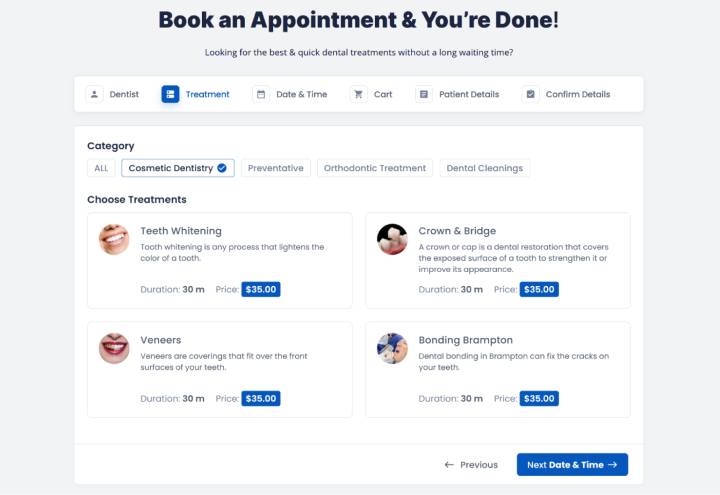
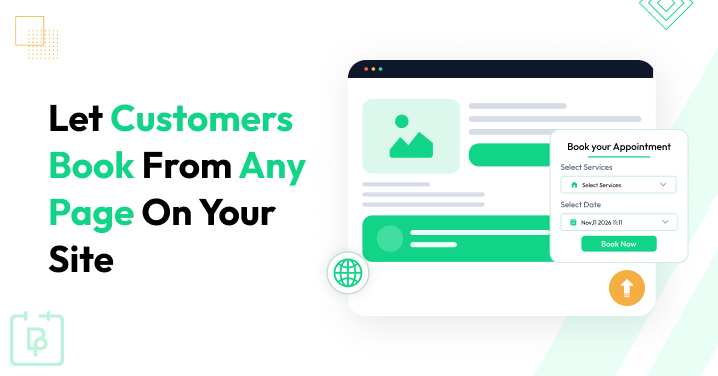
If you want to advertise your clinic, specific services or doctors via social networks or Google Ads, for example, the booking system should support various widgets that you can place on different website pages to target specific audiences.
For example, you may want to create a personal practitioner booking page, advertise specific packaged clinic services, or simply be able to pre-select a service on the website booking pages.
Roles And Permissions
The roles and permissions feature exists to help you limit access of your staff to specific actions within the clinics appointment scheduling system.
For example, you may allow some people to only view the calendar, while others can fully manage clients, visits, and records (add, delete, or reschedule appointments; edit client info; customize schedules, etc.).
Mobile-Friendly Booking
This falls more into the user experience category, but it is just as important. Your booking software should provide a modern user interface, clear steps, and easy navigation on any device, including mobile phones.
Specific Appointment Scheduling Software Features
There are also some specific booking features that matter to individual clinic workflows.
Payment/Deposit Collection
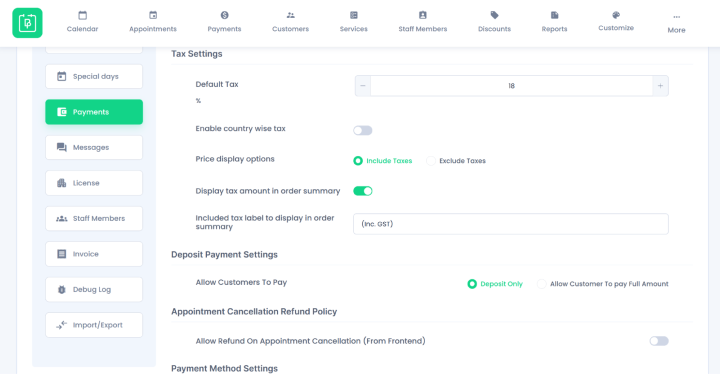
Not all clinics take payments online in advance. However, since clinics often have fixed prices for services and procedures (such as taking medical tests and samples), it often makes sense to add a payment gateway and charge clients in advance.
In this case, the payment system for a clinic booking process is more than a connected gateway. Among other things, it should also record and support:
- Invoices and deposits
- Payment history of individual clients
- Taxes and tips
- POS.
If you’re on WordPress, with BookingPress you get all the above features for automating your appointment scheduling, plus 22+ international and regional gateways that you can smoothly enable.
Google/Outlook Calendar Synchronization
Do you want a confirmed appointment to appear in the calendar of your staff member and / or a client?
Then search for a doctor appointment system that can do that in clicks by request. Such synchronization is another great way to reduce patient no-shows.
Multiple Locations/Branches
You might think that when operating one small clinic, a multi-location support feature doesn’t matter.
But it is a good feature to have in your booking software because one day or another you might have more doctors, probably even located at different offices, so that the location selection and location assignment might really come in handy in the future.
At the same time, of course, it is critical for chains of clinics or multiple offices owned by one clinic.
Medical Services With Optional Add-Ons
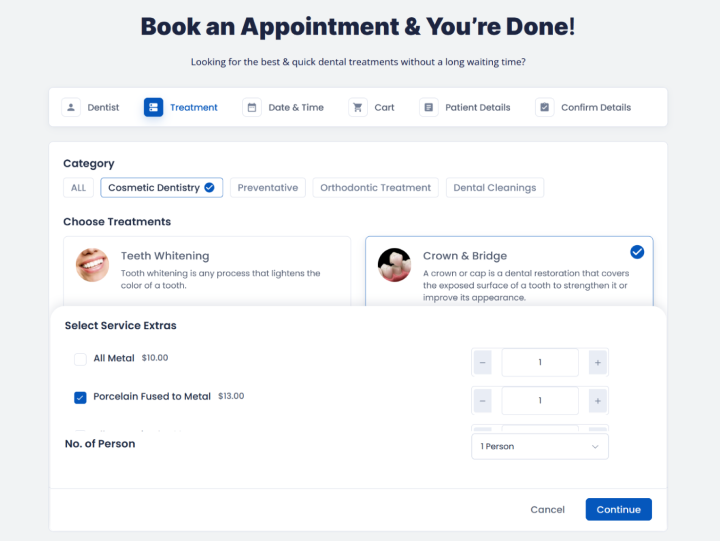
There are many cases where a primary appointment can naturally be combined with an additional service. For example, dermatologist consultation + dermatoscopy or a physiotherapy session + massage. The thing is, the add-on should be optional, and a client adds them to cart only if they want to.
Reports & Analytics
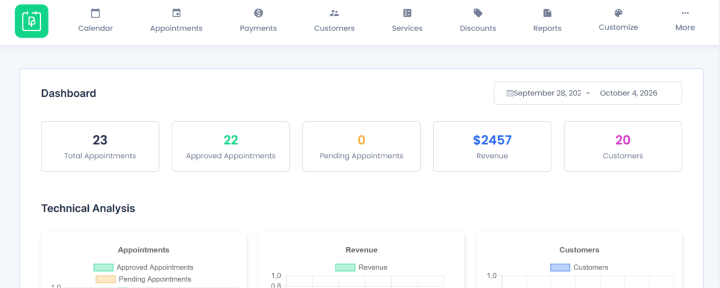
Measuring performance of employees, revenue stats, and most popular services can help you improve and optimize specific processes. And there is a lot of data going on through your booking system, which can give your business multiple insights.
Classes/Workshops Bookings
Pregnancy preparation classes? Anxiety/stress-management groups? Nutrition workshops? Such events might require the group scheduling feature, where one time slot can accept multiple independent bookings.
If you want your workshops and exercises to have the same booking automation as with individual appointments, this is not a minor but major need.
Telehealth
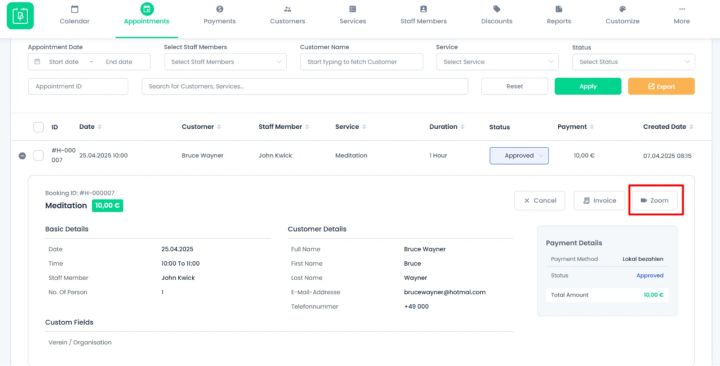
Does your clinic provide online consultations as well? Telehealth is quite on-demand with clients, and many practices need this process to be as smooth and automatic as regular individual self-booked appointments.
Check if your clinic’s appointment booking software provides integration with online video conference apps like Zoom or Google Meet, which ensures your virtual appointments get automated meeting links and details.
Packages
Treatment/packages created by you are an alternative to booking individual services. Clients can get a discount and more treatments, while your clinic can fill in more time slots and generate more revenue.
AI And Automated Tools
Do you want your clinic to have some sort of advanced AI automation? Modern booking software might include solutions and features with different focuses powered by AI or other types of automated integrations, for example:
- AI-assisted scheduling
- Automatic slot optimization
- AI chatbot for booking
- Two-way SMS conversations
- No-show prediction
- Personalized patient reminders
- Patient segmentation
- API / integrations
- CRM integrations
- Zapier/Make integrations
Concluding: What Are Important Booking Features For Clinic Booking Software?
With such a variety of patient scheduling systems and clinic booking software on the market, you might feel that all of them offer the tools you need, especially if you don’t require anything specific. However, there can be significant differences in how so-called major features work, how flexible they are, and what additional value they provide.
There are also specific features that many tools don’t support at all, or that are available only as paid services or extensions. So even if you find the feature you need, make sure to check how much it will cost.
Make a list of the features you need most by going through our tutorial and then simply open the page for each software solution you are considering and see if it delivers what you need!
We’d also recommend contacting the booking system creators for extra explanations for specific scenarios.
We hope our selection of booking features will help you understand the key points you should evaluate when choosing a clinic booking system.
Related articles:

 14-day money-back guarantee