
Calendly vs Acuity: what’s going to work for your business? Both are perfectly known scheduling tools designed to serve time-sensitive service businesses and team scheduling needs. In our calendly or acuity comparison, we’re touching on specific features, pricing, and how this software is used.
Calendly Overview
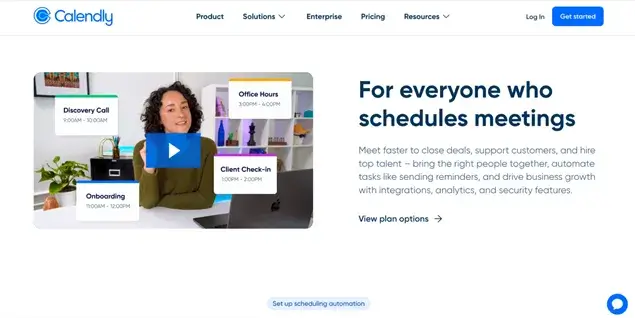
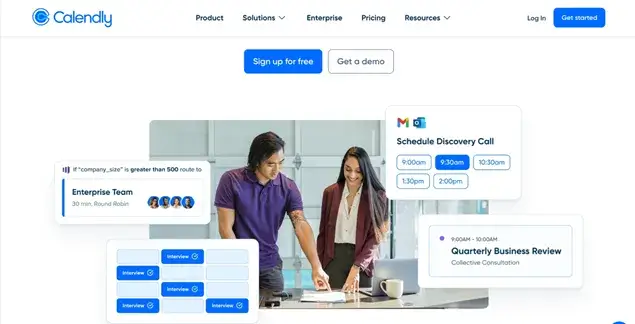
Calendly is a powerful platform optimized for team scheduling. For example, you have the ability to book meetings as a team with clients, create unlimited event types of any custom duration, and accept online payments.
It’s perfectly scalable, offering a variety of plans for anyone, from freelancers to enterprises. Your account will come with a powerful team management dashboard, where you can view the size of your team, track meetings and events with various statuses, and control account access.
Acuity Scheduling Overview

Acuity, which has been owned by the popular site builder platform Squarespace since 2019, allows you to sell scheduling and appointment booking services directly through your Squarespace site.
However, Acuity Scheduling is still available as a standalone product, so you can use it on any other site (e.g. WordPress), or even without a website. If you are on WordPress, however, we strongly recommend using more native WP booking plugins like BookingPress – WordPress appointment plugin.
As for the latter scenario, with Acuity, you can create unique links to your scheduling page, which you can share directly with clients via email, social media, or any other channel. The page will be with your logo, colors, and business information, needless to say. All these options make Acuity a suitable solution for any business, from freelancers to enterprises.
Try Acuity Scheduling for free
Acuity vs Calendly Pricing Plans Compared
We’ve listed many features and capabilities of the two most popular appointment scheduling software solutions. But when it comes to the bottom line, who’s more expensive, Calendly or Acuity?
If you pay an annual cost, you save 20% with either software, that’s why we consider the lowest possible charges with this option in our Calendly vs Acuity comparison below.
Free version
Calendly has a free plan for unlimited one-to-one meetings and one event type. On the other hand, you have full freedom to use the mobile app and video conferencing tools. Emails and text meeting reminders are not supported. Should work well for solopreneurs or independent contractors. Expectedly, you can’t remove Calendly branding on a free plan.
Does Acuity have a free version then? Unfortunately, there is no free plan option in Acuity Scheduling.
The cheapest plan
The cheapest plan (‘Emerging’ in Acuity and ‘Standard’ in Calendly) is lower in Calendly, 10/mo/user, while Acuity is 16/mo/calendar. If we take a look at the features available in these plans, Calendly provides 6 calendars per user, while Acuity just one.
Plans by both software support seamless integrations with various video conferencing tools (e.g. Zoom and Google Meet). But note that Acuity, unlike Calendly, also offers payment collection by Square in addition to PayPal and Stripe.
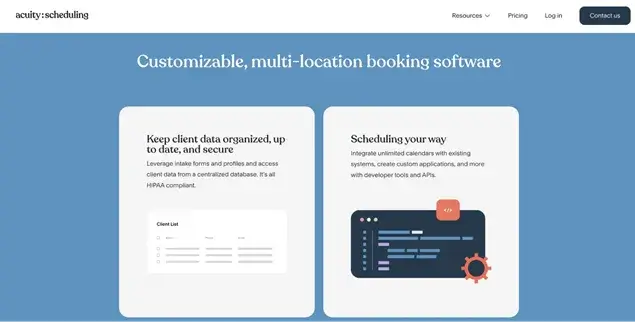
On this plan in Acuity, you can’t build and sell something more significant, such as subscriptions, memberships, or gift certificates. Worth mentioning, the cheapest plan of Acuity also includes its branding on your scheduling forms (the ‘Powered by..’ text) that you can’t remove. Moreover, Acuity may be subject to sales tax, which will be added at checkout if applicable. Additionally, expect payment processing and potential text messaging fees.
Calendly’s ‘Standard’ plan has many limitations on integration with third-party tools like SalesForce or HubSpot.
More expensive plans
Of course, all the bread and butter comes with higher pricing tags.
Small business-optimized plans come with $27/month (“Growing” plan) and $49/month (“Powerhouse” plan) tags in Acuity. The ‘Growing’ plan has, however, multiple time zones for your different staff/locations disabled and the ‘Powered by’ Acuity branding in place. For enterprises that need scalability and access to powerful developer tools, the cost is unknown (look for a ‘Custom’ plan). At rest, these plans are perfect for any business that requires deep appointment booking rules customization, integrations with CRMs, Google Calendar, Zapier, MailChimp, and more.
Calendly’s ‘Team’ plan is $16/seat/mo, which is again cheaper than Acuity. But how does it measure up when we take the exact features? It still limits you to 6 calendars per person, supports via live chat and emails, and records maintenance of all calls and SMS.
Calendly vs Acuity – Top Features
There is a sea of features, and you probably want to start with the real gems only. That’s why we’ve created this Calendly or Acuity comparison table with the most prominent features.
| All plans except the free one | Acuity | Calendly |
| One-to-one and group meetings | In all plans | Only one-to-one in free plan All in paid plans |
| Recurring meetings | Yes | Yes |
| Unlimited appointments and meetings | In all plans | In all plans |
| Number of calendars | Emerging plan – 1Growing plan – 6 Powerhouse plan – 36Enterprise plan – unlimited | Free plan – 1Other plans – 6 per person |
| Online payments | Stripe, Square, or PayPal on all plans | Stripe and PayPal |
| Online meetings | Google Meet, Zoom, and GoToMeeting | Google Meet, GoToMeeting, Microsoft Teams, Slack, Webex, and Zoom |
| Text message reminders | All plans except ‘Emerging’ | All plans except the free one |
| Email reminders | All plans | In the ‘Powerhouse’ and ‘Enterprise’ plan |
| Multiple time zones for your different staff/locations | In ‘Powerhouse’ and ‘Enterprise’ plan | All plans |
| Round-robin events | In all plans except ‘Emerging’ | In ‘Teams’ and ‘Enterprise’ plans |
| Accounting and invoicing | QuickBooks and Freshbooks or any via Zapier | Any via Zapier or built-in |
| Mobile app | Advanced | Limited |
Calendly focuses on team-based scalability and scheduling, when you as a business can schedule meetings with your team or when clients of your team members can schedule meetings with them.
At the same time, with limited calendars per person, it might be less flexible for businesses that need additional calendars for non-user-specific purposes.
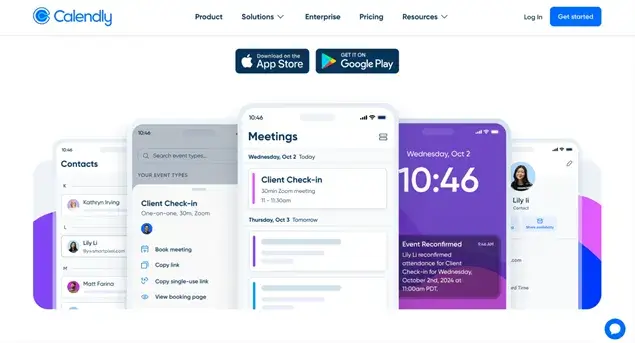
Calendly also works better with third-party integrations, making it super easy for you to connect any workflow, from accounting management to video meetings.
Acuity offers better scalability and flexibility with the diversity of plans, adjusting to the needs of the service business.

Calendly vs Acuity: Which One Should You Choose?
Acuity Scheduling is designed for customer self-scheduling, like service businesses and brands that work with hourly appointments, where a client can easily choose the time for an appointment and book online. It’s perfect for offering classes, workshops, and group events.
Calendly is perfect for scheduling internal business meetings, particularly for teams of all sizes, that’s why you will find many specific features on their pricing plans. It has a lot of features for employees and their workflows, as well as team management leads.
Hopefully, our final conclusions will help you choose the right scheduling software for your business type:
- Either appointment scheduling software can be used on any type of website or without it.
- Both Calendly and Acuity Scheduling support individual and group meetings, thus, many clients can self-schedule the same time slot.
- Acuity Scheduling features are centered around business websites in the service industry, while Calendly has a broader set of features, with a focus on team scheduling and management.
- Calendly is generally cheaper and also offers a free plan, perfectly suited for freelancers.
- Calendly has fewer payment gateway integrations.
Related articles:
 14-day money-back guarantee