Top 9 Professional Service Scheduling Software Solutions for 2026


Managing appointments manually is no longer practical for growing businesses. That’s why many companies now use appointment scheduling software to handle online bookings, staff scheduling and customer scheduling more effortlessly.
Many options that aren’t as mainstream as Calendly or Acuity Scheduling provide numerous affordable tools to help any business run a client-led service scheduling.
From free scheduling software to advanced platforms built for service-based businesses such as clinics, salons, and consultants, these solutions offer flexible scheduling, staff management and automation features beyond basic calendar booking.
Looking for such a solution? We are here to help you choose software with a manually curated list of professional service scheduling software solutions!
TL;DR. The best scheduling software for service businesses in 2026 includes BookingPress, Goldie, SimplyBook.me, Timify, Bookafy, and Glofox. These platforms automate appointments, manage staff availability, and streamline customer bookings.
Quick Comparison: Best Scheduling Software in 2026
Here’s a quick roundup of all the best service scheduling software in 2026 and beyond:
| Software | Best For | Free Plan | Key Features | Starting Price |
| BookingPress | Any service business that have WordPress website | ✅ Yes | Unlimited bookings, branded forms, 20+ payment gateways, calendar sync, Stripe POS support | $89/year |
| Goldie | Salons & barbershops | ✅ Yes | Team reports, waitlists, POS payments, Google & Apple calendar sync | $19.99/month ($199.99/year) |
| SimplyBook.me | Small businesses, multi-location | ✅ Yes | Custom booking forms, mobile apps, social & business listing integrations, payments with deposits | €9.9/month (€99/year) |
| Timify | Small businesses need staff scheduling | ✅ Yes | Advanced staff availability, booking links, multilingual support, marketplace/API integrations | €31/month (€300/year) |
| Bookafy | Consultants, coaches, healthcare providers | ✅ Yes | Recurring appointments, video call integrations (Zoom, Teams, Meet), automated reminders | $9/month ($84/year) |
| Pabau | Clinics, medspas, healthcare practices | ❌ No | Patient portal, consent forms, reminders, templates, onboarding & retention tools | $69/month ($828/year) |
| Glofox | Fitness studios, gyms, yoga & martial arts | ❌ No | Membership management, custom mobile app, class reservations, automated billing & reminders | Custom pricing |
| Noterro | Clinics, chiropractors, physiotherapists, wellness | ✅ 14 day trial | Patient records, SOAP notes, recurring appointments, insurance billing, secure client portal | $33/month ($336.6/year) |
| Book Like A Boss | Solopreneurs & startups | ✅ 14 day trial | Custom booking pages, flexible time slots, 40+ integrations, branded pages | $10/month ($99.96/year) |
How We Evaluated the Best Service Scheduling Software
Rather than pulling random lists, we put each service scheduling software solution through real world testing. And give you the list of the best professional scheduling software tools to bring you a genuine roundup.
Here’s how we evaluated every solution in this list:
- Ease of Use: Whenever we evaluate any plugin or software, ease of use matters. Thus, we make sure to always look at tools that are easy to use and get around, even for beginners.
- Appointment & Online Booking Features: We checked and made sure all the best service scheduling software supports 24/7 online bookings, customizable booking forms, calendar syncing and more easy to use features for both clients and businesses.
- Staff Management: We choose a tool that makes your business run smoothly behind the scenes as well by managing staff calendar, letting team members set availability and more.
- Automated Notifications: We looked for service staff scheduling software solutions that allow you to send automated reminders and notifications.
- Integration: A tool’s real value often depends on how it connects with others. Thus, we shortlist the software that integrates smoothly with popular payment gateways, CRM, calendars and so on.
- Pricing & Value for Money: We compared free plans and pricing of paid plans as well to help you pick the best tool without burning a hole in your pocket.
Top 9 Professional Service Scheduling Software Solutions in 2026
1. BookingPress
Best for: Any service-based business running on a WordPress site.
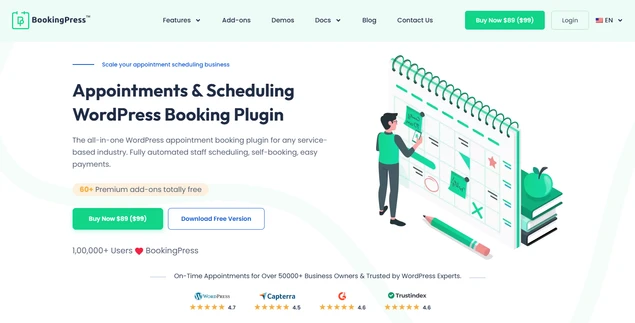
BookingPress, a WordPress booking plugin, is a powerful service scheduling software that seamlessly works for yoga studios, beauty salons, teachers, clinics, and other industries that rely on meetings and hourly appointments.
Use it for a business of any size without restrictions because any plan includes unlimited locations, bookings, staff members, and services.
Even the free version is pretty powerful, giving you the option to take paid bookings with PayPal. It supports virtual meetings with Zoom, Google Calendar, and other apps, so that clients can even book and get automated online meeting links for online appointments.
Top Features:
- Branded booking forms.
- Recurring appointments, group appointments and waiting lists.
- Dynamic booking discounts.
- Online payment processing with 20+ options and support for the Stripe POS system.
- Works in any WordPress page builder and theme.
Pros & Cons:
| Pros | Cons |
| Free plan available with all essential features. | Only works on WordPress sites. |
| Unlimited bookings, services, staff and locations. | Zoom/Google Meet integration needs configuration. |
| Branded and fully customizable booking forms for a professional look. | |
| Smooth two-way sync across popular calendars such as Google, Outlook and Apple Calendars. | |
| Over 20+ online payment gateways such as PayPal, Stripe POSand more. |
Pricing: BookingPress offers a free version with all essential features and its premium version starts from $89/year.
2. Goldie
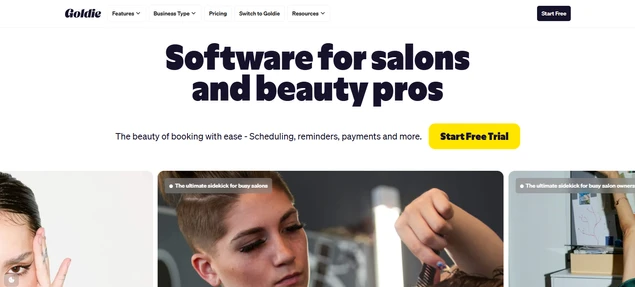
Best for: salons and barbershops.
Goldie is a nice service software alternative designed to serve salons and wellness institutions. It’s the software with website builder tools and appointment scheduling options.
It integrates such cool things as Reserve with Google, online booking reviews, and full financial reports. If you are just starting and have no more than 20 appointments per month, you can even go with the free version. Most features for enterprises are available in the Pro Plus plan.
Top Features:
- Unlimited team members.
- Members & team appointment reports.
- Payment processing with POS support.
- Available on both mobile and PC, such as desktop devices and laptops.
- Sync smoothly with Google and Apple calendars.
Pros & Cons:
| Pros | Cons |
| Free plan available for 20 appointments/month. | Limited outside the salon/wellness niche. |
| Unlimited team members and appointments. | Fewer integrations compared to enterprise tools. |
| Waitlists and group bookings. | Some advanced features need a Pro Plus plan. |
| Detailed financial and team reports. | |
| Mobile & desktop support. |
Pricing: Goldie offers a free version and the Pro version starts from $19.99/month, which is billed yearly: $199.99.
3. SimplyBook.me
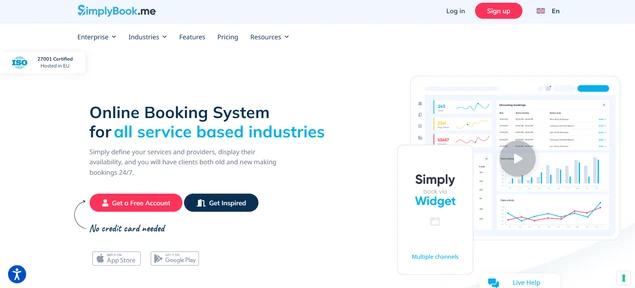
Best for: small business scheduling.
SimplyBook.me is a nicely designed booking system for hourly appointments. It gives you all the needed tools for a perfect booking page: customized forms for automated service scheduling, various types of integrations, and real-time calendars.
The client and admin mobile apps are also highly functional and attractive. It has automatically triggered emails and SMS notifications to clients and staff.
Top Features:
- Works for multi-chain businesses and locations.
- Facebook, Instagram, Google My Business, QuickBooks, and FreshBooks native integrations.
- Payment gateway integrations with support for deposits.
- Coupons, gift cards, and memberships.
- Send payment links for easy mobile transactions.
Pros & Cons:
| Pros | Cons |
| Powerful staff management. | The Interface can feel complex at first. |
| Customizable booking forms. | Pricing increases with features. |
| Client and admin mobile apps. | Some key features are limited to free plans. |
| Social media and business listing integrations. | |
| Online payments with a deposit. |
Pricing: SimplyBook.me comes with a free version to get started and the paid plans start from €9.9/month and €99/Year.
4. Timify
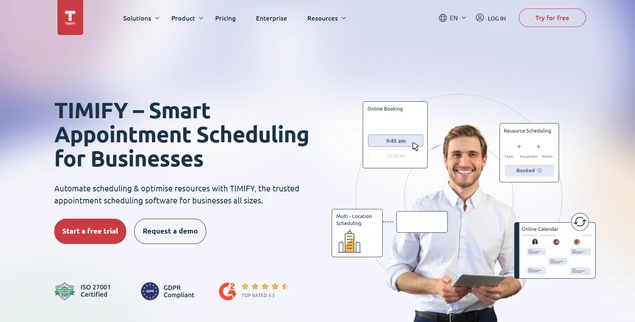
Best for: Any small business that need smart booking system.
You need Timify if you are searching simply for a booking system, not the entire CRM or platform for your business management.
It successfully markets itself as a scheduling software for small businesses. The solution provides an easy way to generate booking links for chosen services, resources, or teams.
Top Features:
- Focus on availability and staff schedules.
- Easy generation of booking links for services, teams or resources.
- Many helpful integrations via their Marketplace or API.
- Built-in resource schedule.
- Available in more than 20 languages.
Pros & Cons:
| Pros | Cons |
| Advanced staff availability and resource scheduling. | Not a full business CRM (limited business data tools). |
| Simple and customizable booking links. | Fewer built‑in marketing tools. |
| Multilingual support for global operations. | |
| Marketplace & API for extended functionality. |
Pricing: Timify offers a classic free version and the premium starts from €31.00 /month and €300/year.
5. Bookafy
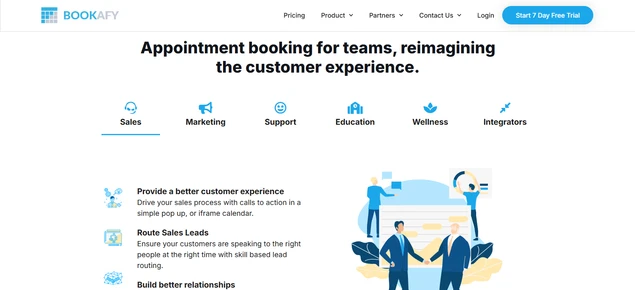
Best for: Service-based businesses that need automated scheduling with video call integrations.
If your business extensively deals with appointments, consultations, or client meetings, Bookafy delivers the power of scheduling tools without the complexity of a full CRM. That’s why it’s widely used by private consultants, coaches, and healthcare providers.
One of its top features is the seamless calendar syncing and video conferencing integrations. Bookafy easily syncs with calendars (Google, Outlook, iCloud), CRMs, and payment gateways.
Top features:
- Great for one-on-one meetings and group meetings alike.
- Recurring appointments.
- Video meeting integrations using Zoom, Microsoft Teams, and Google Meet.
- Automated SMS and email notifications.
- Custom booking form branding.
Pros & Cons:
| Pros | Cons |
| Smooth Two Way calendar sync with Google, Outlook, iCal and Exchange Calendars. | Customization options are somewhat limited. |
| Powerful video meeting integrations. | Not ideal for large teams or enterprise workflows. |
| Recurring and group booking support. | |
| Automated reminders reduce no‑shows. | |
| Professional branded booking forms. |
Pricing: Bookafy comes with a free version that allows unlimited appointments. The Pro version starts from $9/month and $84/year per user.
6. Pabau
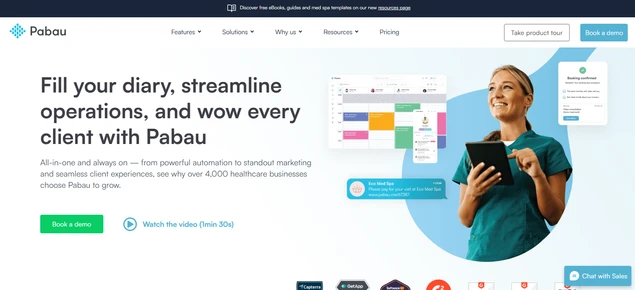
Best for: Clinic management with automated appointment scheduling, medspas, primary care, skin clinics, salons, and spas.
Pabau is made for clinics, offering a full-scale solution for solo practitioners or clinics. But does it work for coaches or consultants? Yes!
The software allows you to add custom notes and allergy alerts, request patch tests, set repeat appointments, and more from a single online portal.
Top Features:
- Send consent forms, automatic reminders, and review requests.
- Confirmation and reminder emails and SMS, pre-care and post-care instructions, and feedback requests.
- Create and manage individual schedules and bookings for each location, all within the calendar.
- Individual schedule management per location.
- Hundreds of customizable templates for every onboarding journey.
Pros & Cons :
| Pros | Cons |
| All‑in‑one portal for bookings + patient data. | Can be overwhelming for simple booking needs. |
| Built‑in patient engagement and reminders. | Higher learning curve than basic schedulers. |
| Customizable templates for onboarding | Pricing can be premium for small businesses. |
| Improves patient experience and retention. |
Pricing: Pabau is a premium subscription-based service scheduling software so it has no free version. Its premium package starts from $69/month.
7. Glofox
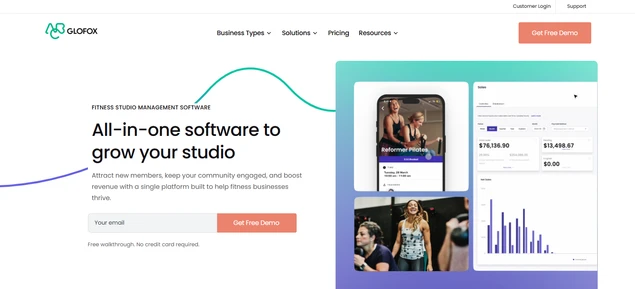
Best for: Gym memberships, boutique fitness studios, yoga centers, and martial arts gyms.
Sometimes it’s wiser to choose a scheduling software that is fully optimized for a specific business. Glofox is the right example.
This is more than just a booking system but rather a full-fledged gym and fitness business management software. It’s widely used by studios, gyms, and personal trainers who are looking to build and manage a membership community.
Top Features:
- Custom mobile app where members can book classes and check schedules.
- Full member profiles to track workout history, attendance, and engagement.
- Supports membership plans with automated billing for subscriptions.
- Reminders, motivational messages, and promotions are sent in automated messages.
- Members can reserve spots in classes.
Pros & Cons:
| Pros | Cons |
| Awesome for fitness‑focused scheduling and community building. | Not ideal for non fitness businesses. |
| Built‑in membership billing and automated payments. | Higher price point than basic schedulers. |
| Custom mobile app enhances member experience. | Steeper onboarding for small teams. |
| Class reservation and capacity management. | |
| Automated reminders and promotional tools. |
Pricing: Glofox pricing is generally premium tier and custom to business size and features, with plans that include class scheduling, membership management, billing automation and branded app support
8. Noterro
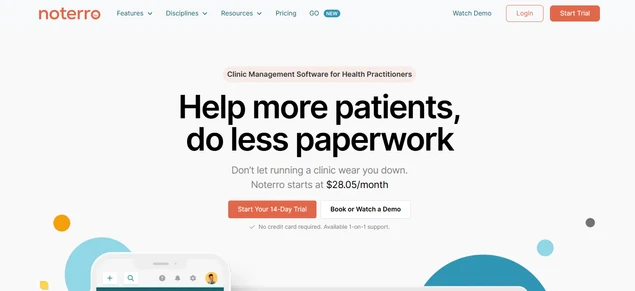
Best for: Clinics, chiropractors, physiotherapists, massage therapists, and other wellness professionals.
Noterro is not just a booking utility for medical service scheduling; it’s the complete platform that manages and stores patient history, SOAP notes, and treatment plans in one place.
Of course, the appointments 24/7 online are there. However, since it provides a seamless client portal as well, patients can book appointments, access their treatment history, and make payments online.
Top Features:
- Recurring appointments.
- Direct communication between practitioners and patients.
- Policies for late cancellations or missed appointments.
- Direct insurance billing.
- Tracks appointment trends, revenue, and patient retention rate.
Pros & Cons:
| Pros | Cons |
| Combines scheduling with patient records and notes. | Limited to medical and wellness niches. |
| Insurance billing support. | Higher cost than basic schedulers. |
| Patient retention and trend reporting. | |
| Secure client portal for bookings and payments. | |
| Improves workflow for wellness professionals. |
Pricing: Noterro offers a 14 day free trial and its premium plan starts from $33.00/month and $336.6/year.
9. Book Like A Boss
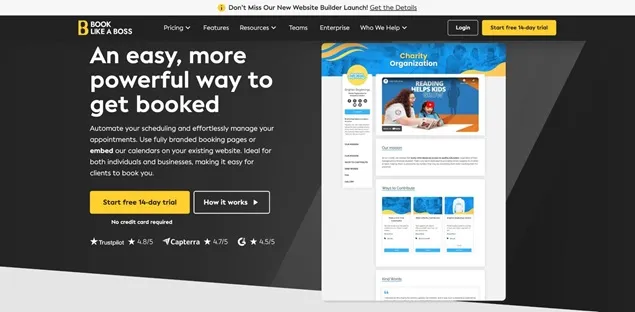
Best for: small service-based business or startup.
It’s a nice solution for small business bookings that allows for creating custom booking pages, literally unlimited, and use them for meetings and appointments, events and classes.
It can be an individual reservation page for any event you offer. Easily sell time slot durations from 5 minutes to 12 hours.
Top Features:
- Manage your employees, calendars, and availability in one dashboard.
- Up to 40 powerful integrations, including payments and calendar sync.
- Add reviews, FAQs, and About Me pages.
- Branded booking pages (photos, skins, colors).
- Sell time slots for appointments, events and classes.
Pros & Cons:
| Pros | Cons |
| Very easy to set up and use. | Limited advanced automation. |
| Custom‑branded booking pages. | Not advanced enough for large teams or businesses. |
| Flexible time‑slot selling. | Lacks deeper CRM or enterprise features. |
| Supports many integrations. | |
| Works well for startups and solopreneurs. |
Pricing: Book Like A Boss comes with a 14 day trial, and the paid plan starts from $10/month and $99.96/year.
Conclusion: Which Service Scheduling Software Should You Choose?
These are the best service scheduling software solutions for 2026’s growing businesses. Now, to help you choose the right service scheduling software, all you gotta do is ask yourself:
- Do I need deep industry specific tools? (Clinics, fitness studios or healthcare)
- Does my business run on WordPress? (BookingPress shines here)
- Am I a solopreneur or a small team? (SimplyBook.me or Book Like A Boss)
- Do I need video calls integrated? (Bookafy)
Each tool listed here solves scheduling, but the best one is the one that fits your workflow, team size and customer experience goals.
You May Also Like:
- Guide to Evaluating Appointment Scheduling Software Solutions
- WordPress Scheduling Plugin vs Scheduling Software
- The Latest Trends in Appointment Scheduling Software
Frequently Asked Questions
BookingPress is the best scheduling software for all types of service-based businesses using a WordPress site. It gives you unlimited appointments, over 20+ payment gateways and 60+ premium addons for free.
Yes, there are many free scheduling software for small businesses, such as:
– BookingPress
– Goldie
– SimplyBook.me
– Timify
For team management and staff scheduling, Timify and SimplyBook.me are the best staff scheduling software. They allow staff availability setup, shift planning, automated notifications and smooth calendar integrations.
The best scheduling apps mostly depend on your platform, needs and budget. However, here are some of the best apps or software to use for scheduling:
– BookingPress for WordPress users.
– SimplyBook.me for small businesses with multi location needs.
– Bookafy for video meetings.
– Glofox for fitness or membership businesses.
– Book Like A Boss for solopreneurs and startups.
For tutors, teachers, and training professionals, BookingPress, SimplyBook.me and TutorBird are the best tutor scheduling software solutions.



Brian is a WordPress expert with a decade of developing experience & technical-writing. He enjoys blogging, movies & hiking.

Get BookingPress Premium
60+ Premium Addons
20+ Payment Gateways
Plan starts at just $89
Get Premium NowLike our insights? Click the badge to add BookingPress as your preferred source on Google.

Add as a Preferred
Source on Google