Staff Commission
BookingPress provides the facility to manage staff commission for each appointment and track earnings for staff members. To activate the Staff Commission module, go to BookingPress → Addons page and activate the “Staff Commission” module.
The Staff Commission module works along with the Staff Member module and allows you to manage and track commission earned by staff members.
Note : Once this module is enabled, commission will be automatically assigned to the respective staff member when the appointment status is marked as Completed.
How to Configure:
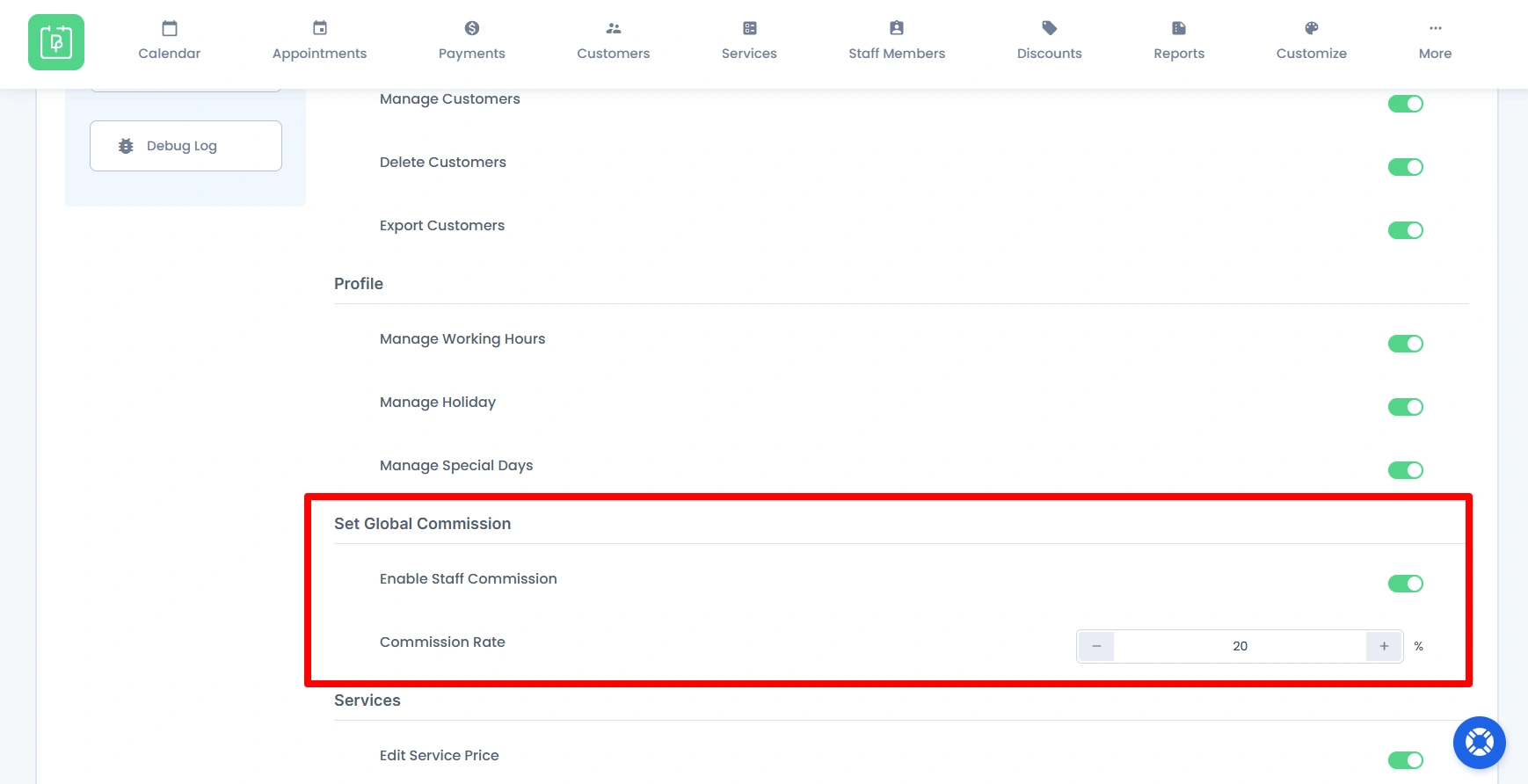
- Admin can enable staff commission from: BookingPress → Settings → Staff Members tab → Enable Staff Member Commission
- After enabling, admin can set a general commission rate.
- Admin can also set staff-wise commission: Go to BookingPress → Staff Members → Edit Staff Member → Commission Settings
- Enable the option and define a custom commission rate for each staff member.
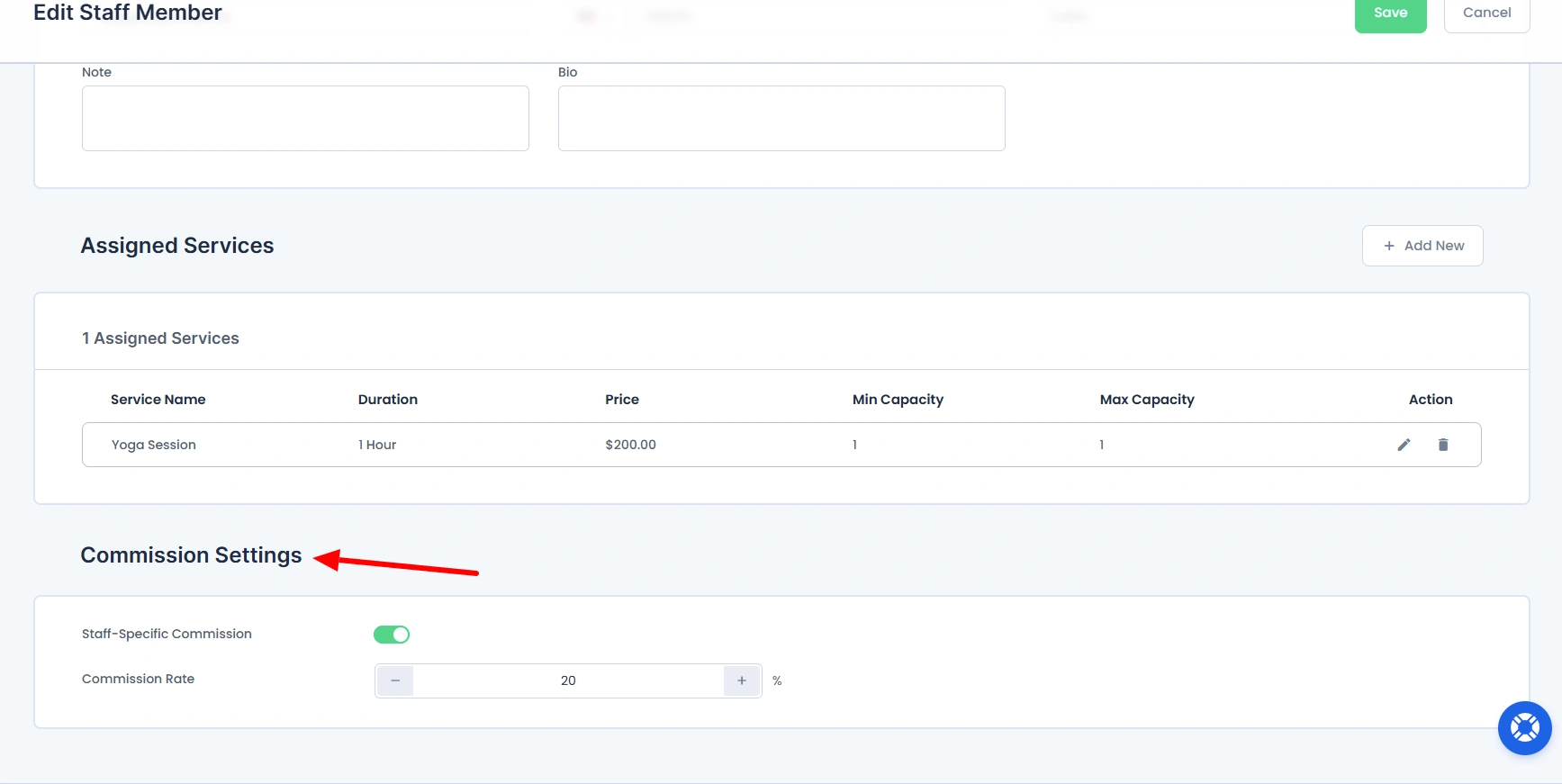
👉 If a staff-wise commission is not set, the global (general) commission rate will be applied by default.
Reports:
- You can view all staff commission details from: BookingPress → Reports → Commission Report
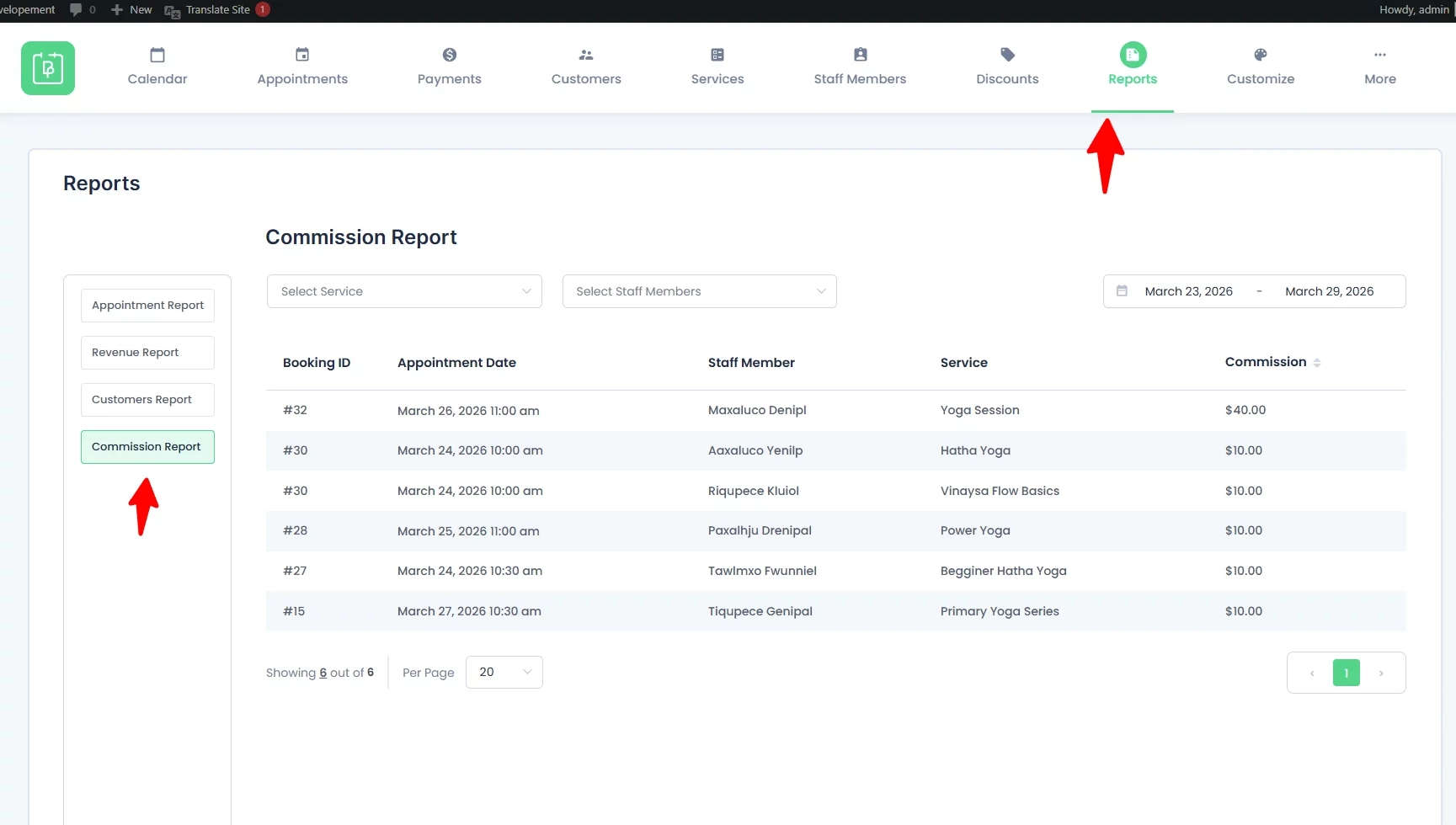
Staff Panel Access:
- To allow staff members to view their own commission details from the Staff Panel, the admin must enable the required setting.
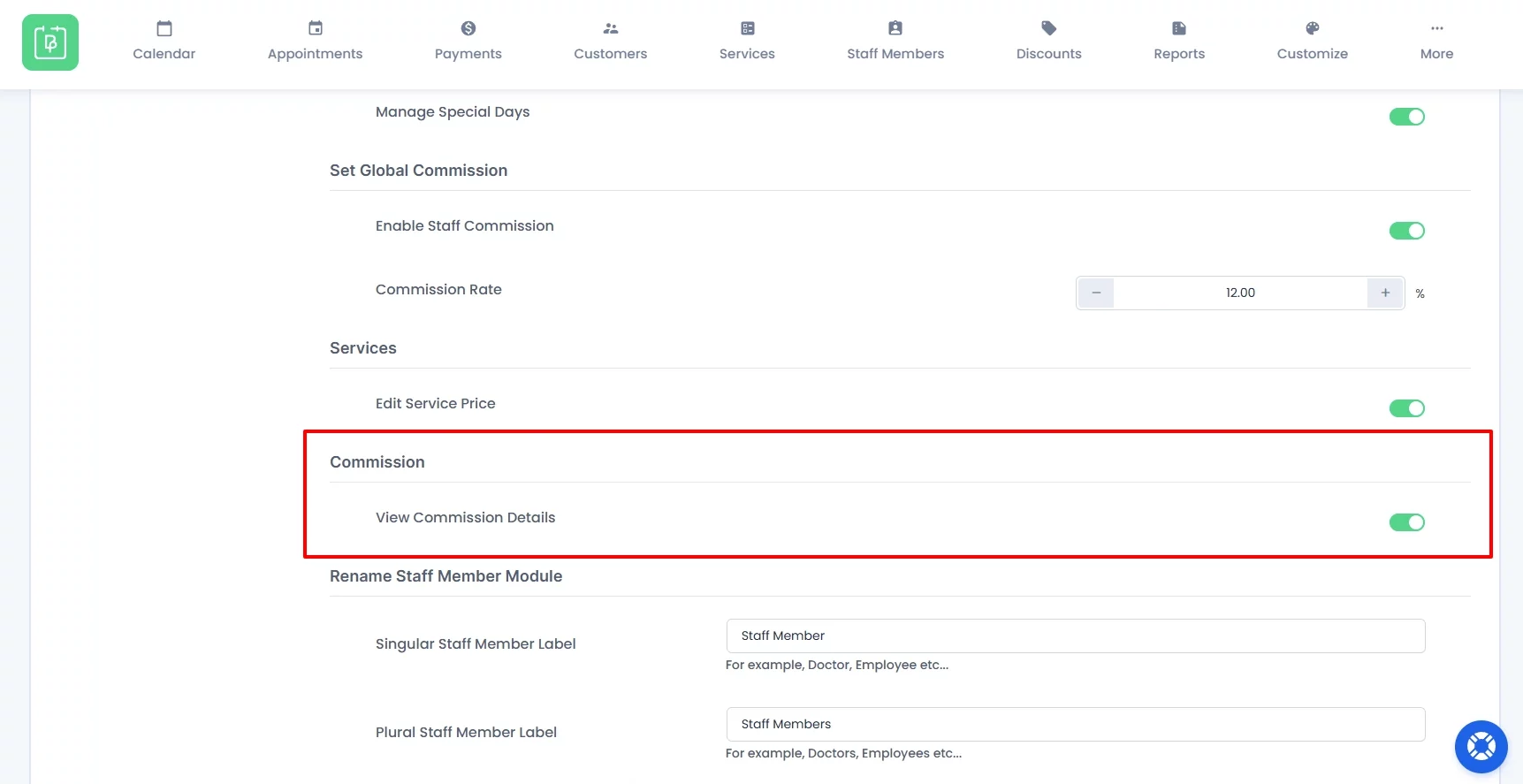
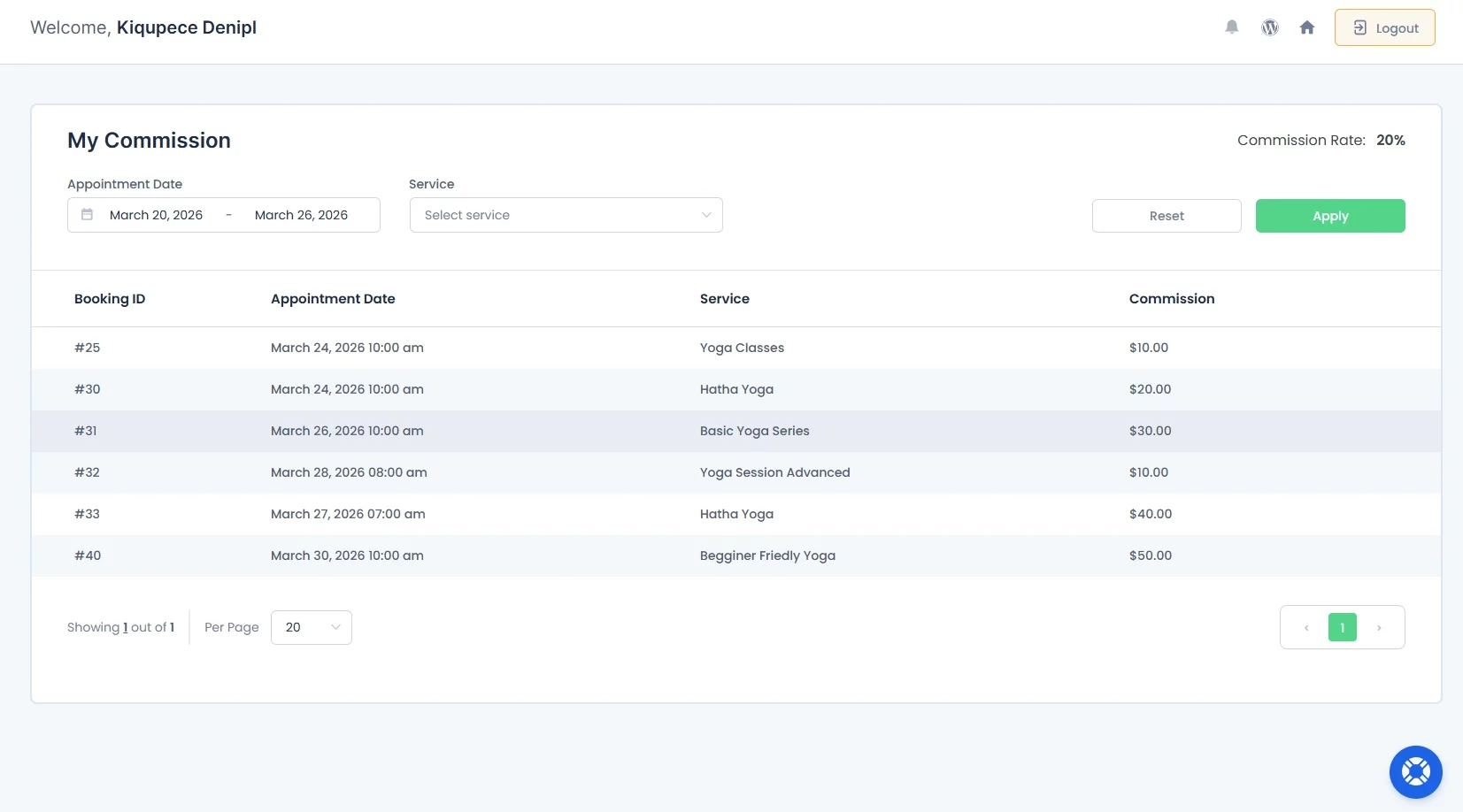
- Staff members can view their own commission details from the Staff Panel (My Commission page) after logging in.