

FluentCRM Addon
FluentCRM Integration:
You will be able to set up this opt-in after getting and activating FluentCRM from BookingPress -> Addons.
First of all, create a list in FluentCRM.
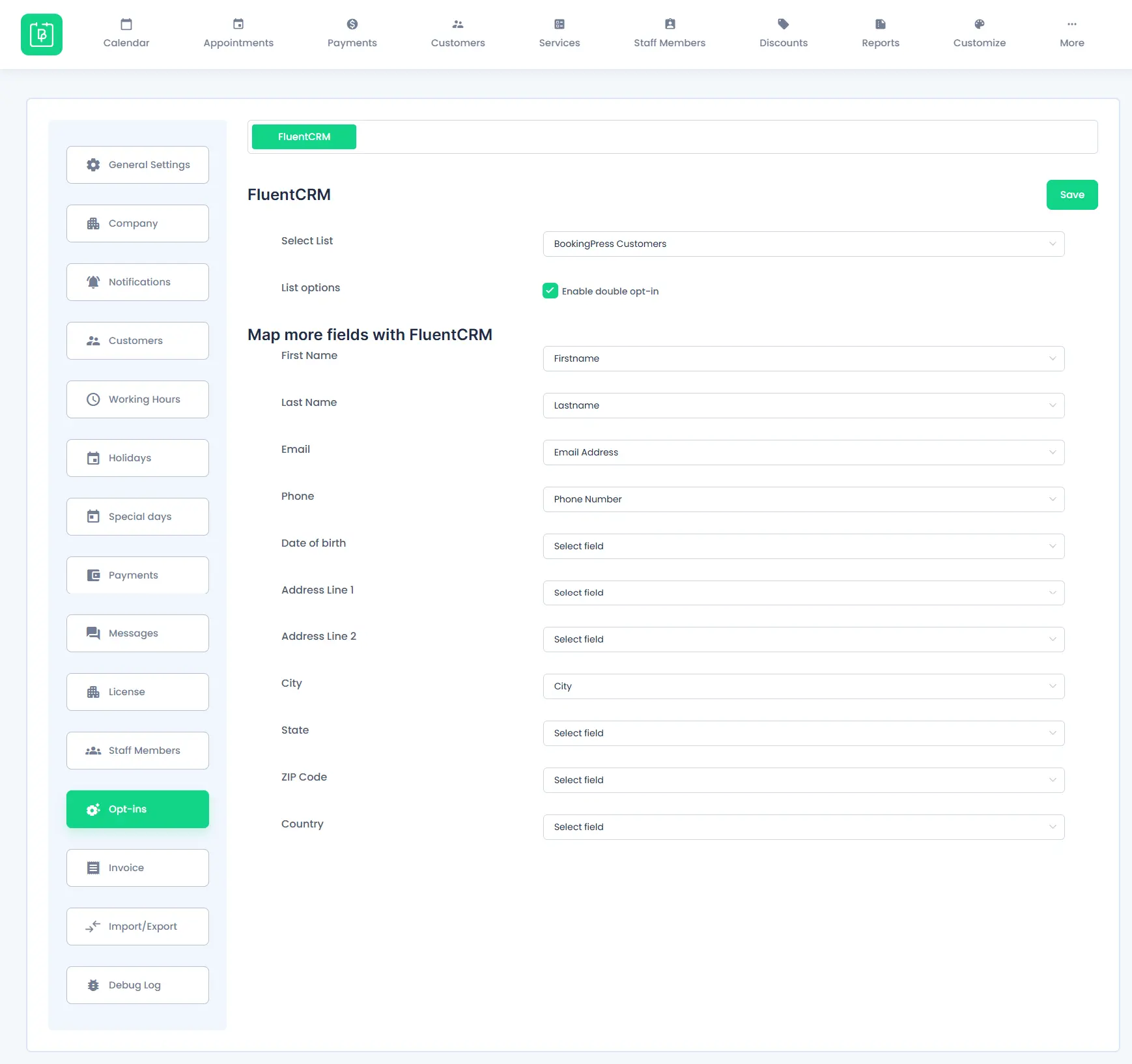
Next, go to your BookingPress -> Setting -> Opt-ins and simply select the newly created list from a dropdown.
If you want to enable the double opt-in method for FluentCRM, then select the “Enable double opt-in” checkbox.
Lastly, you need to map the appropriate fields with FluentCRM fields.
Once everything is set, simply click on the “Save” button, and you are all set to go!
 14-day money-back guarantee