Services Extras
What are Service Extras in BookingPress?
Service Extras are optional addons that customers can select while booking a service. They are like small extra services that come along with the main service yet charged extra for. They allow you to offer additional features, upgrades, or complementary services alongside your main service.
For example if you have Haircut services, then you can add “Hair Wash” or “Head Massage” as your service extras with a minimum amount.
How to Enable Extra Services in BookingPress?
Extra Services are available through the Service Extra Addon, so first activate it.
- Go to WordPress Dashboard → BookingPress → Add-ons.
- Find Service Extra Addon.
- Now simply click on “Activate”.
After activation, the Extra Services section will appear inside the Add/Edit Service page.
How to Add Extra Services to a Service?
For adding extra services under your main service, you first have to Add/Edit a Service.
1. Go to BookingPress → Services.
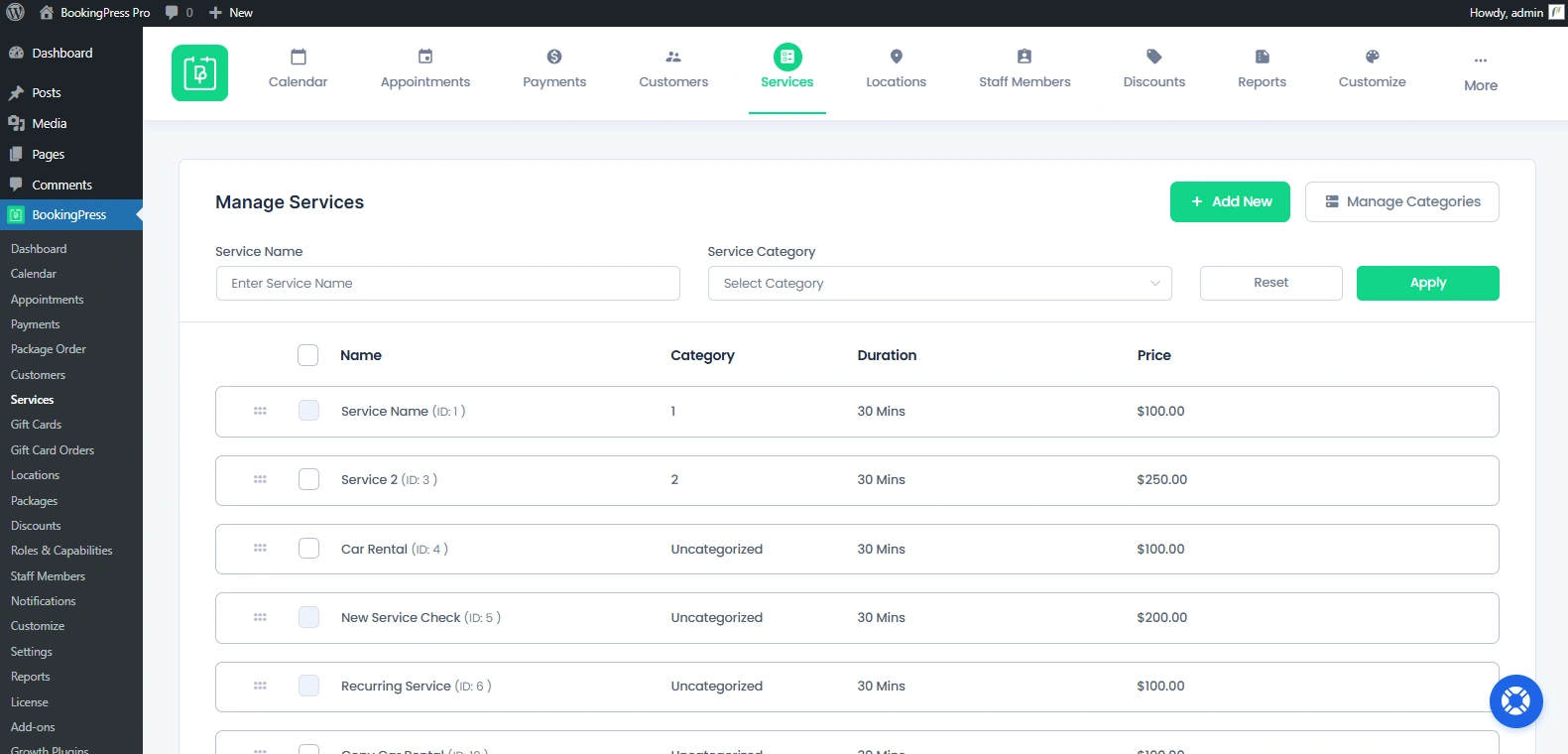
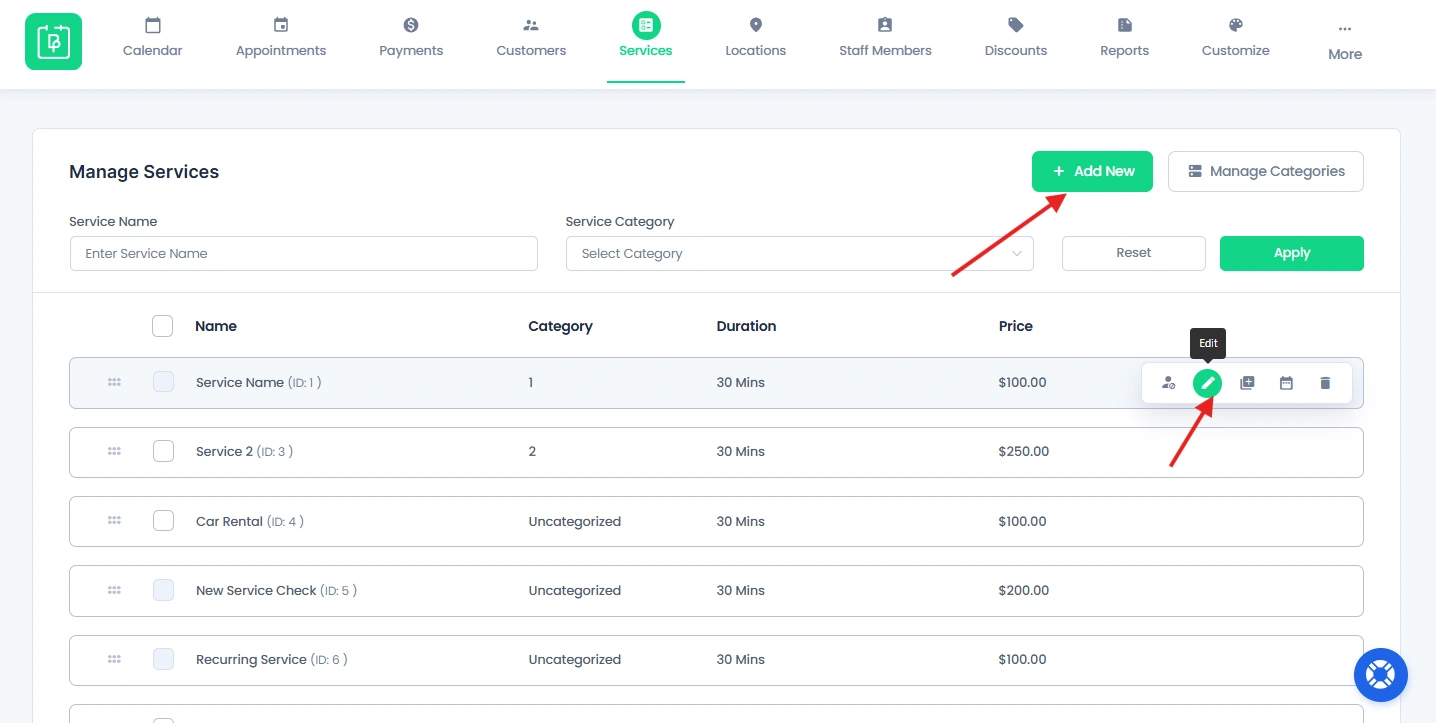
2. Click “Add New” or “Edit icon” of an existing service.
3. Scroll down till you see the “Extra Services” section
4. Now you’ll see the “Add New” button at the right side, next to the title. Click on it.
5. Clicking on it will open a popup box.
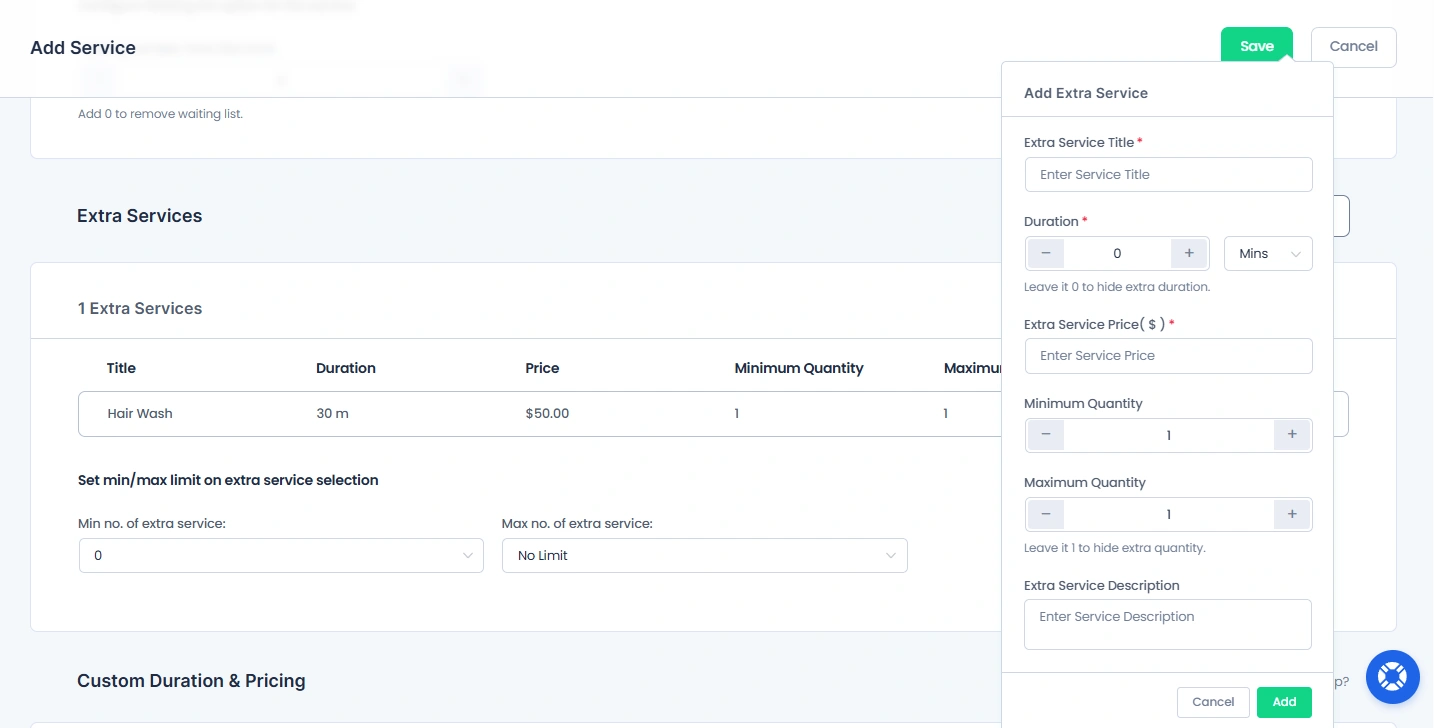
Here, you have to add all the details of your extra service. Remember you are going to charge for them so as well make them proper. You can enter:
- Extra Service Title.
- Duration.
- Extra Service Price.
- Minimum Quantity.
- Maximum Quantity.
- Extra Service Description.
6. At last, click on the “Add” button, and now your service extras are added.
How to Set Limits for Extra Services?
After you add an extra service, you’ll see the option for setting min/max limit on extra services selection.
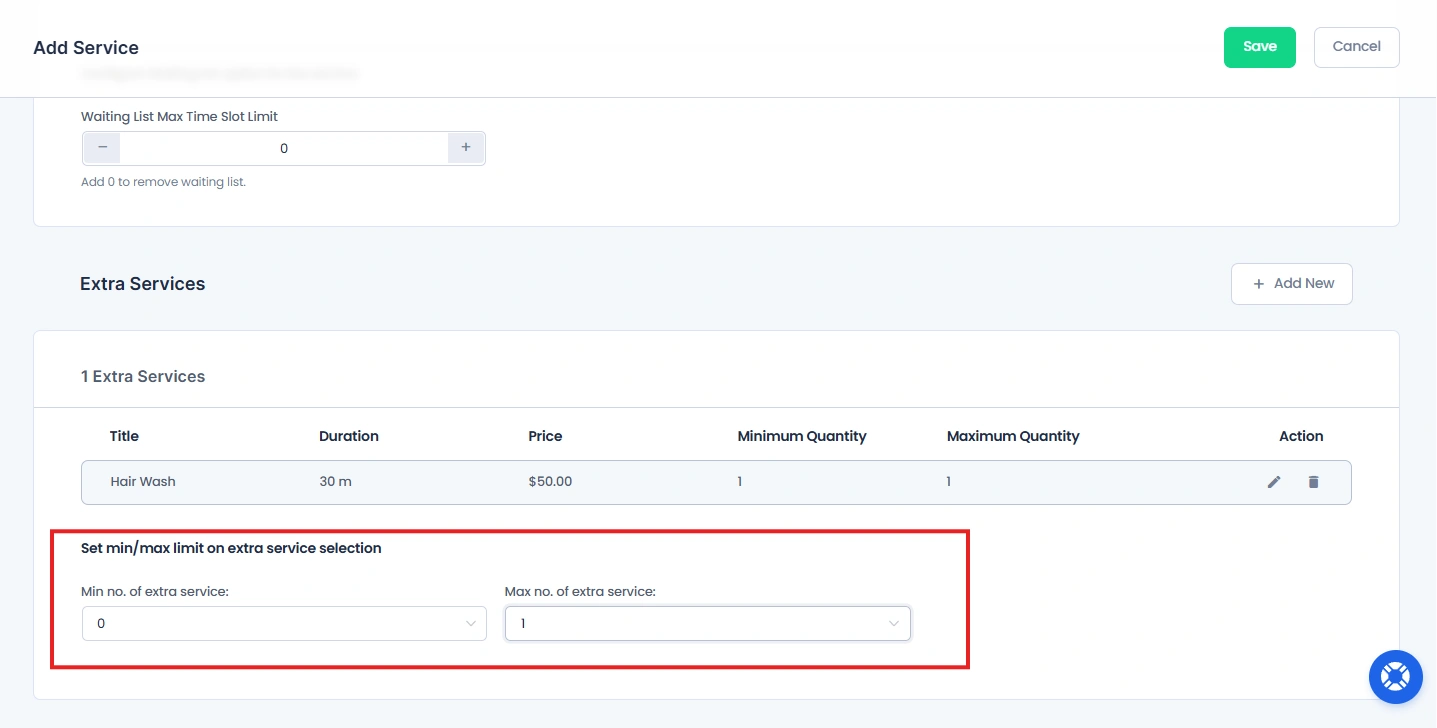
You can control how many extra services a customer can select during booking.
Max No. of Extra Services
Sets the maximum number of extras a customer can select. Also, prevents selecting too many addons.
Min Number of Extra Services
Sets the minimum number of extras needed. Customers must select at least this number before continuing with the main service.
Need a hand?
Our world-class support team is happy to help. Send us a message and we’ll take it from there.
 14-day money-back guarantee