

Staff Member Commission
BookingPress lets you manage staff commission for each appointment and track staff earnings.
Here, we’ll show you how to add and manage commissions for your staff members in BookingPress.
How to Enable the Staff Commission Add-On
To activate the Staff Commission module:
- Go to BookingPress → Add-ons.
- Find the “Staff Commission” module.
- Now simply click “Activate“.
The Staff Commission module works along with the Staff Member module and allows you to manage and track commission earned by staff members.
Important Note: Commission is only calculated when the appointment status is marked as “Completed”.
How to Configure Staff Commission
You can enable staff commission from BookingPress → Settings → Staff Members tab → Enable Staff Member Commission.
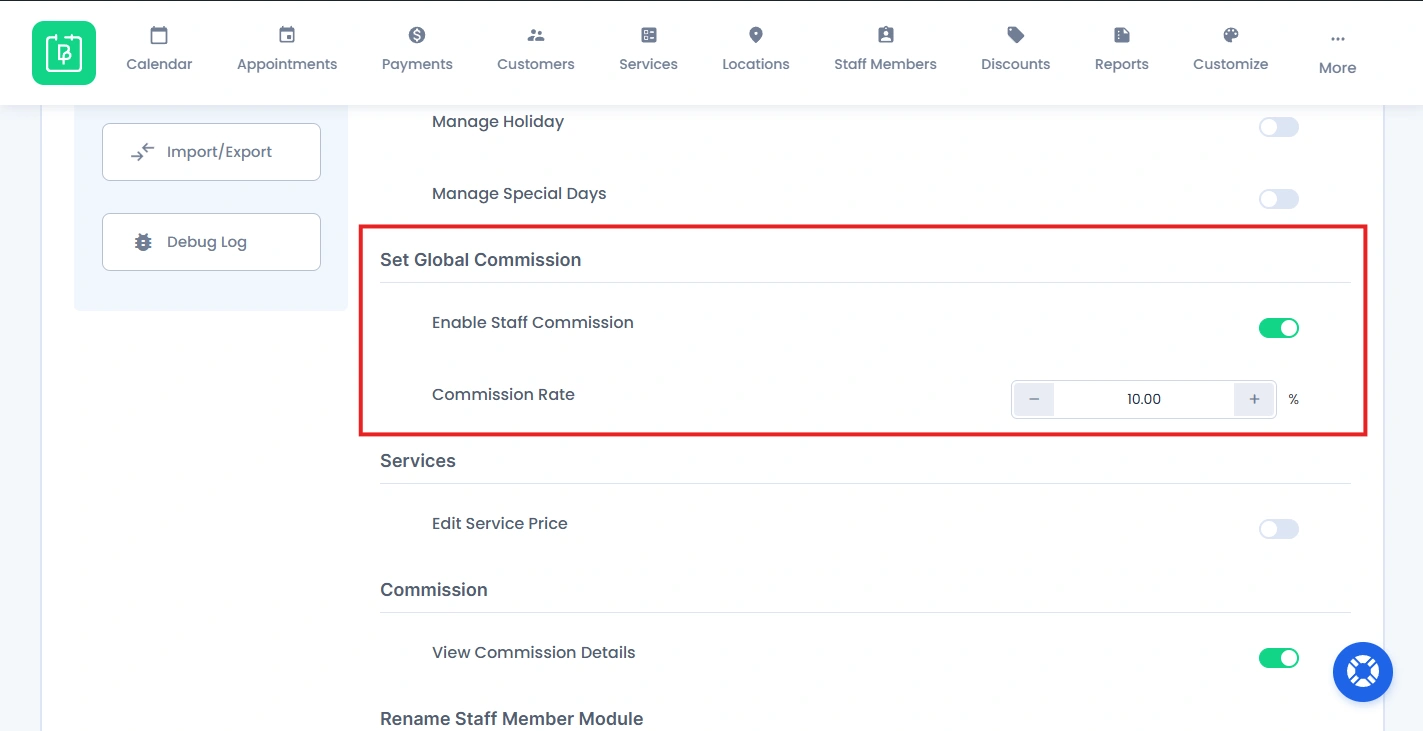
After enabling, admin can set a general commission rate.
Set Staff-Wise Commission
If you want different commission rates for each staff member:
- Go to BookingPress → Staff Members.
- Open the Add/Edit Staff Member page from the “Add New” button or Edit icon.
- Scroll down to the Commission Settings section.
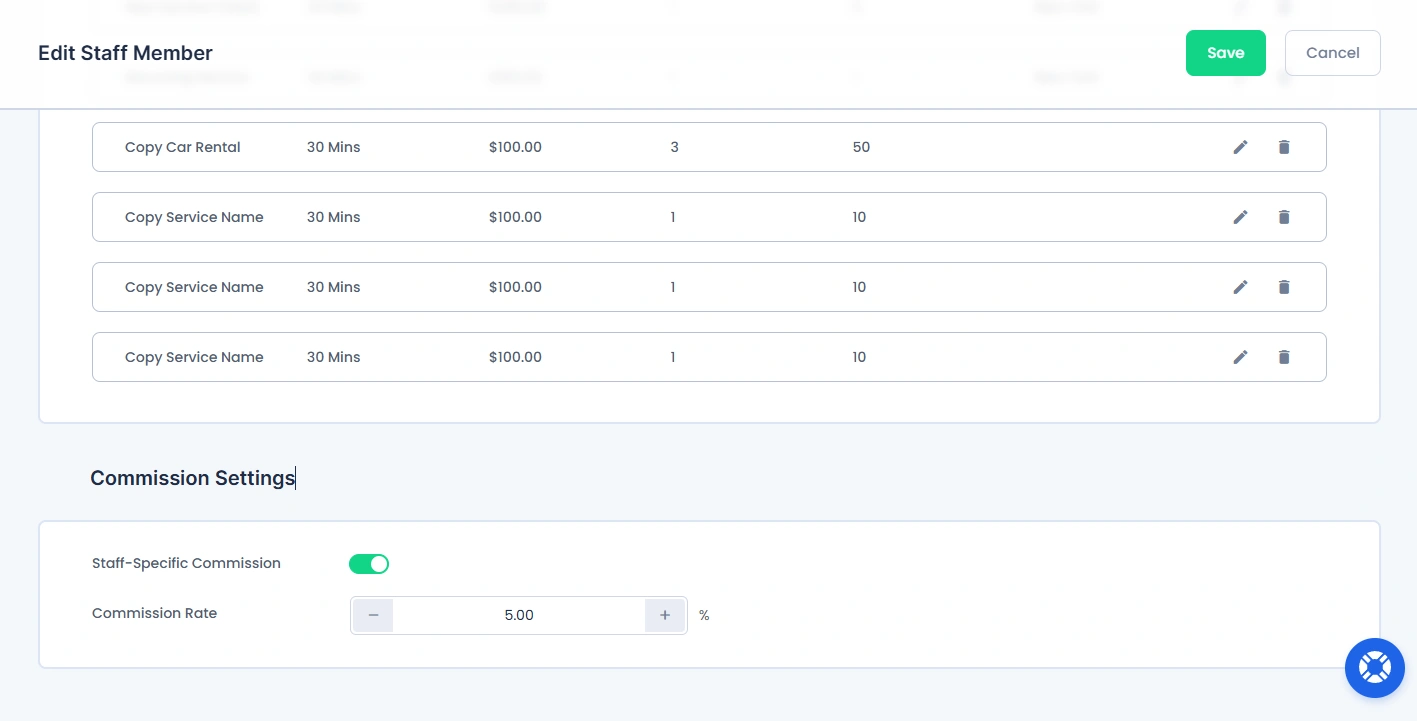
Now:
- Toggle ON Staff-Specific Commission.
- Set the commission rate.
This allows you to assign a custom commission rate to individual staff members.
How to View Commission Reports
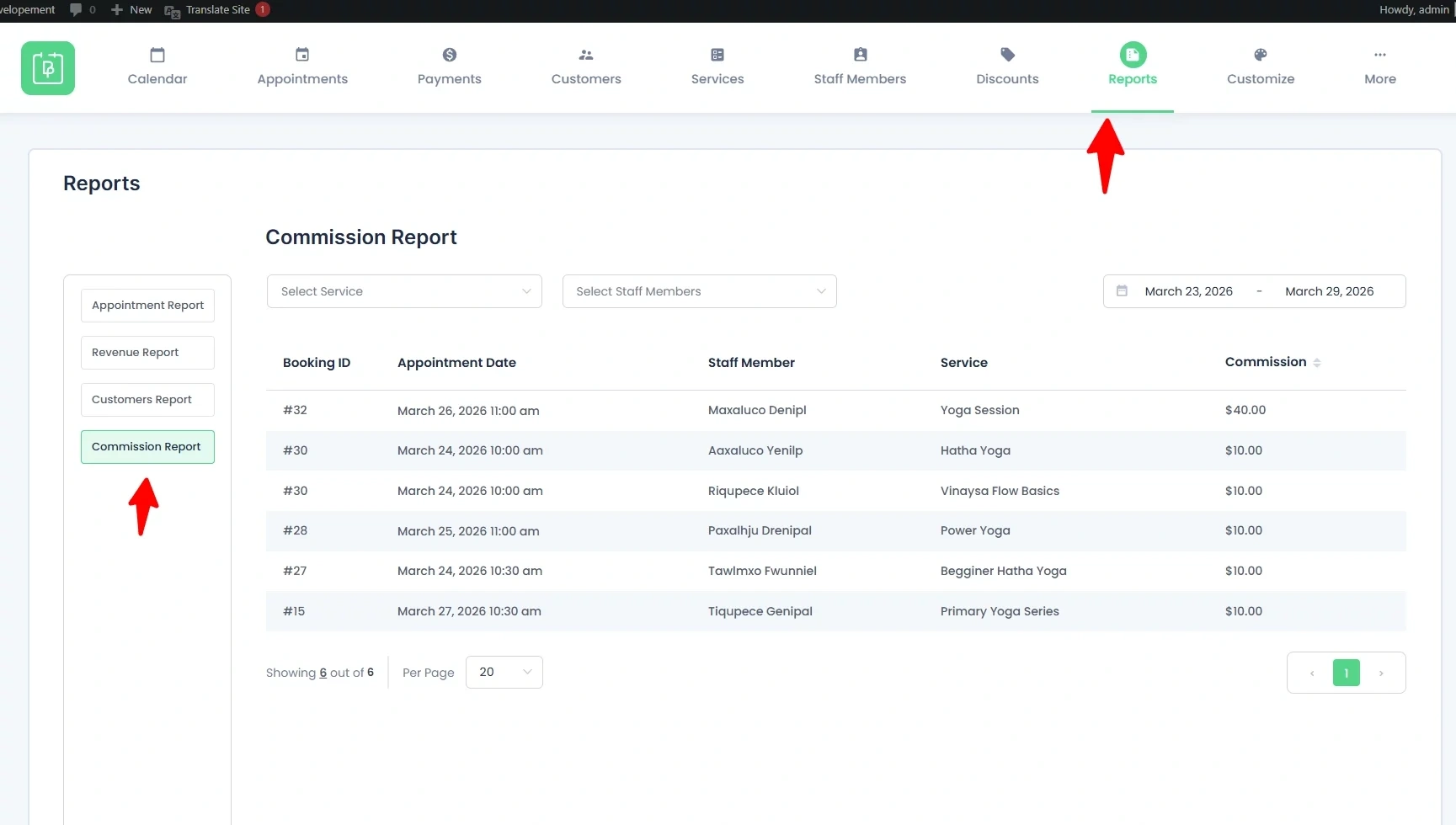
You can view all staff commission details from BookingPress → Reports. Now go the Commission Report panel and you’ll see:
- Booking ID
- Appointment Date
- Staff Member
- Service
- Commission
Plus, you can:
- Sort data by commission (ascending or descending)
- Filter by service, staff member, or date range.
Allow Staff to View Their Commission
To allow staff members to view their own commission details from the Staff Panel, the admin must enable the required setting.
Go to BookingPress → Settings → Staff Member Settings.
From here, scroll till you see the Commission section. Just enable the “View Commission Details” option to allow staff members to view commission details
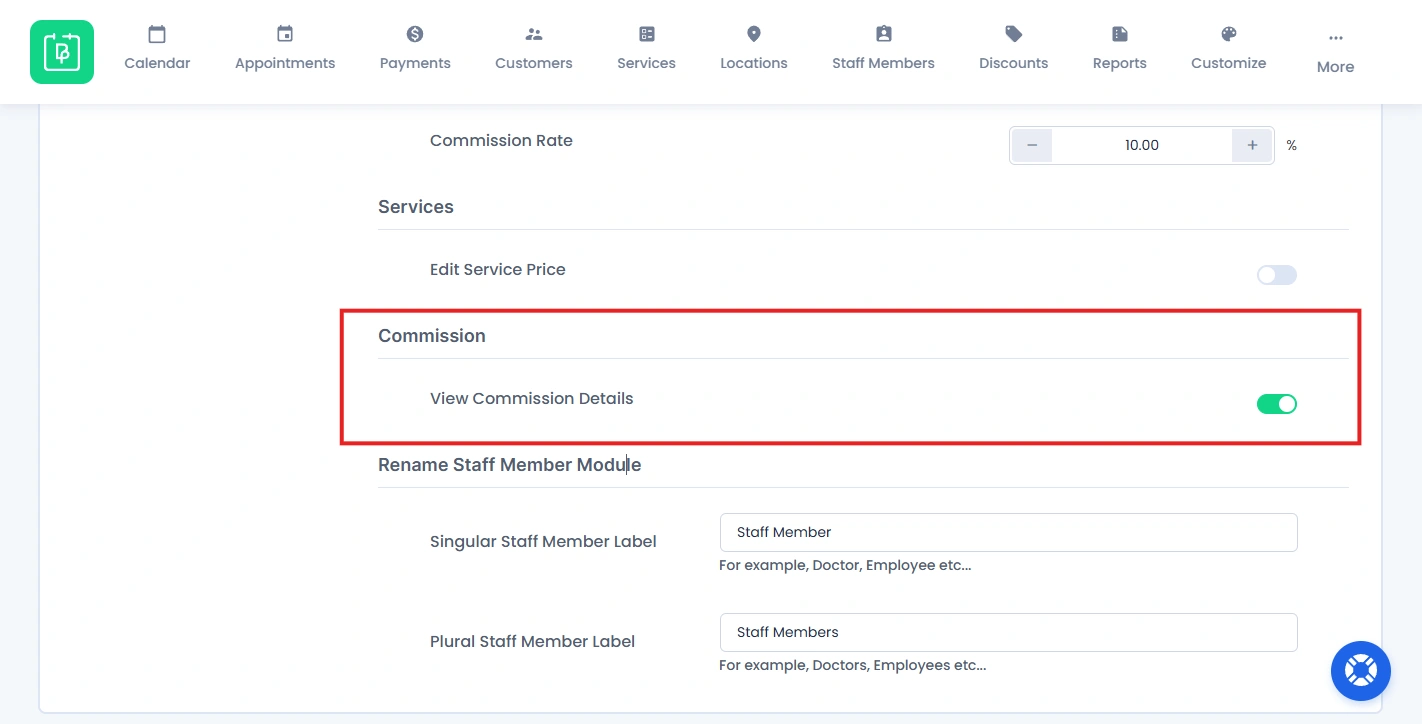
Now, your staff members can view their own commission details from the Staff Panel (My Commission page) after logging in.
Need a hand?
Our world-class support team is happy to help. Send us a message and we’ll take it from there.
 14-day money-back guarantee