PagSeguro Payment Gateway Addon
PagSeguro Integration:
To get and Activate Pagseguro Payment Gateway, please follow the below steps.
- First, login to the BookingPress Website, and you will be redirected to the My Account page.
- Now, click on the “Access Passes” link from the left menu panel.
- After going to the Access Passes, click on the “View your downloads” button.
- From the list, please look for the “Pagseguro” add-on, click on the download button, and it will automatically start downloading the addon. After the download is finished, upload the downloaded zip file to WordPress just link any other WordPress Plugin, then install and activate the addon to use it.
Now, if you do not have a PagSeguro account then an account.
For the Production, account click here.
How do I get the token?
To obtain the security token of PagSeguro, follow the below steps:
Login to your account
Click Vendedor under PERFIS DE INTEGRAÇÃO section in left panel.
Here you can generate a token.
For more information about how to create an account click here.
Now, go to BookingPress -> Settings -> Payments and enable the switch of the PagSeguro to enable the payment gateway.
Insert the “Email Address”, and “Token” credentials in the specific textboxes. After that, click on the save button and you are good to go.
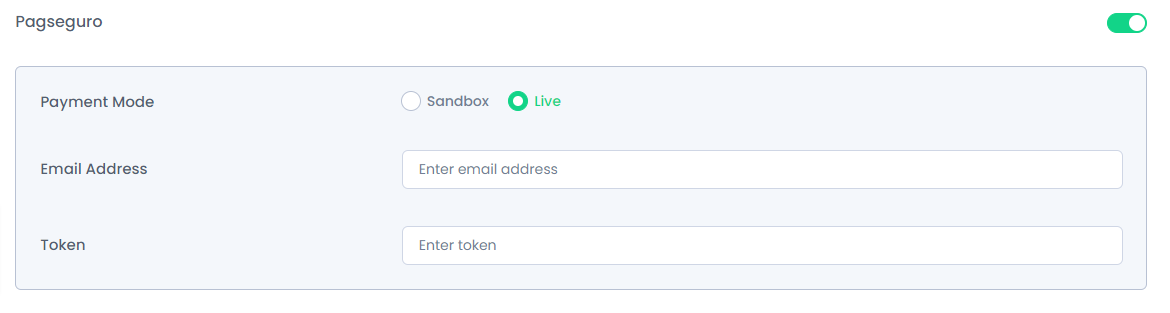
Note: Enter different and valid Credentials for both “Sandbox and Live”.
 14-day money-back guarantee