
Company Settings
The Company Settings panel allows you to add and manage your business information inside BookingPress.
These details will be used across email notifications, booking related communications, invoices and customer facing pages.
You can set all the company details from BookingPress → Settings →Company.
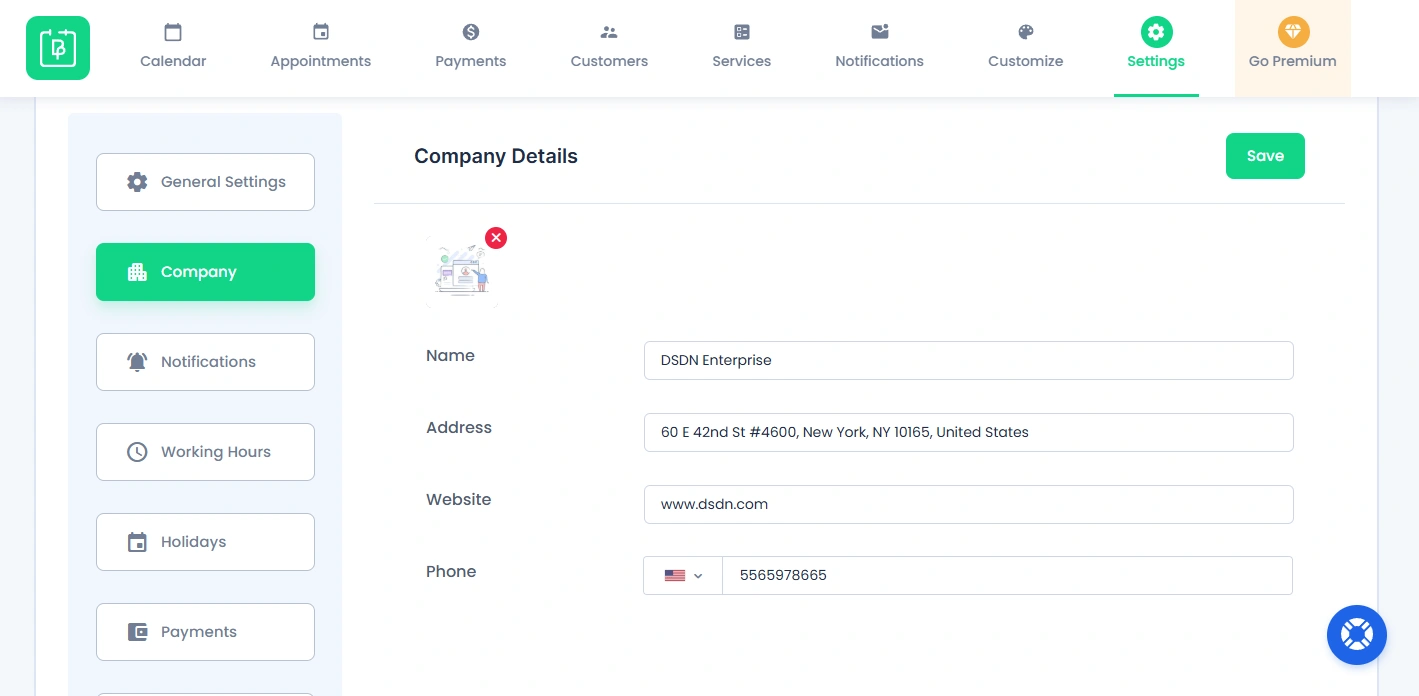
Now let us walk you through each and every Company Details inside the General Settings panel.
Configure Company Details
Logo Of The Company
You can set the logo of your company from here. Just make sure that the size of the Logo image is less than 500kb.
Name
Add your business or company name as you want it shown in BookingPress notifications and booking related notification messages.
Address
You can also enter your business address to show accurate company information in customer communications and invoices.
Website
You can add your official company website URL here for branding.
Phone Number
Enter your business contact number so customers can easily reach you when needed.
Need a hand?
Our world-class support team is happy to help. Send us a message and we’ll take it from there.
 14-day money-back guarantee